

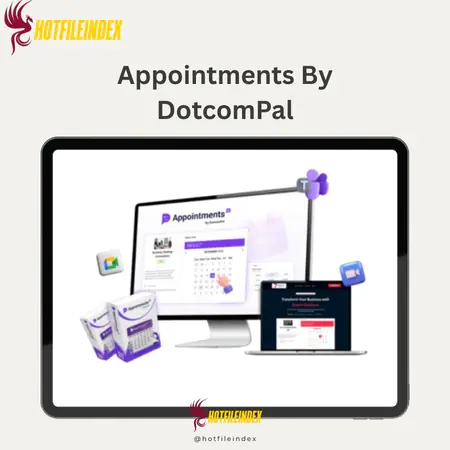
Appointments By DotcomPal
$37.00
Appointments by DotcomPal is an all-in-one scheduling and CRM tool that lets service businesses accept bookings, payments, and manage clients from one dashboard.
You will get Individual Account of
- FE
When you run a service business, you don't always have to spend hours dealing with booking requests, confirmations, notes, and payments. But for business owners, this is still something they do every day. This review goes into detail about DotcomPal's Appointments service. It will talk about how it works, who it's meant for, and whether it can be used instead of many of the tools businesses already use to handle appointments. This review gives you all the information you need to decide if this service is a good fit for your business.
What is Appointments By DotcomPal

Appointments by DotcomPal is a tool that helps service businesses manage customers and plan appointments, calls, or consultations. This option lets you take appointments and payments, send emails and reminders, and handle customers all online at any time of the day with a single system, so you don't have to use multiple pieces of software that don't work together. Customers can pick the service they want and a good time for it without having to get in touch with you.
The software also has a CRM system that keeps all of the information about customers, like profiles, appointment history, notes, preferences, and finished payments. Appointments is a simple way to handle regular customers with a customer relationship management system that doesn't need spreadsheets or CRM software. Appointments also offers a way for teams and agencies to sync their calendars. This makes it possible to have multiple experts, individual schedules, repeat appointments, and service packages.
To put it simply, Appointments by DotcomPal is a service that automates and simplifies the scheduling process. It boosts the number of scheduled meetings and cash flow through automated reminders and payments, respectively, while also improving the business's image and lowering the amount of work needed to schedule appointments.
Key features of Appointments By DotcomPal
- Transform any service business into a 24/7 AI-powered automated appointment scheduling machine:DotcomPal's appointment scheduling system can turn any service business into a 24/7 AI-powered automatic appointment scheduling machine that fully automates the process of setting up appointments from start to finish. With AI-powered setup, you can quickly start a fully working appointment scheduling system just by saying what kind of service you offer. On a regular website with pages, forms, and processes that have to do with making appointments, this would take weeks to finish.
- Customized, high-conversion appointment pages: This method lets you create professional-looking appointment pages that fit your brand perfectly. This includes making changes to service details and information forms, as well as adding your brand colors, fonts, logo, and layout design. All of the pages for booking appointments will work on phones, load quickly, and be focused on getting people to convert. This will make your business look more professional from the start.
- DotcomPal's appointment scheduling system can change to any form or method of service business, so you can make appointments for any type of service or industry. DotcomPal Appointments can easily handle appointments for coaching, tutoring, clinics, beauty salons, businesses, or freelance work. It's not limited to a certain structure, so it can be used for single talks, recurring sessions, or service packages.
- Synchronization of calendars in real time and defense against double bookings: The system works with your calendar without any problems and shows changes in real time. Appointments makes sure that no one books the same appointment twice and that all calendars are in sync across all devices and websites once they are linked. You can be sure of accuracy without having to plan things by hand.
- Create it one time and put it everywhere: Your scheduling tool can be added anywhere, including a website, a sales funnel, a landing page, a blog, or other tools. There's also a way to make sure you never miss an appointment on any of your digital sites. This way, your customers can book time with you no matter how they get in touch.
- Intelligent, automatic prompts to stop customers from not showing up: When customers don't show up, it can be very bad for businesses that offer services. The smart reminder feature in the “Appointment Scheduling” section fixes this issue. This feature lets you set up automatic email messages that adjust to different time zones so that customers miss less often.
- Customer Management and CRM: The Appointment Module has a full CRM system that is part of it, so you can keep track of customer information, their past appointments, interests, and lifetime value. All of this can be done from one dashboard, which helps you deal with relationships, sales, and targeted marketing, all while giving a more personalized experience.
- Scheduling for multiple providers and groups: The software lets groups, agencies, and hospitals have as many service providers as they want. Each provider's plan is different. When clients book, they can pick their favorite provider.
- Get paid right away when someone books an appointment: Our built-in schedule system safely takes deposits or full payments right away through Stripe, PayPal, Square, or Authorize.NET. This saves money, makes sure that there is always enough cash on hand, and stops a lot of last-minute cancellations, which makes people more committed to each plan.
- Service Packages and Recurring Appointments: You can easily set up recurring appointments, like lessons that happen every week or month. Customers can book whole programs at once with service packages. This makes it simple to build a steady, regular business with very little work.
- The system runs on a very secure cloud platform with 99.99% uptime, so you get enterprise-level scalability and speed without any hassle. Instant confirmation, SSL encryption, and corporate data security are all technical features that do not make things more difficult for end users.
- AI Booking Assistant for Quick Setup: The AI Booking Assistant helps with and simplifies human setup and configuration, making the process easier. It also helps with organizing pages, services, and processes, which lets people start businesses without having to know how to do it technically.
- Smart Design Tools and a Drag-and-Drop Page Builder: You can make booking pages with a drag-and-drop designer like Canva without having to know how to code. You will be able to use a design library, a form for booking, buttons for conversion, pictures, icons, fonts, and timers to show how urgent things are. Headers created by experts will also be available for you to use.
- Integrated tracking tools let you keep an eye on bookings, income, behavior, and performance analysis. The system also has personal cloud storage for keeping documents and tools organized.
- With the commercial license, you can make the appointment scheduling system and sell it to customers under your name. With this, DotcomPal Appointments will go from just being a way to schedule appointments to being a possible money-making tool for businesses and freelancers.
How to use Appointments By DotcomPal
Step 1: Access the Main Dashboard & Tools
Once you log in to the system, you will go to the main dashboard. You can see right away what meetings, transactions, orders, and other activities you have for the day. You don't have to use a bunch of different tools to get to all of the important parts, like CRM, Website, Sales, Marketing, and Analytics.
Step 2: Set Up Customers, Pages & Automation
You can find details about customers, contacts, appointments, and notes in the CRM section. In the Website part, you make or change appointment pages and business pages. The Marketing area lets you make signup forms, track, and get leads automatically.
Step 3: Create Appointment Offers
Go to Sales > Products and choose a product type to set up a time for it. Type in your service name, then set the price, whether the meeting is free or paid, and the times when you are available. You can also add more deals.
Step 4: Connect Payment & Launch
Pick how you want to pay, set up your account, and then post the deal. Customers can make plans, pay if they need to, and get to the member page, among other things, once the deal is released.
Step 5: Customize & Track Performance
The website's drag-and-drop editor can be used to make changes to all user pages and scheduling pages. You can keep an eye on appointments, income, customer activity, and how well pages work with analytics categories. This helps you make them better for long-term success.
Why you should use Appointments By DotcomPal
- Programmed to automatically fill your schedule: Appointments by DotcomPal instantly fills up your schedule. This app is for businesses that want to get rid of their empty time slots. People can make plans at any time of day or night without having to email, call, or otherwise contact you, which makes it easier to get people to make appointments.
- Reduce missed meetings and absenteeism: Clients are helped to remember appointments and be on time with automatic confirmations and reminders. The method prevents missed appointments with automatic alerts, which saves you time and money.
- Help keep your income steady: Every missed meeting means you lose money. With Appointments, the income loss from cancellations and no-shows is minimized by integrating reminder and confirmation alerts with prepaid payments.
- Eliminate daily manual tasks: Bookings, notes, and payments don't need to be confirmed by hand anymore. Doing everything in one place cuts down on mistakes and gives us more time to focus on delivering services.
- Appointments is a tool that can replace many others you use every month. It combines appointments, reminders, payments, CRM, site management, and automation into one easy-to-use solution. This cuts down on the need to sign up for a lot of different services, which can be expensive.
- As your business grows, so does your marketing. Appointments can help whether you're a freelancer or run a company with a team. It supports multiple calendars, vendors, recurring appointments, and service packages. So, you won't have to use a bunch of different apps later on because this will change as your business grows.
The Upgrade/OTO details
Front-End (FE): Appointments by DotcomPal – $37
- Access at entry-level price to Appointments by DotcomPal, a complete booking and client management tool.
- Includes the whole system for making appointments online, confirming them, and sending out notes.
- Lets service businesses easily avoid double bookings, sync calendars, and take reservations at all hours.
- This dashboard can be used to handle customers, their past bookings, notes, preferences, and payment records all in one place.
- With safe proxy connections, it supports collecting payments when people book.
- It comes with a business license that lets people make booking systems for customers and sell them.
- There is no hosting, setup, or technical application needed because it is fully cloud-based.
- You can test it for 30 days without any risk and get your money back if you want to.
- Perfect for local service companies, freelancers, coaches, consultants, and agencies that want automated scheduling without having to pay every month.
Upgrade 1: Appointments by DotcomPal Fast-Pass Deal – $230
- An update that gives you access to all of Appointments' features and licenses in one package.
- Takes away all limits on services, bookings, customers, team members, and usage.
- Includes automation, analytics, advanced security, and priority help at the business level.
- gives the business full permission to sell systems for making appointments and keep all of their income.
- Lets you run several companies and client projects from a single, central platform.
- Includes special fast-action bonuses that will help you get things going and start making money right away.
- Ideal for dealers, agencies, and power users who want to scale without limits and save over 75% compared to individual upgrades.
Upgrade 2: Appointments Mega Suite Upgrade (20+ Premium Apps) – $127
- Adds an entire ecosystem for business growth around the Appointments app.
- Includes access to more than 20 high-quality apps for making content, finding new leads, automating marketing, and being more productive.
- Designed to help businesses that work by appointment with extra tools and resources.
- Comes with VIP training and extra special support to help you grow faster and get better results.
- Bundling tools into one suite gets rid of the need for several payments.
- Perfect for people who want to have all of their business tools in one place, as well as marketing and power users.
Advantages
- One-time payment, no monthly subscription fees: DotcomPal's meeting scheduling service only needs to be paid for once; there are no monthly fees. So, in the long run, this platform will be much cheaper than most others that charge a monthly fee.
- Automated appointment scheduling around the clock: Customers can set up an appointment at any time, day or night, and you don't have to answer to their requests by hand. In this manner, you'll never miss a chance to schedule something outside of work hours.
- Integrated CRM for complete customer management: The integrated CRM system saves customer profiles, appointment information, preferences, notes, and payment history. This allows you to handle business relationships without having to use spreadsheets or other CRM software.
- Email and SMS reminders: Fully customizable automated meeting reminders help keep clients ready and informed, which greatly lowers no-shows and cancellations at the last minute.
- Smart calendar syncing prevents double bookings: syncing with linked calendars in real time guarantees correct availability and prevents scheduling conflicts.
- You can set up weekly or monthly meetings or service packages to help people like coaches, consultants, and service providers who have regular clients.
- Total branding and customization: Use a custom domain name, image, brand colors, fonts, and layout to make a professional booking experience that fits your brand exactly.
- Beginner-friendly page builder: Just drag-and-drop; no coding or design skills needed. The Canva-like designer lets even people with no experience make appointment pages with ease that get lots of bookings.
- Appointments can easily fit into any field and a variety of ways of making plans, from coaching and advising to beauty salons, clinics, businesses, and freelancers.
- Supports scheduling for multiple teams and providers: Add multiple service providers or team members, each with their own plan and availability. This feature makes the app ideal for companies and businesses that are growing.
- Includes a commercial license: You can make money with the white-label feature by selling the scheduling system to clients under your own name. This gives you a new way to make money without having to build the system yourself.
Disadvantages
- Needs a stable internet connection: Appointments is web-based, so you can access the platform and make appointments smoothly with a good internet connection.
- Learning curve at first because of feature depth: Some built-in tools, like CRM, billing, automation, pages, and analytics, are very helpful, but new users will need to spend some time learning how to use all of them, especially if they only need to schedule things.
Who is it for?
- Coaches, consultants, independent contractors, and businesses: Appointments is perfect for any worker who needs a dependable, automated way for customers to make appointments, get reminders, and pay without having to plan things themselves. It speeds things up and makes you look more credible and expert.
- Local service companies: Automated scheduling, reminders, and upfront payments will help clinics, beauty salons, fitness trainers, tutors, therapists, and businesses like them a lot. This will keep people from missing appointments and make your schedule more efficient.
- Digital marketers and business owners: With the included business license, people can make meeting scheduling systems and sell them to clients as a service. This opens up new ways to make money without having to pay for special development.
- Non-technical beginners: Appointments has a lot of powerful features, but it is still easy for beginners to use. People who don't know much about programming or technology can quickly set up a full system for managing clients and making appointments.
What You Get (Compared to Buying at HotFileIndex)
- You get clear, useful help, not just a download: When you buy DotcomPal appointments from us, you don't have to plan everything by yourself. We aren't just going to talk about what's in the system; we're going to talk about what it takes to use it in a real business. This will make sure that you aren't puzzled and that you do everything correctly with your new way of making appointments.
- Lifetime help through guides and future updates: When you buy through our link, we get a commission that lets us make more content about Appointments by DotcomPal, like tips and guides. You will also be sure to get the benefits of changes that will happen over time.
- Same price—better value: you don't pay anything extra when you buy from our website. It costs the same as getting it from the supplier. The only difference is that you will get a lot more value for your money, in addition to clearer skin.
- Before you make a decision, get a trustworthy, unbiased look: But we don't want to sell too much. We clearly show you both the pros and cons. This will help you understand what Appointments can and can't do. This is how you can make a smart choice and not buy something that offers too much.
FAQs
- Do I need programming skills to use Appointments by DotcomPal?
No. This is a beginning website. You don't have to code anything on this site; you can just drag and drop. - Is this a one-time payment or a subscription plan?
Appointments are a way to pay that can be done only once. This makes sure there are no fees for subscribing. - Can I accept automated payments from clients?
Yeah. When you book a meeting, you can use Stripe, PayPal, Square, or Authorize.net to send deposits or full payments. - How can I manage multiple team members or service providers?
Yeah. There is no limit to the number of team members, their plans, when they are free, or the services they offer. - Does Appointments by DotcomPal help prevent no-shows?
Yes. Email and text message reminders are also automated and can be very effective in preventing missed appointments. - Can I sell the appointment scheduling system to my clients?
Yeah. You get a business license that lets you build the appointment booking system and sell it under your own name.
Conclusion
Appointments by DotcomPal is more than just a way to schedule appointments; it's an entire automated system for managing companies that do appointment scheduling. It handles client data, lets people pay ahead of time, takes away the need for in-person meeting scheduling, and makes it less likely for customers to be late. meetings by DotcomPal is a great way to save time, reduce stress, and automate your meetings. Also, you can get free help from us when you buy from our website. Buy Appointments by DotcomPal today by clicking below, and you can schedule appointments automatically.
All Info just pre-build when listing. Until Product mark as "Instant Deliver", infomation will be updated again like OTOs you will be get,..etc
Related products
SAAS


SAAS

SAAS

SAAS

SAAS
