
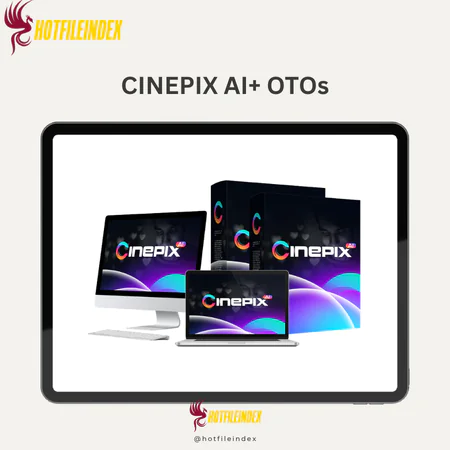
CINEPIX AI + OTOs
$15.00
CINEPIX AI is a cloud-based AI production studio that creates complete video series by automating scripting, scene generation, voiceovers, editing, and final production from a single brief.
You will get Individual Account of
- FE + OTOs
There is a conversation that happens behind closed doors at most small YouTube channels, marketing teams, and growing agencies. It usually involves a spreadsheet, a production timeline, and the uncomfortable gap between the content volume the strategy requires and what the budget can actually support.
A five-episode brand series requires a scriptwriter for five to ten hours per episode, a voice actor for recording and direction, a video editor for cutting and post-production, a sound designer for music and effects, and someone to manage the handoffs between all of them. By the time you have paid everyone and reviewed every revision, you have spent anywhere from several hundred to several thousand dollars per episode before accounting for the weeks of calendar time the process consumes.
This is why most small channels publish inconsistently. Not because they lack ideas. Not because they lack creative vision. Because the traditional production model requires either a budget or a team that most independent creators and small businesses simply do not have.
CINEPIX AI was built around a direct answer to this problem. It is a cloud-based AI production studio that converts a single structured prompt into a complete multi-episode video show, handling scripting, scene generation, voiceover production, sound design, auto-editing, and final export as one integrated workflow. No production team required. No editing software learning curve. No weeks between concept and published episode.
What Is CINEPIX AI?
CINEPIX AI is a cloud-based AI production studio, described by the platform as an AI showrunner, that converts a single text prompt into a fully edited multi-episode video series complete with script, scenes, voiceover, music, and final exports ready for publishing.
The AI showrunner positioning is the most important thing to understand about what makes CINEPIX AI structurally different from other AI video tools. Most AI video platforms handle one scene at a time. They are prompt-to-clip generators that produce individual segments which users then assemble, sync with audio, add transitions to, and export manually. The coordination work between scenes is still entirely the human operator's responsibility.
CINEPIX AI operates at the series level. A single creative brief produces a season arc, episode synopses, scene-by-scene breakdowns, full narration scripts, visual generation, audio alignment, auto-editing, and export-ready episodes in one connected workflow. The platform handles approximately 80 to 90 percent of production work end to end, with the remaining 10 to 20 percent focused on human creative direction, quality review, and targeted refinements.
The platform runs entirely in the browser with no software installation required. Front-end access is available at a one-time price of $14.97 with a commercial license included and a 30-day money-back guarantee.
The Production Economics That Make CINEPIX AI Compelling
The financial case for CINEPIX AI is most clearly visible when compared against the cost structures it replaces.
- Against traditional freelance production: Outsourcing a 5-episode mini-series with scriptwriting, voice acting, and basic editing through traditional freelance channels can run several thousand dollars for quality work. A single CINEPIX AI subscription covers the same workload at a fraction of that cost, with the additional advantage that revision cycles do not carry hourly billing implications.
- Against the time cost of self-production: A creator producing one episode per week through traditional methods typically spends 10 to 15 hours per episode across writing, recording, editing, and sound work. CINEPIX AI compresses that same output to one to two hours after prompt refinement, with human effort shifting from production labor to creative direction. For a creator producing weekly content, that represents the recovery of 8 to 13 hours per week that can be reinvested in audience development, community engagement, or content strategy.
- Against multi-tool subscription stacks: Running separate subscriptions for an AI writing tool, a video generation platform, a voiceover service, and a music library costs substantially more per month than CINEPIX AI's integrated platform. Beyond the subscription cost, the time overhead of moving between tools, re-entering context, and manually assembling outputs is itself a significant ongoing cost that the integrated workflow eliminates.
Main Features of CINEPIX AI

One-Prompt Season and Series Creator
The flagship capability is generating a complete multi-episode series from a single structured creative brief. A prompt specifying genre, tone, target audience, episode length, and episode count produces a season arc, episode synopses, scene-by-scene breakdowns, and full narration scripts as an integrated output. The sweet spot in practice is 5 to 15 minutes per episode, where the AI's pacing, narrative coherence, and visual quality combine most effectively.
The “update all episodes” function is particularly valuable for series production. If the tone needs adjusting or a structural element needs changing mid-production, re-prompting the whole series applies the change across all episodes rather than requiring individual manual edits. This is one of the meaningful practical advantages over both manual production and individual-scene AI tools.
Multi-Episode Script Engine
The script engine generates structured season arcs, episode outlines, scene-by-scene breakdowns, and full narration dialogue from the initial brief. Users retain editorial control throughout, with the ability to edit outlines, request character changes, adjust pacing, and rewrite individual episodes through follow-up prompts. The best results consistently come from detailed initial prompts. Specific inputs covering structure, style references, and audience produce season-ready drafts. Vague inputs produce generic outputs that require substantially more revision.
Cinematic Visuals, 3D, and VFX Integration
The visual generation layer draws from AI-generated cinematic shots, 3D and VFX elements, integrated stock footage, and user-uploaded brand assets. Style presets cover cinematic, anime, vlog, corporate, documentary, retro, and neo-noir, among others. Individual scenes can be regenerated or restyled without redoing the full episode, and user clips can be mixed with AI-generated content for creators with established visual identities.
Output quality ranges from suitable for YouTube and marketing campaigns to polished cinematic short film depending on style selection, prompt detail, and revision investment. The platform is transparent that it is not positioned as a Hollywood production substitute.
Multilingual Voiceover and Localization
Over 70 language support with multiple accents and voice styles per language covers documentary narrators, character voices, and corporate tone explainers. Dialogue is auto-timed to scenes with lip-sync for character animation where applicable.
The international content multiplication use case represents one of the clearest financial wins available through CINEPIX AI. A series generated in English can be auto-produced in Spanish, Portuguese, French, German, and Japanese with localized voiceover and subtitles from a single creative brief, effectively multiplying channel reach without proportional cost. For marketing teams running international campaigns, the same logic applies to product explainers and brand series.
Voice models occasionally mispronounce uncommon brand names, technical jargon, or specific slang. Reviewing final outputs for accent consistency and making targeted phoneme corrections where needed is advisable before publishing.
Smart Editing Suite and Auto-Post-Production
The auto-editing engine handles cuts, transitions, B-roll insertions, lower thirds, subtitles, color grading, and stabilization automatically. The smart editing suite enables manual refinement through a timeline view with drag-and-drop reordering, text overlay adjustments, subtitle controls, and intro and outro customization. Most creators apply manual changes to key scenes only, relying on auto-edit for approximately 90 percent of the final cut.
Export Optimization and Distribution Tools
Exports support 16:9 for YouTube and Rumble, 9:16 for TikTok and Shorts, and 1:1 for square social placements at 1080p with 4K available on higher-tier plans. AI-generated titles, descriptions, tags, and thumbnail suggestions address the distribution admin that typically follows each production cycle and directly affects discovery and click-through performance.
Pricing Plans and OTOs detailed
Front-End – CINEPIX AI ($14.97 one-time)
- AI-powered cinematic video creation platform with lifetime access
- Includes video creation, storytelling, voiceovers, editing, and monetization tools
- Commercial license included for client work and profit generation
- Designed for creators, marketers, freelancers, and agencies
- Replaces multiple AI video and content tools with one platform
- Includes a 30-day money-back guarantee
OTO 1 – CINEPIX AI Infinite/Unlimited ($47/$37 one-time)
- Removes account and campaign limitations
- Unlock unlimited traffic campaigns and promotional capacity
- Promote affiliate offers, ecommerce products, and digital offers at scale
- Adds premium features and faster scaling options
- Ideal for heavy marketers and power users
OTO 2 – CINEPIX AI DFY Pack ($37/$27 one-time)
- Includes ready-made campaigns and marketing assets
- Provides DFY videos, emails, squeeze pages, social content, and music
- Reduces setup time and eliminates manual campaign creation
- Helps users launch promotions faster with proven materials
- Suitable for beginners and affiliate marketers
OTO 3 – CINEPIX AI Automation ($37/$27 one-time)
- Provides DFY Facebook traffic setup and automation
- Includes preloaded viral content and monetization setup
- Helps generate leads, clicks, and sales on autopilot
- Reduces technical setup and manual traffic work
- Built for hands-free traffic generation
OTO 4 – CINEPIX AI 10X ($37/$27 one-time)
- Delivers buyer traffic directly to your links
- Includes recurring traffic campaigns and DFY support
- Supports affiliate pages, opt-in pages, and sales funnels
- Provides access to private traffic sources
- Designed for faster traffic growth with less manual effort
OTO 5 – CINEPIX AI Platinum ($67/$47 one-time)
- Transforms the platform into an audiobook and podcast creator
- Convert PDFs, articles, books, and documents into audio content
- Create podcasts and audiobooks without voice recording
- Suitable for YouTubers, podcasters, freelancers, and publishers
- Helps create sellable audio products quickly
OTO 6 – CINEPIX AI Diamond ($97/$67 one-time)
- Unlocks a 500-in-one AI content creation suite
- Generate websites, blogs, sales copy, SEO content, graphics, videos, code, and more
- Includes DFY templates for faster creation workflows
- Supports agency services and digital product creation
- Designed for scalable AI-powered business operations
OTO 7 – CINEPIX AI Reseller ($197/$97 one-time)
- Includes reseller rights with 100% profit retention
- Sell CINEPIX AI accounts using ready-made funnels and sales materials
- Create customer accounts from a reseller dashboard
- Includes marketing assets, funnels, and support systems
- Turns the platform into a ready-made software business
How to Use CINEPIX AI: The Workflow That Produces Results
Write a Detailed Creative Brief
Invest time in the initial prompt. Genre and subgenre, narrative tone, target audience profile, episode length, episode count, style reference, and structural requirements all belong in the brief. A prompt specifying “a 5-episode investigative tech series, 12 minutes per episode, targeting business professionals aged 25 to 45, documentary style, authoritative single narrator, covering AI's economic impact by industry” produces a dramatically stronger season draft than “make a tech series.” The additional five minutes of prompt construction consistently saves 30 to 60 minutes of revision work per episode.
Review the Script at Outline Level First
Before approving the full script draft, review the season arc and episode synopses at the outline level and make structural adjustments through follow-up prompts. Correcting structural issues at the outline stage is significantly more efficient than rewriting full episode scripts after visual generation has begun.
Generate Visuals and Review Scene by Scene
After script approval, CINEPIX AI generates the visual plan for each scene. Review each episode's visual output and regenerate specific scenes that do not meet your quality standard rather than restarting the full production. Upload any brand-specific visual assets at this stage to integrate with AI-generated content.
Finalize Audio and Alignment
Select voice style, language, and accent. Review auto-timed audio alignment and make targeted corrections for any mispronounced terms. Add background music from the built-in library or upload original tracks. The auto-sync feature handles beat alignment and emotional match with cut points.
Auto-Edit, Refine Targeted Scenes, and Export
Allow auto-editing to produce the first cut, then apply manual adjustments only to scenes requiring specific emphasis, brand moments, or precise timing. Select the appropriate export preset for each target platform and resolution.
Pros and Cons
Pros
- Series-level production from a single prompt is the most differentiated capability CINEPIX AI offers. No competing AI video tool produces complete multi-episode shows with scripting, visuals, voiceover, editing, and export from one creative brief.
- Production timeline compression from weeks to hours is the most concrete practical benefit for solo creators and small teams who currently manage the full production stack manually.
- AI-maintained style consistency across a season eliminates the tonal and visual drift that human production teams commonly experience, producing a more cohesive series than most manual workflows achieve.
- 70-plus language localization from a single brief enables international content multiplication that would otherwise require separate production runs per language at substantially higher combined cost.
- No editing software learning curve makes professional episodic production accessible to creators who have strong creative ideas but lack post-production technical skills.
- Built-in distribution tools including AI-generated titles, descriptions, and thumbnail suggestions reduce the post-production administrative work that consumes disproportionate time relative to its creative value.
- One-time pricing at $14.97 with commercial rights included makes the financial comparison with traditional production alternatives immediate.
Cons
- Output quality ceiling at 80 to 90 percent of professional editing standards means the final polish layer still requires either manual editing time or a separate post-production pass for premium deliverables.
- Episodes over 20 minutes require more manual intervention for narrative coherence and pacing, which limits applicability to very long-form content without significant human input beyond the brief.
- Cloud-only with no offline capability means platform availability directly affects production schedules.
- Style customization for distinctive brand identities requires manual prompt refinement and asset uploads beyond default preset options.
- Voice model limitations with technical terms and brand names require targeted review and correction before final publication.
Who Is CINEPIX AI For?
- YouTube creators producing regular episodic content who need to maintain consistent publishing schedules across education, commentary, storytelling, or review formats without the production overhead of traditional multi-person workflows.
- Marketers and brand teams who need multi-episode brand series, localized campaign content, and product explainers produced efficiently without outsourcing to video agencies.
- Agencies and studios who want rapid first drafts and pre-visualization capability that compresses the development phase before committing full production resources to the strongest concepts.
- Educators and course creators who need lesson series and localized microlearning content in multiple languages from a single content development investment.
- Streamers building companion video inventory who want evergreen episodic YouTube content that extends their primary stream without proportional production effort.
Less suited for: Projects requiring frame-perfect professional editing for broadcast, complex multi-character narrative plots requiring deep human scriptwriting craft, and any workflow requiring offline production capability.
CINEPIX AI vs. Competing AI Video Tools
| Tool | Series Automation | Languages | Primary Strength | Primary Limitation |
| CINEPIX AI | Full multi-episode | 70+ | End-to-end show production | Less scene-level micro-control |
| Runway ML | No | Limited | Cinematic scene-level shots | No show automation |
| Pika Labs | No | Limited | Short experimental clips | No multi-episode workflow |
| Synthesia | Partial | 140+ | Talking-head training videos | Limited cinematic range |
| InVideo AI | Partial | 50+ | Social and marketing clips | Less polished long-form |
| Canva Video | No | Limited | Social templates | No episodic production |
Frequently Asked Questions
- What is the core difference between CINEPIX AI and a standard AI video generator?
A standard AI video generator produces individual clips from text prompts that users then assemble manually into longer content. CINEPIX AI operates at the series level, delivering complete multi-episode shows from a single creative brief with scripting, scene generation, voiceover, sound design, auto-editing, and export integrated into one workflow. The category distinction is scene generator versus show creator. CINEPIX AI handles the production work that a scene generator leaves entirely to the human operator.
- How does CINEPIX AI maintain style consistency across multiple episodes?
Style consistency is maintained structurally through the AI's shared context across the full season rather than through per-episode manual settings application. The initial creative brief establishes visual style, tonal parameters, and narration characteristics that carry through every episode. The “update all episodes” function applies style changes across the full series when adjustments are needed, rather than requiring individual episode edits. This structural approach produces more consistent multi-episode outputs than human production workflows typically achieve without dedicated continuity oversight.
- Is CINEPIX AI suitable for marketing teams producing international campaigns?
Yes. The 70-plus language localization capability is one of the most commercially significant features for marketing teams running international campaigns. A product explainer series or brand campaign generated in English can be auto-produced in multiple languages with localized voiceover and subtitles from the same creative brief. This multiplies campaign reach without proportional production cost, which changes the economics of international content marketing significantly for teams that previously required separate production runs per language market.
- What is the most effective way to use CINEPIX AI for an agency managing multiple client series?
The most effective agency workflow starts with a detailed client brief for each project before running any production. Keeping client-specific visual references, brand assets, and style specifications organized in separate project workspaces prevents cross-contamination of brand elements between accounts. Using the auto-edit output as the first draft that agency teams review and selectively refine rather than the final deliverable produces the best balance between production efficiency and client delivery quality. The speed advantage is most dramatic in the brief-to-first-draft phase, where CINEPIX AI compresses what would otherwise be a multi-day handoff between scriptwriter, video producer, and editor into a single session.
- How does CINEPIX AI handle factually complex content types like educational or technical series?
For factually complex content types, the AI script engine produces structurally sound first drafts that cover topic organization, narrative flow, and explanation structure competently. Factual accuracy in specialized domains still benefits from human expert review before publication, particularly for medical, legal, financial, or highly technical subjects where an error has real consequences for the audience. The recommended workflow for educational and technical series is using CINEPIX AI for structure and production while applying subject matter expert review to the script before visual generation begins.
- What is the Platinum upgrade and how does it extend CINEPIX AI beyond video production?
The Platinum upgrade at $47 to $67 adds audiobook and podcast creation capability to the platform, enabling conversion of PDFs, articles, books, and documents into audio content without voice recording sessions. For content creators who want to repurpose existing written content into audio formats, this upgrade creates a direct pipeline from written material to publishable audio products. For publishers and course creators specifically, the ability to produce sellable audiobook versions of existing written content without recording overhead represents a meaningful additional revenue opportunity from content that has already been created.
- How does CINEPIX AI compare to Synthesia for corporate training and educational content?
Synthesia is specifically optimized for talking-head training video formats with a single AI presenter, strong language coverage at 140-plus languages, and consistent avatar-based presentation styles. CINEPIX AI covers a broader range of visual formats including cinematic, documentary, and stylized animation alongside talking-head formats. For organizations whose training content requirements include only the talking-head presenter format, Synthesia's specialization provides depth in that specific format. For organizations that need varied visual styles across their training and educational content library, CINEPIX AI's broader format range and series automation capability provide more production flexibility.
- What happens to content ownership when using CINEPIX AI?
Standard practice for SaaS AI platforms is that users retain rights to their generated outputs subject to the platform's terms of service. The front-end purchase includes a commercial license for client work. Before deploying outputs in paid campaigns, broadcast contexts, or projects with specific IP requirements, reviewing the current CINEPIX AI terms of service to confirm content ownership and licensing in your specific use context is appropriate. For high-sensitivity NDA projects or work requiring specific IP protections, reviewing data handling and confidentiality terms before uploading sensitive client material is advisable.
- What is the realistic quality gap between CINEPIX AI output and professional video production?
CINEPIX AI output typically sits at 80 to 90 percent of a professional editor's work for the content formats it is designed for, with the final 10 to 20 percent of polish achievable through manual editing or a separate post-production pass. For YouTube content, marketing campaigns, educational series, and brand explainers, the output quality is consistently sufficient for professional deployment. For premium broadcast deliverables, high-end commercial productions, or projects where every frame requires professional-level cinematic control, the quality gap is more significant and the platform should be positioned as a first-draft and pre-visualization tool rather than a final delivery system.
- How does CINEPIX AI's Diamond upgrade extend the platform's capability?
The Diamond upgrade at $67 to $97 unlocks a 500-in-one AI content creation suite covering website generation, blog content, sales copy, SEO content, graphics, videos, and code alongside DFY templates for faster production workflows. For agencies and digital entrepreneurs who want to extend beyond video production into broader digital content creation, the Diamond upgrade transforms CINEPIX AI from a video production platform into a more comprehensive content creation infrastructure. For users whose primary need is the video production workflow, the core platform and targeted OTOs cover the relevant capability without the broader suite.
- How should a first-time user approach their first CINEPIX AI series to get maximum value quickly?
Start with a series concept you genuinely want to publish rather than a test project constructed specifically for evaluation. A real content need provides the clearest quality benchmark. Write a detailed brief covering all five prompt elements: genre, tone, audience, episode length, and episode count with a style reference. Review the output at the outline level before approving the full script.
Run through the full production cycle from prompt to export on a 3-episode pilot series rather than a full season, which gives you a complete quality evaluation with less total production time. Use the review pass to identify specifically where the gap between AI output and your publication standard is largest, then focus your next session on refining the prompt elements that produced the most significant gaps.
- Can CINEPIX AI output be further refined in professional editing software after export?
Yes. Exported episodes in standard formats can be imported into professional editing software such as DaVinci Resolve or Adobe Premiere Pro for frame-level refinement, specialized VFX addition, professional color grading, or any post-production work that exceeds the smart editing suite's capability. The most effective workflow for premium deliverables uses CINEPIX AI for the 80 to 90 percent of production work it handles efficiently, then applies professional editing software for the final polish layer. This hybrid approach captures the production speed advantage of CINEPIX AI while achieving the quality ceiling of professional post-production tools for specific high-priority outputs.
All Info just pre-build when listing. Until Product mark as "Instant Deliver", infomation will be updated again like OTOs you will be get,..etc
Related products

SAAS

SAAS
SAAS

SAAS
SAAS

