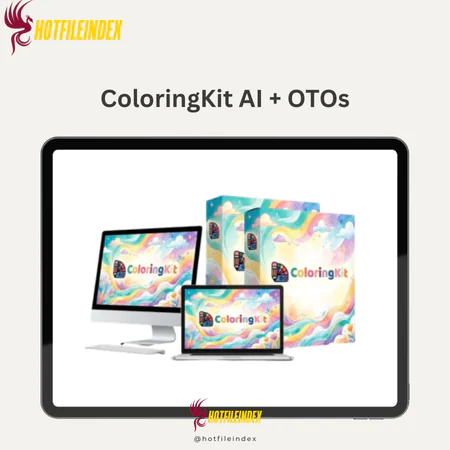
ColoringKit AI + OTOs
$27.00
ColoringKit AI is an online AI tool that instantly generates clean, publish-ready coloring pages and illustrations from a single text prompt.
You will get Individual Account of
- FE + OTOs
Anyone can use ColoringKit AI to make coloring pages or images, even if they are bad at drawing or don't know how to use complicated software or expensive AI-based modeling tools. ColoringKit AI only makes smooth, clear outlines and images that are ready for publication, while other diffusion models make outlines that aren't smooth or images that are dark and need to be edited by hand later.
We'll talk about what ColoringKit AI can do, who it works best for, its pros and cons, and whether it's worth using for your marketing or digital product needs in this review. This tool is meant to make the whole process of making a product easier and faster, whether you're making KDP coloring books, printing things on Etsy, or making school materials.
What is ColoringKit AI?

ColoringKit AI is an online tool for making pictures that can turn a single text order into both black-and-white and color drawings. The method makes smooth outlines and balanced layouts that can be published right away, instead of broken lines, sloppy shadows, or editing by hand.
ColoringKit markets itself as a business tool, not just a tool for making pictures. It was designed for producers who need to make things quickly and over and over again, and it also works well for businesses. You don't need to know how to draw, have Photoshop, or use external APIs. Everything works in one platform that is built for speed and produces results that are ready to be published.
Key features of ColoringKit AI
- Unlimited picture creation: You can make as many pictures as you want. There are no hidden costs or limits on the number of images you can use. It also doesn't have any limits; you can make as many pages as you want, which makes it great for making big groups.
- Clean, simple line art: ColoringKit makes seamless outlines (no need to cut out white areas) without shading, so the drawings are perfect for accurate coloring and stay clean when printed, which isn't possible with most AI image creation tools.
- Two kinds of responses to a single query: You can ask for either black-and-white or full-color coloring pages, depending on what you need for printing.
- Over 20 art styles: You can choose from over 20 art styles, such as cute, cartoon, mandala, and classic. This helps you fit in with different areas and the tastes of different audiences.
- Flexible batch number and aspect ratio: You can change the layout, aspect ratio, and make different designs all at the same time without having to rewrite the requirements or even start over.
- High-resolution FHD PNG export: Each picture comes as a high-resolution PNG, which can be used for KDP content, Etsy listings, print, or digital downloads.
- Control panel that's easy for beginners: everything is controlled by a simple interface where you can set the needs, styles, output, and download without having to do any technical setup or get an API key.
- Comes with a business license that lets you sell anything you make and keep all the money you make without having to pay royalties.
How to use ColoringKit AI
Step 1: Write the requirements
You just need to read plain text. You don't need any technical or artistic expertise.
Step 2: Choose Output Type
Choose between a black and white fill page or a color image.
Step 3: Choose Style, Aspect Ratio, and Quantity
Select from over 20 styles and determine the aspect ratio you want, as well as the number of images to create.
Step 4: Create Instantly
The system will automatically create well-proportioned, sharp images with aligned borders or colors.
Step 5: Download and Use
Get high-resolution PNG images and publish or sell them instantly!
Why you should use ColoringKit AI?
- You can get two results from one command: coloring pages and drawings to color right away, without having to redo your ideas.
- You can make as many designs as you want without thinking about copyright or other hidden restrictions.
- There are over 20 styles to choose from, so you can quickly change your pictures to fit a wide range of topics. Styles include cute (kawaii) and mandalas, as well as classic and realistic ones.
- PNG files of high quality: Right away get Full HD pictures that are ready to share or sell.
- Commercial use rights: You can sell your original works on sites like KDP, Etsy, Shopify, and Gumroad and keep all the money you make.
The Upgrade/OTO details
ColoringKit Front End – $27
- Unlimited image generation with no credit system
- Clean, connected line art made specifically for real coloring use
- Dual output option (black-and-white coloring pages or full-color illustrations)
- 20+ built-in artistic styles for different niches
- Flexible aspect ratios and batch quantity control
- High-quality Full HD PNG exports ready for publishing
- Beginner-friendly web dashboard with no setup required
- Commercial license included (keep 100% of your profits)
- With a 30-day money-back guarantee, it’s a low-risk way to finally finish and publish your coloring projects.
OTO 1: ColoringKit Plus – $57
- Designed for creators who want more variety and higher output quality.
- 30+ additional premium artistic styles
- Higher-resolution export options
- Expanded niche-focused design presets
- Faster generation performance
- Greater format flexibility for publishing
- Commercial usage rights maintained
- Perfect if you’re scaling multiple books or testing several niches at once.
OTO 2: ColoringKit Premium – $67
- Built for users who want deeper control and more polished results.
- Advanced editing tools for refining outputs
- Custom prompt enhancer for smarter generations
- Pro workflow optimizations
- Enhanced composition balancing
- Improved detail control for intricate designs
- Priority feature access
- Ideal for serious publishers who want more control over final results.
OTO 3: ColoringKit Elite – $47
- A fast-track package for creators who want instant assets.
- 100+ ready-made prompt packs
- Pre-generated coloring page collections
- Pre-made full-color illustration sets
- Niche-targeted design bundles
- Commercial-ready publishing assets
- Time-saving templates to launch faster
- Best suited for sellers who want immediate products to upload and monetize.
Advantages
- Unlimited picture creation: You can make as many pictures as you want because we don't charge for each one and there are no credits or limits on the number of pictures you can make. You can make a big collection for no extra charge.
- Images can be drawn in a way that looks like the real thing. The platform makes borders that don't show any shadows, so the pages can really be used for coloring books and printing.
- Two types of results for one request: There are two types of coloring pages with the same idea: black and white and full color.
- Over 20 styles and flexible formatting: The range of art styles and aspect ratios makes it easier to reach more people and meet their printing needs.
- Comes with a business license that lets you sell anything you make and keep all the money.
- The control screen is simple and easy to use, so you don't need to know anything about design or technology to set it up.
- Prepared for printing platforms: The output can be used with any digital marketplace or print marketplace, including Amazon KDP, Etsy, Shopify, and others.
Disadvantages
- Web-only: You need a stable internet link to use the app, which only works online.
- Different kinds of tools: This app is made for coloring pages and drawings, not for graphic design work.
Who is it for?
- Creators of coloring books: Great for quickly making coloring book sets that can be scaled up or down without having to draw each one by hand.
- For Etsy sellers and people who print things, this is a great design that can be downloaded right away.
- Amazon KDP publishers: Good for niche markets and interior design books that need to be released quickly.
- Worksheets are useful for teachers and educators because they can be used to make written materials for the classroom.
- Author of Content: This tool is great for making visual materials without having to pay an artist.
What You Get (Compared to Buying at HotFileIndex)
- Limited Time Offer: If you buy through our link, you'll also get extra information that will help you write, market, and sell your work better.
- Verified Access: Unlike other authorized providers, we offer official access with all the features and licensing rights that were promised.
- Help and advice from others: We also give buyers full instructions on how to get started quickly and avoid making common mistakes.
- It's safe and risk-free to buy, and there's still an official guarantee, so you can try it without thinking about losing money
FAQs
- Do I need to know how to draw or design to use ColoringKit AI?
Not at all. You just type in words, pick the style, and tell the system what kind of output you want. It will then make the art for you. - Are there any credit or usage limits?
Certainly not! ColoringKit AI doesn't charge you anything and doesn't limit the number of pictures you can make. - Am I allowed to sell the images I create?
Yes. You even get a business license, which means you can sell your art on KDP, Etsy, and other sites, or through Shopify or Gumroad. - What file formats do you get?
To make sure that all of your digital or printed goods look their best, we give you all of our images in the high-quality Full HD PNG format. All of the pictures come as high-quality Full HD PNG files that can be printed or used for digital sharing. - Can I create both coloring pages and color illustrations?
Yes. When you ask for something, you can get either black-and-white drawing pages or color pictures. - Does it require installation?
No, ColoringKit AI operates directly within your browser as a web application.
Conclusion
ColoringKit AI is made to help people make clean, simple coloring pages and illustrations right away, without having to learn a lot of complicated methods. It's mostly for coloring and drawing, not visual design in general, but it does a great job in that area. ColoringKit AI is a good choice if you want an easy and quick way to make a collection that can grow without having to draw each picture by hand or pay a monthly fee.
All Info just pre-build when listing. Until Product mark as "Instant Deliver", infomation will be updated again like OTOs you will be get,..etc
Related products

SAAS
SAAS

SAAS


SAAS