

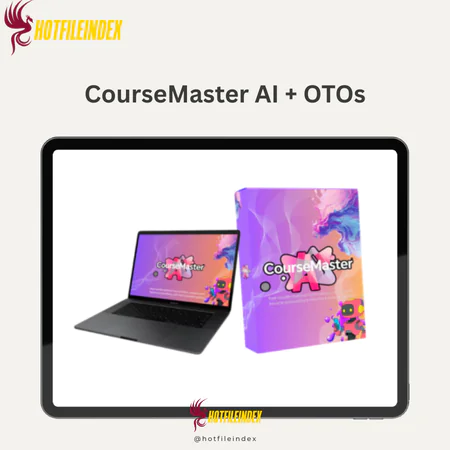
CourseMaster AI + OTOs
$17.00
CourseMaster AI is a cloud-based platform that generates complete course outlines, lesson scripts, and learning materials from a single topic input.
You will get Individual Account of
- FE + OTOs
This is a cloud-based tool called CourseMaster AI that can take a single topic and turn it into a full course package with outlines, lesson scripts, worksheets, and digital downloads in just minutes. As “done-for-you” digital goods and passive income become more popular, AI course generators have become a real option for new creators, coaches, and affiliate marketers who need to get things done quickly without giving up structure.
This review tells you what CourseMaster AI does (beyond what it says on the sales page), how the workflow works, how much it costs, how upsells work, what the honest pros and cons are, and how it stacks up against tools like ChatGPT, Teachable AI, and Kajabi AI. CourseMaster AI was created by a team with over 10 years of experience in software and digital tools, which shows in how the platform is set up.
Before we talk about price and workflow, let’s make sure everyone knows what CourseMaster AI is and what it can do.
What Is CourseMaster AI?

CourseMaster AI is an AI tool in the cloud that takes a course topic and turns it into a structured course package with outlines, section breakdowns, lesson scripts, workbooks, checklists, and companion PDFs. You can choose from more than 6,000 AI prompts and more than 3,000 ready-made courses that are matched to the curriculum frameworks for the subject you enter.
The value here is useful. It’s not thoughts that hold most course creators back; it’s making plans, outlining, and writing first drafts. CourseMaster AI doesn’t have to start from scratch because it can make an organized starting point in less than five minutes.
A topic like “Beginner Digital Marketing” will bring up a multi-module program, lesson scripts, and a workbook that can be up to 100 pages long. Type in “Passive Income for Busy Moms” and get the same treatment, but tailored to the learning situation and goals of that group. The platform matches patterns in its module database to make sure that the information is right for that type of learner.
One thing you should know before you buy is that CourseMaster AI creates the material and structure of the course. It doesn’t hold your direction. You can upload the materials to Teachable, Kajabi, or Thinkific, or you can use Gumroad to sell digital files.
How CourseMaster AI Works: From Topic Input to Ready-to-Launch Course
Step 1 – Enter Your Topic or Niche
Your niche or course idea is the first thing that goes into the process. Enter “Affiliate Marketing for Complete Beginners,” “Beginner Digital Marketing Bootcamp,” or “Freelance Writing for Busy Parents” into the platform’s interface, and CourseMaster AI will search its library of more than 6,000 prompts to find curriculum models that are relevant to your subject.
Detail determines the quality of the result. A broad input like “Business” won’t be enough to make a tight, useful program. The system can make structured content if it has a clear idea of the group it wants to reach and the goal it wants them to reach. You can also make different sub-niches from a main topic, which is helpful for trying different angles or putting together product bundles.
Step 2 – Auto-Generate a Complete Course Outline
CourseMaster AI takes a confirmed topic and creates a structured course outline with 10 to 20 modules. Each module has a lesson title and built-in learning goals. In less than five minutes, the whole sketch is done.
Here’s what that looks like for a sample topic, “Digital Marketing for Beginners”:
- Module 1: Understanding Digital Marketing Fundamentals — Lesson 1.1: What Digital Marketing Is and How It Works, Lesson 1.2: The Core Channels You Need to Know
- Module 2: Building Your Online Presence — Lesson 2.1: Setting Up a Website That Converts, Lesson 2.2: Social Media Profiles That Attract the Right Audience
- Module 3: Content and Traffic Strategies — Lesson 3.1: Creating Content That Ranks, Lesson 3.2: Paid vs. Organic Traffic Trade-offs
Before moving on, you can accept, remove, or change the order of the modules. You can also change the lessons before making the whole thing. This is helpful because it saves you time because you don’t have to look into “what should I include?”
Step 3 – Generate Lessons, Scripts, Workbooks, and Assets
Once the outline is complete, CourseMaster AI makes the real course materials. From the course material, the platform can make full lesson scripts and talking points, outline slideshows, workbooks with tasks and checklists, quiz questions, and rough drafts of eBooks or lead magnets.
You can move sections around, change text that was created by AI, and copy or repurpose modules for different product formats with the drag-and-drop editor. A workbook that is about 100 pages long is usually made for a single multi-module course.
Just to be clear, this is just a first draft. It’s not the final version. After editing, testers found that about 80% to 85% of the work was ready to sell. Personalization includes adding your own case studies, keeping any time-sensitive data up to date, getting rid of generic segments, and making changes to fit your natural style. This makes up the last 15–20%.
Step 4 – Export, Package, and Launch Your Course
CourseMaster AI gives you training materials in formats that are ready to be used as documents. It is possible to download scripts and outlines as Word or PDF files. You can then copy and paste slide content into PowerPoint, Keynote, or Canva. You can also post workbooks and checklists to Gumroad or Etsy and use them as course bonuses or lead magnets.
Two common delivery flows look like this:
- CourseMaster AI → Teachable: Export lesson scripts, record video lessons using the scripts, upload the video content and course description into Teachable, set pricing, and publish.
- CourseMaster AI → Gumroad digital bundle: Export workbooks and checklists, package them as a downloadable product bundle, list on Gumroad or Etsy with a sales description built from the platform’s output.
Really, it saves time because making these things by hand can take days or weeks. That being said, CourseMaster AI does not handle your promotion. It’s still your job to set prices, make sales processes, send emails, and get people to your site.
Key Features of CourseMaster AI (and How They Compare to Doing It Manually)
The table below maps CourseMaster AI’s core features against what manual course creation requires at each stage.
| Feature | CourseMaster AI | Manual Creation | Approximate Time Saved |
| Prompt Library | 6,000+ built-in prompts | None, user-researched | Several hours of research per topic |
| Module Database | 3,000+ ready-made modules | Built from scratch | Days of curriculum planning |
| Output Types | Outlines, scripts, quizzes, eBooks, workbooks, video scripts | Written manually per asset | ~80–90% of drafting time |
| Customization | Drag-and-drop editor for text and structure | Manual writing and redesigning | Variable per project |
| Platform Exports | Compatible with Teachable, Kajabi, Thinkific, Gumroad | Manual copy-paste per platform | 2–4 hours per course |
| Bonus Content | Passive income niches, extended prompt packs | Not included | Immediate access |
When you make a course by hand, you have full control over every word and structure choice. CourseMaster AI gives up that power in exchange for speed, making a draft that works in minutes instead of days. The real question is how much time you’re ready to spend editing to make the output your own, since that step is still needed.
Pricing Plans and OTOs detailed
Front-End: CourseMaster AI Core – $17/$37
- AI course generator that automatically creates structured lessons, modules, and training materials.
- Built-in academy builder for launching and managing your own online learning platform.
- Access to the initial Done-For-You (DFY) library of ready-made courses and educational content.
- Simple dashboard for publishing, organizing, and delivering digital courses to students.
- Beginner-friendly platform designed for entrepreneurs entering the e-learning market.
OTO 1: Pro Edition – $97
- Removes platform limitations to allow unlimited course creation and content generation.
- Provides 5X more AI processing power for faster and larger content production.
- Agency rights to create courses for clients and sell course-building services.
- Unlimited digital assets including templates, course materials, and content resources.
- Scalable system designed for agencies, marketers, and professional course creators.
OTO 2: eCover & Graphics Creator – $47
- AI tool that generates professional 3D eBook and course covers automatically.
- Built-in logo creator for branding online courses and digital academies.
- Social media banner generator for promoting courses across marketing channels.
- Customizable visual templates designed specifically for digital product sales pages.
- High-resolution graphics suitable for websites, ads, and course marketplaces.
OTO 3: Flipbook Creator – $17
- Converts standard PDF eBooks into interactive page-turning flipbook experiences.
- Enhances the visual presentation of digital products to increase perceived value.
- Mobile-friendly flipbooks that work smoothly across desktop, tablet, and smartphone devices.
- Easy embedding options for websites, course platforms, and landing pages.
- Professional presentation format that helps justify higher product pricing.
OTO 4: Monthly Membership – $27/month or $197 one-time
- Monthly delivery of new trending eBooks and video courses for your academy.
- Continuous content updates to keep your digital learning platform fresh and relevant.
- Ready-to-use training materials that can be added directly to your course library.
- Access to a growing vault of digital education resources across multiple niches.
- Opportunity to expand your academy catalog without creating content from scratch.
OTO 5: Reseller License – $197
- Permission to resell the CourseMaster AI software and keep 100% of the profits.
- Access to the complete sales funnel including front-end and upsell commissions.
- Ready-made marketing materials and sales assets for promoting the software.
- No need to manage product development, hosting, or technical support.
- Ability to run your own software reselling business using the CourseMaster AI platform.
Pros and Cons of CourseMaster AI
Key Advantages: Where CourseMaster AI Delivers
CourseMaster AI solves specific, recurring pain points in the course creation process. Here is where it genuinely holds up:
- Quickly go from an idea to a plan. In less than five minutes, a topic can be turned into a structured multi-module program. If you need to meet a client goal or a seasonal launch, that quick turn-around is a clear plus.
- Stops the loop of blank pages. People who are stuck on structure instead of ideas get a useful starting skeleton right away. There are more than 6,000 questions and more than 3,000 modules, so the system almost never gives an empty result.
- Making scalable products. You can make mini-courses, lead magnets, eBook bundles, and workbook sets all based on the same main course idea. One niche can lead to many digital goods that can be sold without having to rebuild the foundation every time.
- Different output types. There are many types of assets that can be made from a single topic, such as lesson plans, worksheets, quizzes, eBook drafts, and slide outlines.
- Easy for non-technical people to use. You don’t need to know how to code, create, or use an LMS to get a course package from the platform.
Low cost up front. The low hurdle to entry is due to a one-time front-end price instead of a recurring subscription fee, like Kajabi or Teachable.
After editing, testers from a range of niches found that the result was about 80–85% ready to be used. Personalization, changing the tone, adding real-life examples, and checking any facts that may change over time are the only things left to do.
Limitations and Downsides: Where You’ll Still Need to Work
No AI course creation tool removes all the work. CourseMaster AI has real limitations that matter for buyers to understand before purchase:
- Generic data that hasn’t been changed. Content made by AI follows trends. If you just copy and paste the output without changing it to fit your style, examples, or audience, the course will feel impersonal and may include things that other users make too.
- It’s not a full-course site or running a business. CourseMaster AI makes things. It doesn’t help you make a sales funnel, send emails, show videos, or get people to your site. You still need a different site, such as Gumroad or Teachable.
- Dependence only on the cloud. The platform needs to be connected to the internet and depends on how often the seller is online. Your work stops if access is cut off.
- Scale up the risk of overlap. Users who don’t change their results might end up with course structures that look the same as those bought by other people in the same niche. How much you customize the material is what makes it unique.
- Getting better at asking. It takes some trial and error with topic framing, target specificity, and module selection to get the tightest output.
- Time-sensitive information needs to be looked over by hand. Any subject involving fresh information, laws that are always changing, or platforms that are always changing (like SEO and social media algorithms) needs to be fact-checked after generation.
Who CourseMaster AI Is Best For
CourseMaster AI is best for a certain type of creator who needs to make structured course material faster than they can with manual authoring but is willing to spend time editing and customizing the final product. That person is shown below:
- New course creators are confused by the framework. CourseMaster AI gives you a starting curriculum framework right away if you know what you need to do but can’t get past the “what goes in module 3?” stage. After that, you can add your own specific information and experience.
Coaches and experts who turn their knowledge into products. - CourseMaster AI can be used to turn a framework for one-on-one teaching into a structured online course that can be sold. Sarah, a fitness coach, used it to turn her current program into a structured 6-week online course. She kept the format but changed the generic scripts to use her own coaching language.
- Affiliate marketers are putting together stacks of free courses. Tom, an affiliate marketer, used CourseMaster AI to make three mini-courses that will always be useful as extras for advertising efforts. The advantage in time-to-launch made it harder for him to match marketing windows.
- Educational material is made for clients by agencies and freelancers. The module database cuts down on the time you need to spend researching each job if you write course content for clients in a variety of niches.
- People who make content reuse blog or podcast posts. CourseMaster AI helps you organize material into a curriculum with little rebuilding if you already have it in one format.
- People who need a hosted course setting, a built-in audience, or a sales and marketing system may not be able to use this platform as well. That kind of need calls for a different kind of tool.
The platform is less suited for users who need a hosted course environment, a built-in audience, or a sales and marketing system. Those needs require a different category of tool.
CourseMaster AI vs Competing Tools in 2026
The table below gives a direct comparison across four tools commonly evaluated alongside CourseMaster AI.
| Tool | Speed | Prompt Library / Templates | Price Level | Best For |
| CourseMaster AI | Fast — outline in minutes | 6,000+ prompts + 3,000+ modules | Low one-time fee | Rapid course content generation, digital product creation |
| ChatGPT | Variable — depends on user skill | None built-in, fully user-driven | Free / Sub (~$20/month) | Flexible content across any topic or format |
| Teachable AI | Moderate | Limited, tied to Teachable platform | Sub (from ~$39/month) | Course creation integrated with hosting |
| Kajabi AI | Moderate | Limited, tied to Kajabi ecosystem | High Sub (from ~$149/month) | End-to-end business platform — courses, email, funnels |
The main trade-offs are easy to understand. CourseMaster AI works on quickly making content for a small one-time fee. You are in charge of hosting, marketing, and the community. ChatGPT is more adaptable, but the person using it has to make each question and structure from scratch.
Tools like Teachable AI and Kajabi AI are built into platforms. Their server and business management systems are more important than their AI features. If you want an AI to make courses on a website that also takes care of payments, managing students, and email, one of those fits the bill. If you need to quickly make course content and then decide where to share it, CourseMaster AI is better than either of them at that step.
Frequently Asked Questions About CourseMaster AI
1. Is CourseMaster AI Beginner-Friendly?
Yes, but with one caveat. The interface doesn’t need you to know how to code or create, and you don’t need to have used an LMS before. You type in a topic, and the platform takes care of the structure output. Beginners should be ready to learn how to use the program and change the result.
2. How Good Is the AI-Generated Content Quality?
The quality of the product is good enough for structure and first drafts; testers said it was 80–85% ready to use after editing. There are three things that affect quality: how detailed your topic is, how hard the topic is, and how much you want to improve the text.
3. What Is the Refund Policy and Risk Level?
A lot of sellers offer money-back guarantees for 30 days, but the terms change in different start periods. As a practical matter, if there is a refund window, use it to test the tool with a few real course work, not just a walkthrough. Because of this, you can really tell if the task fits your needs.
4. Will CourseMaster AI Be Updated for 2026 and Beyond?
Tools that are responsible in this area tend to add more prompts, niche modules, and better generation models over time. CourseMaster AI might go that way, but it depends on the vendor’s product plan. For sure updates, look at the latest documentation or changelog. A good starting point is to ask yourself if the 6,000+ prompts, 3,000+ modules, drag-and-drop editing, and multi-format exports that are already there would be enough to make the program helpful even if no new features were added. If so, the current version is already good enough to be evaluated. The market for AI and e-learning as a whole keeps growing, which gives tools in this area a strong reason to stay alive and grow.
All Info just pre-build when listing. Until Product mark as "Instant Deliver", infomation will be updated again like OTOs you will be get,..etc
Related products



SAAS

SAAS
Softwares
SAAS
SAAS