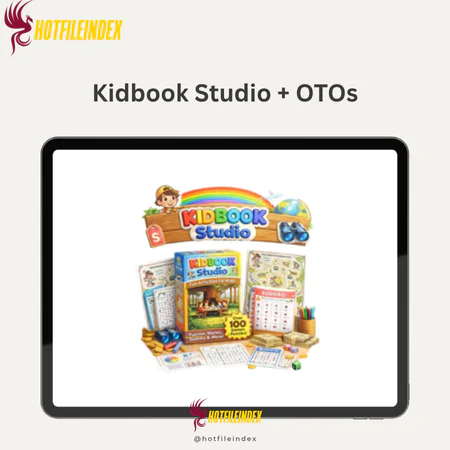
Kidbook Studio + OTOs
$17.00
Kidbook Studio is a cloud-based AI platform that creates children’s books, activities, and videos from simple text prompts, ready for print or publishing.
You will get Individual Account of
- FE + OTOs
“Kidbook Studio” has been talked about a lot lately on YouTube reviews, side-hustle forums, and teacher groups. You're not the only one. In 2025, the site has really taken off, mostly because of one clear claim: you can make and sell kids' books in 60 seconds.
We should look into that claim more. In this guide, we'll talk about what Kidbook Studio is, what it can and can't do, and whether it's right for you. Inside you'll find these things:
- What Kidbook Studio is and how it works
- Its real capabilities and known limits
- Pricing and monetization potential
- Who it genuinely serves, and who it doesn't
- Risks worth knowing: copyright, AI output quality, and platform policies
Let's start with the most direct question: what exactly is Kidbook Studio?
What Is Kidbook Studio? Clear Definition & Core Purpose

Kidbook Studio is a cloud-based AI platform that generates children's content, storybooks, activity books, puzzles, worksheets, coloring books, and short animated videos, directly from a text prompt. No design background, illustration ability, or writing training is required. You don't need to know anything about design, drawing, or writing. As soon as generation is done, every output is either ready to print or ready to post.
The platform draws in a wide range of users:
- Parents, teachers, and homeschoolers who need personalized learning materials fast
- Content creators and digital product sellers active on Etsy and Amazon KDP
- Side-hustle operators building a children's content catalog at volume
It's different from putting together your own workflow with ChatGPT, Midjourney, and Canva because it has a “Studio” spot; it's an all-in-one workspace. With just one platform, you can take an idea from scratch to a finished product that can be exported. No need to coordinate three different tools. When you type “Dinosaur Adventure,” Kidbook Studio gives you back a short storybook and a themed game pack that are already set up, formatted, and illustrated.
Core Features of Kidbook Studio (What It Can Actually Create)
The platform divides its output into a number of material modules. Each one is designed for a different use case, but they all work the same way: you give a prompt and get a finished result.
| Feature Module | What It Generates | Typical Age Range | User Input Level |
| AI Storybooks | 10,20 page illustrated narrative with text per scene | Ages 3,10 | Low (1 prompt) |
| Activity & Puzzle Books | 60+ puzzle types: mazes, crosswords, word searches, sudoku, and more | Ages 4,12 | Low,Medium |
| Worksheets & Printables | Math, grammar, science, reading comprehension, time, shapes | Grades K,6 | Medium |
| Coloring Books | Thematic line-art pages, print-optimized | Ages 3,10 | Low |
| Animated Kids' Videos | Slideshow-style or animated stories with text overlays | Ages 3,8 | Low,Medium |
| Bulk/Niche Generation | Multiple projects at once for catalog building | Any | Medium |
You can sell the things you make because they are protected by commercial rights. There are still rules about what you can list and how you can list it on Amazon KDP, Etsy, and Teachers Pay Teachers (TPT). You can read more about these rules in the FAQ area below.
AI Storybooks and Picture Books
The storybook module creates a full story framework, including a plot outline, text for each scene, and an illustration for each page that goes with it. You can choose the tone (funny, educational, or appropriate for sleep), the age range (3–5 or 6–8 years old, for example), and the reading level, which can range from simple, repetitive sentences for young readers to short chapters for older kids.
A sample prompt: “A bedtime story about a shy dragon who learns to speak up in class for kids ages 5 to 7; warm tone; 12 pages.” In less than a minute, the platform returns a formatted and drawn book. Outputs tend to follow familiar story patterns when not given specific instructions. This is a good reason to spend time crafting your inputs instead of counting on vague themes.
Activity Books, Puzzles, and Educational Worksheets
It includes more than 20 different types of activities and worksheets, such as simple and complex mazes, word searches, crosswords, sudoku with levels of difficulty just right for kids, dot-to-dot, matching pairs, spot-the-difference, letter and number tracing, fill-in-the-blank sentences, grammar practice, addition and subtraction, clock and time exercises, shape and color recognition, counting objects, putting things in the right order, coding and logic puzzles, reading comprehension passages, science fact worksheets, themed vocabulary lists, and quiz pages.
You decide the grade level, how hard it is, and how many pages it has. This lesson can be used in classrooms, at home, and by people who sell digital products on TPT. A “Grade 3 Fraction Practice Workbook” can be made by AI in minutes, but before it is used, a teacher should check it for accuracy and make sure it fits the grade level.
Coloring Books and Themed Printable Packs
The coloring book module makes print-ready line art pages with thick lines, lots of empty space, and no fill. The theme (like dinosaurs, unicorns, space, the ocean, or farm animals) and the number of pages are up to you. The amount of detail can be simple for toddlers or more complex for older kids.
This module's best feature is its seasonal and holiday packs. There are packs for Christmas, Halloween, Easter, Ramadan, Diwali, and other holidays. The outputs are already set up for releasing low-content books on Amazon KDP and making printable bundles on Etsy. During one session, a full pack like “50 Cute Farm Animals Coloring Pages” or “ABC Coloring Book for Preschoolers” can be made and sent out.
Animated Kids' Videos and Read-Aloud Stories
The video module makes stories that look like slideshows or are lightly animated. The stories include pictures, text or comments that show up on the screen, and background music or text overlays that you can choose to use. Lengths are usually between 1 and 5 minutes, but for some types of projects they can go up to 10 minutes.
| Video Type | Typical Length | Primary Use Case |
| Animated story | 2,5 minutes | YouTube Kids channel, classroom display |
| Read-aloud slideshow | 3,8 minutes | Educational website, storytime content |
| Short concept video | 1,2 minutes | Social media clips, product preview |
The output is in HD resolution and has a normal 16:9 widescreen aspect ratio. The most important thing here isn't how well it looks like a movie, but how much time it saves compared to putting together the same content by hand in video editing software.
Pricing and OTOs detailed
FE – Kidbook Studio ($17)
- Create activity books quickly using basic mazes (A–Z, 0–9 in multiple shapes)
- Advanced AI illustrated mode for more creative and engaging designs
- Multiple puzzle types including Sudoku, Word Search, and Memory games
- Generate complete “Story Quest” maze books with full structure
- Includes front cover, story narrative, and back cover creation
- Beginner-friendly system for fast book production and publishing
OTO 1 – Pro Export Pack ($37)
- Unlimited puzzle and maze book exports with one click
- No download limits and Save/Load feature to protect your work
- High-quality 600 to 1200 DPI HD print-ready files
- Optimized for Amazon KDP, Etsy, and print-on-demand platforms
- Commercial license included for selling your creations
- Designed for scaling publishing and digital product businesses
OTO 2 – AI Unlimited ($47)
- 500 AI credits monthly for advanced illustrated content
- Priority generation for faster content creation
- Access to premium AI-generated maze and puzzle designs
- Ideal for high-volume publishing workflows
- Continuous stream of fresh and unique activity book content
- Supports scaling KDP, Etsy, and digital product businesses
OTO 3 – Agency License ($67)
- Add custom logo and full white-label branding
- Remove all Kidbook Studio branding from your products
- Access to exclusive premium themes and designs
- Sell puzzle and activity books directly to clients
- Build a recognizable brand in the digital publishing space
- Perfect for freelancers, agencies, and B2B services
Is Kidbook Studio Legit? Pros & Cons
Pros of Kidbook Studio (Backed by Real Use Cases)
- Speed and automation: It takes less than two minutes for most jobs to go from prompt to download. In Canva, a similar process of finding images, writing text, and making plans takes 8–10 hours. Kidbook Studio cuts that down to less than an hour by adding a review pass.
- Beginner-friendly: You don't need to know anything about design, drawing, or writing. All three output stages are handled at the same time by the platform.
- Earn money, get ready output forms like PDFs when you export from KDP, and use trim sizes that are compliant and already have print margins and bleed set up. There is no step of reformatting before uploading.
- You can choose from a wide range of prompts, such as niche template ranges, holiday themes, school subjects, seasonal content, and topics that are linked with the curriculum. That range is important for Etsy and KDP sellers who are trying to reach small groups.
- Scalability: Bulk generation tools let you make a collection of products on a lot of different topics all at once, which is very helpful for people who sell a lot of digital products.
The practical picture is easy to understand. A content seller who used to work on one Etsy item all weekend can now make five or six similar things in the same amount of time. With that kind of output shift, what a solo operation with limited hours can do changes.
Cons and Limitations You Should Know Before Buying
- Template sameness: Outputs tend to follow predictable patterns when no specific instructions are given. If two people type the same prompts, like “jungle adventure story for kids,” they may get results that are very similar.
- Editing is required. Teachers and parents will find factual errors and puzzles with the wrong level of challenge. A problem marked “Grade 2 easy” might still need to be worked on more before it can be given out to the class.
- You don't have much control over the design. If you want to make fine-grained changes to the layout, pair custom fonts with images, place images precisely, or add brand elements, you usually have to export the file to Canva or a similar design tool first.
- When it comes to platform policy exposure, Amazon KDP, Etsy, and TPT all have rules about AI, generated content, and base quality standards. What is currently okay might have stricter rules in the future. This is a risk for anyone who builds a catalog around material made by AI.
- You can learn how to prompt, and there is a big difference in output between a vague prompt and a detailed one. New users usually need a few sessions before they can consistently make work that is good enough to post.
Kidbook Studio is not a simple method for making money without doing anything. It's a tool for production that speeds up a process that still needs your input, review of quality, and knowledge of the market.
Who Is Kidbook Studio Best For (and Who Should Skip It)?
Teachers and Educators
- It only takes minutes instead of hours for teachers to make differentiated worksheets, themed activity packs, and handouts that are ready to use in the classroom.
- There is one strict rule: educational material made by AI should always be checked for accuracy before it is given to students.
- The platform is not a curriculum authority; it is a tool for making things.
Parents and Homeschoolers
- Parents can make personalized storybooks for their kids based on their name, their hobbies, or their learning goals.
- Each week, homeschoolers can make a new themed pack, like science homework one week and a history activity book the next, without having to search through a lot of different websites.
- The tool would really work well for a homeschool parent who runs a weekly content cycle.
Content Creators and YouTubers
- Read-aloud movies and short stories with animation work well on YouTube Kids channels and educational social media sites.
- Kidbook Studio handles the production layer, while the artist is in charge of channel growth, thumbnails, upload strategy, and keeping the audience interested.
E-commerce Sellers on Etsy, Amazon KDP, and TPT
- This is likely the platform's most natural business population.
- Niche sellers who make goods like “mindfulness coloring books for kids” or “Halloween activity bundles” can make and list items faster than people who only do things by hand.
- Niche study, competitive analysis, and high-quality products are still important for success; increasing output is not a business strategy in and of itself.
Who should look elsewhere: Professional illustrators requiring full creative control, authors pursuing literary picture books with original commissioned artwork, and anyone expecting genuinely hands,free passive income. Kidbook Studio makes a lot of books of a good enough quality. It doesn't take the place of creative writing.
Kidbook Studio vs Alternatives: How Does It Compare?
Before you commit to a platform, it's helpful to know how it stacks up against other tools you may already use or have looked at. Putting four choices next to each other makes sense.
| Criteria | Kidbook Studio | BookBolt | Canva | Midjourney + ChatGPT + Layout Tool |
| Speed (idea to product) | Under 2 minutes | Slow (manual design) | 30 min,several hours | Several hours to days |
| Required skill level | Low | Low,Medium | Low,Medium | High |
| Kids' content focus | Yes (native) | Partial (KDP focus) | No (general purpose) | No (requires custom setup) |
| Output formats | PDF, MP4, images | PDF, PNG, PPTX | Varies by tool combination | |
| Storybooks | Yes | No | Manual only | Yes (complex workflow) |
| Activity books + puzzles | Yes | Partial (via partners) | No | No |
| Coloring books | Yes | Partial | Manual only | Yes (complex workflow) |
| Animated videos | Yes | No | Limited | Yes (complex workflow) |
| KDP trim sizes supported | Yes | Yes | Manual setup required | Manual setup required |
| Pricing model | Subscription | Subscription | Free tier + Subscription | Per,use + subscription |
| Best for | Beginners to intermediates, content sellers | KDP sellers needing market analytics | Designers who need visual precision | Advanced users seeking custom quality |
Where Kidbook Studio Wins
The most direct benefit is that it is specific to the job. Kidbook Studio was made to do one thing: quickly make formats for children's material. Every module—the storybooks, games, coloring pages, and animated videos—was made to do just that. For a specific job, you don't spend time changing a tool that can be used for many things.
The time gap is real and important for an Etsy seller who is building a catalog of 30 to 50 items. A skilled artist can spend about 4 to 6 hours using Canva to make a custom 50-page dinosaur activity book by hand. In Kidbook Studio, the same job can be finished in less than 10 minutes, which includes quick changes and a basic quality check. From about 5 hours to about 10 minutes, that's a drop from 300 minutes to 10.
The all-in-one layout also makes it easier to coordinate. It's easier to manage one platform instead of switching between ChatGPT, Midjourney, and Canva. This is especially true for one-person businesses and small teams that don't have dedicated design tools.
Where Alternatives Win
When design accuracy is the most important thing, Canva is the better pick. Kidbook Studio's built-in editor isn't as good at handling pixel-level layout control, custom brand features, and unique font choices as Canva's design environment is. A lot of sellers use both at the same time: Kidbook Studio for making content, and Canva for finishing branding and layout tweaks.
BookBolt is better when learning about the KDP market is more important than making content. The best things about BookBolt are niche tracking, competition product analysis, and listing optimization metadata. These are things that Kidbook Studio doesn't do. BookBolt might be more useful for sellers who already have a KDP store for research purposes, while Kidbook Studio could be used to handle the content output itself.
When you put Midjourney, ChatGPT, and a planning tool together, you get the most creative options. For truly original, one-of-a-kind art and deeply customized story work, no single-platform AI tool can yet match the results of a skilled user using a curated multi-tool workflow. There is a real trade-off: it takes more time, requires expert knowledge across multiple systems, and costs more to coordinate. It's likely worth the trade-off for someone who is writing a high-profile picture book. It's not for someone who makes 15 to 20 printed packs a month.
In an honest opinion, Kidbook Studio is in a clear place. It's designed to help people who value output volume and easy workflow over full creative freedom make children's content quickly and in a variety of ways. If that fits your use case, it's a good fit. If it doesn't, one of the other options above will be better for you.
How to Use Kidbook Studio Step-by-Step (Beginner Walkthrough)
Here's a step-by-step guide for first-time users based on a real-life example: making a 30-page “Kindness Adventure” activity book for kids ages 6 to 8.
- Start a new job after logging in. From the homepage, pick “Activity Book” as the type of project you want to play. The platform loads the settings panel that is right for that type of material.
- Know who you're writing for. This game is for kids ages 6 to 8 and is easy (Grade 1-2). If the choice is there, choose the language you want to use.
- Write your question. There are three things that a good prompt tells you: the theme, the learning goal, and the format of the material. In this case: “Kindness Adventure activity book, Grade 1,2, 30 pages, mix of mazes, matching activities, and short reading comprehension passages about helping others.”
- Look over the AI's work. After the book is made, read each page quickly.
- Make sure the amount of difficulty is right for the grade level given. Mark any factual errors in parts with a lot of text. For a 30-page job, this quality review pass takes about 5–10 minutes.
- Change things in the platform. Any pages that don't work right should be fixed. If the tool lets you, edit text directly. Change the pictures that don't go with the theme.
- Use the right file when you export. When you're done with your Etsy printables, save them as a normal US Letter PDF (21.59 × 27.94 cm). For Amazon KDP, choose the right trim size, like 8.5″ x 8.5″ (21.59 x 21.59 cm) or 8″ x 10″ (20.32 x 25.4 cm). If you have film, export it as an MP4.
For prompts that are specifically about writing for kids, always list both the age group and the reading level, not just the topic. For projects that use stories, say what lesson or message you want the story to teach. For puzzles and tasks, say how hard they are and how many pages they have. The output needs less post-generation editing the more factors you set up front.
Quick-Answer Supplemental Q&A About Kidbook Studio (Semantic FAQ Section)
Is Kidbook Studio free to use?
Kidbook Studio usually has a free trial or limited demo version that lets you try out the app before you decide to pay for it. Free access usually comes with limits, like watermarks on copied files, a project limit, or limited access to features. A paid subscription plan is needed for full business use, which includes watermarks, free printing, and ready-to-use PDF exports. Keep an eye on the platform's current price page to find out exact tier information, as plan structures do change.
Does Kidbook Studio work on Mac, Windows, and tablets?
Yes. Since the platform is only in a browser, it can be used on any Mac, Windows PC, iPad, or Android tablet with a modern web browser. There is nothing to download or set up. Performance on tablets can change depending on the browser version and the quality of the link. However, core functions like prompt entry, content creation, and file download always work, no matter the form factor.
What does “print-ready kids' book” mean in Kidbook Studio?
“Print,ready” means that the exported PDF meets normal printing requirements for page size (trim size), margins, bleed area, and image resolution. To be compatible with Amazon KDP, an interior file must be at least 0.125 inches (3.2 mm) wider on each side than the trim size. A approved trim size is 8.5″ x 8.5″ (21.59 × 21.59 cm) or 6″ x 9″ (15.24 × 22.86 cm). Kidbook Studio automatically makes files that meet these standards, so you can upload them straight to KDP or send them to a print-on-demand service without having to do any extra formatting.
Which types of kids' content can Kidbook Studio generate automatically?
It has five main types of content: picture books and illustrated storybooks; activity and puzzle books with mazes, crosswords, word searches, sudoku, dot-to-dot, and more; educational worksheets with math, grammar, reading comprehension, and science problems; coloring books with print-friendly line art pages; and short animated or slideshow-style videos. There is a settings panel for each group, and all outputs start from the same text prompt.
Can I legally sell Kidbook Studio creations on Amazon KDP and Etsy?
In most cases, yes. Kidbook Studio lets other businesses use the content you make on the site. But each site for selling has its own rules. Amazon KDP has put out stricter rules about low-effort AI-generated material and makes sure that listings meet minimum quality standards. Etsy also keeps an eye on ads for products that use AI to help. You can sell AI-assisted content on both platforms right now, but you are still responsible for the quality, creativity, and real value of your products to buyers. Before making a store that you want to sell, check out each platform's current AI content policy.
Is Kidbook Studio better than Canva for making kids' books?
For speed and number, yes, Kidbook Studio can make a fully formatted and illustrated book in less than two minutes. Canva needs original writing, layouts that are made by hand, and illustrations that are found or made separately. Canva is better for getting precise designs and making changes to your brand. Canva's design setting gives you more control over things like matching fonts, placing elements exactly, and making sure that your brand looks the same across all of your products. In reality, a lot of busy sellers do both: they make content in Kidbook Studio and finish their visual branding in Canva before exporting.
Is Kidbook Studio suitable for serious children's authors?
Not as a solution on its own. The platform is meant for low-content publishing, educational printables, activity books, and simple storybooks. It's not for literary picture books that need original commissioned illustrations, a developed narrative voice, and editing refinement. If you want to write a manuscript for a standard publisher or a high-quality self-published picture book, Kidbook Studio won't be able to help you. It works well as a production aid for writers who work in low-content or educational publishing.
Does Kidbook Studio create completely unique content?
Since each result is made from a different prompt and isn't a copy of any other file in the system, it's likely that each one is unique. On the other hand, absolute “one of one” uniqueness is not a given. Large language models and AI picture generators work in a way that lets two users who give similar prompts get structurally similar results. This is not a problem with Kidbook Studio, but with the technology behind it. If you review, improve, and take responsibility for the quality before posting, generated outputs are different enough to list as original products for business purposes.
How long does it take to learn Kidbook Studio as a beginner?
It takes most people about an hour or two to get used to the basics, like making a project, entering a question, reviewing pages, and exporting. It takes longer to consistently make work that is good enough to be published. It usually takes three to five conscious testing sessions to improve the prompt writing skill needed to get high-quality, accurate results. Allow yourself a few days to try things out before you decide to list or share anything you've made. The design is easy to use; the real learning curve is in how to be quick and good at what you do.
What is the difference between Kidbook Studio and generic AI tools like ChatGPT?
The ChatGPT language model can be used for many things. It can help you come up with ideas for stories or puzzles, but it doesn't make formatted, drawn files that are ready to print. You can get there by using it with a picture editor like Midjourney and then a layout editor like Canva, but you'll need to be good at using at least three different programs and spend a lot of time on that process. Kidbook Studio combines all of those steps into a single tool that was made just for that reason. The trade-off is creative freedom: a skilled user who combines ChatGPT, Midjourney, and Canva has a lot more power over each part. Kidbook Studio gives a first-time user a finished output that can be exported in about two minutes.
All Info just pre-build when listing. Until Product mark as "Instant Deliver", infomation will be updated again like OTOs you will be get,..etc
Related products
SAAS
SAAS
SAAS
SAAS
SAAS