
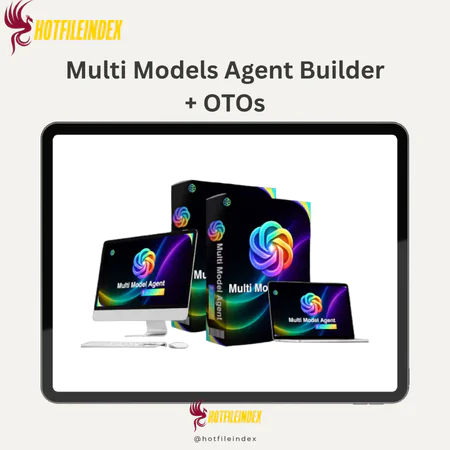
Multi Models Agent Builder+ OTOs
$15.00
Multi Models Agent Builder is a cloud-based no-code platform that enables users to create, manage, and deploy AI agents powered by multiple language models from a single dashboard.
You will get Individual Account of
- FE + OTOs
Agencies and freelancers who deliver digital solutions for clients are facing a new and rapidly growing category of client demand in 2026: AI agents. Clients want chatbots that actually understand natural language, knowledge assistants that answer questions from real business documentation, and lead qualification tools that engage prospects intelligently rather than routing them through rigid decision trees. The expectation is a professional, functional AI deployment delivered on a reasonable timeline without a six-month development project attached to the invoice.
Delivering that outcome manually, from scratch, for every client who asks is what quickly becomes operationally unsustainable for agencies without dedicated AI development teams. Multi Models Agent Builder addresses this problem directly. By consolidating multi-model AI agent creation, unified knowledge base management, multi-channel deployment, and centralized client account oversight into one no-code platform, it gives agencies and freelancers a repeatable, scalable delivery process for professional AI agent solutions that does not require programming expertise, separate model subscriptions, or a different technical stack for every client engagement.
What Is Multi Models Agent Builder?
Multi Models Agent Builder is a cloud-based, no-code platform that enables businesses, agencies, and non-technical professionals to build and deploy AI agents powered by multiple large language models including GPT-4, Claude, and Gemini, all managed from a single centralized dashboard. It is not a rule-based chatbot builder, a single-model AI wrapper, or a developer framework requiring API configuration. It is an integrated agent-building and deployment platform designed to make LLM-powered AI agent creation accessible to users without programming backgrounds while providing the multi-model flexibility and centralized management architecture that professional agency operations require.
For agencies, the structural problem Multi Models Agent Builder solves is fragmentation. Most client AI deployments currently require assembling separate tools for the knowledge base, the conversation interface, the model API, and the deployment channel, each with its own configuration, pricing, and maintenance requirement. Multi Models Agent Builder consolidates all of these functions into one platform, allowing agencies to configure a complete AI agent solution, including knowledge ingestion, model selection, behavioral configuration, and channel deployment, through a single workflow rather than coordinating across multiple specialized tools per client project.
The multi-model architecture is the feature that most directly benefits agencies serving clients with diverse requirements. Different clients have different AI performance priorities. A legal services firm needs an agent that handles long document context accurately. A retail business needs an agent with natural, conversational customer interaction quality. A SaaS company needs an agent that integrates smoothly with their existing Google ecosystem tools. Multi Models Agent Builder allows agencies to assign the most appropriate underlying LLM to each client agent based on their specific requirements rather than defaulting every client to the same model regardless of fit.
The vendor's established presence in the software and digital tools space provides the platform stability that agencies need when building client deliverables on a third-party foundation. For agencies evaluating whether to build a repeatable Multi Models Agent Builder service offering, that track record is a relevant signal alongside the platform's technical capabilities.
Key Features of Multi Models Agent Builder

Multi-Model Engine
The multi-model engine is the feature that most directly enables agencies to deliver differentiated, client-specific AI solutions rather than uniform deployments that apply the same underlying model to every client regardless of fit. The ability to assign GPT-4, Claude, Gemini, or other supported models to individual agents, compare model outputs before committing to a production choice, and switch models without rebuilding entire agent configurations gives agencies both the flexibility to optimize per client and the operational efficiency of a unified management interface.
For agencies building a repeatable AI agent service offering, the multi-model architecture also provides a genuine differentiator in client conversations. The ability to explain that client agents are configured on the most appropriate underlying model for their specific requirements, backed by documented model comparison testing, is a more credible and sophisticated service proposition than deploying every client on the same model because that is the only option the platform supports.
No-Code Agent Builder Interface
The no-code interface is what makes Multi Models Agent Builder operationally practical for agencies that want to offer AI agent services without building or maintaining a developer team for AI infrastructure. Account managers, funnel strategists, and operations specialists with strong business understanding but limited programming backgrounds can configure and deploy professional-quality agents without technical barriers, which changes the economics of offering AI agent services from a specialized technical capability to a scalable service component.
The interface covers the complete configuration scope from role definition through knowledge base connection, model selection, behavioral guardrail setup, and deployment channel configuration. Agencies that invest in building standardized configuration templates covering system instruction frameworks, knowledge base organization standards, escalation trigger libraries, and channel setup checklists can apply those templates across client projects to produce consistent, high-quality deployments with decreasing per-project configuration time as the template library matures.
Knowledge Base Management
The unified knowledge base management system handles the content layer of AI agent deployment at the scale that agency client portfolios require. Document upload support for standard business content formats, URL ingestion for web pages, and the ability to assign different document sets to different agents within the same account collectively address the primary knowledge management challenges of professional AI agent deployment: organizing diverse client content, keeping knowledge current as client businesses evolve, and maintaining clear separation between different clients' proprietary information within a shared platform account.
For agencies onboarding clients with large existing content libraries, the knowledge base ingestion tools significantly reduce the manual content preparation work that earlier-generation chatbot builders required. Rather than manually scripting responses to hundreds of individual FAQ items, agencies upload the client's existing documentation and let the platform's retrieval system handle accurate response generation from that content. The quality difference between well-prepared uploaded content and manual scripting favors the document ingestion approach for any client with a substantial and organized existing content library.
Deployment Channels
The deployment channel options cover the primary surfaces where AI agents deliver business value for the client types agencies most commonly serve. Website embed widgets address the customer-facing support and lead qualification use cases that most client briefs involve. WhatsApp Business integration addresses the growing segment of clients whose customer base uses WhatsApp as the primary communication channel, which is particularly relevant for agencies serving clients in markets where WhatsApp dominates business messaging. Telegram bot deployment serves the communities, professional networks, and support channels where that platform is the primary interaction context.
The operational value of multi-channel deployment from a single agent configuration extends beyond the time savings of avoiding separate builds for each channel. It ensures consistent response quality across all channels simultaneously, since all deployments draw from the same knowledge base and operate under the same system instructions. Clients whose customers interact with the agent through multiple channels receive a consistent brand experience regardless of which channel they use, which is a professional delivery standard that piecemeal multi-tool approaches struggle to maintain.
Conversation Monitoring and Analytics
The monitoring and analytics tools generate two distinct categories of value for agency client relationships. The first is agent performance monitoring: identifying response quality issues, knowledge gaps, and escalation patterns that inform ongoing configuration improvements. The second is client reporting: providing documented evidence of agent activity, query volume, common use patterns, and performance trends that demonstrate the ongoing value of the service to clients who might otherwise question the return on their AI investment.
For agencies building retained service relationships around ongoing AI agent optimization, the analytics data is the foundation of monthly reporting that shows clients what their agent is doing, what it is learning from real user interactions, and what improvements have been made in response to that learning. This visibility transforms what is often an invisible background service into a documented, measurable business contribution that clients can evaluate and that justifies continued engagement.
Escalation and Human Handoff
The escalation routing capability is where professional agency configuration standards most clearly separate high-quality deployments from technically functional but professionally inadequate ones. Configuring comprehensive escalation triggers before any client agent goes live, defining clear handoff paths to human contacts for every category of query where AI response limitations create business or reputational risk, and verifying that escalation paths work correctly as part of pre-launch QA are the practices that prevent the kind of post-launch issues that damage client relationships regardless of how well the agent performs on the queries it handles successfully.
Agencies should build escalation configuration into their standard delivery template rather than treating it as a client-by-client decision. Common escalation trigger categories that apply across most client deployments include queries about sensitive personal situations, complaint escalations, queries about pricing or contract terms that require human judgment, medical or legal questions regardless of the client's industry, and any query where the agent's response confidence falls below a defined threshold.
Multi-Agent Management Dashboard
The centralized multi-agent management dashboard is the feature that most directly enables Multi Models Agent Builder to function as an agency operations platform rather than just a faster way to build individual client agents. Visibility across all active client agents, their deployment status, conversation volumes, and performance metrics from a single interface makes it operationally practical to oversee a growing portfolio of client deployments without the overhead of logging into separate platform instances for each client account.
Agency-tier features including expanded workspace capacity, client account management tools, and white-label options extend the platform's utility into the client relationship management layer of agency operations. White-label functionality allows client-facing deliverables and interfaces to carry the agency's brand identity rather than displaying Multi Models Agent Builder, which supports the agency's positioning as a strategic AI partner delivering a proprietary methodology rather than a reseller of named third-party software.
Pricing Plans and OTOs detailed
Front-End – Multi Models Agent Builder ($14.95 one-time)
- One-time payment with lifetime access
- Multi-model AI agent creation platform
- Access to ChatGPT, Claude, Gemini, Grok, and DeepSeek models
- Create and deploy AI agents for business automation
- Includes workflow automation and AI training tools
- Commercial license included
- Built for marketers, freelancers, agencies, and business owners
- No monthly subscriptions required
- 30-day money-back guarantee
OTO 1 – Multi Models Agent Builder Unlimited Edition ($67 – $147 one-time)
- Removes all platform restrictions
- Unlimited AI agents, workflows, and deployments
- Unlimited conversations and automation usage
- Access to premium AI models with faster processing
- Advanced automation and scaling features included
- Commercial rights and agency tools included
- Future updates included
- Designed for agencies, marketers, freelancers, and businesses
OTO 2 – DFY AI Agent Pack ($97 one-time)
- Done-for-you AI agent templates and workflows
- Prebuilt sales, support, and marketing automations
- Ready-made conversation prompts included
- Deployment-ready AI systems
- Skip manual setup and workflow planning
- Built for beginners, freelancers, and agencies
OTO 3 – Automation Suite ($97 one-time)
- Advanced AI business automation system
- Automates support, sales, lead generation, and workflows
- Reduces repetitive manual tasks
- 24/7 automation capabilities included
- Designed for marketers, agencies, and business owners
OTO 4 – ChatGPT, Gemini, Grok Creative Studio ($67 one-time)
- All-in-one AI creative workspace
- Generate voiceovers, visuals, scripts, and summaries
- Create multi-format content from one dashboard
- Analyze files and documents with AI
- Built for creators, marketers, freelancers, and agencies
OTO 5 – Profit Machine ($47 one-time)
- AI monetization and client acquisition system
- Learn how to sell AI-powered services
- Includes pricing, delivery, and income strategies
- Built for freelancers, consultants, marketers, and agency owners
- Focuses on building recurring AI income streams
OTO 6 – Multi Models Agent Builder Agency ($197 one-time)
- Create unlimited client accounts
- Sell platform access under your own pricing
- Keep 100% of client payments
- Recurring income business model included
- DFY support for customer management
- Built for agencies and SaaS-style businesses
OTO 7 – AutoFlow Engine ($47 one-time)
- Hands-free AI workflow automation
- Trigger workflows using schedules, events, and conditions
- Run continuous AI automations in the background
- Multi-workflow execution included
- Built for scaling AI-powered productivity systems
OTO 8 – Multi Models Agent Builder Franchise License ($67 one-time)
- Promote the platform as a franchise partner
- Keep 100% of front-end profits
- Earn 50% commissions on OTO sales
- Vendor handles support, delivery, and maintenance
- Built for affiliates, marketers, and entrepreneurs
OTO 9 – Multi Models Agent Builder Whitelabel ($297 one-time)
- Launch your own branded AI software business
- Full white-label and rebranding rights included
- Custom branding and software naming
- Vendor handles hosting, updates, and support
- Sell access under your own brand
- Built for agencies, SaaS entrepreneurs, and marketers
How Multi Models Agent Builder Works: A Step-by-Step Walkthrough
Step 1: Client Intake and Deployment Planning
Professional Multi Models Agent Builder delivery begins before the platform is opened. The client intake process that produces the best agent outcomes gathers the information that determines every subsequent configuration decision: the primary tasks the agent needs to handle, the audience it will serve, the channels it needs to operate on, the tone and persona standards the client's brand requires, the specific escalation scenarios where human handoff is mandatory, and the success metrics that will be used to evaluate whether the deployment is working.
This intake mirrors the briefing process for any professional digital project. The additional value for Multi Models Agent Builder deployments is that the same intake information that informs agent configuration also gives the agency a structured understanding of the client's AI requirements that benefits the broader account relationship and the ongoing optimization work that follows initial deployment.
Step 2: Knowledge Base Preparation and Organization
Knowledge base preparation is the phase that most directly determines agent response quality and the one that most clearly separates professional agency delivery from amateur deployments. The platform accepts PDF, DOCX, CSV, and plain text document uploads along with URL ingestion for web pages. The agency's responsibility is ensuring that the content fed into the knowledge base is accurate, current, well-organized, and free of contradictions that would produce inconsistent agent responses.
The content preparation checklist that professional agencies build into their delivery standard covers removing outdated information, resolving contradictions between source documents, breaking large files into topic-focused sections with clear descriptive headings, verifying that all URLs being ingested contain current information, removing sensitive data not intended for the agent's scope, and labeling customer-facing versus internal-only content where the agent may access both. This preparation investment is the highest-leverage activity in the entire deployment process because knowledge base quality determines the response quality ceiling that no amount of subsequent configuration can raise.
Step 3: Agent Configuration and Model Selection
Agent configuration begins with defining the agent's role, name, and persona within Multi Models Agent Builder's no-code interface. System instructions specify the agent's reasoning scope, tone standards, behavioral boundaries, topics it must never address, and the specific conditions that trigger escalation to a human rather than an AI-generated response. The clarity and comprehensiveness of these instructions directly affects how consistently the agent behaves across the full range of real-world conversations it will encounter.
Model selection is where Multi Models Agent Builder's multi-model architecture delivers its most direct agency value. Rather than accepting the limitations of a single model for every client deployment, agencies can match the underlying LLM to each client's specific performance requirements. The model comparison capability allows agencies to run the same prompt through multiple models before committing to a production choice, which reduces the trial-and-error involved in finding the best model for a specific client use case and provides a documented basis for the model selection decision in client reporting.
Step 4: Multi-Channel Deployment Configuration
Deployment configuration sets up the channels through which the client's users will interact with the agent. The website embed widget generates a copy-paste code snippet compatible with mainstream website builders, landing page tools, and funnel platforms. WhatsApp Business integration connects the agent to the messaging channel many of the platform's target clients use as a primary customer communication method. Telegram bot deployment serves clients with communities or support channels on that platform.
The multi-channel capability of a single agent configuration is operationally significant for agency delivery because it means one well-configured agent and knowledge base can simultaneously serve a client's website visitors, WhatsApp customers, and internal team members without requiring separate builds for each channel. This configuration efficiency directly improves agency margins on multi-channel deployments compared to assembling separate tool instances for each deployment context.
Step 5: Quality Assurance and Client Handover
Pre-launch quality assurance is a professional delivery standard that protects both the client's brand and the agency's reputation. A thorough QA protocol covers accuracy testing with representative real-world questions from each primary use case, edge case testing with queries outside the core knowledge scope to verify escalation behavior, mobile display verification for web-facing deployments, CTA and escalation path testing to confirm handoffs work correctly, and conversation logging verification to confirm data collection begins from day one.
Documenting the configuration decisions made for each client deployment, including model selection rationale, system instruction scope, knowledge base sources, and escalation trigger definitions, creates the version control and client approval record that professional delivery standards require and that ongoing optimization cycles depend on.
Step 6: Analytics Review and Ongoing Optimization
Post-launch, the analytics and monitoring tools generate the performance data that agencies use both to improve agent quality and to demonstrate ongoing value to clients. Conversation logs reveal response quality issues and knowledge gaps. Analytics dashboards surface patterns in query volume, common question types, and escalation rates. Feedback collection from users provides direct satisfaction signals. Building regular review and update cycles into the retainer service scope creates the documented improvement trajectory that justifies ongoing client engagement beyond initial deployment.
Advantages of Multi Models Agent Builder
- Multi-channel deployment from a single agent configuration improves agency delivery economics. One knowledge base powering a website widget, a WhatsApp bot, and a Telegram deployment simultaneously means the configuration investment in one well-built client agent multiplies across every channel it serves rather than requiring separate builds for each deployment context.
- Model selection flexibility enables genuine client-specific optimization. Matching the underlying LLM to each client's specific performance requirements, backed by documented model comparison testing, produces better agent performance and a more credible service proposition than single-model platforms allow.
- No-code accessibility makes AI agent services deliverable without developer team investment. Account managers and operations specialists can configure and deploy professional-quality agents, which means AI agent services can scale as a repeatable agency offering rather than remaining a specialized capability dependent on scarce technical resources.
- Centralized multi-agent management scales efficiently across growing client portfolios. Overseeing all active client deployments from a single dashboard with consolidated analytics reduces the operational overhead that managing separate tool instances for each client would otherwise require.
- Conversation analytics generate ongoing client reporting value beyond initial deployment. The documented evidence of agent activity, query patterns, and performance improvements provides the tangible monthly deliverable that justifies retained service relationships built around ongoing AI agent optimization.
Disadvantages of Multi Models Agent Builder
- Complex multi-agent workflow automation hits no-code ceiling limitations. Clients with advanced requirements for multi-step reasoning chains, multi-agent collaboration, or long-horizon task automation will need developer-grade frameworks that the no-code platform cannot replicate. Setting accurate client expectations about these boundaries before project commitment prevents scope disputes after delivery.
- Platform dependency on third-party model API providers introduces service continuity risk. Changes to OpenAI, Anthropic, or Google model availability or pricing directly affect deployed client agents. Agencies should communicate this dependency transparently to clients and maintain contingency plans for model migration if a supported model becomes unavailable or cost-prohibitive.
- Enterprise compliance requirements may exceed current vendor certifications. Clients with SOC 2 Type II, HIPAA, or strict data residency requirements need compliance verification against current vendor documentation before deployment. Agencies serving regulated industry clients should verify compliance capabilities explicitly rather than assuming coverage.
- AI response accuracy requires ongoing human oversight without exception. No agent deployment eliminates hallucination risk or guarantees response accuracy. Agencies that position Multi Models Agent Builder deployments as autonomous, zero-oversight AI systems are setting incorrect client expectations and accepting avoidable professional liability.
- Knowledge base quality is the primary performance variable that configuration cannot compensate for. Clients with disorganized, outdated, or inconsistent source documentation will receive lower-quality agent responses regardless of how well the rest of the configuration is executed. Managing client content preparation as a formal project phase rather than an assumed pre-condition protects delivery quality and agency reputation.
Who Is Multi Models Agent Builder For?
- Digital agencies adding AI agent services to their offering benefit from the no-code delivery model, multi-agent management dashboard, and multi-channel deployment architecture that make AI agent projects repeatable and margin-positive rather than resource-intensive custom builds. The platform effectively makes AI agent deployment a standardizable service component rather than a specialized technical project.
- Freelance AI consultants and automation specialists who deliver end-to-end AI solutions for individual clients gain a production-ready deployment platform that covers the full agent configuration and channel deployment scope without requiring API development skills, allowing billable hours to focus on the strategic configuration and optimization work where specialist value is highest.
- Marketing consultants who include AI-powered lead qualification or customer engagement tools in their scope gain a practical deployment capability that makes AI agent delivery viable as a service add-on rather than a subcontracting dependency, expanding the range of client needs they can address directly within their own delivery capacity.
- Small agencies serving SMB clients whose budgets do not support enterprise AI platform pricing but whose requirements have moved beyond what simple chatbot builders can deliver find that Multi Models Agent Builder provides the capability level their clients need at a cost structure that supports viable agency margins.
Who Is Multi Models Agent Builder Not For?
- Agencies whose client base is primarily in enterprise regulated industries with strict compliance requirements need enterprise-grade AI platforms with verified compliance certifications rather than consumer-oriented SaaS tools, regardless of how capable the platform is for general business use cases.
- Clients requiring advanced multi-agent reasoning workflows involving complex task decomposition, multi-agent collaboration, or long-horizon autonomous operation need developer-grade frameworks that no-code platforms cannot currently replicate. Agencies should identify these requirements during intake rather than discovering them after project commitment.
- Agency teams with no capacity for ongoing agent maintenance should not position Multi Models Agent Builder deployments as set-and-forget solutions. Agents that are never reviewed or updated after initial deployment will experience response quality degradation that reflects poorly on the agency regardless of how strong the initial configuration was.
Multi Models Agent Builder vs. The Alternatives
| Criteria | Multi Models Agent Builder | Chatbot Builder | Developer AI Framework | Single-Model Agent Tool |
| Multi-Model Support | Yes | No | Yes (custom) | No |
| No-Code Accessibility | Yes | Yes | No | Yes |
| Knowledge Base Depth | Full document and URL ingestion | FAQ import or manual | Custom built | Varies |
| Multi-Channel Deployment | Yes | Limited | Custom built | Limited |
| Agency Multi-Client Management | Yes | Limited | Custom built | Limited |
| White-Label Options | Yes (agency tier) | Rarely | Custom built | Rarely |
| Setup Time per Client | Hours to days | Hours | Weeks to months | Hours to days |
| Technical Skill Required | None | None | High | None |
| Analytics for Client Reporting | Built-in | Basic | Custom built | Basic |
For agencies evaluating these options, Multi Models Agent Builder wins most clearly when the client needs LLM-powered natural language understanding, multi-channel deployment, and the agency needs centralized multi-client management without developer resources. Chatbot builders remain appropriate for clients with simple scripted flow requirements. Developer frameworks become relevant when clients have complex automation requirements that exceed no-code platform capabilities and the agency has the technical resources to build and maintain custom solutions.
Frequently Asked Questions About Multi Models Agent Builder
- How does Multi Models Agent Builder specifically benefit agencies compared to individual users?
Agencies benefit from the centralized multi-agent management dashboard that allows all client deployments to be overseen from a single interface, the multi-model architecture that enables client-specific model optimization rather than uniform single-model deployments, and the white-label options available at agency tiers that support professional client delivery under the agency's own brand identity. These capabilities collectively transform the platform from a faster way to build individual agents into an operational infrastructure for a scalable AI agent service business.
- What is a realistic project timeline for delivering a client Multi Models Agent Builder deployment?
A straightforward client deployment covering a single use case with a well-organized existing knowledge base, one primary deployment channel, and standard escalation configuration can be completed within two to three days of receiving complete client brief materials. More complex deployments covering multiple use cases, extensive knowledge libraries, multiple deployment channels, and sophisticated escalation logic realistically take one to two weeks of dedicated project time depending on client content preparation quality and configuration scope.
- Can agencies white-label Multi Models Agent Builder for client delivery?
White-label and custom branding options are available at agency-tier plans, allowing agencies to present client-facing interfaces and deliverables under their own brand identity rather than displaying the underlying platform. This supports the agency's positioning as a strategic AI partner delivering proprietary methodology rather than a reseller of named third-party software, which is commercially important for agencies building differentiated AI service brands.
- How should agencies handle client knowledge base preparation?
Knowledge base preparation should be treated as a formal, billable project phase rather than an assumed client pre-condition. Agencies that accept disorganized or incomplete client content and attempt to configure around it consistently produce lower-quality deployments. Building a structured content audit and preparation checklist into the standard delivery process, communicating the content quality requirements clearly during the sales process, and either leading the preparation work as a billable service or providing explicit client guidance for self-preparation produces consistently better deployment outcomes.
- What ongoing service scope should agencies build around Multi Models Agent Builder deployments?
Ongoing retained service scope typically covers monthly conversation log review to identify response quality issues and knowledge gaps, knowledge base updates when client product information or policies change, system instruction refinements based on observed edge cases and new use cases, analytics reporting covering conversation volume, query patterns, escalation rates, and performance trends, and periodic model performance review to evaluate whether the current model selection remains optimal as client requirements and available model capabilities evolve.
- How does the platform handle multiple clients with overlapping knowledge domains?
Each client project maintains a completely separate knowledge base, agent configuration, and analytics dataset within the agency account. There is no bleed between client knowledge bases regardless of how similar the content domains are. This clean separation is operationally essential for agencies serving clients in the same industry vertical, where maintaining strict confidentiality between client knowledge assets is both a professional and a contractual requirement.
- What are the most important pre-launch QA tests for professional agency delivery?
A professional pre-launch QA protocol covers accuracy testing with fifteen to twenty representative real-world queries from each primary use case, edge case testing with queries outside the core knowledge scope to verify escalation behavior, mobile display and interaction quality verification for web-facing deployments, escalation path testing to confirm human handoff routes work correctly, conversation logging verification to confirm analytics data collection begins from deployment day one, and for WhatsApp and Telegram deployments, end-to-end messaging flow testing on the actual channel rather than only in the platform preview environment.
- How should agencies price AI agent services built on Multi Models Agent Builder?
Service pricing should reflect the value delivered to the client rather than the cost of the underlying platform. A professionally configured AI agent that deflects support tickets, qualifies leads, and operates around the clock has a business value independent of whether it took two days or two weeks to configure. Many agencies structure pricing as a one-time setup fee for the initial deployment and a monthly retainer for ongoing optimization, monitoring, and reporting, creating a recurring revenue stream built around documented performance improvement rather than time-and-materials maintenance.
- Can Multi Models Agent Builder integrate with client CRM and email marketing tools?
Integration capabilities cover direct native connections for commonly used tools, with Zapier and webhook connections extending options to a broader range of platforms. For agencies with clients using common CRM and email marketing platforms, native integration coverage is typically adequate. Clients with proprietary, heavily customized, or less common system requirements should have their specific integration needs verified against current platform documentation before those integrations are committed to in the project scope.
- How do agencies demonstrate ROI to clients from Multi Models Agent Builder deployments?
ROI demonstration for AI agent deployments typically focuses on three measurable dimensions: operational efficiency improvement measured by support ticket deflection rates, lead volume or qualification improvement measured by conversion metrics from agent interactions, and customer satisfaction scores from post-interaction feedback collected within the agent. The conversation analytics data showing query volume handled, escalation rates, and top query categories provides the activity evidence that supports these outcome metrics and makes the monthly reporting a substantive business review rather than a feature summary.
- What makes Multi Models Agent Builder a sustainable long-term service offering for agencies?
The combination of recurring optimization value generated by ongoing conversation data, the natural service expansion opportunities created as clients add new channels or use cases to their initial deployment, and the compounding efficiency gains from standardized delivery templates and accumulated configuration knowledge make AI agent services built on Multi Models Agent Builder a naturally expanding service relationship rather than a one-time project. Clients whose agents are actively maintained and regularly optimized see improving performance over time, creating the documented improvement trajectory that sustains long-term retained engagement.
- How should agencies manage the risk of platform dependency for client deliverables?
Managing platform dependency risk requires four practices built into the standard delivery process: maintaining complete documentation of all client agent configurations independent of the platform so reconstruction on an alternative platform is possible if required, establishing regular client content backup procedures for all knowledge base source materials, communicating the platform's dependency on third-party model providers transparently to clients as part of the service agreement, and monitoring vendor communications and product updates to identify any platform changes that would affect deployed client agents before those changes create service disruptions.
All Info just pre-build when listing. Until Product mark as "Instant Deliver", infomation will be updated again like OTOs you will be get,..etc
Related products
SAAS
SAAS
Softwares

SAAS