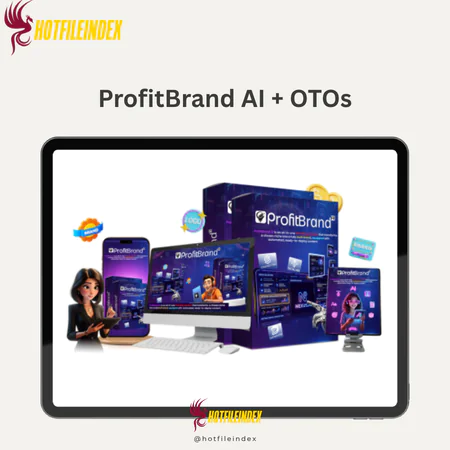
ProfitBrand AI + OTOs
$18.00
ProfitBrand AI is a cloud-based AI platform that creates and monetizes faceless niche brands with automated content and affiliate strategies.
You will get Individual Account of
- FE + OTOs
In 2024 and 2025, something interesting happened: short-form brands without faces started making real advertising income on Facebook, TikTok, Instagram Reels, and YouTube Shorts, even though there wasn’t a single face on screen. The plan works. The execution is what’s wrong.
It’s easy for most solopreneurs to hit a wall quickly. It’s a full-time job on top of a full-time job to research niches, write scripts for videos, create brand assets, choose which affiliate offers to promote, and stay consistent across all platforms. That’s exactly what ProfitBrand AI is meant to do.
ProfitBrand AI is a cloud-based tool that lets you create complete, faceless niche brands that you can sell. It takes care of everything from creating content to managing posting schedules and making money through affiliate marketing, all without you having to film, edit, or appear on camera.
This piece is for affiliate marketers who want a structured system, creators who would rather not be on camera, and people who are just starting out as a solopreneur and don’t know much about technology. One thing that needs to be said right away: this is not an easy way to make money. Here’s a clear list of what the tool does, where it falls short, and whether it will really help you reach your goals.
What Is ProfitBrand AI? (Simple Definition, Core Purpose)

ProfitBrand AI is an AI tool in the cloud that creates full, faceless niche brands that can be used on short-form video platforms and can be used to make money. It makes video scripts, brand assets, 30-day posting plans, brand visuals, and affiliate strategies for you, and you don’t even have to film, edit, or be on camera.
Even though the word “faceless niche brand” sounds complicated, the idea behind it is easy to understand. As an example, you could make a station about “keto kitchen gadgets” or “pet tech product reviews” and never show your face. The material sells itself; no one knows who you are.
This process is handled by ProfitBrand AI in three main ways:
- Finding things that people really want and that don’t have too much competition is called niche selection and validation.
- You can have titles, logos, bios, visual styles, and video ideas automatically made for you.
- advertising offers let you make money by linking your content strategy directly to relevant advertising programs on networks like ClickBank and Amazon Associates.
This tool can help you build your brand because it already knows what the market wants, what content formats work best on each platform, and which items in your niche are worth promoting.
Key Features of ProfitBrand AI (What You Actually Get Inside)
A big problem with most reviews is that they don’t explain what the features are. Instead of just naming checkboxes, it’s better to know why each feature is important for building a faceless brand that makes money.
| Feature | What It Does | Why It Matters |
| Unlimited AI Assets | Generates scripts, hooks, and visual content ideas | Supports high-volume posting needed for growth |
| 30-Day Calendars | Pre-built posting schedules with topic rotation | Removes planning fatigue and keeps strategy consistent |
| Brand Builder | Creates logos, bios, color schemes, and avatars | Builds audience trust without showing your face |
| Affiliate Integrator | Matches niches with affiliate networks and offers | Aligns content directly with income generation |
| Niche Scanner | Analyzes trending topics and competition levels | Helps pick niches with real earning potential |
| Platform Optimization | Tailors scripts for TikTok, Reels, Shorts, Facebook | Content formats match specific platform behaviors |
| Export & Integration | Compatible with Canva and CapCut workflows | Fits into most creators’ existing production setups |
| Cloud Access | Web-based, accessible from any device | No software installation or high-spec hardware needed |
| Lifetime Updates | Platform and trend updates pushed automatically | Strategy stays aligned with shifting algorithms |
Unlimited AI Videos & Images
When selling SaaS, the word “unlimited” is used in a broad way. This means that you can make as many scripts, hooks, and ideas for visual material as you need within your account each month. This is important for short-form content strategies because volume and discoverability are closely linked. The AI doesn’t make duplicate outputs, which makes it less likely that TikTok, YouTube, or Meta’s moderation systems will mark your video as spam. Original scripts, even ones that use AI, do better in platform compliance checks.
30-Day Plug-and-Play Content Calendars
It’s not just a schedule; a content calendar is a plan. The 30-day plans in ProfitBrand AI are set up in a way that keeps people interested over time.
A typical Week 1 structure might look like this:
- Days 1, 2: Curiosity hooks and “wow factor” tips to capture initial attention.
- Days 3, 5: Problem/solution content that speaks directly to your niche audience’s pain points.
- Days 6, 7: A soft pitch toward your primary affiliate product, with a clear call-to-action.
This pace is similar to what skilled content marketers do by hand, but it’s already set up and ready to go from the start.
Brand Builder (Logos, Bios, Visual Style)
People quickly make decisions. Even brands that don’t have faces need a look and sound that makes people trust them. The Brand Builder makes avatars, logo ideas, color schemes, and bios that are unique to each platform. A consistent visual identity not only looks better, but it also improves profile follow-through rates and affiliate link trust. You can go with the AI’s ideas as they are, or you can change them to make them fit your niche better.
Affiliate Integrator & Offer Finder
The gap between information and income is filled by this feature. ProfitBrand AI looks through affiliate networks like Amazon Associates, ClickBank, and others, and based on the niche you choose, it offers programs that are a good fit. Calls to action in your texts are then matched up with those offers. One thing you should know is that the tool does not apply for or join affiliate programs for you instantly. You’ll still need to get your own ad links and sign up with each network. The pairing reasoning is what makes this useful; knowing which offers to promote for a certain niche saves hours of research that would have to be done by hand.
Niche Scanner & Trend Analyzer
The most common reason blank brand projects fail is that they pick the wrong niche. Trend data are used by the Niche Scanner to find topics that have a clear buyer purpose, a large audience, and a fair amount of competition. Demand signals, content format preferences (for example, “listicle-style tips do better than tutorials in this niche”), and competitive density are some of the things that are usually outputs. This takes away the need to guess and gives you a starting point based on facts instead of a gut feeling.
Pricing Plans and OTOs detailed
FE – ProfitBrand AI ($17.99)
- Build complete niche-based online business from one platform
- AI-generated content, branding, and posting strategies
- Built-in monetization system for affiliate income
- All-in-one solution with no extra tools required
- Beginner-friendly setup with fast execution
- 30-day money-back guarantee for risk-free testing
OTO 1 – ProfitBrand AI Unlimited ($67 – $97)
- Run unlimited niche businesses simultaneously
- Generate unlimited AI content without restrictions
- Manage multiple income streams across niches
- Access unlimited posting and monetization strategies
- Multi-language support for global expansion
- Commercial license for client work and scaling
OTO 2 – ProfitBrand AI DFY ($97 / $77)
- Fully done-for-you niche business setup
- Brand identity, strategy, and monetization configured
- Pre-built 30-day content plan with captions and hooks
- Ready-to-launch system delivered within 48–72 hours
- Optimized posting schedule and audience targeting
- Complete technical setup handled by experts
OTO 3 – ProfitBrand AI Traffic ($47 – $67)
- Drive targeted buyer traffic to your business
- Access traffic from multiple platforms (TikTok, YouTube, etc.)
- Automated traffic system running 24/7
- Increase clicks, conversions, and commissions
- Boost reach without paid ads or complex strategies
- Scale faster with consistent traffic flow
OTO 4 – ProfitBrand AI Agency ($97 – $127)
- Create and manage 100–400 client accounts
- Charge clients monthly or one-time fees
- Run a full agency business from one dashboard
- Centralized system for managing all clients
- High scalability with low cost per account
- Commercial license for service-based income
OTO 5 – ProfitBrand AI Franchise ($67 – $97)
- Sell the product and keep 100% of profits
- Earn commissions across the full funnel
- Done-for-you sales pages and marketing materials
- No need to handle hosting or support
- Launch your own digital product business quickly
- Monetize without creating your own software
OTO 6 – ProfitBrand AI Whitelabel ($297 – $497)
- Rebrand the platform with your own logo and domain
- Sell as your own software product
- Full control over pricing and business model
- Keep 100% of all profits
- Done-for-you setup and system deployment
- Build a long-term SaaS-style business
Is ProfitBrand AI Legit or Just Hype? (Pros, Cons & Honest Verdict)
ProfitBrand AI is a real piece of software that works. It has users that can be checked out, a money-back guarantee for 30 days, and a real product page with listed features. However, “legit” does not mean “guaranteed profitable.” The tool speeds up the process of setting up a brand and making content, but your results will rely on the niche you choose, how often you post, and how well your content connects with an audience. That relationship doesn’t change at all with AI.
Pros of ProfitBrand AI
- One-time $47 lifetime access, No monthly subscription; you pay once and keep using it.
- End-to-end system, Covers niche research, content creation, brand identity, and monetization in one platform.
- Unlimited AI video scripts and content ideas, No output caps restricting your posting volume.
- 30-day content calendars, Structured posting plans that remove daily decision fatigue.
- Zero on-camera requirement, Built for faceless brand models from the ground up.
- Beginner-friendly onboarding, Includes a 5-minute affiliate setup tutorial; no prior experience needed.
- Canva and CapCut compatibility, Fits directly into the most common free creator workflows.
- Non-duplicate, original scripts, Better platform compliance and reduced spam detection risk.
- Lifetime updates, Ongoing improvements as platforms and trends evolve.
- 30-day money-back guarantee, Meaningful risk reduction for first-time buyers.
- Multi-brand management, One account supports building and managing multiple niche brands simultaneously.
Cons & Limitations You Should Know
- No income guarantee, Platform algorithms shift; results vary significantly based on execution and niche timing.
- Effectiveness narrows in saturated spaces, Works strongest in niches with under roughly 1 million competing pieces of content; highly saturated categories face steeper climbs.
- Manual affiliate account setup still required, You apply to Amazon Associates, ClickBank, and other programs yourself.
- Not fully automated posting, Content is “done-with-you,” not “done-for-you.” You still schedule and publish.
- Branding may feel generic at first, Advanced creators will need to customize outputs to stand out in competitive feeds.
- Short-form content only, No support for blog articles, long-form YouTube scripts, or written SEO content.
- Consistency is non-negotiable, Compounding results require sustained daily or near-daily posting over weeks.
- Niche and offer selection has a learning curve, The tool guides you, but making smart choices still requires some judgment.
Who Should Consider It vs. Who Should Skip It
| Best Fit | Not Ideal For |
| Solopreneurs building a side income | Large brands needing custom direction |
| Affiliate marketers in short-form video | People expecting results without posting |
| 9-to-5 workers with limited time | Anyone expecting overnight or passive income |
| Agencies launching multiple projects | Creators focused on blogs or long-form YouTube |
| Beginners with no video or design skills | Those unwilling to set up affiliate accounts |
Step-by-Step Tutorial: Launching Your First ProfitBrand AI Niche Brand in 1 Day
You can make your first brand live in less than a week. This is how you can turn nothing into a nameless brand that works in one day.
Step 1: Define Your Goal & Time Budget
Figure out what you want to achieve before you touch the tool. Are you trying to make a few hundred dollars a month as a side job, or are you working hard to make your ad channel your full-time job? How often you post, how aggressively you go after a niche, and the offers you choose will all depend on your answer. Two to four posts a day is a reasonable goal to start with. That’s doable for most people, and it’s enough to get real results in 30 to 60 days.
Step 2: Use the Niche Scanner to Pick a Profitable Topic
Your business starts with the Niche Scanner. At the same time, you should look for three things: a large audience desire, medium-level competition, and clear buyer intent. That person who is watching “best biohacking gadgets under $50” is almost ready to buy. That’s called buying intent. These are three niches that will be popular in 2026:
- Pet tech, Smart collars, GPS trackers, automated feeders.
- Eco-friendly home gadgets, Sustainable kitchen tools and energy-saving devices.
- Wellness gadgets and biohacking, Sleep trackers, red light therapy panels, cold plunge accessories.
Each of these has a lot of affiliate products and TikTok and Reels communities with busy users.
Step 3: Generate Your Brand Kit & Customize Slightly
Run the Brand Builder once you know what your field is. You’ll get a business name, bio, avatar, and color palette idea. Accept what works and change what doesn’t. Small touches of personalization make the brand feel less like it was made with a formula. If you don’t have a face connected to your bio, a bio that reads naturally will help get people to follow you.
Step 4: Build Your 30-Day Calendar & Batch Your First Week
Choose how often you want to post using the calendar tool, and then make content ideas and plots for the first month. After that, make all of your content for the next seven to ten days at once. Use a simple spreadsheet or a Notion board with sections for date, hook, platform, and affiliate link to keep your scripts in order. This structure keeps your posting pace steady and stops you from scrambling.
Step 5: Connect Affiliate Offers & Place Your Links
You can join Amazon Associates, ClickBank, or any other network that fits your field. Once you’re accepted, get your affiliate links and put them in your platform bio and any link-in-bio tools you use, such as Linktree or Beacons. Make sure that the call to action (CTA) in your scripts make it clear where users will stop. Conversion rates drop quietly when CTAs don’t match bios or scripts that say “click the link” when the bio goes to a different page.
Step 6: Post Consistently & Test Your Hooks
Publishing is where plans and facts come together. Post when you need to, but keep a close eye on success data from the first week. Try out different types of hooks, like question hooks, statistic hooks, and bold claim hooks, with similar types of material. Use analytics from the site itself (TikTok Analytics, YouTube Studio, Meta Insights) to find out what formats and hooks keep people watching after 3 seconds. Do more of what’s working and change what isn’t. The method rewards both being consistent and trying again and again.
ProfitBrand AI vs Other AI & Video Tools (ChatGPT, InVideo, VidIQ, etc.)
| Tool | Primary Role | Strengths | Best Use Case |
| ProfitBrand AI | Full faceless system | End-to-end niche-to-money pipeline | Launching a faceless brand |
| ChatGPT | Custom text generation | Flexible, handles any content type | Supplementing custom scripts |
| InVideo / CapCut | Video editing | Strong visual output and templates | Polishing content generated elsewhere |
| VidIQ / TubeBuddy | YouTube SEO | Deep keyword and competitor analytics | Expanding to long-form YouTube |
| Manual Workflow | Fully tailored system | Maximum control over components | Experienced creators |
When to Use ProfitBrand AI Alone vs. Combined with Other Tools
ProfitBrand AI works well as a brand launcher and content engine that stands alone, especially for beginners who want one clear process instead of five separate tools. ProfitBrand AI works best when combined with CapCut or Canva to improve the look of your work and ChatGPT for times when you need a custom script angle that the AI plan didn’t cover.
When your business gets big enough that you want to make longer videos for YouTube, using VidIQ for keyword and SEO research can be helpful. The main idea is to use ProfitBrand AI for brand structure and content velocity and only use specialist tools when there is a real need for them.
Frequently Asked Questions About ProfitBrand AI
Is ProfitBrand AI Legit?
ProfitBrand AI is real software that has working features, clear instructions for how to use it, and a money-back promise for 30 days. It’s not a trick. But “legit” doesn’t mean “guaranteed to make you money.” It just means that the product does what it says it will do, which is to build faceless brand systems with AI-generated content, calendars, and ad strategies. Whether or not those things make you money depends on how often and wisely you use them.
Does ProfitBrand AI Guarantee I’ll Make Money?
No, and you should be wary of any tool that says otherwise. You get a structured system and content infrastructure from ProfitBrand AI. What you do with it is what matters. Your results depend on the platform algorithms, the area you choose, how often you post, and the quality of your calls to action (CTAs). The tool cuts down on friction, but it still requires work.
Do I Need to Show My Face or Record My Voice?
Not at all. ProfitBrand AI was made to work with content models that don’t have faces. You don’t have to be on camera, record voiceovers, or say who you are at any time. Scripts are made for forms like text-on-screen or AI voiceover, which are common on Facebook, TikTok, Instagram Reels, and YouTube Shorts.
How Is ProfitBrand AI Different From ChatGPT?
The ChatGPT language model can be used for many things. It can write scripts if you tell it to, but it doesn’t come with a niche scanner, a 30-day content plan, an affiliate integrator, or any tools for building a brand. The ProfitBrand AI system was made to help create nameless brands and make money for affiliates on short-form video platforms. The two tools are not straight competitors because they do different things.
Can I Use ProfitBrand AI If I’ve Never Done Affiliate Marketing Before?
Yes. The site has an onboarding path for beginners and a 5-minute affiliate setup tutorial that shows you how to place links and join networks. You don’t need to know anything about building a business, affiliate marketing, or video editing before you start. The process is set up so that the system thinks you’re starting from scratch.
What Are the Best Niches for ProfitBrand AI in 2026?
Trends in short-form content show that pet technology (smart feeders, GPS trackers, training devices), wellness and biohacking gadgets (sleep optimization tools, red light therapy, cold therapy accessories), and eco-friendly home products (sustainable kitchen gadgets, energy-saving devices) will all do well in 2026. There is a clear product ecosystem for each of these on Amazon and ClickBank, as well as active audience groups and steady search and social volume.
How Many Brands Can I Build With One ProfitBrand AI Account?
One ProfitBrand AI account can be used to build and manage multiple niche brands. This is especially helpful for affiliate marketers who want to branch out into more than one niche at the same time, like promoting a pet tech brand along with a health gadgets brand without having to buy extra licenses.
Is ProfitBrand AI Safe and Cloud-Based? Do I Need a Powerful Computer?
Yes, it’s all in the cloud. It can be reached through a browser on a computer, laptop, tablet, or phone. It’s not necessary to install any software or have any special hardware other than an internet link. Your data and company assets are kept on the servers of the platform and can be accessed whenever you log in.
What Happens If I Don’t Like It? How Do Refunds Work?
ProfitBrand AI lets you get your money back within 30 days. You have 30 days from the date of purchase to contact support and ask for a full refund if the tool doesn’t meet your needs. The refund policy shows that the seller stands behind the product and lowers the main financial risk for people who are looking at the site for the first time.
Does ProfitBrand AI Work Worldwide?
Yes. ProfitBrand AI can be accessed and used from almost any country because it is in the cloud and the content plan is built around global short-form platforms like TikTok, YouTube Shorts, Instagram Reels, and Facebook. Affiliate networks like Amazon Associates and ClickBank also work in other countries, though the programs they offer may be different depending on where you live. If you’re not in the US, check to see if Amazon Associates is available on the site in your country before planning your strategy around it.
All Info just pre-build when listing. Until Product mark as "Instant Deliver", infomation will be updated again like OTOs you will be get,..etc
Related products
SAAS


SAAS

SAAS