


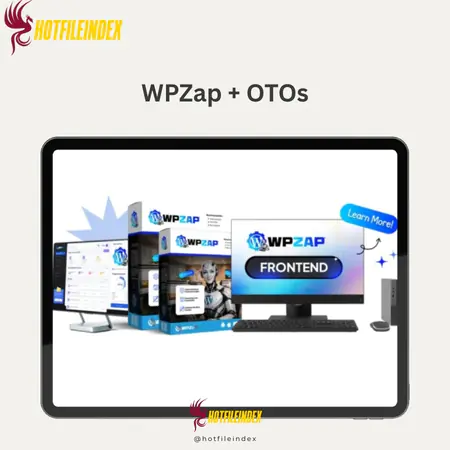
WPZap + OTOs
$17.00
WPZap is a WordPress automation plugin that replaces Zapier by letting you create trigger-based workflows directly on your site faster, more secure, and with no monthly fees or third-party APIs.
You will get Individual Account of
- FE + OTO1
Automation is now a must-have for WordPress, but most of the options out there have problems, like monthly fees that keep coming up, being hard to set up and configure, and relying on third-party services. This is pricey and limits what most website owners, freelancers, and WooCommerce shop developers can do. WPZap does things in a different way. WPZap adds processes like Zapier directly to WordPress, so you don't have to send your important data through third-party automation services. With its easy-to-use builder, built-in WordPress triggers, and one-time pricing, it's simple to automate jobs without giving up cost or control over data.
What is WPZap?

WPZap is an automation plugin for WordPress that is meant to replace and look like Zapier-style processes right inside WordPress, where your website already does all the work. WPZap lets you build automation processes right on your WordPress site, so you don't have to send your data to third-party SaaS platforms. This makes execution faster, gives you more control, and keeps you from having to rely on third-party services or API links that could be hacked.
WPZap gives WordPress users strong automation tools that don't cost anything a month or cause extra confusion. It's made for developers, marketers, and website owners who want full control over their data and processes. In its most basic form, WPZap is a trigger-action system. When something happens on your website, like a WooCommerce order, a form submission, or a new user signing up, WPZap will do a number of things immediately. For example, it will send emails, change user roles, call webhooks, or sync data. A drag-and-drop interface is used to build all workflows. This means that all users, from those who aren't tech-savvy to coders, can write less code and get more done.
Key features of WPZap
- Intuitive Workflow Builder: You won't have to mess with code because WPZap comes with a clean and easy-to-use drag-and-drop visual builder. You only need to pick a trigger, add one or more steps to it, and set up how the automation works. This makes WPZap easy for even new WordPress users to use, but also powerful enough for more advanced users who want more control over their process.
- Trigger for WordPress Natively: Other automation software uses WordPress like any other app, but WPZap is made to work with WordPress only. It works with custom post types, user jobs, and even user metadata. But what's really important is that it works with plugin add actions. This tight integration makes automation processes more reliable and opens up uses for third-party tools that don't work well with others.
- You can make as many automation workflows as you want. WPZap doesn't put a cap on how many you can make. Users aren't limited in how many automation tasks they can make, and they don't have to switch plans to do so. This is a big benefit over SaaS automation tools, which limit the number of workflows you can use based on your plan.
- More advanced conditional logic: The app can also use if/then logic as part of its smarter automation workflow features. You can make rules that will do a certain thing based on the amount of the order, the user's job, the data they enter on the form, or even your own conditions if you need more freedom. This makes it possible for WPZap to handle situations like split messages, role-based access updates, or custom tracking.
- Execution Logs and Monitoring: Execution logs keep track of every automation run in great detail. Users can see when the workflow was run and whether it worked or failed. If it failed, users can see any error messages that explain why. This kind of openness makes it easier to figure out what's wrong and lets automation processes get better over time.
- Automated Retry Tool: If an automation action fails for a short time because of something like a slow email server or a bad link, WPZap will try the action again. This makes sure that tasks don't get missed and that important automation processes can keep running without any help from a person.
How to use WPZap
Step 1: Choose a Trigger Event
For WPZap to work, it needs a trigger event on your WordPress site. This event can be public or private. This could be when a new user signs up, a WooCommerce order is finished, a form is submitted, a post is updated, a cron job is run, or even a webhook comes in. WPZap will know exactly when to run your automation process when the trigger event happens.
Step 2: Set Up One or More Actions
You'll tell the trigger event what to do next after you've chosen it. You can use WPZap to do things in a certain order, like writing emails, updating posts, changing user roles, connecting data to a CRM or other system, and even automatically filling in Google Sheets with content. All of these actions can be set off by custom logic. There is now a way to automate more complicated processes from a single event.
Step 3: Activate and Monitor Workflows
Once they are activated, workflows start and run immediately. WPZap gives you execution logs, mistake tracking, and the ability for errors to be fixed automatically if they happen. This helps you see the big picture and makes sure that your automation processes are running smoothly.
Why you should use WPZap?
- Cost-effective alternative to expensive automation solutions: WPZap can automate tasks in the same way that Zapier can, but there are no monthly fees. It might even save you a lot of money in the long run to switch to WPZap if you're already paying monthly fees for another automation process.
- WordPress is where everything runs: Automation workflows are now faster, more reliable, and less likely to make mistakes than workflows that use a lot of different external systems and APIs because WPZap is built right into WordPress.
- You are in charge of your data: Companies that care about privacy and want to keep control of their data don't have to send information to a third-party site because WPZap stores everything on your server.
- Suitable for both new and experienced users: The visual builder lets beginners start with simple workflows, and as they get better, skilled users can add more logic and linked automation to their workflows.
- That works great for WooCommerce and client work: WPZap lets shop owners, freelancers, and companies organise tasks that they do for both types of clients over and over again. This way, they can grow without having to pay more each month.
The Upgrade/OTO details
Front-End: WPZap Commercial – $27
- Visual process builder that lets you drag and drop items (no code needed)
- One site with an unlimited number of automation tasks
- WordPress basic events (Posts, Users, Media, and Cron)
- Webhooks, conditional logic, and branching flows were some of the
- triggers and behaviours that WooCommerce could use.
- Execution logs that keep track of errors and state
OTO 1: WPZap Unlimited – $37
- Execute as many tasks as you want (no secret limits)
- Priority workflow processing goes faster
- Advanced automations with multiple steps (3+ actions per flow)
- More reliable automation when it's busy
- Made for sites with a lot of visitors or bots
- Takes away the FE version's speed limits
OTO 2: Team License – $47
- Install WPZap on as many WordPress sites as you want.
- Controlling access for teams and collaborators
- All client pages share the same Flow Library
- You can quickly copy and reuse automation workflows
- The best for contractors and WordPress companies
- Spends less time handling large groups of automations
OTO 3: DFY Automations – $67
- 100+ automation process templates already made
- Import with just one click for everyday tasks
- WP, CRM, and email flows that are ready to go
- No need to build logic or test it. Great for newbies or setups that save time.
- Templates that can be changed to fit any site or area
OTO 4: Agency / Reseller License – $97
- Help companies automate their WordPress sites.
- Keep all of your clients' money and profits.
- Features for managing clients and giving reports
- Professional delivery management without having to write your own code
- Good for business plans based on services
- Make money with WPZap as an option for repeat clients.
OTO 5: Whitelabel Edition – $197
- Change WPZap's name and image to match yours.
- Custom logos for plugin dashboards
- You can sell WPZap as your own program.
- End users can't see any WPZap logos.
- That works great for SaaS or productized services
- The most power and long-term value for the business
Advantages
- WPZap is offered as a one-time purchase; You only have to pay for WPZap once; you don't have to pay a monthly fee. This makes WPZap quickly different from tools like Zapier that cost money every month to use. If you buy it, you can keep using it without having to worry about paying extra monthly fees as your work gets more complicated.
- Made just for WordPress: WPZap wasn't made from a template that was taken from another automation tool. It was made to work with WordPress. It knows a lot about core WordPress events, user roles, and even custom post types or plugins like WooCommerce. This means that automation processes will be more accurate and reliable.
- Interface that's easy for beginners: Anyone can use automation thanks to the easy-to-use drag-and-drop creation tool. To make processes that work, you don't even need to know how to code, set up APIs, or deal with complicated settings.
- Strong WooCommerce support: WPZap works with WooCommerce triggers and actions, so store owners don't need to use outside tools to automate order processing, customer tracking, job assignment, or combined workflows in the backend.
- You have full control over and protection over your data. All of your workflows run on servers that you own and manage, and your data is never sent to a third-party automation environment. This is perfect for businesses and websites that need to handle customer info in a private way.
- Scalability with optional upgrades: WPZap does a great job of automating simple tasks right out of the box, but as your business grows, you can use optional add-ons to handle more complicated processes without having to switch to a higher monthly plan.
Disadvantages
- WordPress-only platform: WPZap is made to work only with WordPress. There are still other external tools that can help you with automation if you also work with more than one non-WordPress setting.
- Setting up for the first time: For more complex automation processes, users will need to spend more time setting up workflows and learning about triggers and actions because the interface is easy for beginners to use.
Who is it for?
- Owners of WordPress websites:Without having to use third-party SaaS solutions, WPZap is the best way for WordPress sites to automate chores that used to be done by hand, like managing users, updating content, and sending out notifications.
- WooCommerce store owners: More automated order processing, customer follow-up emails, role assignment, and other administrative tasks can cut down on response times and mistakes made by hand.
- Freelancers and Businesses: Freelancers and businesses can use WPZap to make custom systems for clients, speed up projects, automate processes, and boost perceived value all without having to pay extra each month.
- Automation Consultant: WPZap gives you a lot of control over a lot of things, you can set as many conditions as you want, and it has a lot of WordPress-specific paths that you can take to get into advanced automation and complicated business processes.
- Businesses that care about privacy: WPZap is great for anyone who wants to keep data personal and not share it with third-party apps because all automation happens on your own WordPress server.
- For people who have never used automation before and don't know how to code: WPZap is easy for people who aren't tech-savvy or know how to code to use because it has a workflow designer that is simple and natural.
What You Get (Compared to Buying at HotFileIndex)
- Checked and Trustworthy Access: If you buy WPZap from us, you will get the original version of the plugin with all of its core features, updates, and support. You will not get a free version that has been changed or tampered with that we downloaded from other websites.
- A clear and honest guide to products: We don't just talk about the tool we use; we also look at what WPZap is, how it works, who its best customers are, and where it stands in comparison to other automation systems. This gives you more confidence before you decide to buy.
- Focus on Long-Term Value: We look for tools that help you cut down on ongoing costs and that can grow with your business. That's exactly how WPZap works, so it's not just a regular fee but a great long-term investment.
- Content and Regular Updates: As WPZap grows, we keep all of our tips, comparisons, and tutorials up to date to make sure you have the most recent, relevant, and useful information.
FAQs
- Is WPZap an alternative to Zapier?
Yes. This app, WPZap, was created as an option to Zapier for WordPress users who want automation but don't want to pay monthly fees or let outsiders handle their data. - Does WPZap require programming?
No, WPZap has a drag-and-drop builder that is easy for beginners to use but still strong enough for more experienced users. - Can WPZap work with WooCommerce?
Yes. WPZap also works well with WooCommerce, which means you can automate things like managing orders, customer events, alerts, and the processes that run underneath them. - Are there any limitations on workflows?
WPZap doesn't have any limits; you can make as many processes or features as you want! There are other SaaS automation tools that charge by function, but we don't. - Where is my data stored in WPZap?
All of the automation is done on your WordPress site, so your data stays on your computer and doesn't go through a third party. - Is WPZap suitable for companies and freelancers?
Of course. It's made for freelancers and businesses that have more than one WordPress site and need a cheap, scalable automation solution that doesn't cost a lot every month.
Conclusion
One of the best and most useful ways to automate WordPress is with WPZap. It fixes many of the problems with traditional automation tools by giving you a fully native WordPress experience, getting rid of the monthly subscription model, and adding an easy-to-use workflow builder that doesn't need any code. WPZap could be the right management tool for you if you don't want to pay a lot of money every month.
All Info just pre-build when listing. Until Product mark as "Instant Deliver", infomation will be updated again like OTOs you will be get,..etc
Related products

WordPress

WordPress

WordPress
WordPress
WordPress
WordPress
WordPress

WordPress
WordPress