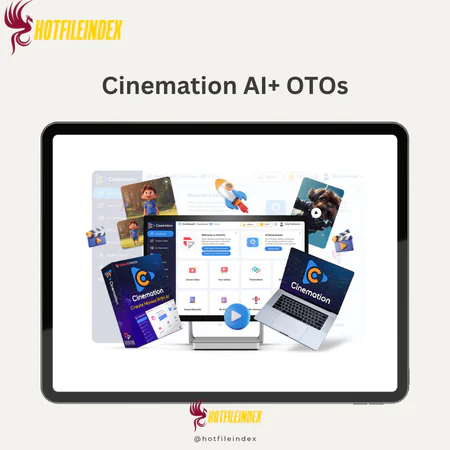
Cinemation AI+ OTOs
$37.00
Cinemation AI is an AI-powered video creation platform that transforms scripts and story prompts into cinematic, long-form videos using automated characters, scenes, and production workflows.
You will get Individual Account of
- FE + OTOs
Looking back at AI video tools from 2024 and early 2025, the limitation was not the quality of the visual generation. The clips looked impressive. The motion was fluid. The styles were varied and often genuinely cinematic in their individual frames.
The problem was structural. Every tool was optimized for the same output format: a five to twenty second clip generated from a single prompt. Input a description, receive a clip. Input another description, receive another clip. The clips were visually unrelated to each other because no tool maintained any continuity between generations. The character that appeared in one clip had no connection to the character in the next clip beyond sharing a text description. The location in scene three looked nothing like the same location in scene one.
For social media content where each clip is a standalone impression, this disconnection was acceptable. For narrative content where the same characters need to appear recognizably across thirty scenes of a fifteen-minute educational episode, it was a fundamental barrier. You could not build a story with tools designed to generate isolated visual moments.
Cinemation AI was built to solve this structural problem rather than simply improve the visual quality of clips that were already visually impressive but narratively useless for serious content creation.
What Is Cinemation AI?
Cinemation AI is a desktop AI video application that turns scripts and story prompts into long-form, cinematic videos with consistent characters and locations across scenes and episodes, without cameras, actors, or traditional production infrastructure.
The platform combines script handling, character creation and library management, location building and reuse, shot planning, and video rendering into a unified production workflow specifically designed for multi-minute, narrative-driven output. Its defining technical capabilities are character consistency and location consistency maintained across scenes through library-based profile management, which is the structural infrastructure that short-form clip generators lack and that serious narrative content production requires.
The front-end Elite version is $47 one-time with 10,000 welcome credits, up to three daily videos, support for ten characters and ten locations, self-business use license, one year of updates, and a 30-day money-back guarantee.
The Specific Gap Cinemation AI Fills
Understanding where Cinemation AI sits in the broader AI video landscape requires mapping what different creator types actually need from video production tools.
- Social media marketers need five to fifteen second clips optimized for platform algorithms. Existing short-form AI tools serve this need adequately. Cinemation AI is not designed for this use case and is not the right choice for it.
- Educators and course creators need ten to twenty minute narrative lessons where the same characters appear consistently across dozens of sessions, the same environments recur across an entire course, and the overall visual experience builds learner familiarity over time. Short-form tools cannot serve this need. Traditional animation is too expensive and slow. Cinemation AI addresses this gap directly.
- Indie storytellers and filmmakers need pilot episodes, short films, and animated story adaptations where characters have stable visual identities, locations recur across scenes, and the narrative structure extends across minutes of content. No short-form clip tool addresses this need. Traditional production requires budgets and teams that most indie creators do not have. Cinemation AI addresses this gap directly.
- Brand marketers need consistent brand characters and visual worlds across campaign content, product story videos, and explainer content that goes deeper than a viral hook. Short-form tools produce disconnected clips. Cinemation AI enables consistent brand world development.
In each case, the gap Cinemation AI fills is the same: the need for narrative continuity across extended content that short-form tools were never designed to provide.
Main Features of Cinemation AI

Long-Form Video Generation
The headline capability is producing videos extending from several minutes to tens of minutes per project rather than the under-one-minute cap that constrains most AI video tools. The technical foundation combines scene and shot stitching, character and location reuse across scenes, and pacing logic that maintains viewer engagement across extended runtimes without the visual incoherence that results from stitching disconnected short clips.
The practical significance for different creator categories is direct. An educator producing a twenty-lesson course needs each lesson to function as a coherent ten to fifteen minute visual experience rather than a series of disconnected short clips. A YouTuber building an episodic series needs episodes of meaningful length that give the narrative room to develop. A brand marketer creating a product story needs enough runtime to communicate a complete value proposition with emotional arc rather than a fleeting impression. Long-form capability is the foundational requirement that makes Cinemation AI relevant to these use cases rather than simply another option in a field of tools that do not address them.
Character Consistency System
Character profiles saved to the project library maintain their visual identity across every scene in which they appear through AI-applied profile parameters rather than per-scene regeneration. Each profile captures appearance attributes, style category, clothing, age, and other defined characteristics that apply consistently each time the character is invoked rather than being reinterpreted from the character's name alone.
The creative and commercial implications of genuine character consistency are significant. A fifteen-episode detective series where the lead detective looks visually identical across every scene of every episode functions as a recognizable franchise. The same series with a differently rendered lead character in every scene is simply a collection of clips that share a text description. Educational content where the AI instructor guide maintains consistent appearance builds learner familiarity that supports engagement across an entire course. Brand content where the mascot character looks the same in every campaign piece builds recognition that compounds across audience exposures. Character consistency is not a technical detail; it is the foundational requirement for narrative content that works at any serious quality level.
Location Consistency and Reusable World Building
Location libraries save environments for reuse across scenes and projects, maintaining visual continuity without requiring environment reconstruction for each new scene. The structural separation between a location, the saved environment itself, and a scene, which uses that environment for a specific story beat, allows a single classroom, office, or spaceship bridge to serve dozens of scenes across multiple episodes while maintaining the visual consistency that makes recurring places feel like real, established parts of the story world.
For series creators, the compounding value of reusable locations across multiple episodes changes the economics of ongoing production significantly. Building a full set of locations once for a series and reusing them across twelve episodes costs a fraction of the production time that rebuilding equivalent environments for each episode would require. For educators maintaining visual world consistency across an entire course, the same principle applies with equivalent savings in production overhead.
Multi-Style Visual Output
Supported style categories cover the primary visual formats that different creator categories require. Two-dimensional animation suits explainer videos, cartoons, and children's educational content. Three-dimensional animation serves product visualization, detailed sci-fi world building, and corporate training scenarios. Cinematic realism supports premium promotional content and high-end ad concepts. Stylized looks including comic book and watercolor aesthetics serve creative projects with distinctive brand identities.
The style selection decision is most consequential at the start of a project rather than mid-production. Committing to a consistent style across all scenes produces stronger visual coherence than mixing styles, and character and location consistency performs better when rendering parameters remain stable throughout production. Projects that test style options early and commit before building the full character and location library avoid the consistency challenges that arise when style changes require re-examination of previously built assets.
Script and Story Support
AI assistance covers story idea generation from a basic premise, outline-to-script expansion from bullet points to full structured scenes, dialogue refinement, and scene description suggestions that add environmental and mood specificity to sparse descriptions. Non-writers benefit most directly, with the platform providing enough creative scaffolding to develop usable structured scripts without prior screenwriting experience.
The pre-production compression this enables directly affects total project timelines. Traditional video production invests fifty to seventy percent of its total time in pre-production phases covering scripting, storyboarding, and asset planning. AI-assisted script development compresses this phase significantly, which changes the practical timeline from concept to finished video for solo creators working without dedicated writing staff.
Desktop Application Workflow
Windows and Mac desktop application with local file management and optional cloud rendering provides stable performance for long projects, easier organization for projects spanning hundreds of scenes and assets, and local preview capability without continuous internet dependency. Browser-only tools that handle long, complex projects face performance and stability challenges that accumulate across extended production sessions. Desktop application architecture addresses these challenges directly for the multi-hour production sessions that serious long-form projects require.
Beginner-Friendly Creation Infrastructure
Guided setup wizards walk first-time users through initial projects, templates and presets provide starting frameworks for common video types, and built-in AI assistance covers script writing, character design, and scene creation simultaneously. The genuine skill barrier reduction means no filmmaking expertise, animation knowledge, or advanced editing skills are required to produce working first projects. The honest qualification that applies regardless of how accessible the interface is: basic storytelling structure, understanding of narrative beginning, middle, and end, determines the quality ceiling of what the platform can produce from any given input.
Pricing Plans and OTOs detailed
Front-End – Cinemation Elite ($47 one-time)
- One-time payment with no recurring subscriptions
- Includes 10,000 welcome credits
- Generate up to 3 videos daily
- Supports up to 10 characters and 10 locations
- Self-business use license included
- 1 year of free upgrades included
- 24/6 chat support access
- Built for personal creators and beginner users
- Includes 30-day money-back guarantee
OTO 1 – Cinemation Pro ($67 one-time)
- Includes 30,000 welcome credits
- Unlimited daily video generation
- No limits on video length
- Shot-level video editing tools
- Team collaboration access included
- Full commercial license included
- 2 years of free upgrades included
- Built for advanced creators and marketers
OTO 2 – Cinemation Reseller ($197 one-time)
- Includes 70 Pro licenses for resale
- Can be used for agency services or client sales
- Keep profits from sold licenses
- Built for agencies and reseller businesses
OTO 3 – TubeRank Jeet Pro ($67 one-time)
- AI-powered YouTube ranking toolkit
- Unlimited keyword research included
- Hashtag generation tools included
- Video optimization features supported
- Designed for YouTube growth and SEO
OTO 4 – Freezur Pro ($67 one-time)
- Includes 50,000 additional credits
- Unlimited video generation access
- All AI models unlocked
- Image-to-video generation included
- Advanced AI creation features included
- Built for high-volume creators and agencies
How Cinemation AI Works
Write or Generate Your Script
Paste a finished script, write within the application editor, or use AI to expand a basic premise into structured scenes. Clear, specific scene descriptions with time of day, mood, key actions, and explicit visual hints produce better visual outputs than vague or abstract descriptions. Short direct sentences work better than flowing prose because the platform extracts visual instructions from text rather than interpreting literary language.
Create and Save Characters
Build each recurring character through text description prompts, select style presets, customize appearance attributes, and save to the library before beginning any scene production. Creating the full main cast with detailed descriptions before starting scene work ensures character library completeness prevents production interruptions when a scene requires a character that has not yet been defined.
Build and Save Locations
Create each needed environment through text prompts, apply consistent style choices, and save to the project library. The investment in building a complete location library before scene production begins compounds in efficiency value across every subsequent scene and episode that uses those saved environments.
Plan Shots and Transitions
Review AI-suggested shot angles, adjust transitions for intended pacing, and arrange the shot sequence in the storyboard view. Thoughtful shot variety mixing establishing shots, wide shots, close-ups, and reaction shots produces professional cinematic pacing. Override AI suggestions where automatic choices do not match the specific scene's intended visual feel.
Render and Export
Select style, resolution, and format, compile the production, and export the finished video. Import into Adobe Premiere or Final Cut for additional polish, or publish directly to YouTube, learning management systems, or social platforms depending on the intended distribution channel.
Pros and Cons
Pros
- Long-form video generation extending to tens of minutes is the structural capability that directly addresses the narrative content creation need that every short-form AI tool fails to serve.
- Character consistency through library management provides the visual continuity that makes multi-scene, multi-episode narrative content function as coherent storytelling rather than disconnected clips with generically similar elements.
- Location reusability across scenes and projects compounds production efficiency for series and course creators while maintaining the world continuity that viewer and learner familiarity requires.
- Multi-style output covering 2D, 3D, cinematic realism, and stylized aesthetics supports the range of creator categories and content types without requiring separate specialized tools.
- AI script and story assistance compresses pre-production timelines dramatically for non-writers and accelerates concept development for experienced creators working on new projects.
- Desktop application stability for long, complex projects addresses the performance limitations of browser-only tools for sustained multi-hour production sessions.
- One-time front-end pricing at $47 makes the initial investment accessible for creators evaluating whether AI narrative video fits their content workflow before committing to higher-tier capabilities.
Cons
- Not suitable for live events, testimonials, or ultra-high-end commercial work requiring authentic real-world footage and human presence.
- Output quality scales directly with input quality. Weak scripts and vague prompts produce weak outputs regardless of rendering sophistication.
- Five to ten hours of learning investment should be budgeted before expecting professional-quality output.
- Character consistency limitations exist with extreme style changes and major rendering setting adjustments.
- Hardware quality significantly affects render performance for complex long-form projects on lower specification machines.
- Front-end tier constraints on daily generation count, character and location limits, and video length require the Pro upgrade for unlimited production capacity.
Who Is Cinemation AI For?
- Educators and course creators building narrative-based lesson content with consistent AI characters serving as recurring visual guides across entire courses represent one of the strongest practical applications for the platform's continuity infrastructure.
- Story-focused YouTubers and episodic content creators building animated series with recurring casts and established visual worlds use Cinemation AI to produce professional narrative content without animation expertise or production budgets.
- Brand marketing teams developing consistent brand character campaigns, product story videos, and animated explainers use the location and character consistency system to maintain visual brand world coherence across content series.
- Indie storytellers and filmmakers producing short films, pilot episodes, and visual story adaptations use the platform to demonstrate narrative concepts with professional visual quality at a fraction of traditional production cost.
- Beginners testing content concepts for new YouTube channels, course products, or creative projects use the accessible interface and AI assistance to produce first video content without prior production expertise.
Less suited for: Live event capture, testimonial content requiring authentic human presence, ultra-high-end commercial production, and creators whose sole content need is short social media clips.
Frequently Asked Questions
- How does Cinemation AI's approach to narrative continuity differ from what short-form AI tools offer?
Short-form AI tools generate each clip as an independent output with no persistent data connecting one generation to the next. The character in clip one is generated fresh from a text description, and the character in clip two is generated fresh from the same description, producing visually related but distinct outputs that cannot maintain the recognizable identity a narrative character requires across dozens of scenes. Cinemation AI's library-based character and location management saves defined profiles that the AI applies consistently across every new scene generation rather than reinterpreting from scratch. This is the structural difference between a system designed for disconnected clips and a system designed for coherent narrative production.
- What makes the long-form capability genuinely different rather than just stitching short clips together?
Simply stitching short AI-generated clips produces outputs where visual style, character appearance, location interpretation, and pacing logic vary across each clip in ways that make the assembled result feel incoherent. Cinemation AI's long-form approach maintains consistency across the entire production through shared character profiles, shared location definitions, shared style parameters, and pacing logic that manages shot variety and transition timing across the complete runtime rather than between individually generated clips. The difference is between mechanical assembly of disconnected outputs and integrated production of a unified narrative experience.
- How should an educator approach structuring their first Cinemation AI course module?
The most effective approach for a first course module starts with a simple three to five lesson structure rather than attempting a complete full-length course immediately. Create two to three recurring characters, one for the primary instructor guide role and one to two for student or scenario participant roles, with detailed descriptions that produce stable visual profiles. Build two to three locations covering the primary learning environment and any scenario-specific settings.
Write lesson scripts at appropriate instructional length with clear scene descriptions that specify what is being demonstrated or explained in each visual segment. Produce the first lesson completely through the render stage, evaluate character and location consistency, adjust any profile details that produced unexpected results, and then proceed to subsequent lessons using the refined library as the production foundation.
- What is the most important creative decision in any Cinemation AI project?
Script quality is the single most determinative factor in the quality of the finished video. The platform's rendering technology, character consistency system, and shot planning tools are production amplifiers: they take what the script provides and produce it efficiently at visual quality levels that would otherwise require expensive traditional production. A script with compelling characters, clear scene structure, specific visual descriptions, and narrative momentum produces compelling video. A script with weak characters, unclear structure, vague descriptions, and no narrative momentum produces weak video regardless of how sophisticated the rendering technology is. Investing in script quality before production begins pays returns across every subsequent production stage.
- How does Cinemation AI fit into a content creator's existing production workflow alongside other tools?
Most creators integrate Cinemation AI as the primary visual production environment while maintaining their existing tools for complementary functions. Writing tools like Google Docs, Notion, or dedicated screenwriting software handle initial script development before content is brought into Cinemation AI for production. Adobe Premiere, Final Cut Pro, or DaVinci Resolve handle additional editing, color grading, and audio enhancement after the AI production stage generates the base video. YouTube Studio, learning management systems, or social scheduling tools handle distribution after export. Cinemation AI occupies the visual production stage that previously required either an animation team or expensive production infrastructure, while fitting into the surrounding workflow stages that existing creator tools already handle effectively.
- What does the Pro upgrade add that matters most for serious narrative creators?
The two Pro upgrade additions with the most direct impact on serious narrative production are unlimited video generation with no daily caps, and no limits on video length. Front-end daily generation limits create production bottlenecks for creators working on multi-episode series or multi-lesson courses that require consistent daily output to maintain production schedules. Video length limits restrict the narrative scope of individual episodes or lessons in ways that undermine the long-form value proposition. The shot-level video editing tools and full commercial license are significant additions for professional and agency use. Together these capabilities transform Cinemation AI from a capable evaluation and experimentation tool into a professional production environment for sustained narrative content creation.
- How does Cinemation AI handle dialogue-heavy scenes compared to action-heavy scenes?
Dialogue-heavy scenes that require two characters to carry a conversation across multiple exchanges benefit from specific shot planning that alternates angles to maintain visual engagement through the dialogue. Over-the-shoulder shots, reaction shots, and close-ups on the speaking character prevent the static quality that a single continuous wide shot would produce across an extended dialogue sequence. Action-heavy scenes with movement, environmental changes, or dynamic events benefit from a short variety that captures different aspects of the action from different angles. The shot planning system's AI suggestions typically calibrate to scene content in ways that help users without filmmaking backgrounds achieve basic professional pacing for both scene types without requiring specific filmmaking knowledge.
- Can Cinemation AI produce content suitable for professional client delivery as an agency service?
Yes, with the appropriate upgrade. The front-end Elite tier includes a self-business use license covering personal and internal business use but not commercial client service delivery. The Pro upgrade's full commercial license covers producing video content for clients as a paid service. Agencies using the Reseller upgrade can distribute Pro licenses to clients or team members while maintaining centralized account management.
The practical quality ceiling for client-deliverable content depends on input quality, style selection appropriate to the client's brand and use case, and the level of additional polish applied through external editing tools after the AI production stage. For many SMB and content creator client categories, Cinemation AI's output quality with professional inputs and appropriate style selection is suitable for direct client delivery.
- How does the image-to-video feature in the Freezur Pro upgrade extend Cinemation AI's production capabilities?
The Freezur Pro upgrade adds image-to-video generation alongside expanded credits and all AI model access. Image-to-video capability allows existing visual assets including brand imagery, product photography, illustrated characters, or static scene compositions to serve as input for video generation rather than requiring everything to originate from text prompts. For brands with established visual assets they want to animate, for creators with illustrated characters they want to bring into motion, and for marketers who want to create video content from existing campaign imagery, this capability extends the production input options beyond pure text-to-video generation.
- What is the relationship between hardware specifications and practical usability for long-form projects?
Hardware quality has a direct and measurable impact on two specific aspects of the production experience: local preview speed and render time. Modern GPU-equipped machines produce meaningfully faster local previews that allow iterative refinement of scene and character settings without long waiting periods between each adjustment and its visual result. Render time for complex long-form projects scales with hardware capability, meaning that a fifteen-minute episode might render in a fraction of the time on a high-specification workstation compared to a minimum-specification machine. For casual experimentation and short projects, minimum specification hardware is adequate. For serious ongoing production of long-form narrative content, hardware investment proportional to the production volume requirements produces a significantly more efficient creative workflow.
- How does Cinemation AI support previsualization for projects that will eventually move to traditional production?
Previsualization is explicitly mentioned as one of the platform's supported use cases, and it represents a genuinely valuable application for creators who intend to eventually produce content through traditional methods but need to demonstrate the concept visually before securing budget or creative partners. A fifteen-minute AI-produced pilot episode demonstrates a story's visual potential to investors, commissioning partners, or potential crew members at a fraction of the cost of a traditional production proof of concept. Festival submission test reels, investor pitch demonstrations, and client concept presentations all benefit from having a visual representation of the planned production rather than a text treatment or static storyboard.
- What is the most effective long-term practice for building a growing content library with Cinemation AI?
Building a comprehensive and well-organized asset library before beginning any significant production is the practice that compounds most significantly in value across a growing content library. A complete library of clearly named, well-described character profiles covering every character likely to appear across a series or course series, a comprehensive set of saved location profiles covering every environment the content world requires, and standardized style and rendering parameters that apply consistently across all projects, invested once at the beginning of a content production program, pays efficiency returns across every subsequent episode or lesson produced using those assets.
Creators who build their library first and produce content second maintain visual consistency and production efficiency across hundreds of pieces of content. Creators who build assets reactively as each new piece requires them accumulate inconsistencies and redundancies that become increasingly difficult to resolve as the library grows.
All Info just pre-build when listing. Until Product mark as "Instant Deliver", infomation will be updated again like OTOs you will be get,..etc
Related products


SAAS

SAAS