


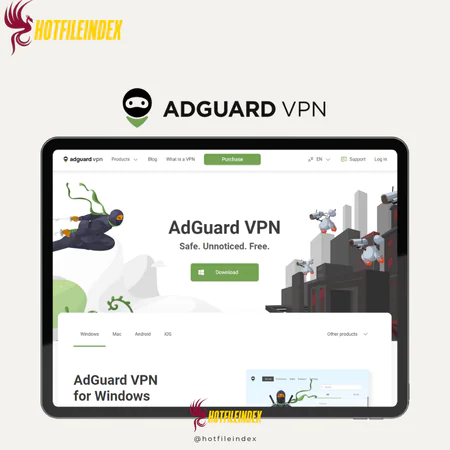
AdGuard VPN – 1 Year
$40.00
AdGuard VPN — Secure VPN service — strong privacy protection and encrypted browsing
You will get Shared Account of
- FE
In a time when online privacy and open internet access are increasingly critical, having a dependable VPN has become a necessity. From securing personal information on public Wi-Fi to avoiding tracking and accessing region-restricted content, users need a solution that is both safe and easy to use. AdGuard VPN is built to address these demands by combining strong privacy protection with a clean, user-friendly design.
Let’s take a closer look.
What is AdGuard VPN?

AdGuard VPN is developed by the same trusted team behind AdGuard, the well-known ad and tracker blocking solution. With privacy at its core, it relies on a proprietary protocol that makes VPN traffic appear like regular internet activity, helping users bypass restrictions and lower the risk of detection. Key capabilities include split tunneling, a kill switch, and a strict no-logs policy to safeguard user data. While proprietary protocols can raise concerns for some, AdGuard VPN generally lives up to its security and privacy promises.
Although its server network is smaller than that of major VPN providers, it still covers important global regions and delivers stable, consistent performance for daily browsing, streaming, and maintaining online anonymity. Overall, AdGuard VPN offers a well-balanced combination of security, simplicity, and performance.
Key features

- Proprietary VPN protocol: Uses a custom protocol that makes VPN traffic look like normal internet traffic, helping overcome network blocks and censorship.
- Strong encryption: Protects online traffic by encrypting data and hiding the user’s real IP address from third parties.
- Strict no-logs policy: Does not store browsing history, connection times, or IP addresses, supporting strong user privacy.
- Kill switch: Automatically cuts off internet access if the VPN connection drops, preventing accidental data or IP leaks.
- Split tunneling (Exclusions): Lets users decide which apps or websites go through the VPN and which connect directly to the internet.
- Private DNS handling: Routes DNS requests through AdGuard’s own servers to limit ISP tracking and enhance privacy.
- Advanced DNS customization: Supports multiple DNS modes, including ad- and tracker-blocking DNS, family protection, and custom DNS servers.
- SOCKS5 proxy support: Provides an optional proxy option for advanced users who want more control over specific traffic.
- Cross-platform compatibility: Available on Windows, macOS, Android, and iOS with a consistent, intuitive interface.
- Multiple device support: One subscription can be used on up to 10 devices at the same time.
- Global server locations: Offers access to servers in key regions worldwide for stable connections and geo-unblocking.
Pricing plans

| Plan | Price | Billing |
| Monthly | $11.99 / month | Billed monthly |
| Yearly | $3.99 / month (≈ $47.88 / year) | Billed annually |
| 2-Year | $2.99 / month (≈ $71.76 / 2 years) | Billed every two years |
| Free Plan | $0 | Limited data & servers |
Advantages
- Clean and intuitive interface: Designed to be simple and easy to navigate, making it ideal for beginners and casual users.
- Integrated ad and tracker protection: Works smoothly alongside AdGuard AdBlocker to deliver a safer, cleaner browsing experience.
- Custom exclusion mode: Gives users control over which apps or websites use the VPN and which connect directly.
- Stable performance: Offers reliable and fast speeds for everyday internet use and regular streaming.
- Broad platform support: Available on Windows, macOS, Android, iOS, and as lightweight browser extensions.
- Clear no-logs policy: Claims not to collect or store user activity, browsing history, or personal data.
- Lightweight browser extensions: Quick to set up, easy to use, and low on system resources.
- Good for basic streaming: Works well with services like YouTube and Netflix in supported regions.
- Cost-effective plans: Premium subscriptions are reasonably priced compared to many competing VPN services.
Disadvantages
- Smaller server coverage: Provides fewer server locations than larger, more established VPN providers.
- Restricted free plan: The free version includes limited data usage and access to fewer servers.
- No advanced obfuscation: May be less effective in countries with strict internet censorship.
- Limited P2P availability: Torrenting and large file transfers are not supported on all servers.
- Fewer advanced security options: Lacks features such as Double VPN or dedicated IP addresses.
- No third-party audits: Has not yet been independently reviewed to verify its privacy and security claims.
Who should use AdGuard VPN?
AdGuard VPN is a good fit for:
- Everyday users: Those who want simple privacy and protection for browsing, social media, and light streaming.
- Streaming enthusiasts: Users looking to access region-limited content on platforms like YouTube or Netflix (where supported).
- Beginners and non-technical users: People who prefer a straightforward setup without complex configuration.
- AdGuard ecosystem users: Individuals already using AdGuard ad-blocking tools who want seamless integration.
- Multi-device users: Families or individuals who need to secure multiple devices under one subscription.
- Budget-conscious users: Anyone seeking reliable VPN protection at an affordable price without paying for advanced features they may not need.
FAQs about AdGuard VPN
- Does AdGuard VPN store user logs?
No. AdGuard VPN follows a strict no-logs policy and does not save browsing activity, connection times, or user data. - Can AdGuard VPN block ads?
AdGuard VPN itself focuses on privacy and encryption, but it works seamlessly with AdGuard AdBlocker to block ads and trackers. - Does AdGuard VPN offer split tunneling?
Yes. Its exclusion mode allows users to choose which apps or websites use the VPN and which connect normally. - Is there a free version of AdGuard VPN?
Yes. A free plan is available, though it comes with limited bandwidth and fewer server options. - How many devices can one account support?
A single AdGuard VPN subscription supports multiple devices at the same time, making it suitable for personal or family use. - Is AdGuard VPN suitable for streaming?
It works well for basic streaming services like YouTube and Netflix in some regions, but may not reliably unblock all heavily restricted platforms.
Conclusion
AdGuard VPN is a dependable and user-friendly option for users who prioritize privacy, simplicity, and consistent performance for everyday internet use. While it may not include advanced tools found in premium VPNs, it provides solid security and a smooth experience at a reasonable price.
To unlock premium features at a lower cost, purchasing AdGuard VPN through Hotfileindex is a smart option, offering better value while maintaining reliable access for both personal and professional needs.
| Time | 1 Year |
|---|
All Info just pre-build when listing. Until Product mark as "Instant Deliver", infomation will be updated again like OTOs you will be get,..etc
Related products

Account

Account
Account

Video Tools
Account


Account

Account

Account