
Teachable Growth – 1 Month
$39.00
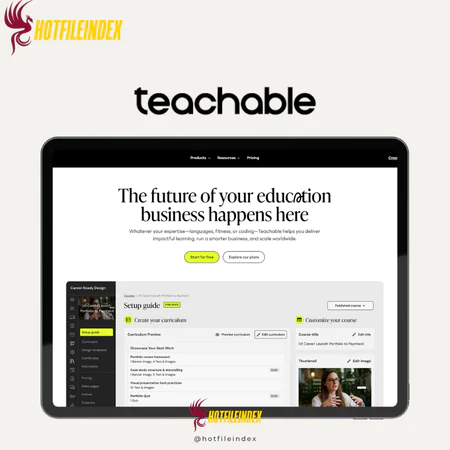
Teachable — Online course creation platform — build, host, and sell digital courses
You will get Individual Account of
- FE
In today’s fast-growing creator economy, sharing knowledge online is easier than ever—but standing out is more challenging. Educators, coaches, and entrepreneurs need platforms that simplify creating, promoting, and selling online courses without dealing with technical complexity. This is where Teachable shines, providing a streamlined way to transform expertise into scalable digital products.
What is Teachable?

Teachable is a user-friendly platform designed to help creators build and sell online courses with ease. Among the many course platforms available today, it remains one of the most popular and widely adopted. Founded in 2014, Teachable focuses on delivering a powerful yet accessible learning management system (LMS) that anyone can use—no technical background required.
Key features

- Video Import Options: Teachable allows creators to quickly upload course videos by importing directly from cloud services like Google Drive, Dropbox, and OneDrive, making content setup faster and more convenient.
- Course Analytics & Reporting: The platform offers detailed analytics on student demographics, video engagement, completion rates, quiz performance, and more. These insights help instructors assess results and improve course quality over time.
- Dedicated iOS App: In addition to being mobile-friendly, Teachable provides a native iOS app, giving students a smoother and more accessible learning experience on Apple devices.
- Built-in Lecture Comments: Creators can enable commenting on individual lessons, encouraging interaction where students can ask questions, share feedback, and engage with instructors and classmates.
- Affiliate Marketing Tools: Teachable includes built-in affiliate features with automated payouts, making it easy to manage affiliates at scale. Instructors can also set custom cookie durations for better commission control.
- Student Management Tools: The platform allows instructors to manage enrollments, monitor individual progress, and communicate with students through announcements and email updates.
- Quizzes & Certificates: Teachable supports quizzes to test understanding and completion certificates to reward learners, helping boost engagement and course completion rates.
- Integrations & Automation: It integrates with popular marketing and analytics tools, enabling creators to automate workflows and connect Teachable with their existing business systems.
- Security & Hosting: With secure video hosting, SSL encryption, and content protection, Teachable ensures courses are delivered safely and reliably to learners worldwide.
Pricing plans

| Plan | Price (per month) | Billing Cycle | Recommended for |
| Starter | $29 / month | Billed annually | Beginners, solo creators, first-time course builders |
| Builder | $69 / month | Billed annually | Growing creators, coaches, small businesses |
| Growth | $139 / month | Billed annually | Established creators and scaling education businesses |
| Advanced | $309 / month | Billed annually | Large teams, enterprises, high-volume platforms |
Advantages
- Easy to use for beginners and non-technical users: Teachable is built with simplicity at its core, making it easy for first-time course creators to navigate the platform and launch courses without any technical knowledge.
- Built-in marketing and sales tools: The platform includes native tools for selling courses, handling payments, and running promotions, reducing the need for multiple third-party services.
- Reliable performance and stability: Teachable delivers consistent uptime and smooth performance, providing a dependable experience for both instructors and students.
- Scales alongside your business: As your audience grows, higher-tier plans unlock more advanced features, allowing your course business to expand without switching platforms.
- Flexible customization options: Creators can customize designs and use code injection to gain more control over branding and layout beyond the default templates.
Disadvantages
- Advanced features tied to higher-tier plans: Many of Teachable’s most powerful tools are only available on premium subscriptions, which can increase costs over time.
- Fees on lower-tier plans: Entry-level plans may include transaction or platform fees, which can impact profit margins for smaller creators.
- Limited email automation capabilities: While basic email features are included, they are not as robust as dedicated email marketing platforms for complex campaigns.
- Design constraints for full customization: Although customization is possible, the platform still has limitations when it comes to creating highly unique or fully custom layouts.
Who should use Teachable?
- First-time course creators: Individuals who want a simple, beginner-friendly platform to launch their first online course without technical hurdles.
- Coaches and educators: Teachers, trainers, and coaches looking to turn their expertise into structured courses, workshops, or coaching programs.
- Content creators and influencers: YouTubers, bloggers, and social media creators who want to monetize their audience through paid courses or digital products.
- Small businesses and solopreneurs: Entrepreneurs seeking an all-in-one solution to create, market, and sell educational content without managing multiple tools.
- Growing education businesses: Teams planning to scale their course offerings who need a platform that supports long-term growth through advanced plans.
- Non-technical users: Anyone who prefers a user-friendly LMS with built-in sales and marketing features instead of a developer-heavy setup.
FAQs about Teachable
- Does Teachable charge transaction fees?
Lower-tier plans include transaction fees, while higher-tier subscriptions remove these fees, making them better suited for scaling businesses. - Can I create multiple courses on Teachable?
Yes. The number of courses you can publish depends on your plan, with higher tiers offering greater flexibility and scalability. - Does Teachable support video-based courses?
Yes. Teachable supports video hosting and allows direct uploads or imports from cloud storage services. - Is Teachable suitable for teams or businesses?
Yes. Advanced plans offer admin roles, team management, and scalable features for growing course brands and organizations. - Can I sell courses globally with Teachable?
Yes. Teachable supports international payments and handles taxes and VAT in many regions, simplifying global sales.
Conclusion
After using Teachable for about a week, it stands out as a reliable entry-level platform for new course creators. The onboarding process is smooth, and the core tools are intuitive, with little to no learning curve.
For creators who want access to higher-tier Teachable plans at a more affordable price, purchasing Teachable through Hotfileindex is a practical alternative. It allows you to unlock premium features while keeping costs under control.
| Time | 1 Month |
|---|
All Info just pre-build when listing. Until Product mark as "Instant Deliver", infomation will be updated again like OTOs you will be get,..etc
Related products
Account
Account
Account
Account


Account

Video Tools
Account