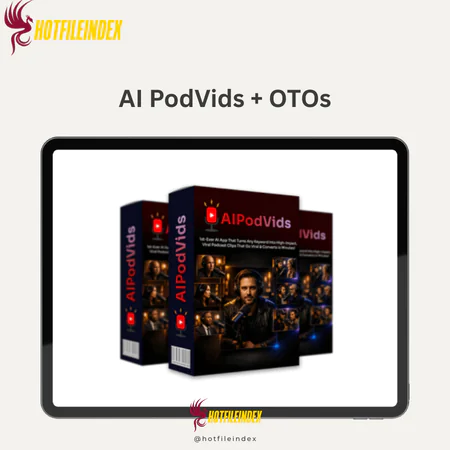
AI PodVids + OTOs
$28.00
AI PodVids is an AI-powered tool that turns a simple keyword into fully scripted, branded podcast-style short videos ready to publish across social media platforms.
You will get Individual Account of
- FE + OTOs
AI PodVids is made for entrepreneurs, content makers, and marketers who want to use the power of podcast content but don't want to deal with the hassle of making it. You don't have to set up cameras, record, invite people into your living room, and spend hours editing. All you have to do is enter keywords, and it will make one or more short, interesting, and well-structured movies for you.
What is AI PodVids?

AI PodVids is a tool for making content that uses AI to turn a keyword into powerful and popular podcast episodes. You don't have to film yourself, spend hours editing video to get the right details, or write dialogue scripts. This platform does everything for you.
You just need to give AI PodVids a keyword, and it will make a podcast-style chat that will draw people in and keep them interested until they want to watch. It takes care of the writing, tone, pace, graphics, branding, and call to action all by itself. There are also quick movies you can post on YouTube, TikTok, Instagram, Facebook, and LinkedIn right away.
Key features of AI PodVids
- From Search Engines to Short Podcasts: You type in some keywords, and it makes a short podcast that is full, ready to be published, and has perfect audio formatting. It takes care of coming up with ideas, the flow of the talk, structure, and presentation all by itself.
- Make podcast conversations that sound real: Make back-and-forth conversations that sound realistic, not robotic narration. This style looks and feels like a real podcast, which makes people watch and listen for longer.
- Personal clips with features: Make short, interesting movies with one host that cover all the hot topics, story-telling skills, branding ideas, and so on. Great for proving that you are an expert without having to make guest visits.
- Two debates to get more people involved: Debates, Q&As, fact-checking, and controversial themes should all be done with two speakers. Stories with a lot of action get more comments and are seen by more search engines.
- Built-in Viral Podcast forms: Use well-known forms like Debunking Misconceptions, Hot Opinions, Harsh Truths, Controversial Opinions, and Debate Mode. AI will mix them all together in terms of rhythm and tone, making each new section stronger.
- Realistic speech Editing: Thanks to advanced speech technology, the audio that is produced has natural rhythm and timing, as well as emotional undertones that make podcasts sound like movies.
- Consistent AI Avatars: Make registered AI figures that look the same every time. Trust is what builds a reputation before things get heated.
- Make a copy of yourself and upload your voice and picture to make a composite version of yourself. Then, turn on Solo or Duo Mode. Show up in videos without having to join each time; make your identity and power known.
- Professional Podcast Frame: Framing from the chest up and eye level makes your videos look like they belong in a podcast studio, making them look professional and trustworthy.
- Instant Studio Environment: Professional podcast studios, executive offices, debate stages, and more are already set up to make your show look more credible and better.
- Automatic Camera Switching: When in duet mode, the system moves between speakers smoothly, so all that needs to be done to make a tight edit is to change the tempo.
- Structured for Short Videos: Each clip is made to work well on Reels, Shorts, and TikTok, as well as platforms that only allow short videos.
- 12 Built-in Languages: You can make podcast clips with 12 local voices to reach people all over the world.
- Automatically add subtitles and background music: When videos are uploaded, they come with embedded subtitles and background music that are meant to make scrolling smoother, noise-free, and easier to remember.
- Make titles, descriptions, and hashtags automatically: To make it easier to find, the system makes titles, subtitles, hashtags, and even information for each platform automatically.
- Join short video clips together to make longer videos: To get the most out of your material, save and combine the best short video clips into longer compilations or episodes.
- Use a single phrase to make several short videos: Turn one phrase into several short video clips that can be used for podcasts. A great way to process a lot of information at once and speed up scaling.
How to use AI PodVids
Step 1: Enter a keyword
Look for a unique word or phrase in AI PodVids that is related to your field. Pick your role (as a single host or in an argument with two people), pick your style, and then let the AI make a podcast-style discussion that will keep people interested.
Step 2: AI Creates Podcast Segment
The system takes care of everything needed to make a short podcast video, such as the natural rhythm, lively conversation, professional visuals (with branding elements), music, subtitles, and smart calls to action. There's no need for a plot, a recording, or editing.
Step 3: Publish & Profit
This is how you finish your video clip. You can then share it on LinkedIn, YouTube, TikTok, Instagram, or Facebook. Get people to read your short content, get them to give you feedback, and turn that feedback into traffic and sales.
Why you should use AI PodVids?
- Turn podcast content into a system for growth that can be scaled up: AI PodVids makes short, memorable podcast-style videos from a single related keyword, which makes them easier to remember. You can make high-quality video in minutes instead of writing scripts, recording, and editing by hand. This is a lot faster than building momentum on sites like Instagram Reels, TikTok, and YouTube Shorts.
- Get rid of the time spent recording and editing: For traditional podcasts to work, they need mics, guests, texts, and editing. AI PodVids gets rid of those problems. It also skips the technical setup, so you can post right away. This saves hours of setup time per video while keeping the professional look.
- Have natural conversations that build trust: This tool doesn't use automated narration; instead, it makes real talks that sound like real podcast conversations. This style keeps people watching longer and makes them feel like they're hearing real information instead of a sales pitch.
- Supports consistency without getting tired: this lets you come up with multiple thematic angles from a single keyword and switch between single-clip and duet debate forms. This way, you can quickly write a bunch of posts and keep up with them without having to come up with new ideas all the time.
- Offers a full product that is ready to be posted: Each clip has subtitles, background music, high-quality images from a professional studio, and a focus on the presenter. In duet mode, the cameras automatically switch between each other. To make the content look neat and professional, you don't need any extra editing software or other tools.
- More easily than most short videos, build credibility: These shorter clips that look like podcasts are a lot more thoughtful and reflective than regular short videos. That tone makes you seem more trustworthy, which makes it more likely that people will follow you and buy from you.
The Upgrade/OTO details
FE: Lite Plan – $27.95
- Generate podcast-style short videos from one keyword
- Solo and Duo conversation formats
- Built-in viral podcast format templates
- Auto captions and background music included
- Platform-ready export for Shorts, Reels, and TikTok
- Cloud-based access with no installation required
FE: Premium Plan – $37.95
- Full feature unlock with expanded creation limits
- Commercial Rights included
- Multi-clip creation from one keyword
- Advanced voice calibration and avatar consistency
- Access to all launch bonuses
- Priority updates and enhanced export quality
OTO 1: AI PodVids Pro Edition – $67
- Create up to 100 characters and 50 personal or client clones
- Unlimited exports, hooks, descriptions, hashtags, and conversations
- 50 done-for-you characters to start instantly
- Up to 180-second videos for extended retention testing
- 1080p HD renders for sharper professional clips
- 500+ clip library with multi-clip compilation support
OTO 2: AI PodVids MasterMode – $97
- Full creative control over podcast video output
- 3–4 speaker conversations for deeper discussions
- Multi-character voice cloning with distinct tones
- Upload and use your own scripts
- Dynamic vertical camera switching + landscape podcast mode
- Agency-ready access with team permissions and full commercial license
OTO 3: StreetSpeak AI Edition – $47
- Generate AI-powered street interview style videos from one keyword
- First-mover advantage with underused street content format
- Raw, unscripted feel for higher engagement
- Soft-selling conversation framework
- Designed for TikTok, Reels, and Shorts virality
- Built-in “conversation-as-traffic” conversion strategy
OTO 4: AI PodVids ClickAgent – $47
- One-link AI-powered automated selling room
- AI avatar that presents and promotes offers 24/7
- No funnels or autoresponders required
- Works with affiliate networks and personal products
- Duplicate AI selling rooms for multiple niches
- Commercial license included for client services
OTO 5: AI PodVids Reseller Ultimate – $397
- Full reseller rights to AI PodVids and Pro version
- Keep 100% of profits across your sales
- Done-for-you sales pages, copy, and promo materials
- Add or remove up to 100 clients from dashboard
- One-click client account creation system
- Backend support handled by the main team
Advantages
- Significant time savings: It takes a lot less time to make a movie than it does to make a traditional podcast.
- No need to be on screen or make voiceovers, so there is no camera pressure.
- Workflow that's easy for beginners: Using a simple keyword-based approach makes things easier.
- Reduces creativity block: picking specific keywords makes it easier to plan.
- Encourages regular posting: Sticking to a posting plan gets easier and less tiring over time.
- Made for sites that show short videos: Specifically made to keep viewers interested on Shorts, Reels, and TikTok.
- Putting you in the role of an expert: A presentation in the way of a podcast seems more real than a normal short video.
- There's no need for any other tools because everything is done on a single site.
- Scalable content: It's easy to make several short movies from a single idea.
- It can be used in many areas, such as business, health, AI, motivation, relationships, and more.
Disadvantages
- Depending on the version, basic packages may give you less power over the creation process. This could make it harder for people who want to make everything their own.
- Quality of keywords is still important: good ideas lead to good content, but weak or vague keywords won't instantly make content go viral.
Who is it for?
- Affiliate marketers: This is a great way to get your deals across through conversations instead of annoying cold calls.
- Coaches and consultants: Help people gain knowledge and leadership skills by having short, useful talks.
- People who make short videos: Great for people who regularly post short movies on YouTube, TikTok, and Reels.
- Personal brands are a credible way to share strong views, bold points of view, or industry insights.
- Small business owners: It's easier, looks better, and sounds more professional to describe your goods and services.
- Business owners and freelancers: This is helpful for making small content packages for clients.
- Beginners who are shy in front of the camera: Takes away the stress of being in a movie while still ensuring presence.
- Busy business owners: It lets you post often without having to work for hours.
What You Get (Compared to Buying at HotFileIndex)
- Exclusive Gift Package: This short content is meant to help you grow faster and give you more tools and resources when you buy through our link.
- Practical Guide: We give you full analysis and usage tips right away, so you don't have to waste time figuring out where to put your videos to get more views and sales.
- Find out more about how to build trust with short, podcast-style content to promote affiliate programs and take over your niche with Strategic Content Angle.
- New tips for optimizing: We talk about how to keep people watching short videos like Reels and TikTok videos and how to get them to connect and interact with them.
FAQs
- Do I need to record my voice or appear on camera?
No, AI PodVids makes everything on its own, including the whole chat, voiceovers sent over the cloud, and carefully staged visuals. You don't have to record anything to post. - Is this app beginner-friendly?
Yes. It's very easy to use; all you have to do is enter keywords, choose a format or style, make a video, and share it. You don't need to know how to change or use technology. - Can I do affiliate marketing with this platform?
Of course. The conversational style is great for marketing deals in a way that doesn't seem forced. - Is this platform suitable for other fields?
Yes. It includes a lot of different fields, like business, AI, fitness, motivation, relationships, neighborhood services, and more. - How are the videos optimized for social media?
Yes. Videos are set up for short video platforms with full subtitles, music in the background, and a structure that is unique to each platform. - Can I create multiple videos from one keyword?
Yes. You can make many movies about the same subject, each from a different angle and in different formats (single or double).
Conclusion
AI PodVids gets rid of the biggest problems with making podcast-style content: time, money, editing skills, and being nervous in front of the camera. It lets you post content regularly and quickly build trust by turning a single keyword into short, well-organized, and very interesting videos. AI PodVids is a lean and scalable solution that you should think about if you want to make more short videos, build your expertise, and turn views into followers or buyers without getting burned out.
All Info just pre-build when listing. Until Product mark as "Instant Deliver", infomation will be updated again like OTOs you will be get,..etc
Related products
SAAS

SAAS


SAAS


SAAS
SAAS