

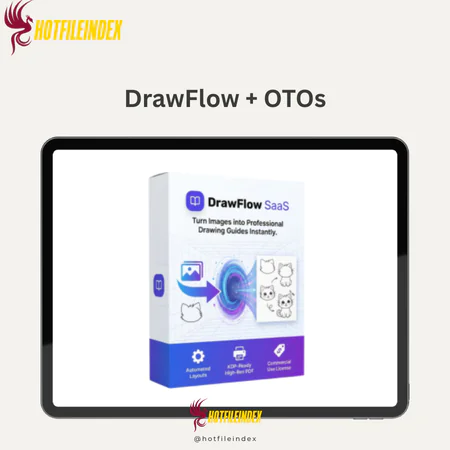
DrawFlow + OTOs
$17.00
DrawFlow is a cloud-based visual workflow platform that helps you turn scattered ideas into clear, organized, step-by-step action systems in one centralized space.
You will get Individual Account of
- FE + OTOs
DrawFlow is made to help you if your ideas don't seem to go together and your strategy is spread out across notes, papers, and spreadsheets. It breaks down complicated ideas into a system you can use. On a simple drag-and-drop canvas, you can see how all of your plans, from sales processes and content plans to business workflows, fit together. You don't have to guess. DrawFlow makes it easy for people to make links and organize their thoughts in minutes, whether they're an affiliate marketer making offers, a course creator outlining modules, or a business planning systems for clients.
What is DrawFlow?

DrawFlow is a visual workflow tool in the cloud that helps people organize their messy ideas into systems. You can map it all out in one visual place with DrawFlow instead of having a bunch of notes, spreadsheets, and papers all over the place. Where you can link things, make step-by-step processes, and turn vague ideas into action flows that are easy to understand.
Before you use DrawFlow to make your funnels, you should plan them out. Create a scalable content system and show it to your clients or team to help them understand how the business works. It can also be used as a visual command center by affiliate marketers, course developers, business owners, freelancers, and digital entrepreneurs who want more structure, clarity, and better communication without having too many tools.
Key features of DrawFlow
- Drag-and-drop Framework: DrawFlow is built on a simple visual framework that you can drag and drop to add blocks, connect them, and see right away how your ideas fit together. Everything is put together in a way that makes sense, so even complicated plans are easy to understand at a glance.
- Workflow templates that are ready to use: It's interesting that it comes with a lot of ready-to-use templates for business processes, sales channels, content planning, and product launches. You don't have to start from scratch. You can use systems that have already been used and change them to fit your needs.
- Access from the cloud: DrawFlow is a cloud-based tool that works on any device and doesn't need to be downloaded or installed. Just log in from any computer, and you can keep working without stopping.
- Design that lets people work together: You can share your process with clients, partners, or other team members. This makes sure that everyone is looking at the same visual plan and not getting lost in messages that are spread out over many platforms.
How to use DrawFlow
Step 1: Log in to your Dashboard
You can get to DrawFlow from your computer and go straight to your workspace, where all of your projects are available at once.
Step 2: Choose a Blank Canvas or Template
If you want to make all the changes you want, start from scratch. If not, pick a custom workflow template to make the process go faster.
Step 3: Add Visual Buttons
Make buttons that stand for business processes, ideas, chores, steps in a funnel, or parts of a website. Every button is an important part of your system
Step 4: Connect to Logical Flows
Situations in the real world can be shown as relationships, sequences, or dependencies by connecting points with lines. This turns a bunch of ideas into a clear, logical path.
Step 5: Refine and Expand
As the strategy goes on, change, reorganize, and build on your system. Make sure the process is clear, doable, and focused on your goals.
Why you should use DrawFlow?
- Make plans based on ideas: Change shapes that aren't organized into processes that you can use with DrawFlow. The next step is clear; you don't have to guess. The whole plan is in front of you.
- Cut down on mental and physical clutter. Your sales funnels, content plans, and activities will get in the way if they are spread in your head or on different tools. DrawFlow puts everything in one place, making it easier to handle visually.
- Think more strategically: Being able to see how each step fits into the bigger picture will help you think more logically, find holes in your plan, and make sure you have a good plan before you spend time or money on it.
- Start building, then launch: First, make a plan for your sales funnels, course structures, automation paths, or customer routines. This way, when you build them on other platforms, you'll know that you did it right.
- Don't waste time and money on mistakes: A clear, visual plan gets rid of bad sales funnels, launch campaigns, and systems that don't work. This protects your income and speeds up the process.
- Grow with a purpose: Your business gets more complicated as it grows. DrawFlow helps you set up your business so that it can grow without getting out of hand.
The Upgrade/OTO details
FE: DrawFlow Front-End – $17
- Access to core automation tools for graphic creation
- Standard ready-made templates across multiple categories
- Basic customization controls for layouts and elements
- Cloud-based dashboard with project saving
- Beginner-friendly training modules included
- For users who want to automate graphic creation without advanced customization or client scaling features.
OTO 1 – Pro Edition – $37
- Expanded premium template library with niche-specific designs
- Advanced customization controls for fonts, colors, and layouts
- High-resolution export options for professional use
- Faster rendering and priority processing
- Access to exclusive design elements and assets
- For users who want higher-quality output and greater creative flexibility.
OTO 2 – Commercial License – $57
- Full commercial rights to sell graphics to clients
- Permission to use designs in paid client projects
- No royalty fees on client work
- Ability to create unlimited graphics for resale
- Legal license documentation included
- This upgrade is essential if you plan to offer graphic services or sell digital design assets.
OTO 3 – Agency Upgrade – $97
- Multi-client account management dashboard
- Expanded project and storage limits
- Ability to create sub-accounts for team members
- Client collaboration and approval workflow tools
- Priority support for agency users
- For freelancers and marketing agencies handling multiple client projects simultaneously.
Advantages
- Very easy to use: DrawFlow's drag-and-drop interface lets you start drawing your thoughts right away, without having to learn anything.
- Instantly makes strategic thought better: You can easily think more logically when you draw your ideas in a structured sequence. You can also quickly find gaps, bottlenecks, and missed opportunities.
- There is no need for design or programming knowledge or technical know-how. You can make whole systems if you know how to drag and link blocks.
- It works great for sales processes and workflows: It's best for making sales funnels, automation tracks, piecework systems, and business processes that are carried out in steps.
- Great return on investment for artists and marketers: A visual plan will help you avoid making mistakes that cost a lot of money or wasting money on ads. It will also help you avoid poorly organized product launch campaigns. This is an investment that users who are focused on growth will not regret.
Disadvantages
- It's more organized than graphic design: DrawFlow is more concerned with logic and explanation than with making graphics. It's made for planning systems, not making images that look great.
- Powerful, in-depth BSPs: DotcomWeavers and Adalo are better at managing routines when your business processes are more complicated. However, if you want advanced design or visual effects, you will have to wait for future updates.
Who is it for?
- Affiliate marketers: To see how sales will go and how to best set up payment paths before campaigns start.
- Content creators: Set up your content repositories, topic groups, and publishing tools so that they can grow in a way that is sustainable.
- Course makers should have a clear plan for how modules, lessons, and learner journeys will work before they start building.
- Companies: To get a better idea of how to plan their customer sales channels, methods for onboarding new customers, and workflows for delivering services.
- Entrepreneurs: To make business processes that can be expanded and keep things running smoothly as they do so.
What You Get (Compared to Buying at HotFileIndex)
- Even more bonuses: Where we find good templates, strategy guides, or examples of how to do work, which will help you get started more quickly.
- Access checked: Get paid without any risk and use the right version of DrawFlow.
- A clear setup guide that explains how to set up the sales flow, the content system, and the business processes.
- Latest information: Prices, features, and upgrade information are always up-to-date so you can make smart choices.
- You can buy it without any risk because you are promised to be happy with it.
FAQs
- Is DrawFlow beginner-friendly?
Yes. The interface is very easy to use, so it doesn't have any technology or design problems. By dragging and connecting blocks, you can make whole processes. - Do I need to install anything?
No, DrawFlow is in the cloud, so you can use any computer to work on it without having to download or install anything. - Can I use it to plan my sales funnel?
Of course. You can use this tool to make detailed plans of sales pipelines, automation systems, content systems, and product launch strategies before you build them. - Can I collaborate with others?
Yes. You can let team members, partners, or clients see your processes so that everyone is on the same page and focused on getting things done. - Is it a graphic design tool?
Not really. DrawFlow is more about workflow and reasoning than it is about design. It's made for tactics, not for looks.
Conclusion
DrawFlow isn't just about fancy drawings; it's also about being clear, having a plan, and carrying it out. By turning vague ideas into visual systems, it helps you think carefully, avoid mistakes that cost a lot of money, and get things done faster. DrawFlow is a useful and strong tool for people who want more organized plans, more efficient processes, and systems that can grow as needed but don't want to learn too much about technology.
All Info just pre-build when listing. Until Product mark as "Instant Deliver", infomation will be updated again like OTOs you will be get,..etc
Related products

Softwares

SAAS

SAAS
SAAS


SAAS

SAAS

SAAS