BabyFace AI + OTOs
$27.00
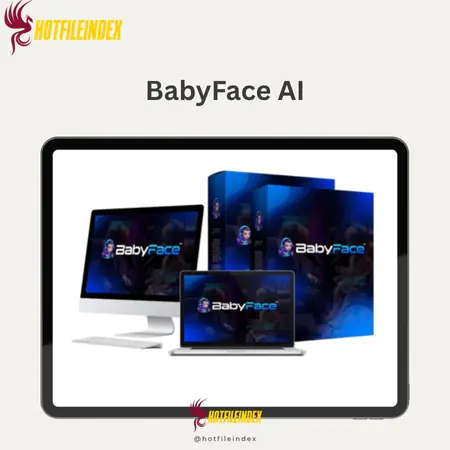
BabyFace AI is a simple, one-click solution for adding cute baby actions and expressions to your videos.
You will get Individual Account of
- FE + OTO1
There are a lot of short movies online, so people who make content are always looking for something new, interesting, and fun. That's where BabyFace AI comes in. It takes any face and turns it into a cute talking baby that moves, smiles, and talks in over 100 languages. Adding humor, creativity, and smart technology to your content quickly makes it better. This review will talk about what BabyFace AI does and why it works so well at helping you make videos that go popular or branded content that people really want to see with almost no work on your part.
What is BabyFace AI

BabyFace AI is a fun and easy-to-use video maker that content creators, marketers, companies, and anyone else who wants to get people's attention with short, cute videos of babies talking can use. It's a simple idea: just upload any normal face, like your own, a client's, or even a stock photo, and it will quickly turn it into a very realistic animated baby that can talk, gesture, and lip sync.
You can add your own voice or import a script that will make a voice for you instantly. You can pick from a bunch of cute baby movements in BabyFace AI, like waving, clapping, pointing, dancing, and even making your own faces. You can also change the background and add your own personal picture. Everything can be exported in ultra HD so it can be used on ads, in social media, or in short videos.
The design is very easy for beginners to use. The dashboard is clean, intuitive, and organized into simple steps: upload pictures, choose a voiceover, add actions, preview, and export. No editing experience is needed, as everything is point-and-click. It comes with video guides, but the app is so easy to use that you might not need them.
Key features of BabyFace AI
- Turn any photo into a baby face: BabyFace AI can turn any picture of you into a baby face. It does this by using advanced facial mapping technology to find important facial features like your eyes, eyebrows, nose shape, jawline, and skin texture. It then recreates these features into cute baby-like versions of you that are still recognizable as “you.” The technology automatically improves lighting, smooths skin, softens features, and adds baby-like features like fuller cheeks and bigger eyes. All of this can be done in seconds, with no edits needed at all.
- Talk in more than 100 languages: The app lets you speak in more than 100 languages and dialects, and you can type in text or share a voice recording. After that, BabyFace AI will make a baby voice version that fits perfectly with the avatar's lips. This feature is great for creators who work in more than one language, foreign brands, and anyone else who wants to reach more people. The baby voice that comes out of this is funny and surprisingly clear and real.
- A library of animated movements is built into BabyFace AI. These movements include laughing and clapping, jumping, waving, nodding, dancing, and looking around curiously. They quickly bring your videos to life. You don't need to know how to animate to use these videos; all you have to do is choose an action and it will be done in a smooth way.
- Use your imagination: you can completely change your baby's background and avatar. You can change the background, moods, expressions, lighting, movements, and even the beat. Making a movie that fits your story or brand personality is easy, whether you want a cute, happy baby or a silly, dramatic character.
- You can use BabyFace AI to make your end video fit any platform. For example, it will format it in 9:16 for TikTok, Reels, and Shorts, 1:1 for feeds, and 16:9 for YouTube. In other words, there will be no more annoying cropping or strange frame. You can start streaming your video right away, which will save you time and make sure that the quality is the same on all of your social channels.
- Crisp HD Video: Videos are shown in Ultra HD by default, which can be anywhere from 1080p to 4K based on your plan. This makes the edges clear and the animations smooth. The clear image detail makes sure that the quality stays good whether it's being downloaded, shared on social media, used for marketing, or shown on a big screen. The MP4 file makes sure that everything works together.
- Smart Face Swap Technology: This is what the tool is all about. BabyFace AI looks at the structure of any adult or child's face and then changes it in a way that looks very much like the real person, with perfect blending, natural textures, balancing lighting, and changes to proportions. The face of the person is still there, but it looks like a cute baby. People watch these movies and often spread like wildfire because they seem real.
- Babies can move by saying “hello,” clapping their hands, dancing to the beat, moving their heads, pointing, nodding, or looking surprised. These moves are meant to make people feel something, since babies' natural facial expressions make people feel interested, warm, and at ease.
- Backgrounds and expressions that can be changed: You can choose from fun, cute, professional, playful, and themed backgrounds, like a nursery, a cartoon scene, a bright room, or a clean, simple design. You can also change how the baby looks by making it smile, laugh, wink, frown, look surprised, or just look silly. There is more freedom for artists and brands because this brings the story to life.
- One-time payment for unlimited use: You don't have to pay a monthly fee or credits to use the app; you only have to pay once for lifetime access. This is helpful for companies, TikTok users, UGC creators, parents who often make baby videos, and small businesses that want to use the material for a long time and without limits.
- The videos come with a commercial license that lets you properly sell them, make videos with babies for other people, offer baby avatar services, or use them in business campaigns. Since there are no limits, this is a real chance to make money in niches like advertising, family gifts, holidays, social media content, and viral marketing.
Why you should use BabyFace AI
- Attention and engagement go through the roof: People are surfing the web at lightspeed these days, so only the strangest or most touching pictures will stop them. There is no better way to describe BabyFace AI movies than as funny, cute, and visually surprising. When your baby character talks, blinks, smiles, or does this other cute action, people stop what they're doing and watch. That means more time to watch and more “Oh my gosh, that's so cute!”on TikTok, Reels, and Shorts, as well as more comments, shares, and a better system. If you want people to see your content, BabyFace will easily help it stand out.
- You don't need to know anything about technology or editing to use BabyFace AI. It makes making movies easy; you don't have to install software, learn about editing timelines, or set up lighting, animation, or voice sync. The interface tells you what to do each step of the way: add photos, pick out what your baby does, add a script or music, and then click “create.” AI paints your face, syncs your lips, animates, and renders everything for you. It's made for beginners, but it looks like a skilled editor when you're done.
- Talking baby videos are cute, funny, and appropriate for all ages and countries. They're great for going viral, building a brand, or changing up your content style. Because of this, they work great for viral challenges, branding campaigns, product promotions, personal stories, and even getting customers involved. BabyFace AI lets you add fun to your brand, make your message sound friendlier, or make content in multiple languages that can be read by people all over the world. You can reach people all over the world because each video can be made in more than 100 languages. This means that your content can go popular faster and to more people.
The Upgrade/OTO details
FE: BabyFace – $47 (Lifetime)
- You can make cute AI baby movies with lip-syncing and face swapping.
- Making baby voices in more than 100 languages.
- It comes with cute baby actions and can produce HD video.
- No regular fees, and access for life.
- There is a 14-day money-back promise.
OTO 1: BabyFace PRO Upgrade – $47 (One-Time)
- +47 more video clips for the baby podcast.
- Get 5 premium baby images and 5 voices that sound better.
- You can use as many avatar templates, sounds, captions, and content ideas as you want.
- Better AI processing for results that are more like real life.
- No marks on any of the movies.
- Add your own AI API to make as many movies as you want.
- This video has commercial rights, so you can sell it for free.
OTO 2: Business Pack – $27/Month
- 23,000 credits every month for long-term output.
- Every month, there are 5 new video avatars and 5 face-swap movies.
- Twenty new pictures of babies are made every month.
- Each month, 5 templates that are already made are added.
- Make movies in all shapes and sizes (square, vertical, and landscape).
- No watermark when you share in full HD.
- Includes a business card.
OTO 3: Enterprise Upgrade – $67 (One-Time)
- You can add and change video images and get rid of the background.
- Upload your voice, change your faces, and lip sync are all included in this package.
- 10 ready-made templates to get your work to clients quickly.
- Add shapes, emojis, icons, and things that you can connect with.
- You can upload your own music, video, and images.
- Unlimited HD downloads and support for multiple languages.
- There is a full business license included.
OTO 4: Agency Upgrade – $297 or $497 (One-Time)
- Give BabyFace accounts to people who work with your business.
- There are ready-made sales tools included.
- The team takes care of all of your clients' customer service needs.
- You can get paid through PayPal, Stripe, or a bank transfer.
- Access from the cloud and themes already built in for clients.
- One-time fee; no payments after that.
OTO 5: Done-For-You Upgrade – $249 (One-Time)
- Get 20 ready-made movies of AI babies right away.
- Plus five new videos that are already made every month.
- It comes with backgrounds, scripts, characters, and lip sync.
- Created to go popular on Reels, Shorts, and TikTok.
- Setup is completely hands-off; just post and make money.
- You can get your money back in 30 days, so there is no risk at all.
OTO 6: Reseller License – $97 (One-Time)
- You should sell BabyFace as your own item.
- Keep all of the profits—don't share the money.
- Use their sales pages and processes that get a lot of sales.
- No need for organizing or help; the team takes care of everything.
- You can resell to up to 20 clients for free every month.
- Full software business in a box that is ready to sell.
OTO 7: Whitelabel License – $997 (One-Time)
- Change BabyFace's name and image to match your own.
- Start your own AI baby video platform right away.
- It comes with full admin and client panels.
- Includes professionally made sales pages and funnel materials.
- The BabyFace team fully hosts and takes care of it.
- Ideal for businesses, freelancers, and SaaS owners.
Advantages
- Super entertaining and attention-grabbing: Baby-style videos are super fun and get people's attention right away on any social media feed thanks to their cute graphics, expressive animations, and funny voiceovers. They make people want to watch, which is hard to do on today's crowded social media scene.
- Easy to use, even for first-timers: no software to download, simple settings, and nothing to remember. To make the perfect baby videos, all you have to do is share your photos, pick your actions, and type in your script. BabyFace AI will take care of the lights, animation, and lip-syncing on its own.
- Everyone loves talking baby movies, from kids to adults. They're great for going viral. These videos are often shared a lot because they are naturally funny and surprising. This helps the makers reach new people faster.
- Everything is optimized for TikTok, Instagram Reels, YouTube Shorts, and Facebook Stories, so it's great for short-form video. You don't have to change the size or quality of the picture to get the right aspect ratio.
- Works in more than one language: With more than 100 language options, your content can be seen by people who don't know English. This helps if you want to sell to people all over the world without having to hire translators or voiceover artists.
- A new take on video marketing: most companies just use voice-over movies or plain graphics. BabyFace AI has a style that is fun, emotional, and easy to remember. It feels fresh and new, which helps your message stand out.
- You don't need any expensive gear, like cameras, studio lights, microphones, or tools for editing. BabyFace AI lets you make professional movies with just a picture.
- Funny branding works great because it brings people together, and BabyFace movies let brands show their personality without being too obvious. When baby avatars are used for promoting, making an announcement, or telling a story, they look cute without being too childish.
- Very simple to use: the tool is made to be quick, clear, and comfortable. It only takes minutes to go from a picture to a finished movie.
Disadvantages
- Restricted to baby-style videos (for niche use): BabyFace AI only makes videos that look like babies, so it's not a good replacement for a full-fledged creative company if you need highly professional explainer videos or a wide range of video styles. It's made for short, funny movies that go viral.
- You can't put clips together, add effects, or make long timelines because it doesn't have a full video editor. You might still need a different editor if you want to make videos with more parts.
- There aren't any other speech options available. The voice will sound like a child's and match the script, but you can't pick different tones like robotic, deep, dramatic, etc.
Who is it for?
- Content creators and influencers: BabyFace AI gives you a strong tool to stand out right away whether you make reaction videos, lifestyle videos, memes, vlogs, tutorials, or lifestyle videos. You can make content that people really want to share by turning your face, the faces of your friends, or even characters into talking kids. People often watch a lot of these kinds of videos on TikTok, Reels, and Shorts because they can't help but watch them all. This helps them get more followers and interactions.
- Digital marketers: BabyFace AI videos can greatly boost click-through rates and brand loyalty if you run ads, make social campaigns, or handle your brand online. Because baby avatars are cute and emotional, marketing messages come across as friendlier and less “salesy.” Marketers can use them for campaign trailers, announcements, reviews, and stories. Plus, it works with more than 100 languages, so it only takes minutes to make copies of the same ad for different markets.
- BabyFace helps businesses of all kinds, from small shops to big online brands, make their messages more personal. With a baby avatar as your brand, you can make greetings, thank-you messages, news videos, holiday campaigns, or cute product demos. It gives you more personality and charm, which helps you connect with your customers better. Businesses can also talk to a wide range of people without having to hire voice actors or editors when they handle multiple languages.
- Freelancers and agencies: BabyFace AI turns into a valuable service you can offer right away if you're good at managing social media, editing videos, user-generated content (UGC), or ads. You don't need to know a lot about technology to make good videos, but clients will pay a lot for them. You can make as many baby-themed movies as you want and charge for each one if you buy the lifetime version of the tool. This makes it a really profitable addition to any package.
- Teachers and Entertainers: Teachers, storytellers, speakers, and entertainers can use BabyFace AI to make lessons and performances more fun and memorable. You can use baby avatars to help kids understand ideas, make announcements in a fun way, and make short educational movies. Entertainers can also use it to make funny skits based on characters and other things to keep their audiences entertained.
- Anyone who wants to go viral or just have fun: BabyFace AI is great for making simple photos into funny, cute movies that get a lot of attention, even if you're not a creator or business owner. It's more fun when a little talking baby avatar does the birthday surprise, the family joke, the group chat, or the holiday welcome. On any site, it's a simple way to get views, laughs, and attention.
What You Get (Compared to Buying at HotFileIndex)
- personalized savings you can't find anywhere else: When you buy from us, you'll get deals and discounts that you can't find on the official sales site. This means you can get the whole set of products for less money.
- Verified reseller with safe checkout: We work directly with product providers to make sure you get the real BabyFace AI and not any copies, old versions, or risks.
- Guaranteed lifetime access and instant delivery: As soon as you make a purchase, you will be able to access the BabyFace dashboard and all future changes.
- Extra benefits only for our customers: Besides that, we also offer extra templates, training, notes, or marketing tools to help you get results faster and improve your videos.
- Priority Support for Our Buyers: If you need help, our support team will get back to you faster and walk you through BabyFace step by step to make sure you get the most out of it.
- Safe Returns and Risk-Free Shopping: When you buy something from our website, you are instantly protected by our official refund policy and a simple refund process.
FAQs
- Does BabyFace AI work with any photo?
Yes, the face can be turned into a baby profile picture as long as it is clear, well-lit, and looking forward. Photos of groups, blurry photos, or photos that are skewed may work, but they will be less accurate. - Can BabyFace AI be used on a phone?
Yes, because BabyFace AI works on computers, tablets, and mobile browsers. You don't need to put any apps on your phone because everything works online. - Is the baby voice customizable?
You can use baby voices in more than 100 languages with BabyFace right now, but you can't change the intonation beyond the baby voice character. The lip-syncing part is done automatically. - Can I use these videos for my business?
You can use the videos in advertisements, marketing campaigns, and even offer them to customers as a service because BabyFace AI has a commercial license - Is there a limit to the number of videos I can create?
The good news is that you can make as many films as you like without worrying about credit limits if you have a lifetime or unlimited plan. - Is my data safe?
All pictures and videos you share will be kept secret and safe. BabyFace AI stores your information in a way that keeps it safe and doesn't share it with anyone else.
Conclusion
The best thing about BabyFace AI is that it combines ease of use, creativity, and pure fun value. It will be really easy to use this tool to grow your social media, improve your marketing, surprise your audience, or even make funny movies to make people laugh. BabyFace AI gives you everything you need to make great content in seconds, including HD output, the ability to work with multiple languages, built-in baby actions, and an endless number of ways to use it. You can turn regular photos into cute, interesting baby videos with BabyFace AI, which is one of the coolest and most powerful digital tools you can get. You can use it for life and keep the business rights.
References:
Official page: https://babyfaceai.live/live2?aid=739943
All Info just pre-build when listing. Until Product mark as "Instant Deliver", infomation will be updated again like OTOs you will be get,..etc
Related products



SAAS


SAAS
SAAS