


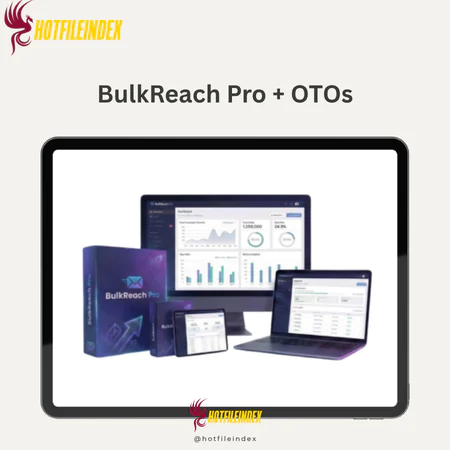
BulkReach Pro + OTOs
$8.00
BulkReach Pro is a desktop app that sends unlimited bulk emails using your own SMTP servers without monthly fees.
You will get Individual Account of
- FE + OTOs
What Is BulkReach Pro?

BulkReach Pro is a desktop app that you can buy once and use to send as many bulk email messages as you want through your own SMTP servers. You don’t have to pay a monthly fee to use it. Think of it like the difference between renting a car every month and buying one. After you buy it, it will always work for you.
At its heart, BulkReach Pro does four things very well: it uploads large CSV lists, connects to SMTP relay servers like Gmail, Outlook, Amazon SES, or any custom server, creates personalized email templates, and tracks campaigns with analytics. That set of tools covers the process that most senders need.
For whom was this made? People who are sick of spending $29 to $79 a month to send emails, such as freelancers, marketing firms, small to medium-sized businesses, people who send cold emails, newsletter publishers, and anyone else who is sick of it. Users say they save more than $1,200 a year compared to Mailchimp and other services. Open rates can be up to three times higher than what free tools usually offer if they are set up correctly with warmed-up domains and a solid SMTP.
Why Choose BulkReach Pro in 2025?
There is a lot of email marketing software out there in 2025, and it’s expensive and hard to understand for many people. A lot of SaaS platforms charge you every 30 days for tools you’ll only use a few times. BulkReach Pro gets right through that model.
People really do have real, repeated pain points that this address. The monthly fees for SaaS add up to a lot of money every year. Free tools have limits on how much you can send, which makes scaling hard. A lot of bulk senders have bad IP records, which makes it very hard to deliver. Also, most small teams can’t afford to take the time to learn how to use full marketing automation tools.
Instead, you get this:
- No monthly fees. A single purchase under $50 grants you lifetime access, period.
- Practically unlimited sends. The only ceiling is your SMTP provider’s capacity, not the software itself.
- Deliverability control. Connect to Amazon SES, your own dedicated IPs, or any custom SMTP. Your sender reputation stays in your hands.
- Data ownership. Your contact lists and campaign data live on your machine, not in someone else’s cloud.
- Familiar workflows. CSV imports, a visual/HTML editor, and a clean dashboard keep the learning curve low.
Take a look at these use cases. With one BulkReach Pro seat, a digital firm can handle weekly newsletters for 10 different clients, each with more than 5,000 contacts. If an online store with 50,000 subscribers is having a seasonal sale, they don’t need to upgrade their SaaS plan just for that one campaign. A B2B consultant who uses compliant cold outreach to find new clients doesn’t need a CRM-heavy tool that costs $79 a month.
The math for ROI is easy. If you buy this one-time for $47 instead of $29 a month, you’ll make your money back in less than two months. The SaaS method costs $348 more over 12 months, or $948 more. You can use that cash for something else.
When users combine BulkReach Pro with Amazon SES and sending domains that have been warmed up, they regularly report open rates of 20 to 30 percent on engaged lists. These numbers are the same as or better than many hosted platforms.
BulkReach Pro Key Features Overview
It’s helpful to see the whole picture next to each other before getting into how each feature works in a real campaign. The table below shows how each capability can be used and where it is better than usual alternatives.
| Feature | Functionality | Practical Advantage |
| CSV Bulk Upload | Import contact files with custom field mapping | Handles 100K+ rows, beyond Google Sheets add-on limits |
| SMTP Integration | Relay via Gmail, Outlook, SES, or any custom server | No per-email fee; use your own domain and IP |
| Email Templates & Editor | 50+ built-in templates, drag-and-drop + HTML mode | Professional design without a design team |
| Personalization & Automation | Merge tags, drip sequences, resend to non-openers | Targeted messaging at scale |
| Tracking & Analytics | Open rates, CTR, bounces, unsubscribes per campaign | Data-driven optimization on every send |
| Compliance Tools | Auto unsubscribe links, footer management | CAN-SPAM alignment, lower spam complaint rates |
| List Cleaning | Duplicate detection, invalid format flagging | Cleaner lists, better sender reputation |
| Scheduling & Throttling | Set send windows, rate per hour/minute | Avoids spam filter triggers from volume spikes |
| Import/Export & Backup | Export lists and campaign data to CSV | CRM syncing, offline archiving, portability |
What separates BulkReach Pro from credits-based systems is the absence of per-email charges. You’re not counting sends like a taxi meter. Below, each feature cluster gets a closer look in the context of real campaigns.
In-Depth BulkReach Pro Features: How Each One Works in Real Campaigns
CSV Bulk Upload & List Management
A standard CSV file is the first thing you need to bring your crowd into BulkReach Pro. After you drag it in and map the columns (email address, first name, last name, business, and custom tags), the software does everything else, including getting rid of any duplicates.
Imagine sending a file called customers_2024Q4.csv that has fields for first name, last order date, and a unique coupon code. That information goes right into your email template. A spreadsheet-based mail merge tool would fail or run out of rows when you have lists with 100,000 or more rows.
If you want to do something right, never start with a plan that you already bought. Start with your most engaged audience, like past buyers or new signups, so you can build a good name as a sender right from the start.
SMTP Integration & Deliverability Controls
Emails are not sent by BulkReach Pro itself. It links to the SMTP server you set up and acts as the control layer. This difference is what gives the company an edge in terms of deliverability.
Your email that leaves your name is in line with its SPF and DKIM records. You decide how often to send. You pick an IP address that has a good reputation or work to build one over time.
| Provider | Approximate Cost | Typical Use Case |
| Gmail / Google Workspace | Included with account | Low-volume, personal outreach |
| Amazon SES | ~$0.10 per 1,000 emails | High-volume campaigns at scale |
| Custom Hosting SMTP | Included with hosting plan | Newsletters, brand consistency |
| Outlook / Office 365 | Included with M365 plan | Business outreach via company domain |
Using standard SMTP credentials, address, port, username, password, and SSL/TLS setting, it takes less than five minutes to connect to any of these.
Email Templates, Editor & Design Options
BulkReach Pro comes with a library of more than 50 ready-made themes for newsletters, campaigns, product launches, and plain-text outreach, among other things. Each one works on mobile devices right out of the box.
There are two modes in the designer. Drag-and-drop is useful for marketers who want to put together plans by seeing them. Developers or companies that keep brand-specific code up to date can use the HTML/CSS mode. For example, a store that runs “Weekly Deals” ads can only build the template once and then use it for every send, changing the product images and prices but not the structure. The difference in output quality is clear when you compare that to starting from scratch in Gmail or using the few design choices in YAMM.
Personalization, A/B Testing & Automation Sequences
Personalization in BulkReach Pro is done with merge tags like {{first_name}}, {{company}}, {{last_order}}, and any custom field you set up when you imported the data. In the body copy, in the subject line, or anywhere else, drop them.
The automation layer allows drip patterns in addition to static personalization. A useful training flow might look like this: on Day 0, you send a welcome email with a lead magnet, on Day 2, you send a roundup of hand-picked content, and on Day 5, you make a low-pressure offer. One of the most effective ways to sell via email is to resend to people who didn’t open with a different subject line. The software lets you do this.
With A/B testing, you can divide your list into groups based on different subject lines, sender names, or text blocks. Because of this, each effort teaches you something about how to make the next one better.
Tracking, Reporting & Analytics
BulkReach Pro adds stats about delivery, open rate, click-through rate (CTR), hard and soft bounces, and unsubscribes to a campaign page after each send. You can see it by campaign and by the whole.
20000 emails sent, with a 28% open rate, a 4% click-through rate, and a 0.3% hard bounce rate. As a point of reference, healthy open rates for engaged lists are 20 to 30 percent, and healthy click-through rates are 2 to 5 percent, based on the vertical. When a campaign doesn’t do well within those ranges, the data tells you exactly what to look into: the subject line, the deal, the quality of the list, or the time of sending. The full report can be saved as a CSV file that can be imported into a CRM, used for cohort analysis, or kept for a long time.
Compliance Tools, Unsubscribes & Legal Safeguards
Every template in BulkReach Pro has a footer that can be changed to include your company’s address, the reason the receiver is getting the email, and a link to unsubscribe. When someone clicks “opt out,” the system immediately takes them off of any future sends.
These tools help you follow the rules set by CAN-SPAM and show you the best ways to use models that are similar to GDPR. But keep in mind that the program is only a tool and not a legal promise. It is still your job to make sure that you only contact people who have given you permission to do so, and you should respect every unsubscribe and bounce right away. Keeping your lists clean and adding relevant content will help your sender image more than any technical setting by itself.
Scheduling, Throttling & Sending Controls
BulkReach Pro lets you plan programs ahead of time and choose when to send emails, whether it’s during the week, at certain times, or in different time zones. The throttling control sets a send rate per hour or per minute. This keeps spam filters from getting set off by a rapid burst of a lot of emails.
It is possible to limit a campaign with 50,000 contacts to 5,000 sends per hour for 10 hours. That speed is similar to natural traffic trends, which are better for inbox providers than a single flood. To reach people all over the world, sending emails during the local work hours of each time zone (called “follow the sun”) can increase open rates even more.
Pricing Plans and OTOs detailed
FE – Starter Access ($7.99 one-time)
- Basic email campaign sending functionality
- Access to standard email templates
- Entry-level sending capacity within system limits
- Includes platform branding (logo)
- Simple setup for beginners
- No recurring subscription required
OTO 1 – Pro Email Sender ($19.99)
- Import and manage CSV contact lists
- Enhanced campaign creation tools
- Higher sending capacity for larger campaigns
- Option to remove platform branding
- Priority processing for faster sending
- One-time payment with no monthly fees
OTO 2 – Unlimited Edition ($69.89)
- High-volume email sending capability
- Full white-label experience (no branding)
- Advanced email editor with customization options
- Priority system processing for better performance
- Designed for scaling email marketing campaigns
- Greater control over campaigns and output
Step-by-Step BulkReach Pro Setup: From Install to First Campaign
Step 1: Download & Install BulkReach Pro on Windows or Mac
You can get the installer for your operating system by going to the BulkReach Pro page. Standard hardware works with the app; a new laptop with 4 GB of RAM should be enough for most projects. Start the installer, pick the language you want to use, and then follow the setup guide until it’s done. In most situations, you don’t need administrator powers, but sometimes corporate IT policies may call for an exception. Once the app is installed, run it to make sure it opens correctly.
Step 2: Connect Your SMTP (Gmail, Outlook, Amazon SES, Custom)
Navigate to the SMTP settings panel and enter the required fields: server host, port number, username, password, and encryption type (SSL or TLS). Each provider has a specific configuration:
- Gmail / Google Workspace: Use smtp.gmail.com, port 587, TLS, and an app-specific password (requires 2-step verification enabled on the account).
- Outlook / Office 365: Use smtp.office365.com, port 587, TLS, and your Microsoft account credentials.
- Amazon SES: Use the region-specific SMTP endpoint (e.g., email-smtp.us-east-1.amazonaws.com), port 587, and IAM SMTP credentials generated from the AWS console.
- Custom Hosting SMTP: Use the host and credentials provided by your web host, typically found in the email or cPanel settings.
Use the built-in Test Connection button to confirm the relay is live before importing any lists.
Step 3: Import Your Email List (CSV Mapping & Validation)
You need to map each column to its associated field, such as email (required), first name, last name, company, and any custom tags. Click Import List and choose the CSV file you want to use. Invalid email formats are flagged and duplicates are found during the validation step, so you know exactly what is going into your ad before it goes out.
As a practical first step, try importing 100 friends from your most engaged group as a test. That small batch checks your configuration without putting your whole list or name as a sender at risk.
Step 4: Design, Personalize & Schedule Your First Campaign
Pick a design type that fits your goal, whether it’s a promotional, newsletter, or plain-text message. Add merge tags like {{first_name}} to the subject line and the first welcome to make it look like a personalized message sent to many people. You can track every click on your call-to-action buttons by giving them UTM-tagged URLs.
Change the subject line, “From” name, and “From” location. Set up the A/B split here if you want to test different subject lines. The last step is to decide whether to send right away or at a later time and date that works for your viewers.
Step 5: Monitor Results, Optimize & Scale Carefully
As soon as an ad goes out, the reporting dashboard starts to fill up. Keep an eye on the number of opens, clicks, and “bounces.” It’s worth looking into segments with below-average engagement, as it could mean that the list is old, the content isn’t useful, or the subject line didn’t get through.
The optimization cycle is simple: change subject lines based on open rate data, make offers better based on click-through rate (CTR) data, and remove emails from the list after any promotion with a 2% or higher bounce rate. To scale, slowly increase the number of emails you send each day as your domain’s name grows. High-volume senders can spread the load and lower risk by rotating between multiple SMTP accounts, each with its own warmed-up domain.
BulkReach Pro Reviews, Results & Real-World Performance
People who used to use subscription-based platforms and then moved to BulkReach Pro often talk about the same set of benefits. Most of the time, pricing comes up. The one-time cost is less than $50, and it’s one of the few tools in its class that figures out its own ROI. No limits on campaigns or contact lists, just disk space, takes away the stress that comes with growing that SaaS tiers cause. Your info never goes to a third-party server because everything is run locally.
It’s important to be clear about the limits. BulkReach Pro is software that you run on your computer. It doesn’t have a mobile app or a browser-based interface. A remote desktop connection or VPN connection to the host machine is usually how users who need to view campaigns from more than one device do it. When compared to SaaS tools, native integrations with CRM or marketing stacks are restricted. However, most workflows can be connected with CSV export/import and tools like Zapier or Make. You need to know how to set up SMTP and understand deliverability ideas; this isn’t a “sign up and send” tool like Mailchimp.
BulkReach Pro vs Top Email Marketing Alternatives
Comparison Table: Pricing, Limits & SMTP Flexibility
| Tool | Pricing Model | Send Limits | SMTP Flexibility | Best For |
| BulkReach Pro | ~$47 one-time | SMTP-based, no cap | Any SMTP (SES, custom) | Cost-conscious senders |
| Mailchimp | $13+/month | Tiered by contacts | Hosted only | Beginners, visual marketing |
| GMass | $25+/month | Gmail daily limits | Gmail only | Gmail-based outreach |
| YAMM | Free + paid tiers | 50, 1,500/day | Gmail only | Quick sheet-based merges |
| Brevo | $25+/month | Tiered by volume | Yes | SMB marketing automation |
The financial gap between BulkReach Pro and any subscription-based alternative widens every month. After just 60 days, most SaaS tools have cost more than a lifetime BulkReach Pro license. The SMTP flexibility column is equally telling, platforms like GMass and YAMM lock you into Gmail’s ecosystem, which caps sends at roughly 500 per day for free accounts and introduces delivery bottlenecks at scale.
When BulkReach Pro Is the Best Choice
When your main goal is to send a lot of high-quality emails without having to pay a monthly fee, BulkReach Pro is the best option. This is the right tool for you if you don’t like paying a monthly fee for a SaaS service, if you handle email lists for more than one client, if you know how to set up an SMTP connection, or if your workflow is more focused on campaigns and basic automation than a full CRM.
This is a great place for agencies to work. One licensed seat lets you manage 10 client newsletters without having to pay per-seat or per-contact fees. This is a structural cost benefit that grows over time.
When a SaaS Platform Might Be the Better Fit
When things go wrong, a hosted tool is the better choice. If your email strategy counts on behavior-based automation, like sending sequences based on website visits, past purchases, or lead scores, tools like ActiveCampaign and Brevo already have that built in. A full SaaS suite is better if you want to keep your landing pages, CRM flows, and email all in one place without having to piece together different tools. Also, if setting up SMTP seems too hard for your team, a managed sending tool takes away all of that trouble.
Frequently Asked Questions About BulkReach Pro
Is BulkReach Pro a cloud service or a desktop app?
Installing BulkReach Pro on your Windows or Mac computer is what it does. Emails are sent through the SMTP server you set up, not BulkReach Pro’s servers. When compared to cloud platforms, the trade-off is clear: you get full data privacy and local control, but you can’t view your data from any browser, anywhere.
Is BulkReach Pro safe and legitimate to use?
Installing BulkReach Pro on your Windows or Mac computer is what it does. Emails are sent through the SMTP server you set up, not BulkReach Pro’s servers. When compared to cloud platforms, the trade-off is clear: you get full data privacy and local control, but you can’t view your data from any browser, anywhere.
Does BulkReach Pro work on both Windows and Mac?
You can use BulkReach Pro on both Windows and macOS. Performance depends on your technology. For campaigns with 50,000 or more contacts, a computer with at least 8 GB of RAM and a modern processor can handle the load without slowing down significantly.
Does BulkReach Pro have any sending limits?
The software doesn’t put a false limit on how much you can send. The SMTP service you connect to sets your real limit. A Gmail account can send up to 2,000 emails per day, while a Google Workspace account can send up to 500 emails per day. Every day, Amazon SES can handle a huge number of emails.
Can I use BulkReach Pro with Gmail or Google Workspace safely?
You can link BulkReach Pro to Gmail, yes. To set up, you need a password that is unique to the app and two-step verification turned on for your Google account. Follow Google’s sending rules, avoid sudden spikes in volume, keep your lists clean, and don’t send to lists that haven’t been used or that have been bought.
How does BulkReach Pro handle unsubscribes and spam complaints?
Every design has an unsubscribe link that can be changed. When someone clicks it, BulkReach Pro marks them as unsubscribed and stops sending them emails in the future. Mailbox providers like Gmail, Outlook, and Yahoo handle spam complaints. The best way to protect yourself is to send useful content to people who want to receive it.
Can BulkReach Pro replace Mailchimp or Brevo entirely?
Yes, for many people. If all you need are broadcast newsletters, marketing programs, and simple drip sequences, BulkReach Pro can do it all for a lot less money.
How many contacts and campaigns can I store in BulkReach Pro?
The software does not set a hard limit on the number of contacts or campaign records. Your computer’s disk space and processing power set real-world boundaries.
What support and updates does BulkReach Pro offer?
BulkReach Pro has a knowledge base, email-based customer service, and video lessons. The license comes with updates for life that fix bugs, add protection, and make features better.
What are the best SMTP providers to pair with BulkReach Pro?
For low-volume outreach under 500 sends per day, Gmail or Outlook works fine. For medium-volume campaigns, your hosting provider’s SMTP is a practical choice. For high-volume operations, Amazon SES is the benchmark: low cost, high deliverability, and straightforward integration.
All Info just pre-build when listing. Until Product mark as "Instant Deliver", infomation will be updated again like OTOs you will be get,..etc
Related products
SAAS

SAAS

SAAS