
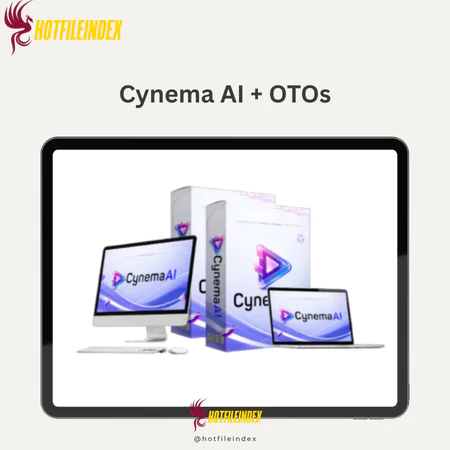
Cynema AI + OTOs
$17.00
Cynema AI is a cloud-based platform that creates cinematic 4K videos from text, images, or prompts using multiple AI engines.
You will get Individual Account of
- FE + OTOs
In 2026, the AI video field is crowded, changing quickly, and, to be honest, hard to understand. There are a lot of tools that claim to help you make professional-looking work, but most of them require technical know-how, pricey hardware, or a separate membership for each engine you want to use. With Cynema AI, you can do something different. It combines more than 50 AI video engines into a single cloud-based platform that can turn any text, image, or sketch into a 4K cinematic video in less than 60 seconds.
The people behind Cynema AI have been making software and tech goods for over 10 years. They made this platform for people who want results, not a learning curve.
What Is Cynema AI? (Simple Definition & Core Concept)

Cynema AI is a cloud-based multimodal AI tool that can make professional 4K cinematic videos from text prompts, images, sketches, or keywords in less than 60 seconds, and you don't even need to know how to edit them. “Multimodal” just means that the system can handle different kinds of input. You can type in an idea for a scene, share a picture to use as a guide, add a rough sketch, or even just type in a keyword. All of these are interpreted by Cynema AI, which then makes a structured, cinematic film output.
It's not just one AI model, and it's not a normal movie editor with a timeline. It's like the coordination layer sitting on top of the smartest AI video models out there. It picks the best engine for the job and automates every step of the production process.
Core outputs Cynema AI delivers:
- 4K cinematic video clips
- Auto-generated scripts and scene breakdowns
- Auto voiceover and music soundtrack
- Commercial-use-ready video content
How Does Cynema AI Fit Into the AI Video Landscape in 2026?
The market for AI video tools right now is split into three separate groups. You can make a better choice if you know where each one sits.
Direct access systems like Sora, Kling, or Veo are single-model tools. With these, you can work with only one model at a time. These tools give you real power, but you need to know how each model works, what its strengths and weaknesses are, and how to use it.
In the second group are platforms that focus on editing first. These include tools like Runway that blend AI generation with a real video timeline. These are good for people who want to be in charge of the post-production process: exact cuts, multi-layer audio, and visual effects stacks.
Cynema AI is in the third group, which is made up of aggregator and process simplification tools. These platforms combine several engines behind a single interface. They then automate the whole production process, from the user's input to the finished movie, so the user doesn't have to make any technical decisions along the way.
How Does Cynema AI Work? (Step-by-Step Workflow)
Cynema AI's approach is organized into a clear six-step process. Even though each step is automatic, you still have enough power to choose the output's direction.
Step 1: Write down your idea
You can type a detailed text prompt, share a picture or sketch to use as a guide, or just type in a keyword or short sentence. The more specific you are in your prompt including style, theme, and length, the better the platform can understand what you mean.
Step 2, AI Parsing and Intent Recognition
Cynema AI looks at what you type in to figure out the theme, style, type of motion, and length. It turns spoken words into structured guidelines for creativity.
Step 3: Choose an engine and play the music.
Cynema instantly sends the task to one of its more than 50 AI engines based on what your prompt asks for. Motion scenes with a lot of moving parts may need Sora 2. Product shots that look like photos might lean on Kling 2.1. From Veo 3.1, you could get ideas for a colorful, film-like story scene.
Step 4: Write the script and plan the scenes
Cynema writes a short story that works and organizes it into scenes or shots. Before processing starts, you can change how long scenes are and how the story flows.
Step 5: Add sound effects, music, and voice-over
The platform picks out and applies a voiceover in the way you choose, adds a music track that goes with it, and adds basic effects like camera movement, scene transitions, and color grading.
Step 6: Render in the cloud and export
Since Cynema's cloud infrastructure renders your movie, the hardware on your local machine doesn't matter. Most short clips are over in less than 60 seconds. You can send in 4K, and there are already set formats for YouTube (16:9), TikTok (9:16), and social square (1:1).
| Input Type | Cynema Process | Output |
| Text prompt | Parse, engine routing, scene build | 4K video with audio |
| Image or sketch | Visual extraction, animation | Animated cinematic scene |
| Keyword only | Concept expansion, scripting, render | Full short-form video |
Key Features of Cynema AI (Engines, Tools & Outputs)
There are two things that give Cynema AI its depth: the number of engines it uses and how much it simplifies the steps between input and output. Here is a full list of all of its main features for 2026.
| Feature | What It Does | Main Benefit |
| Multi-Engine Hub | Routes tasks across 50+ AI video engines | Access best-in-class models (Sora 2, Kling 3.0) |
| Text-to-Video | Converts written prompts into 4K cinematic clips | Turn ideas into footage instantly |
| Multimodal Input | Animates static images, sketches, or videos | Visual concepts to motion without filming |
| Auto Scripting | Writes a working script and breaks it into shots | Eliminates writing time for short content |
| Scene-Based Editing | Adjusts content shot by shot after generation | Control without a full timeline editor |
| AI Voiceover | Applies narration in multiple voice styles | Finished narration without recording |
| AI Sound Design | Syncs soundtracks and native audio (Sfx) | Broadcast-ready audio in one pass |
| VFX & Camera Motion | Adds pans, zooms, and FPV drone movements | Cinematic feel without post-production |
| Cloud Turbo-Render | Processes 4K videos in under 60 seconds | No local hardware requirements |
| Commercial Rights | Grants rights for ads and monetized content | Full Commercial License included |
Creative freedom across multiple modes
The way Cynema AI handles combined data is one of the more useful features of it. You can use more than one mode at the same time. When you upload a picture along with a text description, the engine has a visual reference point to work from, which makes the output much more in line with your style. The “no-editor” simplicity of Cynema lets you upload a rough storyboard frame or even a hand-drawn sketch and turn it into an organized cinematic shot using engines like Pixverse AI.
Timelines, keyframes, and layer stacks are what traditional video producers use to work. That model assumes you know a lot about technology. With Cynema AI, that whole structure is swapped out for a visible automation chain. You tell the platform what you want, and it puts it together. This is the real difference for people who have never used a video editing app before.
Which AI Engines Does Cynema AI Use Under the Hood?
As new models come out, Cynema AI's engine range changes to fit them. From the beginning of 2026 on, the platform manages a number of powerful systems to meet various artistic needs.
| Engine | Primary Strengths in 2026 |
| Sora 2 | Complex narrative generation, gravity-defying physics, multi-subject motion |
| Kling 3.0 | Multi-shot consistency, subject stability across angles, realistic physics |
| Veo 3.1 | Native audio generation, lip-sync, Google's flagship cinematic rendering |
| Wan 2.5 | High-speed social production, vivid motion, adaptive lighting |
The platform looks at your prompt and picks the engine or mix of engines that can do the job best. When you need motion that looks real, the system leans toward Sora-class powers. When the prompt asks for native sound and dialogue, Veo 3.1 is used.
Pricing Plans and OTOs detailed
FE – Cynema AI ($16.95)
- Access to full multimodal AI video platform
- Create unlimited 4K cinematic videos
- Built-in video generation engine included
- Photo-to-video and script generation features
- All-in-one solution without monthly fees
- 30-day money-back guarantee included
OTO 1 – Unlimited ($47 – $167)
- Remove all platform limitations
- Unlimited 4K video creation and rendering
- Unlimited scripts, effects, and scene extensions
- Unlimited background music and assets
- Faster processing and priority performance
- Full commercial rights for scaling business
OTO 2 – DFY Setup ($97 – $297)
- Done-for-you account setup and configuration
- Niche selection and campaign preparation
- Optimized system for traffic and conversions
- Skip technical setup and save time
- Ready-to-run system from day one
- Ideal for beginners and busy users
OTO 3 – Automation Pro ($27 – $47)
- Automate content creation and workflows
- Run campaigns on full autopilot
- Generate traffic and sales 24/7
- Reduce manual work and effort
- Build passive income system
- Improve efficiency and consistency
OTO 4 – Swift Profits ($47 – $67)
- Accelerate results and earnings quickly
- Apply proven monetization strategies
- Get faster traction from campaigns
- Reduce time to first profit
- Boost confidence with early wins
- Designed for quick income generation
OTO 5 – Limitless Traffic ($67 – $167)
- Drive targeted traffic to your content
- Increase views, clicks, and engagement
- Boost conversions and lead generation
- Access built-in traffic sources
- Scale campaigns faster
- Improve overall visibility
OTO 6 – Agency License ($67 – $167)
- Create and manage unlimited client accounts
- Sell AI video services to clients
- Build recurring income streams
- Full control over pricing and services
- Commercial and agency rights included
- Scale into a service-based business
OTO 7 – Reseller License ($67 – $167)
- Sell Cynema AI and keep 100% profits
- Done-for-you sales funnels included
- No need to handle support or tech
- Launch your own software business
- Earn from entire funnel
- High-profit business opportunity
OTO 8 – 10X Edition ($27 – $47)
- Access 200+ additional income tools
- Build multiple income streams
- Diversify revenue sources easily
- Minimal setup required
- Expand beyond video creation
- Designed for long-term scaling
Real-User Pros & Cons of Cynema AI (E-E-A-T Synthesis)
Real-life experience must be put next to marketing claims in any honest review in 2026. It's true that Cynema AI has strengths, but it also has clear limits.
Strengths
| Pro | Why It Matters |
| Hyper-Fast Rendering | Going from idea to 4K clip in 60 seconds is a real productivity gain. |
| One-Click 4K | High-definition rendering powered by Wan 2.5 and Kling 2.6 Pro. |
| No “Monthly Trap” | During the 2026 launch phase, access is a one-time fee (~$17, $27). |
| Agency Ready | The Agency Dashboard allows managing client accounts and reselling services. |
Limitations
| Con | Why It Matters |
| OTO Funnel Structure | Advanced features like Unlimited Rendering or DFY Templates are upsells. |
| Limited Manual Mixing | It is an automation tool, not a replacement for Adobe Premiere or Runway's manual timeline. |
| Queue Sensitivity | While fast, heavy server load can occasionally impact the Turbo-Render speed. |
A marketer who tried Cynema AI said that they were able to come up with five different ad concepts in just one afternoon. With a traditional pipeline, that would have taken days. In that case, the platform lived up to its promise of speed. But skilled AI filmmakers who need precise Motion Brush control or frame-level masking will still need to use tools like Runway or Luma Dream Machine. Cynema AI is made to be fast, scalable, and easy for creators who aren't tech-savvy to use.
Who Is Cynema AI Best For? (And Who Should Avoid It)
Not everyone can use Cynema AI, and the best way to judge it in 2026 is to put it to the test in real-life work situations.
The platform works well for people who make videos and need quick YouTube shorts, TikTok clips, or blank channel intros. It's also good for performance ad buyers and social media marketers who need to try out different creative versions without hiring a firm. With the built-in Agency License, it gives freelancers who need to deliver videos but don't know a lot about editing more options for what they can do for their customers.
Additionally, there are times when Cynema AI works especially well. The platform is quick and cheap enough to use as a movie scratchpad when you need to quickly see how an idea will work before committing to a full production. Another time when speed really does matter is when you need to test a lot of different versions of a 15-second ad.
| Use Case | Fit | Reason |
| YouTube Shorts & TikTok | High | 9:16 format support, Turbo-Render speed |
| Social Media Ad Testing | High | Multiple variants, Full Commercial License |
| Freelance Video Gigs | High | Agency dashboard included, high-perceived value |
| Small Business Promos | High | No monthly fee, one-click 4K output |
| Client Concept Drafts | Medium | Good for storyboards, final polish may need Premiere |
| Feature Film/VFX | Low | No timeline control, no compositing or masking |
Cynema AI vs Other AI Video Tools (Runway, Sora 2, Kling 3.0)
A practical question that most people who might use it ask is: why not just use Sora 2 or Kling 3.0? In 2026, the choice is between orchestration and direct control.
| Tool | Engine Access | Pricing Model | Best For |
| Cynema AI | 50+ Integrated Engines (Sora 2, Veo 3.1, Wan 2.5) | One-time payment (~$17) | Beginners, Marketers, Agency Scaling |
| Kling 3.0 | Single Model (Kuaishou) | Subscription / Credits | Multi-shot storyboarding, 60fps realism |
| Sora 2 | Single Model (OpenAI) | $200/mo Pro Tier | Physics simulation, “Cameo” face-mapping |
| Veo 3.1 | Single Model (Google) | High Cost per Credit | Enterprise users, Spatial Audio needs |
Reading the trade-offs
The best thing about Cynema AI is that it offers wide access at a low price. You don't pay each model every month. For example, Wan 2.5 for fast motion or Kling 2.1 for realism would be sent to the best engine based on your suggestion. There are some restrictions, such as not being able to enter the “brain” of the engine and not having a keyframe controller or motion brush like in Runway.
For many professionals, the tools don't compete with each other; instead, they work together. The 4K draft or viral hook is made by Cynema AI. If high-end cinema is needed, the finishing technical polish can be done by a traditional editor or a tool like Autodesk Maya 2026.
Frequently Asked Questions About Cynema AI
Is Cynema AI really a one-time payment tool?
Yes. During the start phase of 2026, Cynema AI can be bought for a one-time fee of about $16.95 to $27. Many tools on the market, like Sora 2, cost $200 per month and this is one of the few that doesn't. When you check out, you'll often see special “Unlimited” features or Agency Dashboards listed as One-Time Offers (OTOs).
Can I use Cynema AI videos commercially on YouTube and TikTok?
Yes. A Full Commercial License is part of what you bought. This means that you own all of the 4K movie videos you make. You can make money with them on YouTube, TikTok, or even sell them to other people as a service.
Do I need a powerful GPU or a high-end PC?
No, Cynema AI is only in the cloud. Their Turbo-Render server groups do all the hard work, like rendering in 4K and coordinating AI. Anyone who knows how to start a web browser on a Mac, Windows, or even a tablet can make video that looks like it was made by a professional.
What types of videos can Cynema AI generate best?
Cynema AI produces its strongest output in the following formats:
- Short cinematic scenes (10, 30 seconds)
- Product promo and reveal videos
- YouTube and social media intros
- Ad creative concepts and hooks
- Concept visualization clips for pitches or approvals
Long-form narrative videos, scenes with multiple characters talking, and anything else that needs exact frame control or deep continuity across long footage are areas where it falls short.
How is Cynema AI different from tools like Runway or direct Sora access?
Cynema AI is an aggregator; it sits on top of several AI video engines and automatically sends your job to the right one. Runway is an editing platform that lets you control the timeline and has its own AI generation tools. It gives you more direct control, but it costs money and has a steeper learning curve. Direct access to Sora or Kling models gives you raw model abilities, but you have to manage those accounts individually and learn how to prompt each model in its own way. Cynema AI gives up fine-grained control in exchange for speed, ease of use, and access to multiple engines with a single payment.
Does Cynema AI require a powerful computer or GPU?
No, all of Cynema AI's video is rendered in the cloud on its own servers. Your computer at home only needs to have a browser and a strong internet link to work. No GPU is needed, no program needs to be installed, and no rendering needs to be done locally. This means that the platform can be used on regular computers and mid-range hardware, as long as your internet speed is fast enough to stream and download 4K output files.
What video resolutions and aspect ratios does Cynema AI support?
Based on current platform information, Cynema AI supports:
- 4K (3840×2160) and 1080p resolution
- 16:9, standard widescreen, YouTube
- 9:16, vertical, TikTok and Instagram Reels
- 1:1, square, social media feed
Check the platform's current specification page for any updates to supported formats, as output options may expand over time.
Is there a limit to how many videos I can create with Cynema AI?
Cynema AI's ads stress that its one-time plan gives users “unlimited” access to make videos. In reality, most cloud-based platforms that allow unlimited claims work within the rules of fair use. This means that heavy commercial use or automated bulk generation on a large scale may be restricted by policies or queue management. Before using the platform for large-scale production, make sure you carefully read the current terms of service to find out if there are any caps, rate limits, or other restrictions that apply.
Is Cynema AI suitable for complete beginners with zero editing experience?
To be clear, this is one of the best things about the medium. The process doesn't assume that you know anything about AI tools, video editing, or prompting. The first time a person logs in, they can go from having an idea in text form to having a finished 4K clip. Still, prompt writing does take some time to get good at. The result will be better if you give it more detailed and descriptive information. If you take the time to learn how to frame prompts, style, tone, theme, and duration, your results will be much better from the start.
Can professionals or studios use Cynema AI in their pipeline?
With a clear idea of where it fits, yes. Cynema AI works well for professionals to visualize ideas, come up with ideas before production, show drafts to clients, and make quick creative prototypes. It's not the same as having a full post-production process. Studios that need advanced VFX, frame-accurate compositing, or multi-layer color grading processes will still need tools that are made just for those steps. Cynema AI is most useful in the early stages of a professional project, when it's still just an idea or piece of raw material. It's not useful when the project is finished or handed over.
With Cynema AI, you can quickly and easily go from an idea for a movie to finished footage, without any technical problems. Within that range, it offers a real and easy-to-find way. Knowing where those lines are can make the difference between a good purchase choice and one that leaves you frustrated.
All Info just pre-build when listing. Until Product mark as "Instant Deliver", infomation will be updated again like OTOs you will be get,..etc
Related products


SAAS

SAAS


SAAS
SAAS

SAAS