Clipchamp
$25.00
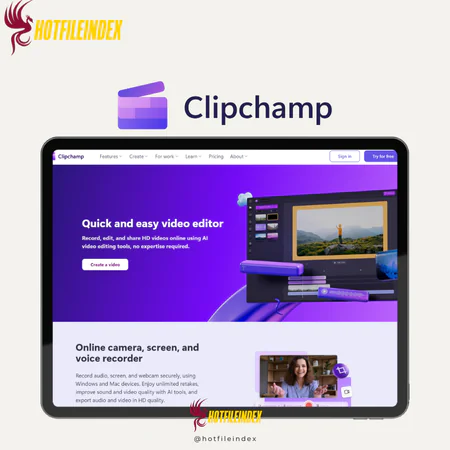
Clipchamp is a fast, template-based web video editor preinstalled on Windows that helps creators make polished social media videos and handle basic editing tasks with ease.
You will get Shared Account of
- Premium 1 Year
Creating high-quality videos doesn’t need to be complicated or expensive. Whether you are a content creator, marketer, educator, or small business owner, choosing the right video editor can make a big difference. Clipchamp is a user-friendly video editing platform designed to help anyone create professional-looking videos quickly and efficiently. With its drag-and-drop interface, AI-powered tools, and built-in stock library, Clipchamp makes video production fast, enjoyable, and accessible for everyone.
Let’s explore what this tool has to offer.
What is Clipchamp?

Clipchamp is a web-based video editor available as a Windows Store app and a progressive web app (PWA) across multiple devices. It comes preinstalled with Windows 11 and can be downloaded on Windows 10, with an iPhone version also available.
Similar to Canva, Clipchamp is ideal for marketers and creators who need to produce fast, template-driven social media videos, but it also works well for basic editing tasks such as trimming, cutting, and merging clips. You can enhance videos with stylish effects, and while some assets may take a short time to load or render, the app runs smoothly thanks to hardware acceleration.
Key Features

Core Video Editing Tools
- Trim, Cut, Split & Crop: Easily remove unwanted sections, break long clips, or adjust framing.
- Resize & Rotate: Quickly adjust aspect ratios and rotate videos for platforms like YouTube, TikTok, or Instagram.
- Speed Controls: Slow down or speed up clips to match the tone or style you need.
- Filters & Visual Effects: Apply cinematic filters and color corrections for a polished look.
- Transitions & Overlays: Seamlessly connect clips and enhance visuals with motion effects, stickers, and GIPHY animations.
- Text & Titles: Add custom text, captions, or lower thirds with various motion and font options.
- Audio Editing: Balance audio levels, remove background noise, and add music or sound effects.
AI-Powered Enhancements
- Auto-Captions: Generate accurate subtitles automatically in multiple languages.
- Text-to-Speech: Create realistic AI voiceovers in different accents and tones.
- Silence & Noise Removers: Automatically remove silent gaps and clean up background audio.
- AI Background Removal: Instantly remove image backgrounds without needing a green screen.
- AI Auto Compose: Automatically assemble clips and photos into ready-to-share videos.
Built-in Recording Tools
- Screen & Webcam Recording: Capture tutorials, presentations, or reactions easily.
- Audio Recorder: Record professional voiceovers and edit them directly in the timeline.
- Speaker Coach: Receive AI-based feedback on pacing and delivery to improve performance.
Templates, Stock Media & Branding Tools
- Templates: Choose from a variety of ready-made designs for YouTube, TikTok, business promos, and more.
- Stock Library: Access royalty-free video clips, audio, and images.
- Brand Kit (Premium): Save logos, fonts, and brand colors for consistent branding.
Export & Sharing Options
- High-Resolution Export: Export videos in up to 4K without watermarks.
- MP4 & GIF Formats: Export in universally compatible MP4s or social media-friendly GIFs.
- Direct Upload: Share your videos directly to YouTube, TikTok, LinkedIn, or cloud storage platforms.
Pricing Plans

Clipchamp offers two main plans: Free and Premium.
- The Free plan includes all essential editing tools and allows exporting videos in up to 1080p HD, making it ideal for beginners, casual creators, or anyone producing personal or social media content.
- The Premium plan unlocks higher export quality (up to 4K UHD), advanced effects, premium stock resources, and branding tools. It is perfect for professionals, content creators, and marketing teams who need high-resolution, branded videos for business or client projects.
Advantages
- Beginner-friendly interface: Clipchamp provides a clean and intuitive design, making it easy to navigate even for first-time users.
- Time-saving templates: With a wide range of ready-made templates, you can quickly produce polished videos for TikTok, YouTube, Instagram, and other platforms.
- AI-powered tools: Features such as auto-captions, text-to-speech, noise reduction, and silence trimming use AI to speed up and simplify the editing workflow.
- Cross-platform consistency: Enjoy a smooth editing experience whether using the web app, Windows application, or iOS version.
- Free to start: Essential editing tools are available for free, and you can export videos in full 1080p HD without upgrading.
Disadvantages
- Limited stock library on the free plan: Premium assets like music, video clips, and effects are only accessible through paid subscriptions.
- Restricted advanced editing controls: Keyframing, custom transitions, motion tracking, and advanced color grading are not included.
- No third-party plugin support: External plugins or extensions cannot be added; you are limited to the built-in features.
- Basic audio editing: Audio options are minimal, including only volume adjustments and noise reduction, without multiband EQ or advanced mixing capabilities.
Who should use Clipchamp?
Clipchamp isn’t designed to compete with professional-level video editors, making it ideal for users looking for fast, simple, and easy-to-use editing. It works best for:
- Marketers: Quickly create product teasers, Instagram ads, or promotional videos. The drag-and-drop interface and ready-made templates make it simple to produce polished content in a short time.
- Educators: Record screens and edit lessons, tutorials, or presentations with minimal effort.
- Students: Efficiently edit school projects, video essays, or club announcements.
- Content creators: Especially beginners or casual creators posting on TikTok, Instagram, or YouTube. Tools like auto-captions, vertical video templates, and quick export options help maintain a consistent content flow without expensive software.
FAQs about Clipchamp
- Is Clipchamp a good video editor?
Clipchamp has a Trustpilot rating of 2.7/5, showing mixed feedback. While it offers useful editing features, some users report limitations in functionality, occasional performance issues, and customer support concerns. - What are Clipchamp’s limitations?
The free plan comes with certain restrictions that can impact video quality and limit access to advanced features. - What is the maximum video length in Clipchamp?
There’s no official maximum, but videos around 10 minutes or shorter are recommended for optimal performance. - Are there other online background removal tools?
Yes, tools like Fotor and WeVideo can also remove backgrounds online. - What is the best alternative to Clipchamp?
For offline editing, batch processing, or enhanced privacy, consider Free UniFab Video Background Remover AI. - Is Clipchamp safe?
Yes. Clipchamp is owned by Microsoft and is a secure online video editor. Your videos and data are safely stored in the cloud, with no major security risks or malware reported.
Conclusion
Clipchamp stands out as a simple, template-focused video editor, with particularly impressive text-to-speech captions and voiceover tools. Its clean, modern interface makes video editing smooth and stress-free.
For the best value, you can get Clipchamp at a discounted price through Hotfileindex, making it a smart choice for anyone who wants to create high-quality videos quickly and affordably.
| Time | 1 Year |
|---|
All Info just pre-build when listing. Until Product mark as "Instant Deliver", infomation will be updated again like OTOs you will be get,..etc
Related products

SAAS
SAAS