


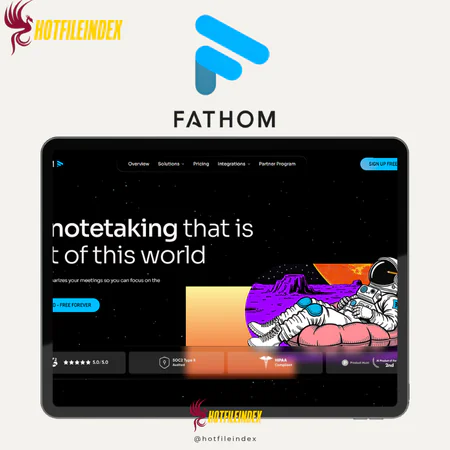
Fathom AI
Fathom is an AI meeting assistant that records, transcribes, and summarizes online meetings across Zoom, Teams, and Google Meet using NLP and speaker recognition.
You will get Individual Account of
- FE
For years, I found myself balancing three roles during every meeting: an engaged participant, a thoughtful analyst, and a hurried note-taker. My focus was constantly divided, which often resulted in incomplete notes and missed key points as I tried to document discussions in real time.
After testing over a dozen AI meeting assistants, I decided to stick with Fathom exclusively for the past three months. Here’s what I learned about this tool.
What is Fathom AI?

Fathom is a sophisticated AI meeting assistant that records, transcribes, and summarizes online meetings. It supports 28 languages and works seamlessly with Microsoft Teams, Zoom, and Google Meet. Launched in 2020, Fathom was one of the early AI tools aimed at simplifying note-taking during virtual meetings.
The platform leverages advanced natural language processing (NLP) and speaker recognition technologies. NLP interprets the context and meaning of conversations, while speaker recognition assigns unique identifiers to each participant, making it simple to see who said what during the meeting.
Key Features

- Transcription: Fathom can automatically join your Microsoft Teams, Zoom, or Google Meet calls and generate live transcriptions. You can set it to auto-join internal or external meetings and even rename the bot. Accuracy usually ranges between 85–90%, depending on audio quality and accents. After the meeting, transcripts include clickable timestamps for easy navigation and can be edited or trimmed. Integrations with Google Chrome and Zoom further enhance the process.
- Recording: The tool captures high-quality audio and video, which can be shared with team members. This is especially useful for interviews, client calls, or onboarding sessions.
- AI Summaries: Fathom generates concise summaries that highlight decisions, action items, and important insights. These summaries save time by providing a quick overview without requiring a review of the full transcript or recording.
- Ask Fathom: This AI assistant allows you to query meeting content, such as asking, “What was discussed about Project Alpha?” It can also draft follow-up emails, helping streamline post-meeting tasks.
- Clips: You can extract short clips from meeting recordings to highlight key moments. With Slack integration, sharing these clips with your team is quick and easy.
- Meeting Templates: Available in the Team plan, Fathom offers 14 pre-made templates for different types of meetings, including sales calls, daily stand-ups, and customer success sessions. Summaries are automatically formatted based on the selected template.
- Team Collaboration: Teams can organize and store recordings and notes in shared folders, add comments, tag members, and use features like coaching metrics and deal views to improve workflow and sales processes.
- Integrations: Fathom connects with platforms such as Slack, HubSpot, Salesforce, and Close, and through Zapier, it can link to more than 7,000 other applications. Full Zapier functionality requires Premium or Team plans.
- User Interface: The interface is clean, intuitive, and easy to navigate. All recordings, transcripts, and notes are kept in one place, minimizing the learning curve for new users.
Pricing Plans

- Free Plan – $0/month
Ideal for individuals who want to explore Fathom’s core functions before committing. Best suited for solo users or beginners with AI-powered meeting tools. - Premium Plan – $15/month per user
Perfect for freelancers or professionals who hold frequent meetings and need unlimited AI summaries and enhanced workflow automation. - Team Edition – $19/month per user
Designed for small teams requiring collaborative features, organized note-sharing, and shared access to recordings. Suitable for startups or small businesses. - Team Edition Pro – $29/month per user
Targeted at larger teams or organizations needing advanced integrations, team management tools, and full access to AI features. Ideal for agencies or growing companies managing multiple meetings daily.
Fathom’s pricing is flexible and scales to meet the needs of individuals, small teams, and larger enterprises.
Advantages
- Automatic Meeting Transcripts and Key Highlights: Fathom records every word spoken in your meetings and generates accurate transcripts with the most important points highlighted. It acts like a reliable teammate who never forgets details and can quickly summarize discussions.
- AI-Powered Summaries and Action Items: Beyond transcription, Fathom produces concise summaries and clear follow-up tasks, enabling teams to focus on next steps without sifting through lengthy notes or recordings.
- Smooth Integrations: Fathom works seamlessly with popular tools like Slack, Notion, HubSpot, Salesforce, and others. This ensures that insights from meetings flow directly into your workflows, reducing repetitive manual work.
- Team Collaboration Features: Features such as keyword alerts, shared folders, global search, and highlight playlists, available in the Team and Business plans, make it easy for team members to access important information and stay coordinated.
- Intelligent Search with “Ask Fathom”: Instead of scrolling through full transcripts, users can ask questions like, “What was decided about client X?” to quickly retrieve relevant information from past meetings.
- Generous Free Plan: Even on the free plan, Fathom provides unlimited recordings, transcriptions, and basic summaries, allowing individuals and small teams to experience AI-powered meeting assistance at no cost.
Disadvantages
- Transcription Accuracy Can Vary: Although generally reliable, transcription accuracy may be affected by background noise, overlapping speech, or strong accents. Critical meetings may still require some manual verification.
- Limits on the Free Plan: The free plan, while generous, comes with storage limits per user and restricted AI summary credits. Teams with frequent or long meetings may quickly reach these limits.
- Advanced Features Require Paid Plans: Functions like “Ask Fathom,” customized summaries, and enhanced team collaboration tools are only available in Premium, Team, or Business plans, which may prompt some users to upgrade for full functionality.
- Limited Multilingual Support: Fathom performs best in English. Teams that operate in multiple languages may experience reduced accuracy in transcription and summaries for non-English meetings.
- Not Ideal for Large Enterprises: While excellent for individuals and small to medium teams, larger organizations needing advanced analytics, Deal View, or CRM syncing might require the Business plan to meet their needs.
- Selective Integrations: Although compatible with many popular CRMs and collaboration platforms, certain niche or specialized software may not be directly supported.
Who Should Use Fathom AI?
Fathom is best suited for professionals aiming to make meetings more productive while reducing the effort spent on manual note-taking. It is particularly beneficial for:
- Busy individuals and freelancers who need accurate records of discussions without constant typing.
- Small to medium-sized teams that prioritize clear communication and automatic note sharing.
- Project managers and team leads who want to track decisions and follow-ups efficiently.
- Sales and client-facing teams needing detailed records to maintain relationships and capture opportunities.
- Anyone attending frequent virtual meetings who wants instant summaries and searchable transcripts.
In short, Fathom is ideal for anyone looking for a faster, smarter, and more organized way to manage online meetings.
FAQs About Fathom AI
- Is Fathom secure, and do I retain ownership of my data?
Yes. Fathom prioritizes security with end-to-end encryption and compliance with SOC 2 Type II, GDPR, and HIPAA standards. According to its Privacy Policy (updated August 11, 2025), users retain full ownership of their data. While anonymized information may be used to improve internal AI models, users can opt out in account settings. Third parties, including OpenAI or Google, are not permitted to use your meeting data to train AI models. - Who has access to my recordings?
All recordings are private by default. Only you can access them unless you choose to share specific recordings or highlights manually. - Does Fathom have an open API?
As of late 2025, Fathom does not offer a public API, though one is in development. In the meantime, a full Zapier integration launched in August 2025 allows users to automate workflows with thousands of other apps. - Can I use Fathom if I’m not the host?
Since Fathom joins meetings as a participant, it generally needs permission to enter. It works best when you are the host or can admit guests. In secure meetings, attendees without host privileges may encounter restrictions.
Conclusion
Fathom offers an excellent combination of functionality and affordability. Its Free Plan is highly generous, providing unlimited recordings and storage, making it perfect for individuals or small teams exploring AI meeting tools.
For users seeking advanced AI summaries and productivity enhancements, the Premium plan delivers solid value at a reasonable price. The Team and Pro plans unlock additional features, including keyword alerts, coaching metrics, and compliance tools, making them ideal for larger teams and organizations.
Purchasing Fathom through Hotfileindex ensures the best value. Verified group-buy deals allow access to premium features at a fraction of the cost compared to buying directly, making it the most cost-effective way to leverage all of Fathom’s capabilities.
All Info just pre-build when listing. Until Product mark as "Instant Deliver", infomation will be updated again like OTOs you will be get,..etc
Related products

Account
Account

Account

Account

Account
Account

Account

Account