
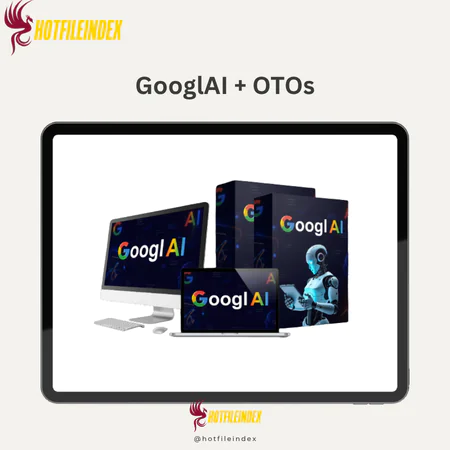
GooglAI + OTOs
$17.00
GooglAI is a cloud-based AI workspace that provides simplified access to Google's AI models, including Gemini, Veo, vision, and audio technologies through a unified interface.
You will get Individual Account of
- FE + OTOs
Ask any content creator or marketing professional how much time they spend switching between tools in a typical production week and the number is almost always higher than they expect when they actually track it.
Open the AI writing tool. Generate a draft. Copy it to a document. Open the image tool in a new tab. Re-enter context about the content. Generate a thumbnail. Download it. Open the video tool. Re-enter context again for the B-roll description. Wait for the render. Switch to the audio tool for the intro music. Log in separately. Generate. Download. Now reassemble everything manually in a workflow that was never designed to work as a system.
This is the hidden cost of the fragmented AI tool landscape in 2026. Each individual tool works well enough. The problem is the space between them, the constant context re-entry, the separate logins, the disconnected output histories, and the manual assembly that consumes hours that should be spent on strategy, refinement, and creative direction.
GooglAI was built to collapse that fragmentation. Not by building new AI models, but by bringing Google's existing and expanding AI ecosystem, Gemini for text, Veo for video, and Google's vision and audio models, into a single unified workspace where text, image, video, audio, and file analysis happen in the same session, in the same project, without switching tabs or re-establishing context.
What Is GooglAI?
GooglAI is a cloud-based third-party platform that aggregates multiple Google AI models into a single unified dashboard. It is not an official Google product. It is independently developed to give content creators, marketers, agencies, and small business owners a cleaner, more accessible path to Google's AI capabilities without the developer-facing complexity of Google's own interfaces.
The platform accesses Google's AI infrastructure through Google's official APIs and surfaces all of it through one consumer-friendly interface with no API configuration, no separate authentication per modality, and no developer setup required. Where Google's own tools are powerful but scattered across different products and portals, GooglAI brings them together into one organized workspace.
Capabilities include Gemini-powered text generation for blog posts, ad copy, scripts, emails, and social content. Google vision model image generation for thumbnails, graphics, product mockups, and marketing visuals. Veo-powered video creation for B-roll footage, short-form social clips, and explainer openers. Audio and music generation for background tracks, podcast intros, and voiceover narration. Multimodal file analysis for summarizing PDFs, extracting insights from documents, and interpreting data uploads. And workflow automation that chains all of these into multi-step content pipelines without code.
Front-end access is available at a one-time price of $17.22 with commercial rights included and a 30-day money-back guarantee.
Why Aggregating Google's AI Models Matters Specifically in 2026
Google's AI model portfolio in 2026 is genuinely impressive. Gemini Pro and Flash offer strong text reasoning and generation capability. Veo produces high-quality short-form video from text descriptions. Google's vision models generate marketing-quality imagery. The audio generation models produce original music and natural-sounding voiceover.
The problem is that accessing all of these capabilities through Google's own interfaces means navigating multiple separate products, each designed for a different audience and optimized for different workflows. Gemini has its own interface. Image generation has another. Veo is accessed differently again. Audio tools exist in yet another context. For a developer building a custom application, this granular access is an advantage. For a content creator who needs a script, a thumbnail, a B-roll clip, and an intro track before Friday, it is friction.
GooglAI's value is specifically in eliminating that friction for the non-technical creative user. The same Google AI capabilities that a developer would access piecemeal through separate API configurations become accessible through one login, one interface, one project history, and one consistent workflow. The underlying models are Google's. The usability layer is GooglAI's contribution.
Main Features of GooglAI

Unified Dashboard and Model Selector
The dashboard organizes all modality capabilities through a persistent left sidebar for navigation, a central canvas for input and output, and a right-hand parameters panel for model selection and generation controls. The model selector at the top allows switching between Gemini versions, such as Pro and Flash, based on whether the task requires deeper reasoning or faster output. The project and folder organization system keeps outputs separated by client, campaign, or content type within the same account.
The dashboard experience prioritizes immediate usability over deep configuration, which reflects GooglAI's positioning for non-technical creative users. All modalities are accessible from the top-level navigation without requiring advanced settings exploration to reach core functionality.
Gemini Text and Chat Generation
The text module connects to Google's Gemini models for all standard marketing and creative content types. Blog posts, landing page copy, ad scripts, email sequences, product descriptions, social media captions, video outlines, keyword research, and content briefs are all accessible through a combination of free-form prompting and pre-built template presets. Templates for “SEO blog writer,” “Google Ads headline generator,” and “email subject line optimizer” provide structural frameworks that produce more consistently usable first drafts than blank-slate prompting for users still developing their AI prompting practice.
The shared prompt history and project context across sessions means iteration builds on previous outputs within the same project rather than requiring full context re-establishment for each refinement cycle.
Google Vision Model Image Generation
The image module produces marketing-quality visuals from text descriptions using Google's vision generation models. YouTube thumbnails, blog header images, social media graphics, product concept mockups, podcast cover art, and ad creative backgrounds are the most common applications. Style presets covering realistic photography, 3D rendering, flat design, watercolor, and sketch give users starting points for different visual directions without requiring knowledge of technical generation parameters.
Aspect ratio presets match platform-specific requirements for major social and content platforms, so exported images are upload-ready without requiring manual resizing. Background removal and inpainting where supported allow targeted visual refinements within the dashboard without a separate design application.
Veo Video Generation
The video module uses Google's Veo model to generate short clips from text scene descriptions. B-roll footage for longer productions, short-form social content for Reels and YouTube Shorts, explainer video openers, and product visualization sequences are the core use cases. Scene descriptions cover location, subject, camera style, lighting, and mood, and Veo renders a clip typically in the 30 to 60 second range that is ready for download or direct social upload.
For video creators and social media managers who currently rely on stock footage libraries or skip B-roll entirely due to production complexity, Veo integration within the same workflow that produces the script and thumbnail is a meaningful practical advantage. Verify current clip length limits and generation capacity on the official platform documentation before committing to a plan.
Audio, Music, and Voice
The audio module generates background music in user-specified styles, moods, tempos, and instrument configurations as original audio, podcast intro and outro music, voiceover narration from written scripts, and text-to-speech output for explainer and ad narration. Audio outputs are produced as original content rather than licensed clips, which addresses the licensing uncertainty that makes stock music complicated for commercial video and podcast use.
Review current terms of service for both GooglAI and the underlying Google audio models before deploying generated audio in paid advertising or broadcast contexts, as commercial licensing terms for AI-generated audio continue to develop in 2026.
Multimodal File Analysis
The file analysis module uses Gemini's multimodal capabilities to process uploaded PDFs, documents, spreadsheets, images, and screenshots through natural language interaction. A 30-page research report can be summarized and key findings extracted in seconds. A spreadsheet of campaign performance data can be queried in plain English for trend identification. A screenshot of a Google Analytics dashboard can produce a plain-language traffic interpretation without manual analysis. For content strategists and agency teams, this converts multi-hour research phases into fast synthesis sessions that free time for the strategic and creative decisions that require human judgment.
Workflow Automation
The workflow module builds and runs multi-step content pipelines without code. Pre-built flows handle common sequences and user-defined chains connect modalities in custom orders. An SEO pipeline moves from blog topic through outline through full draft through social captions through email summary. A video pipeline chains script to B-roll prompt to thumbnail to YouTube description. A paid ad pipeline moves from product description through copy variants through headline tests through matching images. Running these sequences manually across multiple tools typically takes three or more hours. Inside a GooglAI workflow, the same sequence compresses to approximately 20 minutes, though actual time varies with topic complexity and editing requirements.
Pricing Plans and OTOs detailed
Front-End – GooglAI ($17.22 one-time)
- One-time payment with lifetime access
- Access to Google AI models past, present, and future
- No monthly fees, renewals, or hidden upgrades
- Includes commercial license for selling AI-generated assets
- Create designs, videos, websites, apps, funnels, and content
- Built for marketers, creators, freelancers, agencies, and businesses
- Includes 30-day money-back guarantee
- Coupon code “GAI35OFF” gives 35% off funnel items
OTO 1 – GooglAI Unlimited ($67 – $167 one-time)
- Removes all major platform restrictions
- Unlimited AI content generations
- Unlimited Veo 3.1 videos, AI images, and voiceovers
- Unlimited funnels, websites, and sales pages
- Faster cloud server performance
- Priority access to future Google AI models
- Premium 24/7 support included
- Commercial license included
- Designed for agencies, creators, ecommerce sellers, and marketers
OTO 2 – Done-For-You Edition ($197 – $297 one-time)
- Fully optimized DFY setup and campaigns
- Includes ready-made funnels and AI workflows
- Preloaded prompts, templates, and monetization systems
- Traffic and niche setup included
- Built-in automation and AI sales systems
- Premium support and optimization
- Ideal for beginners and busy marketers
OTO 3 – Automation Edition ($47 one-time)
- Automates AI content creation and marketing workflows
- Hands-free traffic and sales systems
- Automated campaign execution
- Supports passive income workflows
- Saves time with 24/7 background automation
- Suitable for affiliate marketers and ecommerce sellers
OTO 4 – Profit Booster Edition ($47 one-time)
- Improves campaign speed and AI workflow performance
- Faster AI content production
- Optimized monetization systems
- Helps scale campaigns more efficiently
- Designed to increase productivity and profits
- Great for aggressive business scaling
OTO 5 – Limitless Buyer Traffic Edition ($97 one-time)
- Provides targeted buyer traffic systems
- Drives traffic to funnels, stores, offers, and websites
- Helps increase leads, clicks, and conversions
- Supports affiliate promotions and ecommerce campaigns
- Simplifies traffic generation for beginners
- Built for scaling visibility and sales
OTO 6 – DFY Money Sites Edition ($67 one-time)
- Launch AI-powered affiliate review sites instantly
- Includes built-in monetization and buyer traffic systems
- Auto-generates content, visuals, and videos
- Supports affiliate links and passive commissions
- No coding or technical setup required
- Designed for affiliate marketers and bloggers
OTO 7 – AI Income Site Edition ($47 one-time)
- Launch fully monetized AI directory websites
- Includes 7,000+ AI tool listings
- Earn through affiliate commissions and ads
- AI-generated reviews, comparisons, and blog content
- Built-in traffic optimization included
- Commercial license included
- Suitable for passive income and niche site businesses
OTO 8 – Reseller License Edition ($197 one-time)
- Resell GooglAI and keep 100% commissions
- Access official sales pages and VSLs
- Hosting and payment systems included
- No software development required
- Customer support handled by the GooglAI team
- Designed for SaaS resellers and online entrepreneurs
OTO 9 – AI Traffic Machine Edition ($47 one-time)
- Optimizes visibility in AI search engines
- Supports ChatGPT, Gemini, Claude, Perplexity, and Google AI
- Tracks AI mentions and recommendations
- Discovers AI traffic opportunities automatically
- Includes AI-focused competitor analysis
- Helps generate buyer-focused traffic without paid ads
How to Use GooglAI
Access and Initial Setup
GooglAI is entirely cloud-based with no installation required. Sign up on the official website, complete payment, confirm your email, and access the dashboard within five minutes. Create a project structure that reflects your workflow before generating any content. For agencies, this means folders per client. For solo creators, folders per content series or campaign. Establishing this structure before the first generation session keeps output history organized as the project grows.
Content Generation Workflow
Select the appropriate module for your task from the left sidebar. For text, choose a template preset that matches your content format. Provide a specific prompt including your target audience, content purpose, desired tone, and any format requirements. A specific prompt consistently produces a stronger first draft than a vague one. Iterate within the same session with follow-up instructions rather than starting new prompts from scratch for each refinement.
For multi-format campaigns, run text and image generation within the same project to maintain consistent messaging and visual context. Use the workflow automation module for recurring campaign types that follow the same production sequence.
Review and Export
Review every generated asset before deployment. Check text for factual accuracy and brand voice consistency. Assess imagery against your visual standards. Export in the format and resolution appropriate for each deployment platform.
Pros and Cons
Pros
- Google's full AI modality range in one dashboard eliminates fragmentation across text, image, video, audio, and file analysis without requiring separate tools, logins, or subscriptions for each capability.
- Veo video generation integrated with text and image production is a practical advantage for video creators who currently manage B-roll and short-form clip production in a completely disconnected workflow.
- Template-driven content production reduces the expertise barrier for common formats and produces stronger baseline outputs for users who are still developing their prompting practice.
- Multi-step workflow automation compresses content pipelines that previously required hours across multiple tools into single sessions measured in minutes.
- No API setup or developer configuration makes the platform immediately accessible to non-technical users from the first session.
- One-time lifetime pricing eliminates recurring subscription overhead.
- Project organization for agencies and teams provides the structure needed for professional multi-client content management without custom development.
Cons
- Third-party dependency on Google's API access introduces platform risk if Google modifies API terms or model availability in ways that affect GooglAI's capabilities.
- Not suitable for enterprise compliance requirements including custom data residency, audit trails, or fine-grained access controls. Official Google Vertex AI is the appropriate choice for regulated industry use.
- Browser-only with no offline functionality. Internet connectivity is required for all functions.
- Output quality scales with prompt specificity. Templates improve the baseline, but the human prompting investment remains the primary variable in output quality.
- Human review before deployment is non-negotiable. Generated assets require factual accuracy verification and editorial assessment before publication or client delivery.
Who Is GooglAI For?
- Solo content creators who need script writing, thumbnail generation, B-roll clips, and audio production from one workflow rather than four separate tools.
- Performance and content marketers who need fast creative production across formats for campaigns and want template-based starting points for recurring content types.
- Agencies managing multiple clients who need organized project management alongside multi-format content production and team collaboration capability.
- Small business owners who need professional-quality content without a dedicated content team or AI expertise.
Less suited for: Enterprise teams with compliance requirements, developers needing raw API access, and organizations requiring custom model fine-tuning.
GooglAI vs. Competing Approaches
| Factor | GooglAI | Google Gemini Direct | ChatGPT | Multi-Tool Stack |
| Text generation | Yes, Gemini-powered | Yes, primary function | Yes | Separate tool |
| Image generation | Yes, Google vision | Limited | Yes with DALL-E | Separate tool |
| Video generation | Yes, Veo | No | No | Separate tool |
| Audio generation | Yes | No | No | Separate tool |
| File analysis | Yes, multimodal | Yes | Yes | Varies |
| Unified workflow | Yes | No | No | Manual assembly |
| Templates and automation | Yes | No | Limited | No |
| API required | No | No for basic use | No | Varies |
| Pricing | One-time $17.22 | Varies | $20+/month | $50-$200+/month |
Frequently Asked Questions
- Since GooglAI is not an official Google product, why would someone choose it over using Google's tools directly?
The core reason is workflow consolidation for non-technical creative users. Google's AI models are powerful but accessed through separate interfaces, each designed for different audiences and optimized for different workflows. A content creator who needs text, image, video, and audio from Google's models currently navigates four separate products with four separate interfaces. GooglAI provides a single unified workspace where all four modalities are accessible in the same session, the same project folder, and the same organized output history. For developers and technical users who need fine-grained model control, direct access to Google's tools remains the more flexible choice. For non-technical creative professionals who need production efficiency over technical control, GooglAI's consolidation layer is the practical advantage.
- How does the Veo video generation in GooglAI compare to dedicated video AI tools?
Veo generates short clips from text scene descriptions, with primary applications in B-roll footage, short-form social content, and explainer openers rather than full narrative video production. Dedicated video AI platforms may offer more granular control over specific generation parameters, longer clip lengths, or more specialized visual style options for users with advanced video production requirements. GooglAI's Veo integration is most valuable for creators who need short-form video clips as one component of a broader content workflow, accessible from the same workspace that produces their script and thumbnail rather than requiring a completely separate tool environment.
- What is the most effective workflow for an agency using GooglAI across multiple client accounts?
Establish a dedicated folder for each client before running any generation sessions. Name projects within each folder by campaign type and date to maintain accessible output history as the account grows. Use project duplication to transfer successful prompt structures from one client to another when starting similar campaign types rather than building from scratch. On higher-tier plans, use shared workspace access to assign junior team members to specific client projects where they can produce first drafts from templates without requiring senior oversight for every generation.
Use the file analysis module to process client-provided briefs, research documents, and performance reports at the start of each campaign cycle rather than reading them manually, producing structured summaries that inform prompt context for the generation sessions that follow.
- How does GooglAI handle brand voice consistency across multiple content types?
Brand voice consistency across text, image, and other content types is maintained through consistent prompt context rather than a dedicated brand profile system. Including your brand voice descriptors, tone specifications, and audience characteristics in every prompt within a project produces consistently on-brand outputs. Saving a brand context prompt template in project notes and reusing it as the opening context for every generation within a client or campaign project is the most practical approach. For agencies managing distinct brand voices across multiple clients, keeping client-specific prompt templates in each client's project folder ensures that brand context is available at the start of every generation session without requiring manual re-entry.
- What are the realistic production time savings from GooglAI's workflow automation compared to manual multi-tool production?
The workflow automation module compresses content pipelines that previously required three or more hours across multiple tools into single sessions typically measured in 20 to 40 minutes depending on topic complexity and the editing time required after generation. The largest time savings come from eliminating context re-entry across tools, removing the switching overhead of managing multiple platform logins and interfaces, and automating the sequential handoffs between production steps that manual workflows require.
Actual time savings vary with the user's existing tool proficiency and the complexity of the content types being produced. The most reliable way to measure your specific time saving is to run one complete content pipeline manually through your current tool stack and then run the equivalent through a GooglAI workflow and compare the results against your actual production needs.
- What should users know about the commercial licensing terms for GooglAI-generated content?
The front-end purchase includes a commercial license covering standard commercial use of generated content for marketing, advertising, product listings, and client deliverables. Before using GooglAI-generated content in specific commercial contexts, particularly for audio in paid advertising or broadcast, for video in commercial campaigns, and for any context involving generated images of identifiable people, reviewing the current terms of service for both GooglAI and the underlying Google AI models is the appropriate step. Commercial licensing terms for AI-generated content, particularly audio and video, continue to develop in 2026 and specific use contexts may have requirements distinct from the general commercial license included in the platform purchase.
- How does the file analysis module work in practice for a content team using research-heavy workflows?
Upload the relevant document, PDF, spreadsheet, or image to the file analysis module and interact with it through natural language queries. A 30-page industry report produces a structured summary, identified key findings, and extracted action items in seconds. A spreadsheet of keyword performance data produces trend identification and optimization suggestions through plain-language queries. A competitor's landing page screenshot produces a structured analysis of messaging, structure, and conversion elements. For content teams that currently spend significant time in the research phase before producing content, the file analysis module converts multi-hour reading and note-taking sessions into fast synthesis outputs that directly inform the generation prompts for the content that follows.
- What is the AI Traffic Machine upgrade and how does it complement the core GooglAI platform?
The AI Traffic Machine upgrade at $47 focuses on optimizing visibility in AI-powered search engines and discovery platforms including ChatGPT, Gemini, Claude, Perplexity, and Google AI. It tracks AI mentions and recommendations, discovers AI traffic opportunities automatically, and includes AI-focused competitor analysis tools. Used alongside GooglAI's core content production capability, it addresses the distribution and visibility dimension of content strategy by helping users understand and improve how their content performs in AI-mediated search environments. For users whose content strategy includes organic visibility through AI search platforms as well as direct publishing, the combination of production capability and AI visibility optimization creates a more complete workflow than either provides independently.
- Can GooglAI be used effectively on a mobile device?
GooglAI is browser-based and accessible from mobile browsers without a separate app download. The full dashboard experience is optimized for desktop screen sizes, so detailed workflows, parameter management, and complex project organization are more practically handled on a larger screen. Core generation functions including text prompting and image generation review are accessible on mobile for quick tasks or output review while away from a desktop. For users whose primary production work happens at a desk, mobile access serves as a convenient secondary access point rather than a replacement for the full desktop workflow experience.
- What is the Done-For-You upgrade and who benefits most from it?
The Done-For-You upgrade at $197 to $297 provides a fully optimized setup of the GooglAI account alongside ready-made funnels, AI workflows, preloaded prompts, templates, and monetization systems. Traffic and niche setup are included alongside built-in automation and AI sales systems. This upgrade is most valuable for beginners who want to start generating output immediately without investing time in workflow design and prompt library development, and for busy marketers who want a professionally configured starting point rather than building their production infrastructure from scratch. For users who have already developed their own prompt templates and workflow structures through several months of platform use, the Done-For-You upgrade adds less incremental value than it does for users starting from zero.
- How does GooglAI's project organization compare to managing separate tool subscriptions for the same workflow?
Managing separate tool subscriptions for text, image, video, and audio production means maintaining disconnected output histories across four or more platforms with no shared project context, no unified folder structure, and no cross-modality production history. GooglAI's project organization keeps all outputs from a single campaign or client account in one folder with a shared session history and consistent prompt context across every modality.
For agencies and content teams where output traceability and organized project management are operational requirements, the difference between a unified project environment and disconnected tool outputs is significant. The organizational layer that GooglAI provides is one of the less immediately obvious but practically important advantages for professional users compared to assembling comparable capabilities from separate platforms.
- What is the most important prompt practice for new GooglAI users to develop early?
The single most impactful early practice is learning to include four specific elements in every prompt regardless of the content type: the target audience with specific characteristics, the purpose or goal of the content, the desired tone with concrete descriptors, and any format constraints such as word count or platform specifications. New users who develop this four-element prompt habit from their first session consistently produce better first-draft outputs than users who approach prompting without structure, and they develop a transferable prompting framework that improves results across every module and content type rather than needing to learn the prompting practice separately for text, image, video, and audio generation.
All Info just pre-build when listing. Until Product mark as "Instant Deliver", infomation will be updated again like OTOs you will be get,..etc
Related products

SAAS



SAAS

SAAS
SAAS

SAAS
SAAS