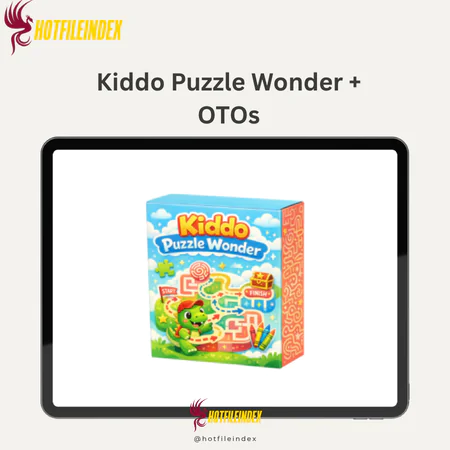
Kiddo Puzzle Wonder + OTOs
$17.00
Kiddo Puzzle Wonder is an AI-powered platform that creates personalized puzzles and worksheets to help children learn through interactive play.
You will get Individual Account of
- FE + OTOs
Kiddo Puzzle Wonder is an AI-powered educational platform that generates customizable printable worksheets and interactive puzzles for children aged 3 to 10. Built to make learning feel like play, it’s at the intersection of technology and building up thinking skills.
The platform focuses on four main brain areas: solving problems, recognizing patterns, using logic, and learning basic math and reading skills early on. You can’t just leave it on the screen. It’s like having a personalized learning helper that meets each child where they are and then pushes them to grow from there.
Who does it for? Kiddo Puzzle Wonder is useful for parents looking for “puzzle worksheets for a 5-year-old,” homeschooling families, preschool and elementary school teachers needing ready-to-use differentiated tools, and even therapists and tutors working on developmental milestones.
Platform snapshot at a glance:
| Detail | Information |
| Target age range | 3, 10 years old |
| Platforms | Web browser + mobile app (iOS & Android) |
| Core features | AI customization, printable PDFs, digital mode |
| Pricing | Free tier available; Premium at $9.99/month |
| Session length | 10, 20 minutes per child |
| User rating (2025) | 4.9 / 5 |
| Launch year | 2024, with 2026 feature updates |
| Data compliance | COPPA-compliant |
The software and tech team that made the product has been making edtech tools and AI-powered platforms for more than ten years. That level of engineering skill is clear in how well the AI customization engine works; it doesn’t feel like a clunky program, but like a helpful classmate.
It used to take me 40 minutes every Sunday to print and sort homework. Now I can make everything for the week in less than 10 minutes,” said Sarah M., a homeschooling mom of two.
Quick comparison: Kiddo Puzzle Wonder vs. generic puzzle apps
| Criteria | Generic Puzzle Apps | Kiddo Puzzle Wonder |
| Personalization | Static, one-size-fits-all | AI-driven, child-specific |
| Printable option | Rare or low quality | High-resolution PDFs |
| Progress tracking | None or minimal | Skill-level analytics |
| Age adaptation | Fixed difficulty | Adjusts to the child’s profile |
| Privacy standard | Varies widely | COPPA-compliant |
How Kiddo Puzzle Wonder Works (Step-by-Step Overview for Parents & Teachers)

You don’t have to be tech-savvy to use this tool. This is the truth that most parents and teachers need to hear. The whole process, from making an account to giving a child a finished puzzle, takes less than three minutes the first time. This is how it works.
Step 1: Make an account. You can go to the computer platform or get the app. Give your email address and a password when you sign up. The process takes half a minute.
Step 2: Make a page for your child. Type in the child’s age, grade level, present level of skill, and main learning goals. One account can be used for more than one identity, which is helpful for parents with more than one child or teachers who are in charge of a class.
Step 3. Pick the type of exercise you want to do. You can choose from different types of puzzles, such as crosswords, mazes, Sudoku, word searches, math drills, logic grids, and more. Each group has several sub-types that are designed to fit different skill sets.
Step 4: Choose a theme and amount of difficulty. A kid who is interested in dinosaurs? You can pick the dinosaur theme. You can change the level of complexity to beginner, intermediate, or challenge. The AI engine instantly maps those inputs to outputs that make sense.
Step 5: Make, see a sample of, and change. Within seconds, the tool makes a preview. Before you save, you can change any part, like the font size, the number of things, or the layout. Then you can pick whether to print it as a PDF or send it electronically through the app.
Step 6. Use the dashboard to keep track of the data. The dashboard keeps track of time spent on tasks, rates of accuracy, and skill goals for digital sessions. Set up the next puzzle set based on those data points.
Let’s say a parent of a 6-year-old child wants to help him or her with both phonics and easy addition. For phonics, they make a picture word search, and for math, they make a missing-number game. They then send both sets to print. The child has a 15-minute activity planned for before dinner. In real life, that’s how things work.
The AI here helps adults make decisions; it doesn’t take their place. Before the result gets to a child, it is always looked over by a parent or teacher. That extra layer of human control is important, especially in places where young children learn.
Core Features at a Glance: What Makes Kiddo Puzzle Wonder Different?
The platform is not meant to be a full course. It’s important to keep that difference because it shapes the whole set of features. Kiddo Puzzle Wonder is meant to be a focused practice and enrichment tool, and the way its features are put together shows that this was thought out and done well.
The main thing that sets it apart is the AI customization system. It looks at the child’s profile, which includes their age, skill level, learning goals, and even their favorite themes, and then it makes material that fits those parameters. You wouldn’t expect a worksheet generator to act like this; you would expect a human tutor to.
Over 100 puzzle and worksheet templates are available on the site. They are organized into domains like logic, early math, language, critical thinking, and visual-spatial. From picture Sudoku for kids 4 years old to a logic grid for kids 9 years old, there are puzzles for all three to ten years old.
Another useful feature is dual-mode delivery. You can print high-resolution PDFs for use in the classroom or for home sessions with paper, or you can give the same puzzle online through the app so that it can be done on a screen. A lot of families use both modes at different times of the day.
The app has features like analytics and tracking progress that printed worksheets just can’t match. To keep track of what skills a child has mastered, how long they spent on each job, and where mistakes tend to happen, the digital mode keeps a log. That data turns guesswork into plans based on facts.
COPPA rules are followed by the site when it comes to safety. No information about children is shared, sold, or used for ads. That is a must-have for parents and school officials, and Kiddo Puzzle Wonder meets it.
Traditional Worksheet Printables vs. Kiddo Puzzle Wonder
| Feature | Traditional Worksheets | Kiddo Puzzle Wonder |
| Content type | Static, fixed difficulty | Adaptive, personalized |
| Customization | None | AI-driven, theme + skill |
| Print quality | Depends on source | High-resolution PDF |
| Digital mode | Not available | Full interactive app |
| Tracking | Manual only | Automated dashboard |
| Age adaptation | Manual selection | Automatic from profile |
| Privacy | Not standardized | COPPA-compliant |
It’s worth mentioning the design itself. The platform has a simple, clean layout with “quick start” choices that are already set up for adults who don’t want to set up anything. That kind of design speed comes from thinking about software products for more than 10 years. For example, a teacher can make something useful in the five minutes before class.
Templates & Puzzle Types: What You Can Actually Generate
30+ Puzzle & Worksheet Types Available in Kiddo Puzzle Wonder
What can it actually do? This is one of the most useful questions that any parent or teacher should ask before committing to a tool. The answer is important in this case. Kiddo Puzzle Wonder has more than 30 different kinds of puzzles and worksheets, and the AI engine can mix or theme any of them at any time.
Here is the full breakdown organized by learning domain:
- Visual and Spatial Puzzles: These types of puzzles help kids learn spatial thinking, visual discrimination, and how to put things in order, which are all important skills for learning to read and do math. There are different kinds, like easy mazes, multi-path mazes, spot-the-difference games, printable jigsaw puzzles, shadow matching, shape matching, and picture sequencing games.
- Logic and Number Puzzles: Logic-based puzzles help you get better at using deduction and numbers. Picture-based Sudoku for beginners, basic 4×4 and 6×6 Sudoku grids, logic grids, number sequences, missing-number puzzles, math riddles, magic squares, and greater-than/less-than comparison sheets are some of the types that are available.
- Early Math Worksheets: These cover the basic math skills that kids from preschool through second grade learn. There are different types of formats, such as counting things, simple addition and subtraction drills, mixed addition and subtraction practice, skip counting by 2s, 5s, and 10s, time of day and clock reading, and counting money and coins.
- Word and Reading Puzzles: Picture- and text-based word searches, picture crosswords, text crosswords, scrambled word (anagram) games for kids, missing-letter puzzles, rhyme word match activities, and syllable segmentation sheets can all help kids improve their language skills.
- Critical Thinking & Creativity: “Finish the Pattern” puzzles, “Odd-One-Out” activities, arrow-path coding sequences (a great way to start learning how to code), story sequencing cards, and “design your own puzzle” frames let kids make puzzles instead of solving them.
Themes, Languages & Accessibility Options
The themes in Kiddo Puzzle Wonder are not just for looks. Because they keep kids interested, seeing their favorite subject on a paper makes them more likely to finish it.
Theme vs. Recommended Age Range
| Theme | Best Fit Age Range |
| Animals | 3, 6 years |
| Space & planets | 5, 9 years |
| Fantasy & fairytale | 4, 8 years |
| Vehicles & transport | 3, 7 years |
| Nature & seasons | 5, 10 years |
| Holidays | 3, 10 years (seasonal) |
| Sports | 6, 10 years |
| Dinosaurs | 4, 9 years |
| Underwater world | 3, 7 years |
| Superheroes | 5, 10 years |
One of the most useful global benefits of the platform is that it supports multiple languages. You can choose from more than 50 languages. Most math and logic problems can be solved in any language. For example, a missing-number puzzle can be solved in English, Spanish, or Vietnamese. Word-based puzzles, on the other hand, can be changed to fit the target language, so the tool can be used in a wide range of classrooms around the world.
Accessibility options include bigger font sizes, high-contrast print modes for people with poor vision, reduced-text layouts for new readers, and “low ink” print settings for classrooms or home printers that want to save money. It was thought out that these design choices should make learning tools work for all kids, not just those who learn in the usual way.
Pricing Plans and OTOs detailed
FE – Kiddo Puzzle Wonder ($17)
- 527 ready-to-use puzzle pages included
- 200 solved puzzle pages for reference
- 11 high-demand puzzle categories
- Ready-to-publish formats for instant use
- Commercial use license included
- Perfect for fast product creation and selling
OTO 1 – 1273 Puzzle Prompts ($27)
- 1273 high-quality puzzle prompts included
- Access to 25+ puzzle categories
- Unlimited puzzle generation capability
- Expand beyond fixed puzzle packs
- Ideal for scaling puzzle content creation
- Built for creators who want flexibility
OTO 2 – 2800 Puzzle Prompts ($37)
- 2800 premium puzzle prompts included
- Access to 55 different categories
- Multi-niche puzzle creation system
- Create more products across markets
- Higher content volume for scaling income
- Designed for serious puzzle publishers
OTO 3 – 5400 Puzzle Prompts Ultimate ($47)
- 5400 total puzzle prompts unlocked
- Access to 108 puzzle categories
- Complete puzzle business system
- Maximum content creation capability
- Dominate multiple niches
- All-in-one solution for full scaling
Kiddo Puzzle Wonder vs Competitors (2026 Comparison)
There are a lot of tools on the market for teaching platforms that can be used for the same things. Knowing how Kiddo Puzzle Wonder stacks up against other options helps teachers and parents make an informed choice, not one based on marketing.
If you’re looking for alternatives, ABCmouse (a full early learning program), Education.com (a library of worksheets and activities), and Puzzle Baron Kids are the three best ones. What’s most important is how they relate on these points:
| Feature | Kiddo Puzzle Wonder | ABCmouse | Education.com | Puzzle Baron |
| AI customization | ✅ Full AI engine | ❌ None | ❌ None | ❌ None |
| Age range | 3, 10 yrs | 2, 8 yrs | PreK, Grade 5 | 4, 12 yrs |
| Printable quality | High-res PDF | Standard | Standard | Basic |
| Analytics depth | Skill-level tracking | Basic bar | None | None |
| Ad-free / safety | ✅ COPPA-compliant | ✅ Yes | ⚠️ Ads on free | ⚠️ Ads present |
| Monthly pricing | Free / $9.99 | $14.99 | Free / $9.99 | Free |
| User rating | 4.9 / 5 | 4.5 / 5 | 4.3 / 5 | 3.9 / 5 |
One honest thing to say is that ABCmouse and other similar curriculum sites have more learning activities, like songs, video lessons, and reading books. That range is not present in Kiddo Puzzle Wonder. For the most part, it works on puzzle-based cognitive practice, and it does this better and more personally than any other app in its category.
Strengths & Limitations: Where Kiddo Puzzle Wonder Excels (and Where It Doesn’t)
Every tool has a specific area where it works best, and a fair review must include both of these areas.
Where Kiddo Puzzle Wonder performs well:
The platform’s obvious benefit is that it can be customized. There isn’t another tool in this space that can make custom puzzles with themes and levels of difficulty on demand. This alone makes the tool worth it for a parent who is homeschooling three kids of different ages and needs things that are tailored to each child’s needs.
Print quality is more important than you might think. When you print a homework from a high-resolution PDF, it looks good on both a school laser printer and a home inkjet. Pages on generic worksheet sites are often pixelated or badly written, which is a small problem that builds up over time.
One more thing that sets it apart is the cognitive focus of the material. The different kinds of puzzles are meant to help kids learn how to solve problems, recognize patterns, use logic, and do basic math and reading. These are all skills that are important for early childhood development and not just school standards.
Where limitations exist:
Kiddo Puzzle Wonder is not a full lesson plan. It’s not enough for a homeschooler to use as their only language arts resource. It works best when used as extra practice on top of a main educational tool.
The age limit of 10 years old is a natural limit in the way the material was made. The platform’s math features will not be appropriate for kids older than that, especially those who are working on word problems with more than one step or basic equations.
It’s really hard to use the free tier. A $9.99/month subscription gives you access to unlimited puzzle creation, full data, and premium templates. The free tier gives families or teachers enough to try out the tool before committing to a paid plan, but not enough to use every day.
Supplemental Q&A: Short Answers to Common Questions About Kiddo Puzzle Wonder
Is Kiddo Puzzle Wonder free?
There is a free class. You can use a small number of templates and simple features with it. For $9.99 a month, the Premium plan gives you access to all template categories, full data, and the ability to make as many puzzles as you want.
Is Kiddo Puzzle Wonder suitable for preschoolers?
Yes. The tool works with kids as young as 3 years old. Picture mazes, shadow matching, shape sorting, and counting items are all preschool-specific activities made for kids who are not yet reading or writing.
Can I use Kiddo Puzzle Wonder without the app (print-only)?
Yes. The web browser version lets you make puzzles and export them as PDFs without having to open the app. It’s something that a lot of teachers use to print things out, but they never download the app for their phones.
Do I need to be tech-savvy to use Kiddo Puzzle Wonder?
Not at all. The interface is made for people who are comfortable with technology in different ways. With “quick start” choices that are already set, you can make a finished puzzle in less than three minutes without having to change any settings by hand.
Is Kiddo Puzzle Wonder safe for kids’ data?
Yes. According to the Children’s Online Privacy Protection Act, the site follows the rules set by that law. No more information about children is gathered than is necessary for the account to work, and none of that information is sold to other companies.
Is there a money-back guarantee?
There is a satisfaction guarantee with the Premium plan during the first payment cycle. On the pricing page for the site, you can find specific terms, and the support team answers billing questions within 24 hours.
Does Kiddo Puzzle Wonder work offline?
You need to be connected to the internet to use the digital interaction mode. However, PDFs that were made online can be printed and still work when you’re not online. This makes the print mode a useful choice for homes or schools where internet access isn’t always reliable.
What is the difference between Kiddo Puzzle Wonder and generic printable worksheets?
Standard printable papers don’t change. People who use a worksheet from a standard information site don’t need to know anything different in order to use it. Kiddo Puzzle Wonder makes material based on a child’s profile, which includes their age, skill level, goals, and preferred theme. This makes clothes that fit the child instead of making the child fit the clothes.
How does Kiddo Puzzle Wonder differ from full curriculum apps like ABCmouse or Khan Kids?
Full education platforms include reading lessons, math units, science videos, and more, all of which are organized in a way that makes sense. That’s not what Kiddo Puzzle Wonder does. It can be used as an extra memory practice tool to help you remember things by solving puzzles and doing them over and over again. Curriculum apps are like the main dish, and Kiddo Puzzle Wonder is like the planned, organized practice that comes after.
What is the difference between online puzzles and printable worksheets for young children?
Several pediatric organizations say that kids ages 3 to 6 should limit their computer time and use technology for specific reasons. For kids in this age range, printable worksheets are a great way to get them to work on their fine motor skills, pencil grip, and visual focus without having to look at a computer. For kids ages 7 to 10, digital games with real-time responses and feedback loops are better than paper puzzles. Kiddo Puzzle Wonder has both modes, so parents and teachers can pick the one that works best for the child and the situation.
How do Kiddo Puzzle Wonder puzzles group by age, skill type, and difficulty?
There are three groups of age on the platform: early learners (ages 3 to 5), growing learners (ages 6 to 8), and advancing learners (ages 9 to 10). There are four groups of skill types: math, language and literacy, logic and thinking, and visual-spatial processing. There are three stages of difficulty: beginner, intermediate, and challenge. The AI generation engine matches each age group, skill type, and level of challenge to a specific set of templates. This makes sure that the output matches developmental expectations instead of random grade levels.
All Info just pre-build when listing. Until Product mark as "Instant Deliver", infomation will be updated again like OTOs you will be get,..etc
Related products
SAAS



Softwares
SAAS
SAAS