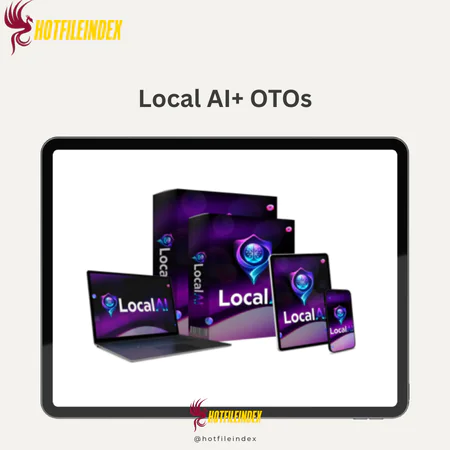
Local AI+ OTOs
$15.00
Local AI is a desktop application that runs advanced AI models directly on your computer, allowing you to create content, analyze data, and automate tasks completely offline with full privacy and control.
You will get Individual Account of
- FE + OTOs
AI is becoming important for research, development, marketing, and making content. But using various cloud platforms can lead to ongoing costs, limited usage, privacy concerns, and servers that run slowly or not at all. Since this is the case, Local AI does things differently. We talked about how it works, who it's meant for, its main and extra features, pros and cons, and whether it fits your working needs in this review.
What is Local AI?

Local AI is a powerful desktop application that lets you execute complex artificial intelligence models directly on your local computer without relying on cloud services, subscriptions, or external servers. It turns your Mac or Windows into a fully self-hosted AI workstation where everything runs on your hardware once it's setup.
Basically, Local AI gives you access to many AI models through a single, unified interface. Offline, you can write long-form content, come up with ideas, summarize papers, look over PDFs, write and fix code, set up automated workflows, and do research. It can even help you make 4K photos and videos on your computer using AI.
One of its best qualities is that it is flexible. Depending on what you need to do, you can switch between different AIs that can write marketing content, process code, analyze data, and make visual images. Since everything is run locally, you have full control over speed, privacy, and data safety.
Key features of Local AI
- Your own private AI world: You can use Local AI to run powerful language models on your Mac or Windows computer, such as GPT, DeepSeek, Qwen, and Gemma units. You don't have to rely on internet servers or third-party systems because everything runs on your own hardware. AI tools for a high-performance computer hub that gives users privacy, speed, and freedom.
- Make 4K content, pictures, and videos locally: You can use Local AI to write emails, marketing content, scripts, articles, and even 4K movies. You can also use it to make AI-powered images. You don't have to subscribe to or connect to cloud tools or other sites. You have full control over output and workflow because everything you make happens in your local place.
- You can really use AI when you're not online because everything runs on your own computer, so there are no server overloads, wait times, or “retry later” problems. Because your computer is reacting directly through its own hardware. More work done without being interrupted, whenever you need it.
- No reliance on a third party: You never have to worry about your account being banned without warning, features being limited without warning, upgrades being pushed upon you, or subscription policies changing all the time. When you use local AI, you don't have to rely on a third-party seller; you decide when and how to use it on your AI system.
- Get your own files done quickly: You can share and work on your files privately with Local AI. You can summarize reports, get insights, make new content from your files, come up with ideas, or even write and test code in your own safe, self-hosted environment.
- Long-term safety and stability: If your business depends on cloud platforms, you could be affected by changes in policy, price hikes, and service breakdowns. The area where your AI works stays on the same computer as you with local AI. You can access it for a long time without any outside business getting involved.
- There is no data logging, no tracking in the background, and no secret data gathering. Your outputs, prompts, and files stay on your computer. Local AI can be especially appealing to people who want privacy-protecting apps that are tailored to their area and run on their own servers.
- Freedom to pick from different models: You can use different AI models based on your workflow when you use local AI. You can upload one model for writing, one for programming, and one more for study or a machine that does the writing. This freedom also lets for better performance and more accurate results that are tailored to each user's needs.
- Fully self-hosted AI tools: everything is powered by your hardware. The tool or service is your computer. Because local AI is a self-sustaining ecosystem made for creators, developers, marketers, and pros who want to control their own tools, you have full control over your AI infrastructure.
How to use Local AI
Step 1: Install the Software
Get Local AI and put it on your computer (Mac or Windows). Setting it up is very simple; you don't need to know anything about computers or code. As soon as you install the software, it will connect to your system automatically and turn your device into a private AI office.
Step 2: Choose Your Favorite Model
After setting up, you can pick from AI models like GPT, DeepSeek, Qwen, Gemma, and more. You don't need an API key, a cloud account, or an outside password. Everything is stored on your computer, and you can use multiple AI tools right away from a single screen.
Step 3: Activate Your Private Workspace
As soon as you open the program, you can get to work. You can come up with ideas, write articles, make marketing content, summarize papers, look over files, write and fix bugs in code, or do research. Performance is based on your hardware, not on internet traffic or remote computers, since the system is only used when it's not connected to the internet.
Step 4: Build & Expand Your Project
It lets you make AI movies in 4K, AI pictures, and text. From one combined dashboard, you can look at your own files and switch between models to get the job done. That means you don't have to leave your local setup to work on the whole job.
Why you should use Local AI?
- For different jobs, use different models: You can use more than one model at the same time with local AI. This lets you choose the best model for the job without having to switch platforms or start over with your process.
- No more limits on the cloud: AI in the cloud has some problems, such as limits on how much it can be used, servers that are too busy, slow response times and latency, waiting lines, and annoying “retry later” mistakes. All of those issues can be fixed by local AI since everything is done on your computer. No longer does your output depend on the needs of a third-party server or the security of the platform.
- Everyone has their own private workspace. With Local AI, you can combine all of your work into one place, so you don't have to worry about managing multiple subscriptions, dashboards, and logins. You can write, edit, come up with ideas, program, make pictures and even 4K video without leaving the app. This keeps you from having too many tools, which makes your whole process easier.
- More consistent work flow: You can get a better idea of performance if you run the system on your own devices. You don't have to worry about third-party policies, sudden outages, or account limits. This helps a lot when you have to work quickly or on jobs for other people.
- It's easy to switch between models: You can switch between GPT, DeepSeek, qwen, and Gemma-style models with local AI. Through the same interface, you can use one model to come up with ideas, another to improve your documentation, and a third to focus on code. This freedom makes things run more smoothly and produce better results.
- Protect your own files while you work: You can add files and look at reports, make new content based on the files you give, and write code in your private setup. Your files stay on your computer because everything runs locally. This makes them safer to work with when you are working with personal data, private information, or client assets.
- Long-term security and control: With local AI, you don't have to worry about sudden price hikes for subscriptions, upgrades that you have to make, policy changes, or even platform bans. You can run this software on your computer to keep your AI environment stable over time without having to rely on a cloud ecosystem that is always changing.
- Better safety for your privacy: No outside info is logged by Local AI. No sneaky tracking and no gathering of information without permission. Because your requests, outputs, and uploaded files are kept on your own device, you have more control over your privacy than with many cloud-based options.
- An AI location for important work: From a broad point of view, local AI is quite simply an AI portal. A system that works on its own and includes different models, creative tools, file analysis, and access while you're not online. This gives you more power over your work and lets you work on more projects without as many problems or interruptions.
The Upgrade/OTO details
FE: Local AI (Front-End Version) – $14.95
- Run multiple powerful AI models locally on your Mac or Windows without API keys or cloud logins.
- Generate written content, marketing copy, research summaries, and code inside a private workspace.
- Create AI images and 4K videos directly from your own computer without external platforms.
- Work completely offline with zero server queues, usage limits, or “try again later” errors.
- Keep full control of your data with zero external logging and complete local storage.
OTO 1: Local AI MAX – Silver Edition/$96.98, Gold Edition/$160.50
- Unlimited compatible AI model installations with no caps or artificial limits.
- Advanced next-generation models optimized for deeper reasoning and higher-quality outputs.
- Instant model switching for writing, coding, research, and client projects.
- High-performance local configurations for power users and agencies.
- Future-proof expansion capability with lifetime ownership and zero subscriptions.
- For serious users who want maximum flexibility, unlimited models, and stronger local AI performance.
OTO 2: Local AI Income Stream – $276
- Complete step-by-step system to sell local AI installations as a high-ticket service.
- Done-for-you website template and client management dashboard.
- High-converting email swipes, social content, and outreach scripts.
- Copy-paste sales scripts and structured service delivery workflow.
- Commercial guidance to position yourself as a Local AI expert.
- For freelancers, consultants, agencies, and side hustlers who want to turn Local AI into a scalable income stream.
OTO 3: Local AI Agent Mode – $67
- Goal-only command system that executes tasks without step-by-step prompts.
- Self-initiated task planning, execution, and optimization.
- Recursive task creation with live decision intelligence.
- Multi-tool control with built-in error recovery.
- Memory-driven optimization running 24/7 locally on your machine.
- For entrepreneurs and advanced users who want hands-free automation instead of manual prompt management.
OTO 4: Local AI Franchise License – $147
- Keep 100% profits on every front-end Local AI sale.
- Earn 50% commissions on three top-converting upgrades.
- Use official high-converting sales pages and funnels.
- Zero product creation, technical setup, or customer support required.
- Fast payout structure while the main team handles fulfillment and updates.
- For affiliates, marketers, and agency owners who want a scalable AI-related income stream without building their own software.
Advantages
- One-time payment: This saves you from having to pay regular subscription fees that can add up over time, like with cloud-based distribution services. This means that you decide when and how to use the software, as well as which models to run and how your AI world looks.
- Stable work environment: When you run locally, sudden changes to the platform's rules or unplanned downtime don't affect you.
- More focus and efficiency: Since everything is running in a single area, it's not hard to switch between accounts and tools.
- Your discussions, shared files, and output are all saved on your own computer, which is a big security plus.
- Flexibility across multiple fields: You can use the same setup for writing, programming, study, automation, making images and videos.
- Less reliance on big tech companies: you don't need permission from a third party, your account being available, or changes in policy from outside sources.
- Long-term security of the workflow: Since it works locally, you can set up an AI-powered workflow that doesn't stop.
Disadvantages
- During the first setup, you might need to be patient: It's pretty easy to install, but depending on their hardware and level of technical knowledge, some users may need more time during the configuration process.
- The app does not run in the cloud, so you have to put it on each device in order for it to automatically sync across all of them.
Who is it for?
- Content Creators & Bloggers: Local AI will help people who write a lot of articles, blog posts, outlines, scripts, or material for social media the most. This means you don't have to move between AI platforms to come up with ideas, make changes to drafts, or polish long-form content. You can do all of this in a private workspace on your own computer.
- Digital marketers and affiliate marketers: And whether you write emails, ads, landing pages, product descriptions, or content for the sales process, local AI lets you do it all without a cloud dashboard and without any problems. You can try different angles, rewrite offers, and build campaigns while research is being done without sharing any strategies or assets.
- Freelancers and business owners: Local AI lets you do research, look over papers, write content, and oversee projects all on your own computer. This keeps private client data safe and reduces the need for third-party tools.
- Developers and programmers: Some companies, like Local AI, offer more than one model that can help you write, test, and improve your code. Developers can quickly switch between models based on the jobs they need to do, and they don't have to pay for separate AI.
- Creators of videos and YouTubers: If you want to use Local AI to come up with scripts, make visuals, or make 4K videos, your artistic needs will be met right away! People who make things can come up with ideas, organize material, and make media to go with it all without having to switch between online tools.
- Researchers and students: A fully offline AI office will be very helpful for people who need to read and analyze documents, summarize research papers, or condense long ideas. Because everything is run locally, study and school files aren't stored on servers, so they're safe and easy to get to.
- Users who care about privacy: If data safety is important to you, Local AI also has a feature called “no-logs.” The things you say, save, and do will always be on your computer.
- Entrepreneurs who work in more than one field: Professionals who work in many fields or on many different kinds of projects can be very flexible with Local AI. You don't have to pay for a bunch of cloud-based tools to switch between models when you're writing, creating, coming up with ideas, or analyzing.
What You Get (Compared to Buying at HotFileIndex)
- Access that is 100% real: Anytime you buy something through our link, you will have full access to Local AI.
- Review that is thorough and unbiased: We tell you everything you need to know about all of the software's features, including what you can expect, what you might lose, and when to use it.
- Advantages and disadvantages are very clear: As with all the products we suggest, the pros and cons are made clear so you can see right away if it fits your needs.
- How to Buy: If you're not sure which area Local AI is best for, our study will help you make the best choice.
FAQs
- Does Local AI require an internet connection?
No, Local AI will only run on your PC after it has been installed and set up. You're not online; you don't need any cloud servers or other outside sites. - Do I need an API key or third-party account?
No, Local AI doesn't need to connect to an API or log in to the cloud. Everything takes place in your private space. - Is Local AI beginner-friendly?
Yes. Setting it up is simple, and the layout is easy to use. You will need to be patient while setting it up, but you don't need to be very tech-savvy to use it. - What can I build with Local AI?
You can write marketing articles, emails, scripts, study summaries, and long pieces of writing. It also lets you make AI images and 4K videos, as well as encode and analyze documents. - Is my data stored online?
No, nothing is shared externally by Local AI. Your device stores files, outputs, and prompts locally.
Conclusion
Local AI is one of a kind because it has totally changed the model. You no longer have to depend on cloud usage and constant subscription cycles, data sharing, and server speed. It's great for content writers, marketers, freelancers, hackers, researchers, and people who care about their privacy and want more control over their work. Local AI could be the answer for you if you're looking for a small AI system that you can use on your own and for a long time.
All Info just pre-build when listing. Until Product mark as "Instant Deliver", infomation will be updated again like OTOs you will be get,..etc
Related products

SAAS
SAAS

SAAS

SAAS
SAAS