
Macroscope Team
$35.00
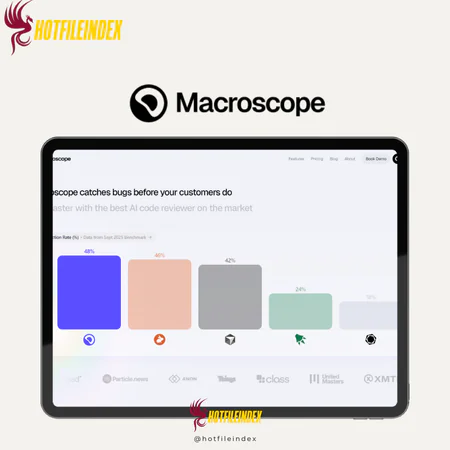
Macroscope — Visual website analysis tool — SEO insights and site structure mapping
You will get Shared Account of
- FE (1 Year)
Understanding how data moves, where problems originate, and how changes affect different parts of the organization is essential for making informed decisions. This is where Macroscope comes in, providing a high-level perspective that helps teams gain insights, reduce blind spots, and manage complex data environments.
Let’s take a closer look.
What is Macroscope?

Macroscope is a visualization and analysis platform designed to help teams understand complex systems from a high-level perspective. Instead of concentrating on individual metrics or isolated data points, it delivers a “big-picture” view of how components, data, and processes connect across a product or organization.
By mapping relationships and flows between systems, Macroscope helps teams detect dependencies, identify bottlenecks, and understand the consequences of changes. It is widely used by product, engineering, and data teams that need clearer visibility into how tools, services, and workflows interact—especially as systems scale and become more complex.
Key Features

- AI-Powered Code Review: it uses advanced AI to automatically review pull requests and code changes. Rather than analyzing files individually, it evaluates them in the context of the full codebase, helping teams catch bugs, logic errors, and potential issues early in development.
- Comprehensive Codebase Understanding: Unlike basic linters or simple review tools, Macroscope builds a structural model of your repository. By examining connections between files, functions, and modules, it can uncover deeper architectural or dependency issues that might otherwise go unnoticed.
- Context-Aware Feedback: it connects code changes to their larger purpose. When pull requests are linked to tickets or issues, it understands the intent behind the work and delivers feedback aligned with the original requirements, making reviews more relevant and actionable.
- Automated Pull Request Summaries: The platform produces concise, easy-to-read summaries of commits and pull requests. This helps reviewers quickly understand what changed and why, reducing review time and keeping team members up to date.
- High-Signal Review Comments: it reduces unnecessary noise. Instead of overwhelming developers with low-value suggestions, it highlights the most important insights, helping teams focus on what truly matters.
- Seamless Setup and Integration: it is easy to set up. Once connected to your version control system, it starts reviewing pull requests automatically, with no complex configuration or ongoing maintenance needed.
- Development Visibility and Insights: Beyond code review, Macroscope provides insight into how work is distributed across projects and parts of the codebase. Teams can monitor development patterns, track progress, and spot bottlenecks over time.
- Multi-Language Support: it supports a wide variety of popular programming languages, making it ideal for modern teams with diverse and evolving tech stacks.
Pricing Plans

| Plan | Price | Billing | Recommended For |
| Teams | $30 per developer / month | Monthly | Small to mid-sized engineering teams seeking AI-powered insights into their codebase, commits, and pull requests |
| Enterprise | Custom pricing | Contract-based | Large organizations requiring enterprise-level security, custom agreements, identity integration, and priority support |
| Open Source | Free | Free | Open-source maintainers and contributors who want visibility into project activity without cost |
Advantages
- AI-Powered Code Insights: it uses advanced AI to analyze your entire codebase and deliver intelligent feedback, helping teams spot issues, bugs, and potential problems that conventional tools might overlook.
- Comprehensive Codebase Understanding: Unlike tools that only examine changed files, Macroscope creates a structural map of your repository, enabling deeper insights and broader analysis.
- Contextual Pull Request Summaries: The platform generates concise, clear summaries of pull requests and commits, allowing reviewers to quickly understand what changed and why—reducing review time and cognitive load.
- Seamless Integrations: it integrates smoothly with common development tools and workflows, bringing relevant insights directly into pull requests and bug tracking systems without extra effort.
- High-Impact Feedback: The system emphasizes meaningful suggestions rather than low-value hints, helping teams focus on the issues that matter most.
- Boosted Developer Productivity: By automating parts of the code review process and highlighting patterns in code and workflow activity, Macroscope enables teams to move faster while maintaining high quality.
- Enterprise-Ready: The enterprise tier supports custom contracts, identity provider integration, and priority support, making Macroscope suitable for large organizations.
- Open Source Support: it also accommodates open-source projects, providing visibility and support for community-driven codebases and contributors.
Disadvantages
- May Be Too Specialized for Some Teams: Teams with simpler workflows or limited reliance on code reviews might find Macroscope’s advanced capabilities more than they need.
- Learning Curve for AI Feedback: Developers may need time to understand and trust AI-generated suggestions, especially if they are used to traditional static analysis or manual reviews.
- Integration Dependency: Macroscope delivers maximum value when connected to tools like GitHub or Jira. Highly customized workflows or niche tools may limit its effectiveness.
- Not a Complete DevOps Solution: While powerful for code review and analysis, Macroscope does not replace testing, deployment pipelines, or broader application monitoring—it is not a full DevOps platform.
Who Should Use Macroscope?
- Development Teams Focused on Code Quality: Ideal for engineering teams seeking smarter, AI-assisted code reviews. Teams that frequently review pull requests can gain deeper insights into logic, patterns, and architecture beyond standard automated tests.
- Tech Startups and Product Teams: Fast-moving teams building new products benefit from quicker feedback loops and automated summaries. Macroscope helps reduce review bottlenecks and keeps developers aligned without slowing down progress.
- Teams Using Git-Centric Workflows: Workflows centered on GitHub or GitLab, where pull requests are the main method of collaboration, integrate seamlessly with Macroscope, enhancing visibility into changes and their rationale.
- Organizations Seeking Better Pull Request Visibility: Managers and tech leads can leverage Macroscope’s summaries and analytics to track development activity, pull request trends, and project progress, enabling early detection of risks.
- Mid-Sized Engineering Teams: Teams with multiple developers needing centralized support for productivity and quality—but without a full engineering operations setup—can use Macroscope to formalize part of their review process with AI assistance.
FAQs About Macroscope
- Why does Macroscope detect bugs better than other tools?
Macroscope builds a graph-based model of the entire codebase, understanding relationships between files, functions, and systems. This deeper context allows it to uncover subtle issues and edge cases that many traditional or AI-based reviewers often miss. - Do we need to change our existing workflow?
No workflow changes are required. Macroscope integrates directly with your current setup and works alongside existing tools. Once installed, it automatically generates pull request summaries and leaves code review comments in GitHub without disrupting your team’s processes. - Can non-technical roles benefit from Macroscope?
Yes. Beyond engineers, product managers, engineering leaders, customer success teams, and executives can track changes in the product and codebase without having to dive into the code. - Which programming languages are supported?
Commit and pull request summaries, project insights, and productivity analytics work across all languages. For AI-driven code review, Macroscope currently supports Go, Java, JavaScript, Kotlin, Python, Rust, Swift, and TypeScript, with more languages added based on demand. - What team sizes typically use Macroscope?
Macroscope serves a wide range of teams, from small startups with around five engineers to large organizations with hundreds of developers. It scales effectively for both early-stage teams and enterprise environments.
Conclusion
Macroscope is a powerful code intelligence and review platform that provides teams with deeper visibility into their codebase without disrupting workflow. For teams of any size looking to improve code quality, enhance collaboration, and increase organizational transparency, Macroscope is a forward-thinking solution.
If you want to purchase Macroscope at a better price, Hotfileindex is worth exploring, as it often offers more affordable deals than standard pricing.
| Time | 3 Months |
|---|
All Info just pre-build when listing. Until Product mark as "Instant Deliver", infomation will be updated again like OTOs you will be get,..etc
Related products

Account

Account

Account

Account
Account

Shared

Account

Video Tools

Account