

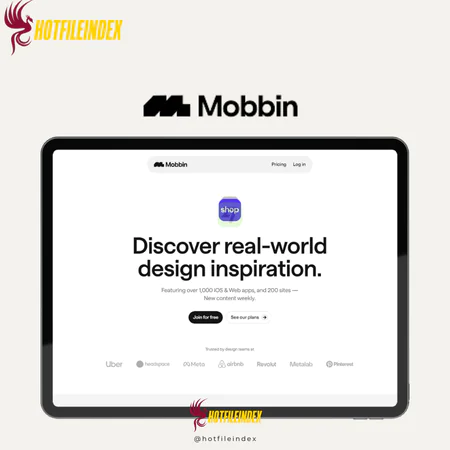
Mobbin – 1 Year
Price range: $30.00 through $50.00
Mobbin is a curated library of real-world mobile and web UI screenshots organized into user flows and design patterns for easy study and comparison.
You will get Individual/Shared Account of
- 1 Year
As UI/UX designers, one challenge we constantly face is finding reliable design inspiration and learning from interaction patterns that have already been validated in real products. Too often, this research process means installing numerous apps, manually capturing screenshots, and sorting references just to gather basic insights. It’s inefficient and consumes valuable time. But what if all of that effort could be reduced to a much simpler workflow?
That’s exactly where Mobbin comes in. In this review, we’ll explore Mobbin in detail—looking at its key features, strengths, drawbacks, and pricing—to help you decide whether it’s a worthwhile tool for your design process.
What is Mobbin?

At a fundamental level, Mobbin is a comprehensive, well-organized library of UI screenshots collected from thousands of leading mobile apps (iOS and Android) as well as web platforms. Instead of offering a random assortment of interface images, Mobbin carefully structures each product into clear user flows and recognizable design patterns. This makes it far easier to study, compare, and learn from real-world interfaces used by successful products.
Key Features

- Vast, Carefully Curated App Library: Mobbin gives you access to over 100,000 high-quality UI screenshots from thousands of mobile and web applications, including major names like Airbnb and Spotify alongside many rapidly growing startups. Each app is manually reviewed to ensure strong design quality. From personal experience, this completely removes the need to download dozens of apps just to analyze a single feature—everything is already organized and immediately available in one place.
- Advanced Search & Intelligent Filtering: One of Mobbin’s most powerful aspects is its advanced search and filtering system. You can browse designs by UI patterns (such as onboarding, login, checkout, pricing, or charts), UI components (buttons, forms, navigation bars), and app categories (finance, productivity, health, SaaS). When working on new features, these filters make it easy to find proven design approaches instantly, cutting research time from hours down to minutes.
- Complete User Flow Visualization: Rather than presenting isolated screens, Mobbin groups interfaces into full user journeys. You can walk through an entire experience—from first launch and onboarding to key actions like conversion—step by step. This is especially helpful when designing complex, multi-step flows, as it highlights interaction patterns and transitions that aren’t obvious when viewing single screens in isolation.
- Collections for Organization & Collaboration: Mobbin allows you to save individual screens or entire flows into private Collections. These Collections help you organize inspiration by project, feature, or client, and they can also be shared with teammates. In real-world work, I often use Collections to build quick mood boards or present visual references to clients, which greatly improves alignment and speeds up feedback cycles.
- Consistent, Up-to-Date Design Inspiration: Because Mobbin is continuously updated with new apps and redesigned features, it becomes an everyday design resource rather than a one-off inspiration tool. Having constant access to current UI trends helps ensure your work stays aligned with modern interaction standards across different projects.
Pricing Plans

- Pro Plan – For Individuals: $15 per month (billed quarterly)
The Pro plan is tailored for solo designers, freelancers, and independent product builders who want full access to Mobbin’s design library without needing collaboration features.
This plan is a good fit if you:
- Work independently or primarily conduct solo research
- Need quick access to real-world mobile and web UI patterns
- Want to build personal inspiration libraries for ongoing projects
- Are a freelance UI/UX designer, product designer, or indie maker
For most individual designers, the Pro plan offers strong value. The time saved on research alone often offsets the cost within just a few projects.
- Team Plan – For Teams & Agencies: $18 per member per month (billed quarterly)
The Team plan is designed for design teams, startups, and agencies that collaborate regularly and require shared access to design references.
This plan is ideal if you:
- Work in a team with multiple designers or stakeholders
- Need shared Collections for collaboration and design reviews
- Handle multiple projects or clients at the same time
- Require admin controls and centralized billing
While slightly more expensive per user, the Team plan makes sense for organizations where consistency and collaboration are critical. It ensures everyone is referencing the same design standards and inspiration sources.
If you’d prefer not to pay the full official price, or you want to try Mobbin at a much lower cost, you can purchase access through Hotfileindex. Available options include:
- $30/year for a shared account
- $50/year for an individual account
Advantages
- Strong Time Savings: Mobbin greatly streamlines the design research process. Work that once took hours—installing apps, taking screenshots, and organizing references—can now be done in just minutes. This allows designers to spend less time on repetitive tasks and more time focusing on user problems, strategy, and creative solutions.
- High-Quality, Real-World Inspiration: Every screen and user flow in Mobbin comes from real, widely adopted products with large user bases. This ensures the references are based on designs that have been validated in real markets, rather than conceptual or outdated ideas. Designers can learn from solutions that have already proven effective at scale.
- Clear Understanding of Modern Design Practices: Mobbin makes it easy to stay aligned with current UI/UX standards. By examining how leading products approach onboarding, navigation, checkout, and other essential flows, designers can quickly grasp today’s best practices and apply well-tested patterns to their own work.
- Easy Competitor and Market Analysis: Mobbin simplifies competitor research by allowing quick comparisons across similar features and flows. With minimal effort, designers can see how industry leaders approach the same problems, making Mobbin useful not only for inspiration but also for strategic decision-making and benchmarking.
Disadvantages
- Subscription Cost Required: Mobbin is a paid tool and does not provide a fully featured free plan. For students, junior designers, or freelancers with limited budgets, the subscription fee may feel restrictive—especially if the tool is only used occasionally.
- Risk of Copying Instead of Designing: Because Mobbin offers immediate access to polished UI examples, some users may be tempted to replicate designs rather than understand the problems behind them. Without thoughtful analysis of user needs and business context, this can lead to imitation instead of meaningful innovation.
- Emphasis on Mainstream Products: Mobbin focuses primarily on popular, widely used applications. Designers working in niche industries or highly specialized fields may find fewer relevant examples and may need additional research tools to supplement Mobbin.
Who Should Use Mobbin?
Mobbin is well suited for:
- UI/UX Designers who need fast, dependable inspiration and want to study proven interface patterns from real products
- Product Designers and Product Managers seeking insight into user journeys, onboarding flows, and feature layouts used by successful apps
- Design Teams and Agencies that need a shared reference library for research, mood boards, and design reviews
- Startup Founders looking to validate design decisions and benchmark their products against established competitors
- Design Researchers performing competitor analysis or tracking current UI trends across industries
- Developers working closely with designers who want clear visual references before implementation
Mobbin is especially valuable for professionals who prioritize speed, consistency, and evidence-based design decisions. It may be less suitable for users on very tight budgets or those who only need inspiration from time to time.
FAQs About Mobbin
- Is it only useful for mobile app design?
No. While Mobbin is particularly strong in iOS and Android mobile UI, it also includes a growing collection of web interfaces. Designers working on SaaS products, dashboards, and web platforms can benefit as well. - How does it differ from Dribbble or Behance?
Dribbble and Behance mainly showcase visual concepts and presentation work, much of which is not tied to real products. Mobbin focuses on real screens from live applications, organized into functional user flows like onboarding or checkout, making it far more practical for UX research. - Can i tsupport UX research and flow design?
Yes. Mobbin’s flow-based organization lets you explore complete user journeys instead of individual screens, helping you understand interaction logic, decision points, and UX patterns used by successful products. - Does Mobbin include animations or micro-interactions?
Mobbin primarily features static UI screenshots. It is best used for studying layout structure, information hierarchy, copy placement, and overall flow rather than motion design or animations. - Is Mobbin suitable for beginners?
Beginners can gain value from seeing real-world examples, but Mobbin is most effective for intermediate and advanced designers. Without proper guidance, beginners may focus too much on copying rather than learning the reasoning behind design decisions. - Can it be used for competitor research?
Yes. Mobbin is commonly used for competitor analysis, allowing teams to quickly compare how different products design similar features such as onboarding, pricing, search, or checkout. - Can I save and organize references in Mobbin?
Yes. It allows users to save screens and flows into collections, which can be used as mood boards, internal references, or shared with teammates for collaboration. - Is it updated regularly?
Yes. Mobbin frequently adds new apps, redesigned interfaces, and updated flows to stay aligned with current trends and industry standards.
Conclusion
Mobbin is a valuable investment for professional designers and product teams. The amount of time saved on research and the ease of validating design ideas make the cost worthwhile. For easier access and more competitive pricing, Mobbin can also be purchased through Hotfileindex.
| Users | Shared, Individual |
|---|
All Info just pre-build when listing. Until Product mark as "Instant Deliver", infomation will be updated again like OTOs you will be get,..etc
Related products
Shared

Shared

Shared
Shared

Shared

Shared
Shared

Shared
Shared
Content & Articles Tools