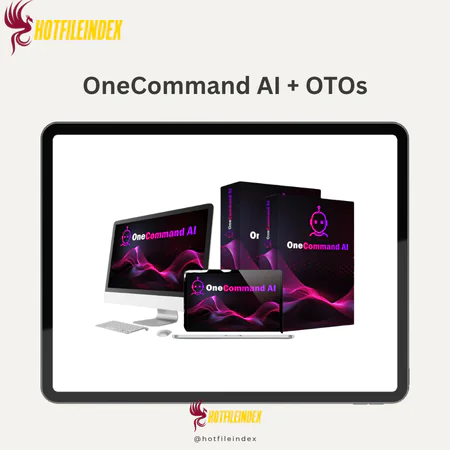
OneCommand AI + OTOs
$17.00
OneCommand AI is a cloud-based AI business operating system that lets users train AI on their business context and automate tasks through a single command-driven interface.
You will get Individual Account of
- FE + OTOs
It usually happens somewhere around the third week.
You subscribed to ChatGPT because you were excited about what AI could do for your business. You spent the first few days experimenting, generating some useful pieces of content, getting a feel for what the tool could produce. Then reality set in.
You realized that every good output required a carefully crafted prompt. That getting something truly usable meant multiple rounds of revision. That the tool had no idea who your customers were, what your brand sounded like, or what made your offer different from every other one in your market. And that the moment you closed the browser, everything you had built up in that session was gone.
So you started spending more time writing prompts than creating. More time fixing outputs than deploying them. More time explaining your business to the AI than actually running your business.
That is not a failure of effort. It is a design problem. And OneCommand AI was built specifically to solve it.
What Is OneCommand AI?
OneCommand AI is a cloud-based AI business operating system created by Kundan Choudhary that eliminates the core design problems of standard AI tools by learning your business once and then executing complete, structured, business-ready outputs from a single plain-English command.
It is not a chatbot. It is not a content generator. It is not another writing assistant. It is a command-based execution system built on a genuinely different principle: instead of you learning how to use AI effectively, the AI learns how to execute for your specific business effectively.
Before you issue your first command, you train the system on your business using the AI Business OS Center. You upload PDFs, URLs, documents, and brand materials. You define your product, audience, brand voice, goals, and competitive context. This training happens once and is retained permanently. From that point forward, every command is processed with full awareness of your business, producing outputs that reflect your specific context rather than generic AI defaults.
The results are complete, structured business assets delivered immediately, covering images, videos, written content, research reports, email sequences, marketing campaigns, social media content, coding projects, and more, all from one unified dashboard, all from a single command, with no prompt engineering, no tool switching, and no repetition of context required.
The platform is available for a one-time payment during the current launch window, with a 30-day money-back guarantee and a commercial license included at no extra cost.
Main Features of OneCommand AI

1. AI Business OS Center and AI Brain Engine
The AI Business OS Center is the feature that makes everything else work differently. By training the system on your specific business using PDFs, URLs, documents, images, and brand data, you create a persistent contextual model that the AI Brain Engine stores and applies to every command going forward. Your product positioning, audience characteristics, brand voice, communication style, and strategic goals are retained permanently and referenced automatically without any repetition required.
This is the architectural difference that separates OneCommand AI from every standard AI tool. Where ChatGPT, Claude, and Gemini are stateless and forget everything after each session, OneCommand AI maintains a complete and growing understanding of your business that makes every output more relevant, more specific, and more immediately deployable than anything a generic prompt session can produce.
2. AI Command Center and One Command Execution System
The AI Command Center accepts plain English commands of any complexity and routes them through the One Command Execution System, which automatically handles thinking, structuring, generation, and execution using the stored business context. The result is not a draft that needs assembly. It is a complete, structured business asset ready for immediate use.
The practical difference from standard AI interaction is significant. Rather than writing a detailed prompt, evaluating a partial output, refining the prompt, reviewing a revised output, and repeating until the result is acceptable, OneCommand AI users describe what they want in a sentence and receive a finished result that reflects their specific brand and audience context from the first execution.
3. AI Image, Video, and Content Creation Engines
The three creation engines cover every major category of business content production from a single interface. The Image Creation Engine generates marketing visuals, ad creatives, logos, thumbnails, social graphics, and branded imagery from a single command. The Video Creation Engine produces AI-generated videos, promotional clips, short-form content for social platforms, and 4K HD cinematic assets from text descriptions. The Content Creation Engine generates blogs, articles, sales copy, email sequences, advertising scripts, social media posts, and any other written format required.
All three engines draw from the same stored business context, which means visual style, written tone, and messaging positioning remain consistent across output types automatically. This consistency is one of the hardest things to maintain when working across multiple disconnected tools, and it is one of the most visible quality improvements users notice when switching to OneCommand AI.
4. AI Research and Deep Analysis System
The research engine extracts insights from uploaded documents, summarizes URLs, analyzes competitive landscapes, answers complex business questions, and generates structured research reports from a single command. For business owners and marketers who regularly need market intelligence, competitive analysis, audience insights, or content strategy research, this capability eliminates both the need for separate research tools and the manual synthesis work those tools require. Research that would previously take two to three hours of manual work across multiple sources is delivered as a structured, immediately actionable output in minutes.
5. Multi-AI Chat Workspace
Simultaneous interaction with multiple AI models within a single interface allows users to compare outputs, strategies, and reasoning approaches from different AI systems for the same request in real time. This is particularly valuable for strategic decisions, complex creative briefs, or any task where evaluating multiple AI perspectives produces better outcomes than relying on a single model's interpretation. The workspace eliminates the overhead of managing separate logins and context-setting across multiple platforms for comparative AI evaluation.
6. AI Coding Assistant
Code generation, debugging, optimization, and explanation across multiple programming languages from plain language descriptions. For non-technical entrepreneurs and marketers, this opens up automation script creation, custom workflow building, and simple application development without developer involvement. For technical users, it significantly accelerates production by automating repetitive coding tasks. Business context training ensures that generated code reflects the specific automation needs and workflow requirements defined during the initial setup rather than generic programming examples.
7. Privacy, Security, Cloud Access, and Commercial License
Complete cloud-based architecture accessible from any browser on any device with no downloads or installations required. Advanced privacy and security architecture ensures user data is never monitored, stored for misuse, or shared with any third parties. The commercial license included with every purchase grants full rights to create and sell AI-generated outputs to clients while retaining 100% of the revenue, with no attribution requirements or usage restrictions.
Pricing Plans and OTOs detailed
FE – OneCommand AI ($17)
- AI Operating System dashboard
- One-command AI execution engine
- AI task completion assistant
- Business operating toolkit
- AI brain engine
- AI command center
- AI image creation tools
- AI content generation system
- AI video creation engine
- AI productivity automation
- AI research and analysis tools
- AI marketing assistance
- Secure AI communication features
- AI coding assistant
- Commercial license included
- No API keys required
- Cloud-based platform
- One-time payment during launch
OTO 1 – Premium Edition ($67)
- Remove usage restrictions
- Advanced AI knowledge base
- AI learning and optimization tools
- AI action center
- Workflow manager
- Task queue system
- Action dashboard
- Automation scheduling
- Activity notifications
- Analytics dashboard
- Priority support
- Commercial license upgrade
OTO 2 – Unlimited Edition ($197)
- Unlimited AI access
- Unlimited business engine
- Unlimited AI brain power
- Unlimited AI memory
- Unlimited AI content creation
- Unlimited marketing campaigns
- Unlimited social content
- Unlimited AI conversations
- Unlimited workflow automation
- Unlimited decision intelligence
- Priority processing
- Commercial license included
OTO 3 – Intelligence Core Edition ($47)
- Long-term AI memory
- Advanced knowledge base
- Conversation memory
- Brand memory system
- Natural language search
- Multi-document search
- Knowledge retrieval system
- AI answer extraction
- Cross-business intelligence
- Learning history tracking
- Secure knowledge storage
OTO 4 – Automation Engine Edition ($47)
- AI workflow builder
- Trigger-based automation
- Scheduled tasks
- Auto-task execution
- Multi-step workflows
- Workflow monitoring
- Queue management
- Process automation
- Smart AI decision engine
- Real-time notifications
- Hands-free business automation
OTO 5 – Virtual Employees Edition ($47)
- AI employee workforce
- 24/7 automated execution
- Task delegation system
- Reduced management workload
- Business operations support
- Automated productivity tools
OTO 6 – DFY Edition ($197)
- Done-for-you account setup
- Workflow configuration
- AI content creation setup
- Marketing asset creation
- AI-generated videos
- Campaign implementation
- Project organization
- Conversion optimization
- Personalized setup assistance
OTO 7 – Voice Studio Edition ($47)
- AI voice generator
- Multi-language voice support
- Voice style customization
- AI voice cloning
- Studio-quality voiceovers
- Audiobook creation
- Text-to-speech engine
- Video voiceover automation
- Voice library management
- Commercial voice rights
OTO 8 – Agency Edition ($297)
- Unlimited client accounts
- User management dashboard
- Agency management tools
- Client account activation/deactivation
- Custom pricing options
- Full profit retention
- Multi-client administration
OTO 9 – Reseller Edition ($197)
- 100% reseller commissions
- Promote OneCommand AI as an offer
- Full funnel monetization opportunity
OTO 10 – WhiteLabel Edition ($47)
- White-label license
- Custom domain integration
- Custom branding
- Upload your own logo
- Rebrand the platform as your own
- Ownership-style software business opportunity
How to Use OneCommand AI: Four Steps to Business-Ready Results
Step 1: Train the System on Your Business
Open the AI Business OS Center and complete your business profile. Define your product or offer, your target audience, your brand voice and communication style, and your primary goals. Upload supporting materials including product documentation, brand guidelines, sample content, and any other reference material that helps the system understand your specific business context. This setup is completed once and retained permanently.
Step 2: The System Learns and Builds Context
OneCommand AI processes your uploaded information and builds a comprehensive contextual model covering your business model, tone and communication preferences, products and market positioning, audience characteristics, and strategic objectives. This model is stored in the AI Brain Engine and applied automatically to every subsequent command without any maintenance or updating required unless your business context meaningfully changes.
Step 3: Issue Your Command
Type what you need in plain English from the AI Command Center. No prompts, no structured instructions, no re-explaining your business. Commands like “create a launch campaign for my new product,” “write a five-email welcome sequence for new subscribers,” or “generate ad creatives for my upcoming Facebook campaign” are processed immediately with full application of your stored business context.
Step 4: Deploy Your Business-Ready Output
OneCommand AI delivers complete, structured results ready for immediate deployment. The outputs are not drafts, ideas, or fragments requiring assembly. They are finished business assets including images, videos, sales pages, scripts, email sequences, research reports, marketing campaigns, and more, produced with your specific brand voice, audience awareness, and competitive positioning applied throughout.
What You Can Create With OneCommand AI
The scope of business content OneCommand AI can produce from a single command is one of its most practically significant advantages over any individual AI tool.
- Marketing and advertising assets including social media ad creatives, display advertising visuals, promotional video scripts, product launch campaigns, and full funnel strategies are generated with brand-specific positioning and audience-targeted messaging built in automatically.
- Written content at every stage of the customer journey including awareness blog posts, consideration-stage articles, decision-stage sales pages, onboarding email sequences, and retention campaign content, all written in a consistent brand voice that reflects the communication style defined during training.
- Visual content across every format including marketing imagery, brand graphics, product promotional visuals, thumbnail designs for YouTube and social content, and ad creatives for multiple platform specifications, all generated from text descriptions without design tools or design skills.
- Video content covering short-form social media clips, promotional marketing videos, product demonstration formats, and 4K HD cinematic content for premium brand campaigns, all from text commands without production equipment or editing software.
- Business research and intelligence covering competitive analysis, audience research, market trend summaries, content strategy insights, and any document or URL analysis required for strategic planning or content development.
- Automation and development assets including custom scripts, workflow automation code, and simple application functionality described in plain language and generated as deployable code without programming knowledge.
Pros and Cons
Pros
- Persistent business context is the defining advantage over every standard AI tool. Learning your business once and retaining that knowledge permanently eliminates the repetitive context-setting that consumes a disproportionate amount of productive working time in standard AI workflows.
- Single-command execution that produces complete, structured outputs rather than prompting a first draft eliminates the iteration cycles that make traditional AI tools time-consuming at scale.
- Unified multi-format production covering images, videos, written content, research, code, and campaigns from one interface removes the fragmentation and context inconsistency that characterizes multi-tool AI workflows.
- No prompt engineering required makes the platform's full quality ceiling accessible to complete beginners rather than only to users who have invested significant time learning effective prompting techniques.
- Commercial license included makes all output immediately monetizable without restrictions, transforming the platform into both a productivity tool and a potential income-generating asset from the first session.
- Ten structured upgrade options cover every scaling scenario from premium feature access and unlimited usage through automation engine deployment, virtual employee operation, voice studio addition, agency management, and white label software business launch.
- 30-day money-back guarantee with no conditions removes all financial risk from the purchase decision.
Cons
- Output quality scales with training depth. Users who invest time in thorough initial business training consistently produce more targeted and deployable outputs than users who complete the setup minimally. The quality advantage the platform offers over standard AI tools is directly proportional to the completeness of the business context provided during training.
- Cloud-dependent only. A stable internet connection is required for all platform functions with no offline capability.
- Advanced users seeking granular model configuration may find the command-based execution model less controllable than working directly with individual specialized platforms that expose detailed generation parameters.
Who Is OneCommand AI For?
- Freelancers delivering AI-powered client services who need to produce diverse, high-quality outputs across multiple categories from a single platform. The commercial license and the breadth of output types make OneCommand AI a complete service delivery backend for a solo operation serving clients in content, design, marketing, video, and research categories simultaneously.
- Digital entrepreneurs and product launchers who need complete campaign assets, promotional videos, email sequences, research reports, and landing page content produced efficiently for each new offer without assembling a multi-tool production workflow or hiring creative specialists.
- Content creators and social media managers who need diverse format production across platforms from a unified environment where brand voice and visual consistency are maintained automatically rather than requiring manual alignment across separate tools.
- Marketing agencies and consultants who want to expand their deliverable range and reduce per-project production time without expanding their tool subscriptions or team size. The Agency Edition upgrade adds client account management infrastructure for larger multi-client operations.
- Beginners building their first online business who want professional-grade AI output quality without the prompt engineering learning curve that most platforms implicitly require. OneCommand AI's training-based context model and single-command execution provides the most accessible path to high-quality AI output currently available.
Not suited for: Enterprise teams with compliance and governance requirements, power users requiring direct granular AI model configuration, or professionals in regulated industries where all AI-generated content must pass formal review before commercial use.
OneCommand AI vs. Standard AI Tools: A Direct Comparison
| Capability | Standard AI Tools | OneCommand AI |
| Business memory | None, resets every session | Permanent, trained once |
| Prompt skill dependency | High, quality depends on it | None, plain English only |
| Output formats covered | One per platform | All formats in one system |
| Context consistency | Inconsistent across tools | Consistent, unified context |
| Tool switching required | Constant | Never |
| Beginner output quality | Limited by prompt skill | Full quality from first command |
| Commercial rights | Restricted or extra | Included free |
| Workflow fragmentation | High | None |
Frequently Asked Questions
- How is OneCommand AI different from using a detailed system prompt in ChatGPT to replicate business context?
A ChatGPT system prompt provides context within a single session and is lost when that session ends. It must be re-created or re-pasted for every new conversation. OneCommand AI's AI Business OS Center creates a permanently stored, structured business intelligence layer that persists across every session indefinitely, grows more refined as additional training materials are added, and is applied automatically to every command without any action required from the user. Beyond the memory difference, OneCommand AI generates images, videos, research reports, and complete campaigns from the same unified interface, none of which are possible through a ChatGPT system prompt regardless of how detailed it is.
- What is the most effective way to train the AI Business OS Center for best results?
The most effective training approach combines multiple input types for the richest contextual model. Uploading your existing sales page or product description gives the system deep product knowledge. Adding your best-performing past marketing emails teaches it your effective brand voice. Including competitor analysis documents or market research gives it competitive context. Defining your audience with specific demographic and psychographic characteristics produces the most targeted outputs. Users who invest 20 to 30 minutes in comprehensive initial training using diverse source materials consistently produce outputs that are significantly more specific, on-brand, and immediately deployable than users who rely on minimal text-based training alone.
- Can the same OneCommand AI account be used for multiple different businesses or client accounts?
Yes. The platform supports multiple workspaces within a single account, each with its own independent business training, campaign history, and output library. This makes it straightforward to manage separate business contexts for different products, brands, or client accounts without cross-contamination between projects. The Agency Edition upgrade adds dedicated client account creation and management infrastructure for users building a formal multi-client service operation.
- How does OneCommand AI handle content that needs to be adapted for different social media platforms?
Platform-specific content adaptation is handled through the command interface by specifying the target platform as part of the request. A command like “create social media content for this product for Instagram, LinkedIn, and TikTok” produces platform-optimized outputs for each specified channel simultaneously, reflecting each platform's different content norms, format requirements, and audience expectations. The stored business context ensures that the messaging and brand positioning remain consistent across platform adaptations even as the format, length, and tone are adjusted for each channel's specific requirements.
- What types of businesses generate the best results from OneCommand AI's unified approach?
Businesses with clear, well-defined products, audiences, and brand voices produce the most immediately deployable outputs because the training context can be populated with specific, accurate information. B2B SaaS companies, digital product creators, eCommerce brands with defined customer personas, coaching and consulting businesses with clear methodologies, and content-driven online businesses all tend to produce particularly strong results. Businesses in early-stage development with less defined positioning can still benefit significantly but may need to refine their training context as their brand identity develops.
- Is the AI Video Creation Engine suitable for producing content for YouTube channels?
Yes. The Video Creation Engine is specifically capable of producing YouTube-optimized content including video scripts, short-form Shorts content, full-length video structures, thumbnail concepts, and promotional trailers for YouTube channels. The business context training ensures that video content reflects the channel's established positioning, audience characteristics, and communication style. For YouTubers who have uploaded existing content or channel documentation to the AI Business OS Center, the system produces video assets that match the established channel voice and format rather than generic video templates.
- How does the Automation Engine Edition change daily workflow for users who upgrade?
The Automation Engine Edition moves OneCommand AI from a command-on-demand model to a scheduled and trigger-based automation system. Users can build visual workflows that execute multi-step AI processes automatically based on defined triggers, conditions, or scheduled times without issuing manual commands for each execution. A content creator could schedule weekly blog post generation, automated social media content batches, and monthly research reports to run without any manual input. A marketer could trigger campaign asset generation automatically when a new product is added to a workspace. The practical result is a shift from an AI tool you operate to an AI system that operates on your business schedule independently.
- How does OneCommand AI protect sensitive business information uploaded during training?
The platform operates under a strict privacy and security architecture that ensures all uploaded training materials, commands, and generated outputs remain entirely within the user's protected account environment. No data is monitored for platform improvement purposes, stored for misuse, or shared with any third parties under any circumstances. For businesses concerned about competitive information in training materials, the 256-bit encryption available in the Premium Edition upgrade provides an additional layer of data protection beyond the standard security architecture.
- What makes the Virtual Employees Edition different from standard automation tools?
Standard automation tools execute predefined rule-based workflows in response to specific triggers. The Virtual Employees Edition deploys AI agents that use reasoning and judgment to interpret tasks, make contextual decisions, and deliver completed business outputs autonomously. A virtual employee does not just follow a script. It understands the goal, determines the best approach based on available context, and produces a finished result without requiring step-by-step human instruction. For business owners who want specific operational functions to run continuously without manual oversight, this represents a fundamentally more capable automation model than rule-based workflow tools can provide.
- Can OneCommand AI produce content in languages other than English?
The base platform supports content generation in multiple languages, and the Unlimited Edition upgrade specifically adds full multi-language support for creating and deploying content across different language markets. The Voice Studio Edition extends this to multilingual audio production with 120+ language support for voiceovers and spoken content. For businesses serving international audiences or operating in non-English markets, the combined capabilities of the platform's language support cover the practical content production needs of most international digital marketing and service delivery operations.
- How does the Reseller Edition work and who is it most suitable for?
The Reseller Edition allows users to resell OneCommand AI as their own product and earn 100% commission on sales across the entire funnel. This is distinct from the standard commercial license, which covers selling outputs created with the platform. The Reseller Edition covers selling access to the platform itself. It is most suitable for experienced digital marketers and affiliate marketers who want a proven, fully supported product to promote with a high commission structure rather than developing their own product from scratch. All sales infrastructure, hosting, and customer support are handled by the OneCommand AI team.
- What five launch bonuses come with the current purchase?
Five exclusive bonuses are included with every current purchase at no additional cost. The DFY AI Business Starter Kit provides ready-made service ideas, client offer templates, pricing strategies, and AI service delivery workflows for launching an AI-powered service business immediately. The Make Money With AI Services Blueprint covers client acquisition, service positioning, and premium pricing strategies. The AI Content and Video Creation Mastery Kit provides training for producing engaging content across YouTube, Instagram, and TikTok.
The AI Marketing and Funnel Frameworks package includes plug-and-play campaign structures and lead generation systems. The AI Business Automation Masterclass covers automating content, marketing, research, and daily business tasks. The combined stated value of all five bonuses exceeds $2,485 and they are delivered immediately upon purchase.
All Info just pre-build when listing. Until Product mark as "Instant Deliver", infomation will be updated again like OTOs you will be get,..etc
Related products

SAAS


SAAS

SAAS

SAAS
SAAS
SAAS