

PDF2Go Subscription
$6.90
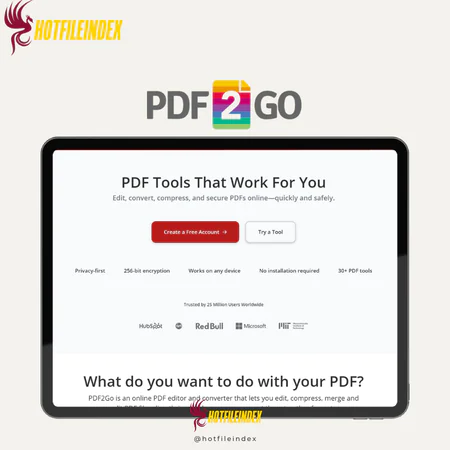
PDF2Go is a simple, browser-based tool that lets users edit, convert, and create PDF files online without installing any software.
You will get Individual Account of
- FE
In the modern digital landscape, PDFs are used everywhere—from professional work and education to everyday personal tasks. Even so, working with PDF files isn’t always easy. Simple actions such as editing text, inserting images, or making quick changes often require the right set of tools. For this reason, having a reliable PDF editor is essential. Among the many solutions available today, PDF2Go has established itself as a popular and dependable choice.
Let’s explore it in more detail.
What Is PDF2Go?

PDF2Go is a versatile online platform designed to simplify the way users handle PDF documents. It allows you to edit PDFs, convert them into different formats, or create new PDFs from other file types—all directly within your web browser. Since the service is completely web-based, there’s no need to download or install software, and it can be accessed on any device with an internet connection.
The platform focuses on ease of use and a streamlined interface, making it suitable even for users with minimal technical knowledge. Whether you’re working from home, in the office, or on the move, PDF2Go helps you manage PDF-related tasks quickly and efficiently. Because of this convenience, it’s widely used around the world to improve everyday document workflows.
Key Features

- Edit PDFs Online: Edit text, insert images, and adjust PDF content directly in your browser without installing any programs.
- Merge PDF Files: Combine several PDF documents into one organized file for simpler storage and sharing.
- Split PDFs: Separate large PDFs into smaller sections or extract specific pages when needed.
- Reorder and Delete Pages: Rearrange pages or remove unwanted ones to structure your document exactly as desired.
- Rotate PDF Pages: Correct pages that are displayed in the wrong orientation by rotating them properly.
- Compress PDFs: Reduce file size while maintaining quality, making PDFs easier to upload, email, or store.
- Password Protect PDFs: Secure sensitive documents by adding password protection to limit access.
- Unlock PDFs: Remove password restrictions from PDFs when you have permission to edit or view them.
- Change Page Size: Adjust page dimensions to fit different formats or printing standards.
- Repair Damaged PDFs: Recover data from corrupted or unreadable PDF files.
- Make PDFs Searchable: Apply OCR technology to convert scanned PDFs into searchable and editable text for better productivity.
Pricing Plans

| Plan | Pricing Overview (Paraphrased) | Best For |
| Free Trial | Provides a small number of free credits to explore the platform. No payment information is required, allowing users to test features at their own pace. | New users who want to try the service without any risk. |
| Subscription (Most Popular) | Monthly or yearly plans that include a large number of credits at a lower cost per credit. Higher tiers offer better overall value. | Frequent users, professionals, or teams looking for long-term savings. |
| Pay As You Go | One-time credit purchases with no ongoing subscription. The cost per credit is higher, but there are no recurring fees. | Users who need the tool occasionally or for short-term projects. |
| Enterprise | Custom pricing based on specific usage needs, arranged through direct contracts with the provider. | Large organizations requiring flexible billing and enterprise-level solutions. |
Advantages
- Browser-based access, no installation required: PDF2Go runs entirely within your web browser, so there’s no need to download or install any software. It works seamlessly across all devices and operating systems with an internet connection, and you always have access to the latest version without dealing with updates or maintenance.
- All-in-one PDF toolkit: The platform combines a full range of PDF tools in one place, including editing, converting, compressing, merging, splitting, and OCR. This all-in-one approach eliminates the need for multiple applications and supports both basic and moderately advanced PDF tasks.
- Free plan for essential tasks: PDF2Go provides a usable free tier for core PDF functions, making it ideal for occasional users or those who want to try the service first. Although there are limits on file size and usage, it’s sufficient for simple PDF work without any upfront cost.
- User-friendly interface: With a clean and intuitive design, PDF2Go makes it easy for users to find and use tools, even without prior experience. Most tasks can be completed in just a few clicks, keeping the learning curve very low.
- Broad format compatibility: PDF2Go supports a wide variety of input and output formats, allowing conversions between PDFs and Word, Excel, PowerPoint, images, and more. This flexibility is useful for both professional and personal needs.
- No account needed for basic use: Many standard PDF actions can be performed without creating an account, making the process quick and convenient for fast edits or conversions.
Disadvantages
- Requires continuous internet access: As a fully online platform, PDF2Go depends on a stable internet connection for all features. This can be inconvenient for offline work or in areas with poor connectivity. Users handling sensitive documents may also be cautious about uploading files online.
- Limited advanced editing capabilities: While PDF2Go handles everyday PDF tasks well, it lacks advanced features such as complex form creation, detailed annotation tools, and professional document assembly. Users with enterprise-level or advanced requirements may find it too limited.
- File size and usage restrictions: The free plan comes with limits on file size and processing volume. Working with large files or batch tasks requires upgrading to a paid plan, and performance can vary based on internet speed and server load.
Who Should Use PDF2Go?
PDF2Go is best suited for:
- Students and educators who need quick edits, conversions, or compression for assignments and learning materials.
- Office workers and freelancers handling everyday PDF tasks such as merging files, editing text, or securing documents without installing software.
- Remote and cross-device users who work on multiple computers and need browser-based access anytime, anywhere.
- Occasional PDF users who don’t want to invest in expensive desktop software for infrequent use.
- Non-technical users looking for a simple, intuitive way to manage PDFs without a steep learning curve.
Overall, PDF2Go is ideal for light to moderate PDF work, especially when convenience and accessibility matter more than advanced, professional-grade editing tools.
FAQs About PDF2Go
- Do I need to create an account to use PDF2Go?
No. Many basic features are available without an account. Creating one can unlock additional credits, faster processing, and higher file size limits. - Does PDF2Go work on all devices?
Yes. Since it operates through a web browser, PDF2Go works on Windows, macOS, Linux, tablets, and smartphones with an internet connection. - Can I use PDF2Go offline?
No. An active internet connection is required because all processing is handled online. - How long does PDF2Go store my files?
Files are automatically removed after a set period or once a download limit is reached. Users can also delete files manually at any time. - Can PDF2Go process large files?
Yes, but large files are restricted on the free plan. Paid plans allow larger file sizes and batch processing. - Does PDF2Go support OCR for scanned PDFs?
Yes. PDF2Go uses OCR to convert scanned PDFs into searchable and editable text, with limits depending on the selected plan. - Is PDF2Go suitable for business or professional use?
PDF2Go works well for students, freelancers, and small teams with light to moderate PDF needs. Larger organizations with complex workflows may require more advanced desktop solutions.
Conclusion
This article provides a detailed overview and practical insight into PDF2Go, highlighting how it simplifies PDF editing and document management through a user-friendly, browser-based platform. While PDF2Go stands out for its convenience and accessibility, it does have limitations, particularly when it comes to offline use and advanced editing features.
For users who require more powerful tools for editing, annotating, converting, compressing, merging, and securing PDFs, SwifDoo PDF may be a more robust alternative. If you’re looking to make a confident purchase decision, Hotfileindex is a great place to start—helping you compare options and choose the PDF solution that best fits your needs.
| Time | 1 Year |
|---|
All Info just pre-build when listing. Until Product mark as "Instant Deliver", infomation will be updated again like OTOs you will be get,..etc
Related products

Account

Account

Account

Account

Account
Account

Account

Account
Account