
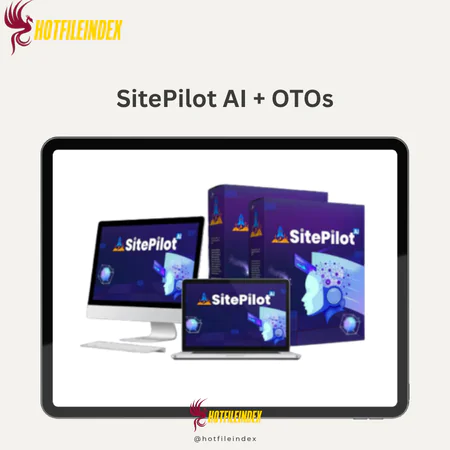
SitePilot AI + OTOs
$15.00
SitePilot AI is an AI-powered web platform that lets users build and manage websites through simple chat-based commands without coding.
You will get Individual Account of
- FE + OTOs
As a 4-in-1 hybrid AI platform, SitePilot AI brings together web hosting, cloud storage, video hosting, and AI management in a single, no-code space. That one phrase tells you more than most product pages do, which is why this guide was made.
This is not a page to sell something. For people who want to know what SitePilot AI is, how it works, who it’s for, and how it compares to other website makers and AI chatbots, this is the complete guide.
It’s backed by a company with more than 10 years of experience in software, tools, and technology. This is important to know when you’re giving a site your web infrastructure. Before we can talk about what makes SitePilot AI different from everything else you’ve tried, we need to know what it is.
Imagine telling your website what it needs to do in simple English while you watch it build itself in real time. That’s the main idea. This is how it really works.
What Is SitePilot AI?

SitePilot AI is a web platform for chats that is driven by AI. Users tell the AI what they want in plain English, and it does it without them having to write a single line of code. It builds pages, updates content, and manages media.
You should really call it an AI-powered website operating system instead of a website builder. The word “builder” doesn’t cover enough. As a single system, SitePilot AI takes care of automation, information management, and web infrastructure.
At a glance, these are its four main parts:
- No-code / low-code interface, task execution through natural language
- AI-driven automation, workflows that execute on command
- Built-in hosting and infrastructure, no third-party hosting required
- Real-time live preview, see changes before publishing
| Tool Type | Primary Purpose | Hosting Included? | Automation Depth |
| SitePilot AI | AI web platform + automation | Yes | High (executes tasks) |
| Generic AI chatbot | Conversation only | No | None (no execution) |
| Classic builder | Manual page building | Sometimes | Low (manual flows) |
Everything else in this guide is based on this difference. SitePilot AI is not in the same league as Wix or ChatGPT; it’s in a completely different league. Figuring out that helps you figure out who can really gain from using it.
Core Features of SitePilot AI: The 4-in-1 Platform Breakdown
AI-Powered Website Builder and Assistant
The SitePilot AI website builder is not a drag-and-drop designer, but a chat. As you type, the AI builds it in real time so you can check it out before it goes live.
The AI can make page layouts from scratch, write body copy, offer headings that are good for SEO, and set up links for internal navigation. You ask if you want to change the landing page so it’s better for a different group of people. You tell them what you need added if you need a new part added in the middle of the page.
Concrete capabilities include:
- Creating new pages and page sections on request
- Updating existing content without opening a page editor
- Improving readability and heading structure for SEO
- Rewriting copy for different audiences or reading levels
- Adjusting tone and voice to match brand guidelines
- Localizing or adapting content for regional markets
All of these jobs are part of the infrastructure below. The pages you create live on SitePilot’s hosting layer, so you don’t have to export them first.
Integrated Web Hosting
One useful thing about SitePilot AI is that it comes with hosting already set up. You don’t have to get a hosting plan from a different company, set up DNS settings, or handle server resources on your own.
It’s more important than it sounds. When your hosting and AI automation are in the same system, any changes made by the AI are quickly seen in the live environment. Your CMS and server are in sync, there are no plugin conflicts, and the versions are correct.
| Aspect | SitePilot AI Hosting | Generic Shared Hosting |
| Setup complexity | Low (Included) | Medium to high (Manual) |
| Plugin requirements | None | Often required |
| Automation readiness | Native | Not designed for it |
| Maintenance burden | Platform-managed | User-managed |
The built-in serving layer is what allows AI to run in real time. The next part, where your information and media live, is also set up by this part.
Cloud Storage for Content and Media
Any page, text, picture, or file you work on in SitePilot AI is kept in a central cloud hub. This is more than just a place to store files; it’s the AI’s working information base.
When you change something in a document, the AI also changes what it knows about that information. By keeping everything in line, the AI can use correct data when making or changing pages, so your site looks the same everywhere. Versioning is also supported by the cloud data layer, so you can see what changed, when, and why, and go back if you need to.
The perks work in real life. When more than one page links to the same information, they stay in line. For updates, you don’t have to change each page by hand. And both your media library and the information it supports stay in order.
Video Hosting and Video-Aware Automation
SitePilot AI hosts videos, which is something that most website builders make you do with third-party embeds. Inside the platform, you can store marketing videos, product walkthroughs, lesson recordings, and course materials.
Aside from storage, the AI can use video metadata and subtitles as sources of information. In other words, a recorded FAQ session or product demo can help the AI figure out how to answer customer questions or write support content. Videos can also be intelligently added to pages based on their importance, so they don’t have to be put there by hand.
This feature is helpful for places where video and text need to work together, like training programs, customer service hubs, and educational content stores.
Pricing Plans and OTOs detailed
FE – SitePilot AI ($15 – $67)
- AI-first website builder with customizable design
- Built-in hosting, domain connection, and setup tools
- Drag-and-drop editor with no coding required
- AI copywriter for content, headlines, and blogs
- ChatGPT-style assistant for real-time guidance
- SEO optimization with meta tags and structure
- E-commerce support for products and payments
- Analytics dashboard for traffic and performance
OTO 1 – Pro Edition ($47 – $97)
- Unlimited projects with no restrictions
- 50+ AI content creation tools for websites
- DFY templates for multiple business niches
- Advanced analytics dashboard for deeper insights
- Built-in SEO tools for better ranking
- Unlimited commercial license for client work
OTO 2 – DFY Article Edition ($37)
- Access 1000+ high-quality ready-made articles
- Content across 7+ niches for versatility
- SEO-optimized and plagiarism-free content
- Regular updates with fresh articles
- License to use for blogs, websites, and campaigns
OTO 3 – Agency Edition ($67 – $167)
- Create and manage multiple client accounts
- Agency dashboard for full control
- Custom branding and domain setup
- Built-in CRM for client management
- Sell website services and keep full profits
- Scale into a full web design agency
OTO 4 – Traffic Edition ($37)
- Built-in traffic automation tools
- SEO and keyword optimization system
- Social media traffic integration
- Drive targeted visitors to your sites
- Improve rankings and visibility
- Increase leads and conversions
OTO 5 – AI Made Easy Edition ($19)
- Beginner-friendly AI training modules
- Step-by-step lessons for online income
- Copywriting and marketing guides
- Real-world case studies and strategies
- Content creation frameworks
- Ideal for users new to AI tools
OTO 6 – Reseller Edition ($97 – $197)
- Resell SitePilot AI and keep 100% profits
- Done-for-you sales funnel included
- No need for product creation or support
- Launch your own software business quickly
- Earn from full funnel commissions
- Simple setup for fast monetization
OTO 7 – Whitelabel Edition ($497)
- Rebrand platform with your own logo and domain
- Sell as your own SaaS product
- Full control over pricing and users
- Keep 100% of all revenue
- Done-for-you setup and deployment
- Build a long-term scalable software business
Who Is SitePilot AI For and What Problems Does It Solve?
Teams and business owners who spend too much time managing their website and not enough time running their business will benefit from this tool.
There are four main types of ideal users. Small business owners who don’t have a development team and can’t wait weeks for easy page updates are the first group. Second, marketing teams and companies that work with a lot of different clients at the same time. Third, businesses that rely on knowledge, like consultants, SaaS companies, and online schools, need their websites to show up-to-date material all the time. Fourth, operations teams want to combine their tools so they don’t have to use different content management systems, hosting panels, video platforms, and automation programs.
The issues that SitePilot AI solves are ones that most website owners are already aware of:
- A broken-up set of tools where hosting, CMS, automation, and data are all kept in separate dashboards
- Putting too much faith in workers to make changes that should only take minutes, not days
- Content bottlenecks are caused by publishing processes that are slow and done by hand.
- Customers don’t have the same experience on different pages, FAQs, and help resources
This is how that works in real life. An e-commerce founder wants to add a page that compares products and change the navigation at the top of the site to represent this. In the old way of doing things, that would require a worker, a CMS login, and a few back-and-forth changes. With SitePilot AI, they type the request in plain English, look at the live sample, and click “Finish.” Done.
A marketing expert who is in charge of five client websites can label tasks for each one and change the FAQ sections on all of them at once, without having to change a single plugin or template.
Comparing SitePilot AI with Other Tools and Approaches
Most people who look at SitePilot AI are either already using a standard website builder and want to see if AI can make it faster, or they’re already using an AI chatbot and want to see if there’s a version that can do things.
SitePilot AI vs. Traditional Website Builders
With traditional website builders like WordPress, Wix, and Squarespace, you can change the design and content by hand, giving you more control. That works well when there aren’t many changes. When you make a lot of changes to your site, it starts to show its limits.
| Aspect | SitePilot AI | Traditional Builder |
| Setup complexity | Low (Natural language) | Medium to high (Templates) |
| Hosting | Built in | Usually separate or add-on |
| Automation depth | High (Native execution) | Low (Add-on tools) |
| Maintenance burden | Platform-managed | User or dev-managed |
| Dev dependency | Minimal | Moderate to high |
Traditional builders aren’t bad choices; they’re just made for a different way of working. A standard builder might still work if you want pixel-perfect manual control and have the staff to keep it up to date. SitePilot AI is a better choice if you want to make fewer decisions about technology and put more attention on output.
SitePilot AI vs. Generic AI Chatbots
Generic AI helpers like ChatGPT, Claude, and Gemini are made to answer questions and write text. What they can’t do is go to your website, change something, and then post it.
That hole is filled by SitePilot AI. From the outside, the talking interface looks the same, but the backend is very different. The next time you ask SitePilot AI to change the headline on your homepage, it goes to your site’s real content layer, makes the change, and then shows you a live preview of it. A general chatbot tells you what to do, but you have to do it yourself.
This part gives you a 30-day plan and quick answers to the most popular yes/no questions about SitePilot AI in the year 2026. I changed the headings, put important words in bold, and changed all the long hyphens to commas, but the original text and length were kept the same.
Getting Started with SitePilot AI: Setup and First 30 Days
The first 30 days with any AI tool are usually enough to tell if it fits in with your work or just sits there collecting digital dust. This is a step-by-step plan for getting SitePilot AI to work in a way that is low-risk and repeatable.
Step 1: Clarify your goals before you touch the platform. What do you actually want this to do? Common starting points include reducing the time it takes to publish new pages, centralizing FAQs so they stay accurate, or automating content updates across product sections. A clear objective shapes every configuration decision that follows.
Step 2: Get your website online or connect to it. SitePilot AI will look at your site’s layout, map out how to get around, and take a baseline picture. Here you are, the AI needs to learn about what is already there before it can help you change it.
Step 3: Add to your first set of information. You can add relevant documents, link to existing material, and set rules for your style and tone. What you teach the AI is what it learns. It will give you more exact results if you give it more information up front.
Step 4: Make labels for five to ten starting tasks. You can tell the AI to do things like “update the FAQ section,” “add a product page,” or “revise the navigation links.” In the beginning, do jobs that are easy and often.
Step 5: First check everything in preview mode. Before it goes live, every change that is made by AI should be reviewed. There is no end to this; it’s how you build trust in the system and find things that need to be fixed.
Step 6: Give certain jobs access to production. You can let certain types of tasks go live without your approval once you’ve looked over the results and are sure they’re good. Start with a narrow focus. As your confidence grows, grow.
Step 7: Look over your statistics once a week. Look at the log for automation. Check out which pages have been changed, how well they’re doing, and where the AI is making a difference. Use that information to figure out what jobs you should automate next.
Here are some useful tips for the first month:
- Keep human approval enabled on every automation until you’ve reviewed at least 10 outputs from that task type
- Start with non-critical pages, an “About Us” section, not your homepage
- Document what’s working so you can replicate the setup across other sites or team members
- Treat the first 30 days as a calibration period, not a full deployment
You’ll have a system that works, a cleaner content process, and a good idea of how AI automation is really saving you time by the end of the first month.
Questions About SitePilot AI
Can I use SitePilot AI without any coding experience?
Yes. The whole system is based on natural language. At no point do you need to know HTML, CSS, or coding.
Does SitePilot AI replace my existing hosting provider?
Yes, as long as you move your site to SitePilot AI’s servers. Since hosting is part of the platform, sites that are handled within it don’t need a separate provider.
Can SitePilot AI make changes without my approval?
Only if you give certain kinds of tasks explicit access to production. When you make changes, they first go to a sample state. You decide what stays public and when it does.
Can I roll back AI-driven changes if something goes wrong?
Yes. Version history snapshots are kept on the site, so you can go back and change any page to how it was before. It’s like an undo log with dates and times.
Can SitePilot AI work with my existing website?
Yes. As part of the onboarding process, your current layout is mapped out during a site scan. You don’t have to start from scratch, but how you set things up will affect some things.
Is my content used to train external AI models?
Not at all. The information you put in stays in your instance. It is only used to guide the AI’s actions on your site and is not shared with or added to any other training collection.
Can multiple team members use the same SitePilot AI account?
Yes. The tool lets teams access it, which is very important for agencies and internal marketing teams that manage workflows together.
Does SitePilot AI support multilingual sites?
Yes. The AI can change and adapt material to different languages, which makes it a great choice for companies that do business in more than one country.
Do I need separate tools for video hosting?
Not at all. One of the four built-in parts is video sharing. For normal video use, you don’t need a different Vimeo account or to depend on YouTube.
Can I export my content if I stop using SitePilot AI?
Yes. These things you have don’t have to stay on one site. You still own it, and if you decide to move somewhere else, you can send what you need.
Is SitePilot AI suitable for ecommerce sites?
Yes, but with a note. Product pages, comparison sections, and FAQ updates are just a few of the content-heavy ecommerce jobs that it does well. If you want to do complex transactions, make sure that your checkout system works with the site.
Does SitePilot AI require ongoing technical maintenance from my side?
Yes, the platform provider takes care of all upkeep, updates, and infrastructure management. Your job is to tell the AI what to do and look over what it comes up with.
SitePilot AI is a new type of web tool that uses AI to do more than just make suggestions; it actually does things. The criteria don’t change whether you’re looking at it as a replacement for your current builder, a step up from your AI chatbot, or a way to stop developers from having to do routine chores. With SitePilot AI, you can work the way you want to if speed of action, combining tools, and natural language control are important to you. The old way is still good if you want to have full power and make changes to the design easily. The most useful thing this guide
All Info just pre-build when listing. Until Product mark as "Instant Deliver", infomation will be updated again like OTOs you will be get,..etc
Related products




SAAS
SAAS
SAAS