


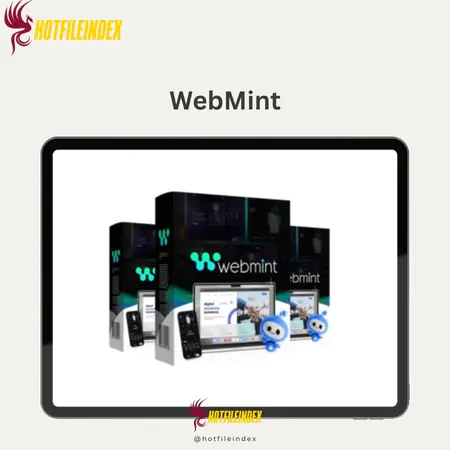
WebMint + OTOs
Original price was: $678.00.$27.00Current price is: $27.00.
WebMint is an AI-powered platform that instantly turns text or voice prompts into fully functional websites, apps, and digital products.
You will get Individual Account of
- FE + OTO12
Imagine being able to quickly and easily turn a voice note or short text message into a fully working website, app, or digital product, even if you don't know how to code or design. That's exactly what WebMint says it will do as an AI Super Programmer. WebMint writes real code and makes realistic layouts from scratch, unlike page makers that use rigid templates, block editors, and drag-and-drop parts. In this review, we'll look at how WebMint works, what features make it stand out, and why it's becoming so important for freelancers, entrepreneurs, and business owners who want to quickly and easily launch digital goods.
What is WebMint

WebMint is an AI SuperProgrammerTM that can quickly turn a voice note or short text request into a full digital product. WebMint doesn't use multiple templates, block editors, or rigid drag-and-drop parts like other page makers do. Instead, it writes real code and creates real layouts from scratch. Everything you see is made just for you, so you don't have to deal with boring patterns.
WebMint can build almost anything you can think of: full websites, sales funnels, e-commerce stores, membership platforms, mobile apps, booking systems, blogs, LMS portals, SaaS prototypes, games, and more. All it takes is a talk. You get the structure, clean code, and conversion-focused content of a coder, designer, and copywriter working together, but without the delays, revisions, and communication problems that come with hiring a team.
Real-time adaptability is one of the best things about the app. Any part of your project can be quickly changed, rebuilt, expanded, or redesigned by you telling WebMint to do so. You don't need to know how to code, design, or have any technical understanding. WebMint will do what you tell it to do: change the layout, make the content better, make the UI/UX better, or add new parts whenever you need them.
WebMint also lets you run websites right away, export files with just one click, and own all the code and files you make. That means you can make as many digital goods as you want, release them right away, or download the whole project and use it anywhere. It doesn't cost anything to add more tools, you don't have to hire a developer, and you can be as creative as you want.
Key features of WebMint
- Voice to Website Tool Made by Talking: WebMint is the only tool on the market that lets you use your voice to make full digital goods. You can use everyday words to tell WebMint what website, app, or tool you want it to make. It will then write real HTML, CSS, and JavaScript from scratch, without any templates or rules for drag and drop. This feature turns complicated development into an easy-to-use, voice-driven process that lets anyone make fully coded digital assets in seconds.
- You can change everything with simple orders. You don't have to change the code or layout yourself; just tell WebMint what to change, and it will do it for you. WebMint truly handles your orders as if they were done by a real assistant, whether you want to change the title, the color scheme, the images, or the layout of whole sections. This takes away the guesswork and time that are usually spent on fixing bugs or making small changes to the page builder.
- Smart conversation AI: WebMint talks to you like a real teammate; it remembers what you told it before, understands the situation, and changes based on your ideas as they grow. You should never repeat yourself. If you change your mind about style, brand tone, or structure in the middle of the process, WebMint will adapt automatically, making the whole process easy, smooth, and painless.
- Super-fast build: Speed is one of the best things about WebMint. It is possible to make a full website in less than a minute, and it only takes seconds to make something easy. Instead of hiring a developer or editing templates for days, WebMint makes fully coded projects right away that you can look over, post, or make changes to right away.
- WebMint doesn't have any set themes, so you can use any design style you can think of. It doesn't matter if you want it to be modern, minimalist, bold, playful, corporate, aesthetic, or tech-forward—WebMint will make a plan that fits your needs. You won't need a designer to make your websites and apps look finished, unique, and in line with your brand.
- Based on Gemini 2.5 Flash: WebMint is driven by one of Google's best AI models, which combines the logic of a senior developer with the creativity of a professional designer and the clarity of a copywriter trained to get leads. This powerful platform guarantees quick answers, high-quality code output, and writing that sounds natural and is interesting.
- View of the build in real time: As WebMint builds, you can see your project come to life bit by bit. Being able to watch a skilled developer work on an idea makes you feel like you're right next to them. The process is now clearer, more engaging, and even more fun.
- Instant Hosting and One-Click Publishing: As soon as your project is finished, WebMint lets you post it directly to your WebMint subdomain with just one click. You don't have to worry about setting up hosting, DNS issues, or any other extra services. This makes building and launching a project very quick, which is great for people who are just starting out or who want results right away.
- There is built-in AI that writes all of your text, including headlines, subheadings, calls to action (CTAs), product details, and even blog posts. WebMint will make finished content that fits your design perfectly, whether you want it to be professional, friendly, convincing, bold, or simple. No more coming up with ideas or writing on blank pages.
- You can make as many websites, marketing channels, apps, blogs, shops, and prototypes as you want with WebMint. This is different from SaaS tools, which limit or cap the number of projects you can make each month. There are no ongoing fees for making as many digital products as you want.
- Every project made with WebMint is responsive by default, so it works well on phones. That means your website or app will look great on any phone, laptop, or tablet, without you having to do anything extra or change the settings.
- One-click ZIP export gives you full control over the source code. With one click, you can download the whole project's source code, images, scripts, and files in a neat ZIP file. You own everything you make and can change it, host it, or sell it without any problems or legal issues.
- HTML, CSS, and JavaScript that can be changed: Developers and advanced users can change almost everything in the source code. Because of this, any kind of usefulness and extensibility can be changed and added to without being limited by proprietary systems.
- Auto-Save and History Reminder: WebMint keeps track of your orders, changes, and builds so you can pick up where you left off. Auto-saves projects all the time, so you don't lose your work, and iterating is simple.
- One-click GitHub integration: By the end of the course, developers and teams will be able to quickly push their projects to GitHub for version control, teamwork, and keeping a professional routine for company or client projects.
- Make websites in more than 80 languages: WebMint lets you make websites that are multilingual and translate them automatically, so you can reach people all over the world. Ideal for foreign brands, customers from around the world, or companies that are growing into new markets.
- You can make more than just websites; just by telling them what you want, you can make calculators, dashboards, appointment booking systems, member portals, game trials, SaaS demos, quiz platforms, and other custom digital tools.
How to use WebMint
Step 1: Start Your Project
- Press the “Create” button in the WebMint homepage.
- You'll be asked to give your project a name and explain what you want to build. What it is can be as easy as a “landing page for a fitness program” or as hard as a sketch of the whole layout.
Step 2: Choose How You Want to Build
You can start making your website in three different ways with WebMint:
- Voice Input: Just talk normally and tell WebMint what you need. It will then turn your voice commands into a fully coded plan.
- Upload Images: You can upload reference designs, branding elements, or even sketches, and WebMint will use them to help it make a site.
- Type in Your Instructions: Type in each section, feature, or design choice, and WebMint will put everything together and code it for you.
Step 3: Use “History” to Track Progress
- In the History tab, WebMint keeps track of every change, order, and addition as it builds your project.
- You can look at past changes, fix older versions, or just see how your site has changed over time by going back to the history page. This is especially helpful when clients are making changes.
Step 4: Review and Edit Code (Optional)
- WebMint gives users full control by including a full Code Console where you can see, change, or tweak the HTML, CSS, and JavaScript that are generated instantly. Everything is neat, easy to read, and developer-friendly, which makes editing quick and simple.
Step 5: Preview Your Site on Any Device
- WebMint also lets you see right away how your site will look on a computer, an iPad, or a phone. This will make sure that your text, style, and spacing look great on all screen sizes.
Step 6: Publish Your Finished Site
- Click “Publish” when you're happy with the last build.
- You can see your live site right away by clicking on the link given, or you can launch it on a WebMint subdomain without having to set up hosting.
Why you should use WebMint
- Turn hours of engineering work into minutes of conversation: Instead of hours of engineering work, you can have a chat with WebMint, which replaces the usual development process with voice or text commands. You don't have to spend hours creating, coding, and fixing problems; you just tell the system what you want to do once, and it will build everything for you. From idea to finished product in a lot less time if you write real code and make sure the plans look good.
- WebMint helps freelancers and companies increase their output without lowering the quality, so you can make a lot more money and be much more productive. WebMint does most of the work, so you can make five client-ready websites instead of just one unique website per week. If each website costs $300, that's five websites times $300, which is $1,500 per week or $6,000 per month. This isn't just a theory; it's a clear result of more projects being completed faster.
- It cuts down on all the hidden costs that eat away at your profit margins. For example, you won't have to pay for multiple subscriptions for hosting, design, and building tools or hire a coder to fix bugs in the code, etc. Webmint comes with free hosting, publishing, creating in multiple languages, and full ownership of the source code. Just this savings can make a huge difference in your earning margins.
- Instant Delivery and Faster Order Processing: Customers get results faster whether they're making websites, sales funnels, or landing pages. Customers are happier, you get more leads, and your product is seen as more valuable when it arrives faster. Businesses can take on more clients without adding more staff or work.
- Ideal for Mass-Selling Websites and Digital Assets: WebMint turns into a factory if you sell digital goods or flip websites. You can list more goods on Fiverr, Flippa, or Freelancer because the build can be automated and done again and again. This instantly increases your inventory and earning potential.
- It gets rid of the technical problems so you can focus on work that makes you money. You don't need to know how to code, plan, or fix technical problems. WebMint takes care of Layout, Clean Code Structure, Mobile Optimization, and other things automatically. You can then focus on promotion, sales, customer service, or growing your business.
- It gives you Lifetime Value with No Operational Costs: Most software costs money every month or yearly, but WebMint only costs money once. No hidden fees or fees that keep coming up. Every job you do raises the value of your home over time.
- You own and are in charge of every website you make. WebMint lets you export the whole project with just one click, including code, images, and structure. This gives you full control: you can then move the site to any hosting service you want. Give the coder the files. For important projects, use them. Update them for things that happen over and over. There are no locks on file types in a private editor.
The Upgrade/OTO details
Front-End: WebMint – $17
- In seconds, you can make full websites, funnels, blogs, apps, and digital goods.
- One payment, no monthly fees, and you own it for life.
- Gets rid of the costs of hosting, code, and design help
- Make professional, one-of-a-kind layouts and material right away
- Money-back promise for 30 days
OTO 1: WebMint UNLIMITED – $67 / $167 Premium (discounted to $47)
- Remove all project limits and allow endless builds.
- Ideal for heavy users or companies that need full freedom
- All of the complex design and automation tools
- No limits on the size of projects
- Access for life with a one-time payment
OTO 2: WebMint DONE FOR YOU – $197 / $297 Platinum (discounted to $97)
- The WebMint team sets up your account for you.
- Start making money right away ($597 per autopilot setting)
- Website, app, and funnel themes that are ready to use
- Ideal for new business owners or those who are busy
- Easy setup that looks like it was done by a pro
OTO 3: WebMint Automation – $47 (discounted to $27)
- You can make passive income by automating your WebMint jobs 24 hours a day, seven days a week
- AI-generated traffic and sales that can be run without using your hands
- Make it easy to get more leads and sales.
- Great for beginners, doesn't need a complicated method
- Save time and constantly make money
OTO 4: WebMint INCOME MAXIMIZER – $47 (discounted to $27)
- Boost your earnings and get results over 100 times faster.
- Turn small amounts into a lot of money quickly
- Instant earnings with just one click of the mouse
- Great for people who need results quickly
- Setup in 30 seconds, risk-free for 30 days
OTO 5: WebMint Limitless Traffic – $97 (discounted to $77)
- Get quick access to good buyer traffic
- Get 1000–2000 hits on your offers over and over.
- Make extra money easily by creating extra income lines.
- There are a few spots left for exclusive admission.
- Money-back promise for 30 days
OTO 6: WebMint Cloned Affiliate Profits – $67 (discounted to $47)
- Copied affiliate ads that are already making $930+ per day
- 100% sales and earnings taken care of for you
- Easy-to-use system driven by AI
- Start making money right away
- Easy ways to increase your partner income
OTO 7: WebMint Mobile Payday – $47 (discounted to $27)
- Fully automated way to make money on your phone
- There is no need for a computer, email list, or webpage.
- Get $687 a day while you're on the go.
- Case study: From $0 to $497 in 24 hours for free
- You can work from anywhere at any time.
OTO 8: WebMint RESELLER – $197 (discounted to $97)
- You can sell WebMint software and keep all the money you make.
- Your software business can make you $853 per click.
- The done-for-you reseller method lets you set up right away.
- Great for starting a high-priced software business
- Money-back promise for 30 days
OTO 9: WebMint DFY PROFIT SITE – $47 (discounted to $27)
- Website setup that's already done for you
- You can easily make $148 to $367 a day.
- One click turns on your own money-making site.
- You don't need any technical skills or goods or services.
- 24-hour profits that are fully automated
- Money-back promise for 30 days
Advantages
- Lightning Fast Creation: WebMint is much faster than other building tools at turning ideas into finished digital goods. It only takes minutes to plan, create, write, and code things that used to take hours to do. The structure, layout, content, and functional code for a website, sales funnel, e-commerce store, or SaaS prototype are all made by WebMint almost quickly.
- You do not need to know how to code or have technical skills. You do not need to know HTML, CSS, JavaScript, PHP, frameworks, or design concepts. From plan logic and code structure to visual design, WebMint takes care of it all. It only takes telling it what you want, and it will build the whole thing for you with clean code that is ready for production.
- A real all-in-one platform: WebMint writes content, designs interfaces, generates code, and can even post projects instantly. It takes the place of having to switch between design tools, copywriting apps, hosting providers, and page builders. This makes the job of creatives, businesses, and agencies a lot easier.
- Limitless projects: There are no limits on projects or months. You can make as many websites, funnels, blogs, apps, or themes as you want. This is especially helpful if you are a digital product seller, freelancer, or business that needs to get a lot done without having to pay a lot of money every month.
- WebMint cuts production time by 80–90%, so freelancers and agencies can take on more clients and produce faster. This makes it easy to make more money. This means that you can finish more jobs in less time and make more money without hiring more people or working extra hours.
- Mobile-friendly by default: By default, every WebMint project is flexible. Pages, sections, and UI elements instantly change sizes to fit phones, tablets, and desktops; you don't have to do anything else. There are no annoying mobile changes or manual stopgaps.
- Fully editable output: WebMint doesn't use locked templates when it makes code, so skilled users can change any part of the project. If you want to make even more changes, you can edit parts, add integrations, change the style, or add more features using your own skills.
- Support for 80+ Languages: WebMint can make full websites and apps in 80+ languages, which is helpful for businesses that do business around the world, clients who speak more than one language, foreign campaigns, and businesses that serve people all over the world.
- Chance to Flip Agents and Assets: WebMint lets you make as many projects as you want quickly, so you can offer unique websites to clients, sell funnel templates that are already built, make websites that are ready to go live and sell them on marketplaces, and more. There is a huge chance to make money.
- Conversational Flow powered by AI: You don't have to click through levels, drag and drop blocks, or deal with menus. You can tell WebMint things like, “Make the highlight more modern,” “Change the color scheme,” or “Make this landing page into a full e-commerce store.” No need to type them out. Everything will be rewritten right away by WebMint.
Disadvantages
- Short Learning Curve for Advanced Features: The basic features are very easy to use, but it will take time for newbies to learn more advanced features like editing code, changing the structure, or using advanced redesign commands. There are more options to look into when the tool is more powerful.
- Sometimes you have to make changes by hand: WebMint makes a clean, finished result, but sometimes you have to make changes by hand to things like spacing, image alignment, or style tweaks. This is normal for AI developers, especially when they are making patterns that are very specific to each person.
Who is it for?
- Freelancers and sole proprietors: This is great for web designers, marketers, and developers who want to make more goods for clients without hiring other people to do it. With the same amount of work, users can make websites, landing pages, blogs, or sales processes much faster and make more money.
- Agencies: It's easier for agencies to take care of more people. WebMint lets teams make, change, and send out projects in minutes. This speeds up the development process and gets rid of any problems with design or code.
- Entrepreneurs and new businesses: This lets them make their ideas come to life right away, whether they need a quick prototype, MVP, or fully working website. Startups don't have to wait weeks for a developer to come on board; they can try and confirm their ideas right away.
- Bloggers and content creators: People who want to make a blog, portfolio, membership site, course, or content hub can do it all without having to know how to code or hire a developer.
- Marketers: In minutes, marketers can make any high-converting funnel, offer page, signup page, or campaign page. They can also test marketing ideas more quickly than ever before.
- Small Business Owners: If a small business owner needs an online store, booking system, service site, or website, they can build it all themselves without having to pay a huge agency a lot of money.
- Digital Asset Flippers: WebMint helps people who make and sell digital assets, like websites, landing pages, templates, and micro-SaaS prototypes, make more money and build their inventory more quickly.
What You Get (Compared to Buying at HotFileIndex)
- You get the best price and special deals that you can't find anywhere else. If you buy WebMint from our website, you get the normal version plus extra resources, templates, checklists, and training packages that you wouldn't get if you bought it from the vendor. These deals make your work go a lot faster and let you turn WebMint builds into digital goods that make you money more quickly.
- Checked vendor relationships to make sure purchases are safe and sound: we work directly with product creators, so all purchases go through official channels. You can start using it right away, and you'll get full help. There are no resellers or illegal links, so you can be sure that the WebMint dashboard is real and that you can get to it right away.
- Free training that focuses on results: Our site is all about how to use AI tools to make real money. Because of this, when you buy WebMint from us, you will also get a training course that is focused on real ways to make money. This makes WebMint not only a new tool, but also a chance to make money.
- All of our extra materials are updated for life. Unlike most affiliate partners, who only offer one-time downloads, we update our bonus library every time WebMint is updated. We update our training lessons and templates every time a new feature, prompt, or workflow comes out, and you will always be able to get them for free.
- Our team gives priority to customer service, so if any pressing problems come up, you won't have to wait. We offer priority technical support, personalized installation guides, and quick responses to problems for all of our buyers. You won't have to figure it out on your own because experts will be ready to help you at any time.
- You can buy WebMint without any risk because our bonus guarantee covers you if the tool doesn't work for you or isn't what you were expecting. You also get all of our deals because you bought WebMint from our site. This gives you value even if you decide it's not for you.
FAQs
- Do I need any programming or design experience?
No, WebMint is not hard to use. It builds everything for you when you talk to it like you would an artist or developer. Professionals can change the code, but you don't have to. - Does Webmint have a website limit?
You are not limited in any way in terms of projects, monthly limits, or other rules. You can make as many websites, sales funnels, shops, dashboards, or prototypes as you want. - Does WebMint export actual code or templates?
WebMint never uses drag-and-drop blocks or ready-made themes. Instead, it always writes real, clean, editable code from scratch. The code for every project you make is yours and yours alone. - Can I sell websites built with WebMint?
Of course. These sites let you make websites, sales platforms, templates, or tools that you can then sell. WebMint has a mode called “Agency Mode” that is great for working for clients or selling digital assets. - Can the design be further customized if needed?
Simple language phrases let you change any part of the project, or you can change the HTML, CSS, and JavaScript by hand. There are no locks. - Is hosting included?
Yes, WebMint lets you host your site right away on a subdomain and post it with just one click. You can send the site to another service if you want to.
Conclusion
WebMint is a development, design, and copywriting team all in one platform that is open 24 hours a day, seven days a week to make any idea come to life. With real-time adaptability, you can change, add to, rewrite, or redo any part of your project at any time, without having to change a single line of code. WebMint lets you easily make more digital goods, launch them right away, and grow your business. It supports more than 80 languages, gives you full ownership of all projects, and lets you host them right away.
WebMint saves you the time, money, and trouble of finding a team for any project, whether it's a website, an app, a membership platform, an e-commerce store, or a SaaS prototype. This lets you focus on your ideas and development instead. To quickly and professionally turn your ideas into digital goods that make money, WebMint is the best AI tool for the job.
References:
Official page: https://grabwebmint.com/live?aid=739943
All Info just pre-build when listing. Until Product mark as "Instant Deliver", infomation will be updated again like OTOs you will be get,..etc
Related products


Account
Account

WordPress

WordPress
Account

Lead Generation Tools
Video Tools

WordPress