


Admin Menu Editor Pro
Price range: $5.00 through $30.00
If you own a WordPress site, you need an effective plugin like Admin Menu Editor Pro to personalize and manage your admin menu.
You will get Individual Account of
- Admin Menu Editor Pro Wordpress plugin
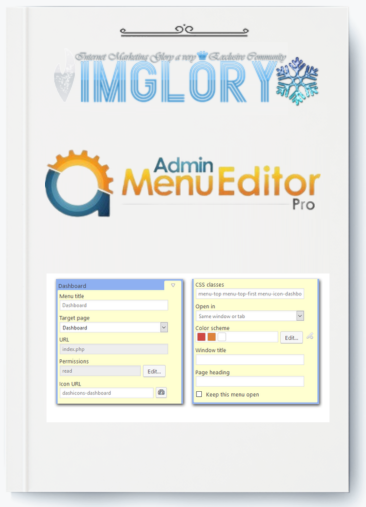
What is Admin Menu Editor Pro?
If you own a WordPress site, you need an effective plugin like Admin Menu Editor Pro to personalize and manage your admin menu.
Managing user roles and permissions is where it really shines, allowing you to show users only the menu items that are relevant to their tasks. Improved security, easier administration, and a cleaner, more intuitive interface—perfect for those without technical knowledge—are all benefits of this plugin. Admin Menu Editor Pro facilitates easier and more efficient WordPress management for developers and clients by organizing and personalizing the admin menu.
Admin Menu Editor Pro Feature:
Remove Menus from Users or Roles: Changing menu permissions just requires a few clicks. Select the menu items you wish to show or hide by first choosing a role and then the things you want to show. You can change the permissions for individual users as well. For example, you may allow a person to visit a certain admin page without changing their role or hide a menu from all users except yourself.

Drag & Drop Menu Arrangement: To make WordPress easier to use, move frequently used menu items to the top. You can also reorder menu items so that they show up in a different submenu or on the main menu. Do you require a specific plugin or a top-level link to “Add New Post”? You are able to accomplish it. Is the admin page being moved by a crazy plugin that you have installed? Change it to “Settings.”
Select one of the Over 600 Available Menu Icons: The plugin comes with a large collection of icons from the FontAwesome and Dashicons icon fonts. You can manually enter the icon URL or upload your own PNG or GIF icons using the Media Library. It is also possible to add icons to submenu items.
Change the menu's color by altering the background, text, icon, and highlight hues. You can apply your changes to the entire admin menu or only the colors of particular parts.

Create New Menu Items: You can add custom links to the admin menu. You may also make a custom menu that embeds the content of a post or page using the WordPress admin. Finally, it is possible to build non-clickable objects, which is useful for heads of complex admin menu sections, among other things.
Open Menus in a New Tab or an Iframe: For instance, you might be building a non-technical customer's website and want to disguise an external service or tutorial page as being a part of WordPress. You can utilize the “Open in: Frame” option for that. A borderless frame will enclose the linked webpage. For completeness, a “new window” (i.e., target=”_blank”) option is also included.
Import and Export Menu Settings: Export your admin menu settings to a file and import them into another website.
Plugin Hide: You can hide particular listings on the “Plugins” page. Like menu items, you can restrict who may see them to specific roles or make them invisible to all users.

Put Your Name to Work: By installing the Branding add-on rather than the default, you may customize WordPress to reflect your own branding. Changes include changing the login page, changing the WordPress logo, hiding the WordPress version and core update notifications, and more.
Modify the Admin Bar: The Toolbar Editor add-on is an optional addition that allows you to customize the Admin Bar, often known as the WordPress Toolbar. You may add new links, rename toolbar items, reorganize them using drag & drop, and more in addition to hiding them.
How to Use Admin Menu Editor Pro?
Pros:
- Customizable Admin Menu: Admin Menu Editor Pro allows you to rearrange, conceal, and rename menu items, resulting in a more tailored and efficient dashboard experience.
- User Role Management: You can designate specific admin menus for various user roles, ensuring that users have access only to the features essential for their responsibilities.
- Improved Usability: This plugin declutters the WordPress admin area, making it more intuitive and user-friendly, particularly for those who are less technical.
- Enhanced Security: By limiting access to important functions, this tool helps reduce the likelihood of accidental modifications or errors by unauthorized users.
- Iframe Integration: The iframe capability provides better management and presentation of external content within the admin area, delivering a smooth experience for users.
- Toolbar Customization: You can modify the toolbar according to user roles, which enhances workflow and improves the overall user experience.
- Efficiency: The plugin streamlines and organizes the admin interface, saving time and making site management faster and simpler.
Cons:
- Learning Curve: Although the plugin is robust, new users might need some time to fully understand its features and customization possibilities.
- Compatibility: Occasionally, there may be compatibility challenges with other plugins or themes, which could necessitate adjustments or support.
Who is Admin Menu Editor Pro For?
Admin Menu Editor Pro is an excellent tool for a diverse array of WordPress users, each reaping the rewards of its extensive customization features:
- Website Administrators: For those overseeing intricate WordPress sites, this plugin is essential for organizing the admin dashboard, optimizing workflows, and enhancing security by limiting access to critical functionalities.
- Web Developers: Developers frequently need to customize the WordPress admin for their clients. Admin Menu Editor Pro enables them to craft a streamlined and branded admin interface, ensuring that clients have access only to the tools they require.
- Membership Site Owners: Those operating membership sites can utilize this plugin to design tailored dashboards for various user roles, resulting in a clean and focused interface that enhances the user experience.
- Agencies: Digital agencies managing multiple client websites can leverage Admin Menu Editor Pro to standardize and streamline admin menus across different projects, making maintenance and support more efficient.
- Freelancers: Freelance developers and designers can take advantage of this plugin to provide a more polished and professional admin experience for their clients, thereby increasing the overall value of their services.
- Content Managers: Content managers can enjoy a simplified admin interface that allows them to concentrate on content creation and management without feeling overwhelmed by unnecessary options.
- Online Businesses: Businesses operating on WordPress can implement this plugin to ensure their teams only access relevant tools, minimizing the risk of errors and boosting productivity.
Conclusion
Admin Menu Editor Pro may help you realize the full potential of your WordPress admin panel. Hotfileindex is currently offering it at an unbelievable price. To meet your unique demands, this robust tool provides unparalleled flexibility and security options.
Don't pass up this chance to save costs and improve your website management experience. Purchase Admin Menu Editor Pro right now to take advantage of Hotfileindex's special deals. It's only a click away to access your WordPress dashboard, optimized!
| License | 1 site, 10 sites |
|---|
All Info just pre-build when listing. Until Product mark as "Instant Deliver", infomation will be updated again like OTOs you will be get,..etc
Related products
WordPress

WordPress

WordPress

WordPress
WordPress

WordPress
WordPress

WordPress

WordPress