
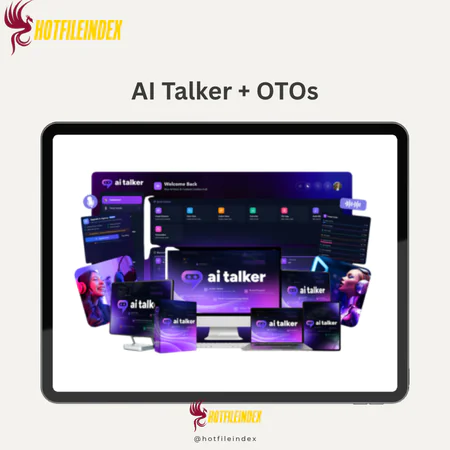
AI Talker + OTOs
$27.00
AI Talker is a platform that generates custom, human-like voices from text using simple descriptions.
You will get Individual Account of
- FE + OTOs
If you've typed “AI Talker” into a search bar, you're likely looking for one specific thing: a way to turn written text into human-like voiceovers, without a recording setup or audio editing background. AI Talker is not a chatbot or a screen reader, it is a cloud-based AI voice design engine built to produce custom, production-ready narration from a typed script.
The platform serves a wide range of users, YouTubers building faceless channels, podcasters working solo, marketers producing video ads, educators recording course modules, and small business owners who need consistent brand audio at scale. With over 10 years of experience in software and technology tools, AI Talker understands what creators actually need: fast output, flexible voice control, and zero studio dependency. Take a blog post, paste it as a script, and walk away with a narrated video in minutes. That's the core promise here.
This guide will walk you through:
- What AI Talker is and the problem it solves
- How it actually works, step by step
- The key features, voice design, cloning, multi-voice dialogues, and audio controls
- Real-world examples across creator, marketer, and business use cases
- An honest comparison with other AI voice tools on the market
- A clear answer to whether AI Talker fits your specific situation
Before you decide if AI Talker is right for you, you first need to understand exactly what it is and what problem it solves.
What Is AI Talker?

AI Talker is a cloud-based AI voice design engine that turns text into human-like voiceovers, letting you shape personality, emotion, tone, age, and scenario, without recording or editing a single audio file.
The platform runs entirely in the browser. No software installation, no rendering on a local machine, just a modern browser and an internet connection. This makes it accessible on any device, including laptops, desktops, and tablets.
What separates AI Talker from a basic text-to-speech (TTS) reader is the concept of “voice design.” Rather than selecting a fixed preset and pressing play, you control the character of the voice: how old it sounds, what accent it carries, how excited or calm the delivery feels. A YouTuber can generate a high-energy narration for a product review. A small business can build IVR (interactive voice response) phone prompts that match their brand tone. Both are generated from text, in minutes, with no microphone involved.
The practical advantages are direct. Teams produce studio-grade voiceovers from raw scripts. They skip the cost of hiring voice actors, which in Vietnam can range from a few hundred thousand to several million per session, or globally from $50 to $500 USD per finished minute. They also maintain a consistent voice and tone across every piece of content, which matters for brand recognition.
AI Talker supports over 2,000 voice options across more than 100 languages and accents, a range that opens the door to localization campaigns, multilingual training content, and global audience targeting. These features will be detailed in the sections ahead.
Understanding what AI Talker is naturally leads to asking how it actually works under the hood.
How AI Talker Works: Step‑by‑Step Workflow
The process from first login to finished audio file follows a clear sequence. Here is how a typical session runs.
- Sign up and access the browser interface. AI Talker requires no installation. You create an account, log in, and the full workspace opens in the browser. The interface is structured around a script editor, voice selector, and audio preview panel.
- Paste or type your script. Drop your written content into the script editor. For a 60-second YouTube intro, that's roughly 120–150 words. For longer content, an audiobook chapter or a full e-learning module, you can break the script into sections and process each one separately, then assemble the final track. Clean, well-punctuated scripts produce cleaner audio output. Avoid run-on sentences and unclear pauses in your text.
- Design or select a voice. This is where AI Talker separates itself. You choose from a library of 2,000+ voices, filterable by language, region, gender, age, and style. Beyond selecting a base voice, you apply design controls: sliders for emotion intensity (excitement, authority, calmness, sadness), pace, and pitch register. Scenario templates simplify the starting point, pick “energetic young podcaster” or “soft storyteller” or “corporate narrator,” and adjust from there.
- Clone a voice. If you or your client has an existing voice, say, a podcast host who records weekly, you can upload a clean audio sample and train a cloned model. The sample needs to be clear, single-speaker audio. This step involves processing time and, depending on the platform's policies, may include a review step to prevent misuse. Only clone voices with full consent and rights to use that audio.
- Generate and preview. Click generate. The audio renders in seconds for most standard scripts. Listen to the preview, identify any sections where the tone or pace needs adjustment, and re-generate with updated settings. Iteration is fast, changes take effect immediately on the next render.
- Enhance and export. Before exporting, you can layer in background music from the built-in royalty-free library, adjust overall volume balance, and control fade transitions. Export formats include MP3 and WAV, ready for direct upload to video editors, podcast platforms, or phone systems.
The entire workflow is cloud-side. No rendering waits on local hardware. A practical tip: prepare a polished script before you start, and segment longer content into logical chapters or scenes. This gives you more control over pace and tone consistency across the full piece.
Core Features of AI Talker (2026 Overview)
AI Talker's feature set breaks into six main capability areas: voice library breadth, custom voice design, voice cloning, multi-voice dialogue, audio post-production controls, and batch content generation. Each area addresses a specific production challenge, from building a consistent channel voice to producing 50 localized training clips in a single session.
The platform is updated on a rolling basis. As of 2025, newer scenario templates, including a “news anchor” persona and a “children's narrator” preset, have been added to the library. This kind of regular expansion matters for creators whose content formats shift over time.
One thing worth setting straight: AI Talker's output quality comes from natural prosody and intonation modelling, not volume or post-processing tricks. The voices do not sound studio-grade because of heavy audio treatment, they sound that way because the underlying speech model mimics the natural rhythm of human speech. That distinction matters when you're comparing it to older TTS systems.
The subsections below unpack each major feature with practical detail and use cases.
2,000+ Voices in 100+ Languages and Accents
AI Talker's voice library spans over 2,000 options across more than 100 languages, dialects, and regional accents. Coverage includes major global languages, English (US, UK, Australian), Spanish (Neutral, Mexican, European), Hindi, French, German, Japanese, Vietnamese, and many others, along with male, female, and age-varied options within each language.
For creators and businesses, this breadth has a direct operational use. A brand running campaigns in both North America and Southeast Asia can produce separate English and Vietnamese narrations from the same script, using voices calibrated to each market's accent expectations. An online course platform can localize its onboarding modules into five languages without hiring five separate voice actors.
The library is searchable and filterable by language, region, gender, and style, so finding a “middle-aged female Australian narrator” or a “young male Vietnamese presenter” takes seconds, not hours of audition calls.
Custom Voice Design: Personality, Emotion, Tone, and Scenario
Custom voice design is the feature that distinguishes AI Talker from a standard voice picker. You don't just select a voice, you configure it across multiple trait dimensions.
Personality options include confident, friendly, authoritative, and playful. Emotion controls let you set the intensity of states like happiness, seriousness, calmness, excitement, or subtle warmth. Pace can be tuned from slow and deliberate to fast and high-energy. Age and gender register are adjustable. Scenario presets, which combine these traits into a ready-to-use starting configuration, cover ad voiceovers, storytelling, training module narration, IVR prompts, news anchor delivery, and podcast hosting.
The power of this system is in how traits combine. A “calm middle-aged British storyteller” reads very differently from a “high-energy young American podcast host,” even if both are generated from the same script. For an e-learning module, you'd likely want measured authority with a slow pace. For a TikTok video ad, you'd push energy and clip the pace. For an audiobook, sustained warmth with natural pacing handles the long-form read.
A practical starting point: select the scenario template closest to your content format, then adjust emotion intensity and pace to match the specific script. Re-generate and compare. Two or three iterations usually land the right feel.
Voice Cloning: Replicating Real Voices Ethically
Voice cloning lets AI Talker replicate the vocal characteristics of a specific person based on provided recordings. The AI analyzes the sample and builds a model that can generate new speech in that voice, from any text you provide.
The technical requirements are specific. The audio sample needs to be clean, no background noise, no music, no multiple speakers. A single-speaker recording of at least a few minutes in length gives the model enough data to produce consistent output. Processing takes some time depending on queue and sample quality.
The ethical and legal framing here is non-negotiable: only clone voices you own or have been given explicit written permission to use. This feature is built for legitimate scenarios, a podcast host who can't always record, a course creator who wants to update lessons without new sessions, a brand maintaining a consistent spokesperson voice across markets. It is not a tool for impersonation, deepfakes, or unauthorized replication. Platforms including AI Talker may review cloning requests to prevent abuse.
A practical example: an instructional designer creates a full course using their own voice. Three months later, three modules need updated content. Instead of a new recording session, they run the revised scripts through their cloned voice model and generate updated narrations in minutes.
Note: Always check the platform's current terms of service for voice cloning policies, including any consent documentation requirements, before submitting a sample.
Multi‑Voice Conversations and AI Podcasts
Multi-voice functionality lets you assign different voices to different characters within a single project, then mix the result into one finished audio track. This turns AI Talker into a production tool for dialogue-based content.
The process works like this: you write a script where each speaker's lines are labeled separately, “Host,” “Guest,” “Narrator,” or any character name you choose. Each speaker is assigned a distinct voice from the library, or a cloned voice if applicable. You control the pacing between turns, preview the combined output, and export the final mixed track.
Use cases for this feature span several content categories. A brand might produce a scripted Q&A between a “host” and an “expert” persona, the kind of content that sounds like an interview but requires no scheduling. An online language learning platform can generate dialogue exercises between two native speakers. A training team can simulate a customer service call, with a “representative” and a “customer” voice playing out different scenarios.
This is the feature most attractive to solo creators who want a “multi-host” format without co-hosts or remote recording sessions. The scripting discipline required, writing clean dialogue with clear speaker attribution, is the main variable that determines output quality.
The next feature area covers how you polish and scale that output for real-world publication.
Audio Controls, Background Music, and Batch Processing
Once the core voiceover is generated, AI Talker provides a set of audio post-production controls that reduce the need for external editing software.
- Audio controls include speed adjustment (how fast or slow the voice delivers the script), pitch modulation, and pause insertion at specific points in the text. For emphasis-heavy scripts, ad copy, product demos, training assessments, these controls let you shape the listening experience without re-recording.
- Background music can be added from the platform's built-in royalty-free track library, or you can upload your own audio. The mixing interface lets you set the balance between voice and music, control fade-in and fade-out timing, and preview the combined output before export. The practical rule here: match music energy to voice emotion. A calm storytelling voice pairs with ambient, low-tempo tracks. An energetic ad voiceover fits driving, high-BPM music.
- Batch processing is where AI Talker provides real operational scale. Instead of generating one clip at a time, you can queue multiple scripts, each with its own voice profile, and generate them together. This is how a marketing team produces 20 different ad variants, or how a publisher generates 15 audiobook chapters with consistent voice settings, without sitting through each generation manually. Saved voice profiles and reusable templates make this repeatable across projects.
Features matter only as far as they help real projects move forward. The next section maps them to the specific workflows where AI Talker creates the most measurable time savings.
Pricing Plans and OTOs detailed
Front-End – AI Talker ($27 – $37 one-time)
- AI-powered voice creation and content generation platform in one dashboard
- Create custom voices with emotion, tone, and personality control
- Generate scripts for ads, videos, podcasts, and marketing content
- Produce high-quality voiceovers instantly without recording
- Includes content optimization tools for better engagement
- No monthly fees, pay once for lifetime access to core features
- Beginner-friendly system for creators, marketers, and agencies
- Includes a 30-day money-back guarantee for risk-free testing
OTO 1 – AI Talker Unlimited ($67 one-time)
- Removes all usage limits and restrictions from the base version
- Unlocks full voice library including all styles, emotions, and languages
- Unlimited voice generation across all tools
- Access to premium voice categories and advanced features
- Ideal for scaling content production and heavy usage
OTO 2 – Voice Cloner ($57 one-time)
- Clone any voice from a short audio sample
- Generate voiceovers that sound like the original speaker
- Full control over tone, emotion, and delivery
- Useful for branding, personalization, and unique voice assets
OTO 3 – VSL Creator ($77 one-time)
- Generates high-converting scripts using proven frameworks (AIDA, PAS, etc.)
- Creates video sales letters, ads, and content scripts in seconds
- Optimized for conversions without copywriting skills
- Ideal for marketers and sales-focused users
OTO 4 – Ad Copy Creator ($57 one-time)
- Generates ad copy from any product URL automatically
- Creates multiple variations for Facebook, Google, YouTube, and more
- Extracts key selling points and turns them into ads instantly
- Saves time on copywriting and campaign setup
OTO 5 – Transcriber ($57 one-time)
- Converts audio and video into clean, editable text
- Supports multiple languages and speaker detection
- Exports into TXT, DOCX, or PDF formats
- Helps repurpose content into blogs, emails, and more
OTO 6 – DFY Agency Kit ($197 one-time)
- Complete done-for-you agency setup
- Includes website, proposals, contracts, and client assets
- Pre-built email sequences and outreach materials
- Comes with client management system and training
- Ideal for launching an AI voice or content agency quickly
OTO 7 – Clever AI Studio ($37 one-time)
- All-in-one AI marketing toolkit with 300+ tools
- Creates content, ads, emails, SEO assets, and more
- Generates brand-matched content from a single input
- Includes commercial license for selling services
OTO 8 – Viral Influencer AI ($37 one-time)
- Creates AI influencers for social media content
- Generates videos, captions, and hashtags automatically
- Supports automated posting and scheduling
- Designed for traffic generation and audience growth
OTO 9 – AI Logo Suite ($37 one-time)
- Creates and animates logos with AI
- Exports high-quality branding assets for videos and ads
- Includes templates and customization tools
- Suitable for freelancers and branding services
Real‑World Use Cases for AI Talker (With Examples)
AI Talker's features serve distinct needs across four primary user groups: video content creators, audio-first publishers, marketing and training teams, and customer experience designers. Each group faces a different production bottleneck, and AI Talker addresses a specific part of it.
What most users report, across these groups, is a measurable reduction in production time. Comparing the cost of a professional voice actor, typically $20–$200 USD per finished minute, to the subscription-based model of AI Talker shows a clear efficiency gap for high-volume content. Users working at scale, producing dozens of videos or modules per month, tend to see the largest relative gains. Creators who produce more moderate volume still benefit from the elimination of scheduling delays, revision rounds, and session fees.
The following subsections address each use case category with a concrete example.
YouTube Videos, Shorts, and Video Sales Letters (VSLs)
For video creators, the core use case is voiceover narration for scripts that are already written. AI Talker slots into the workflow between the script stage and the video editing stage, the narration audio comes out of AI Talker and goes directly into the video editor.
A faceless YouTube channel producing educational content can use one consistent AI voice across all videos, building a recognizable audio identity for the channel without a single studio session. A creator producing 100+ videos per month can generate narrations for each batch overnight, rather than recording them live.
For VSLs, the multi-tone control matters most. Long-form video sales letters often shift emotional register, opening with authority, building with storytelling, closing with urgency. AI Talker's emotion sliders handle these shifts within a single script by letting you adjust parameters between sections, or by processing each segment separately and assembling in the editor.
If you don't work with video, AI Talker also supports pure audio formats like podcasts and audiobooks.
Podcasts and Audiobooks
For audio-first creators, AI Talker addresses two specific friction points, scheduling and consistency. A solo podcaster cannot always record on a fixed schedule. An author narrating their own audiobook faces weeks of recording sessions and retakes.
A solo podcast can be produced entirely from a written script using AI Talker's voice design system. A simulated “co-host” episode uses the multi-voice feature, two distinctly configured voices carry the conversation across a scripted dialogue. The output is a single mixed audio file, ready for RSS feed submission.
For audiobooks, the recommended workflow is chapter-based: write each chapter as a separate script, process with the same saved voice profile, and compile the finished chapters in a DAW (digital audio workstation) or basic audio editor. The consistent voice profile across chapters is what keeps the listening experience coherent. A course creator, as a concrete example, can turn an entire curriculum's text modules into a podcast feed, generating each episode from the corresponding lesson script using the same voice.
The next category covers more operationally focused applications: internal training, marketing assets, and customer communication systems.
Marketing, Training, and Customer Experience
Brand teams use AI Talker for marketing video narration, case study walk-throughs, and landing page explainer audio. The advantage here is speed, a script can move from copywriter to voiced asset in the same day, without waiting for voice actor availability.
Training and L&D (learning and development) teams apply AI Talker to onboarding modules, compliance walkthroughs, and microlearning clips. A practical scenario: an HR team builds a new employee onboarding program using AI Talker to narrate each module. When policies update, the relevant module scripts are revised and re-generated without a new recording session. In multi-character training scenarios, where a “trainer” voice introduces concepts and a “learner” voice asks questions, the multi-voice feature handles both roles.
For customer experience, AI Talker generates IVR (interactive voice response) phone system audio, on-hold messages, and in-store announcement scripts. Smaller teams without dedicated voice talent find this particularly practical. A SaaS company building product tour walkthroughs can produce guided audio tours for their app interface using consistent, brand-calibrated voices, without contracting an external studio.
These use cases all point to the same underlying value question: how does AI Talker's output and pricing compare to alternatives in the market?
AI Talker vs Other AI Voice Generators
AI Talker sits within a market that includes both premium AI voice platforms and basic free TTS utilities. Understanding where each type fits helps you make a decision based on actual requirements, not surface-level comparisons.
The primary comparisons worth examining are AI Talker alongside ElevenLabs, Speechify, and free TTS tools.
ElevenLabs is a premium AI voice platform known for high-quality voice cloning and a developer-oriented API. It is strong for technical teams building AI voice into custom applications. Its pricing scales with character volume, and commercial licensing terms require careful review for client work.
Speechify is focused primarily on reading content aloud, web pages, documents, PDFs. It serves accessibility and personal productivity use cases well but is not designed for production-grade voiceover generation or multi-voice dialogue.
Free TTS tools (browser-based readers, OS-level utilities) provide basic read-aloud functionality. They carry no cost but also no voice design control, minimal language coverage beyond major languages, and generally no commercial licensing rights.
AI Talker's positioning within this space centers on voice design flexibility and multi-voice production capability for non-technical users. Its strength is not the deepest API access, it is the easiest path from a script to a production-ready, customizable voiceover.
The following comparison table summarizes the key differentiators:
| Feature | AI Talker | ElevenLabs | Speechify | Free TTS |
| Custom personality & emotion mixing | Yes | Limited | No | No |
| Language & accent coverage | 100+ languages | 30+ languages | ~30 languages | Major languages only |
| Multi-voice dialogue / AI podcast | Yes | No | No | No |
| Voice cloning | Yes | Yes | No | No |
| Generation speed | Seconds | Seconds | Real-time | Real-time |
| Typical starter pricing approach | Subscription-based | Character-based | Subscription-based | Free |
| Commercial license clarity | Included in plan | Requires review | Varies by plan | Typically absent |
| Ease of use for non-technical users | High | Moderate | High | High |
The right tool depends on specific requirements. Teams building custom voice into software applications may find ElevenLabs more adaptable at the API level. Users who need simple document narration may prefer Speechify. Creators and teams who need flexible, production-ready voiceover with multi-voice support and broad language coverage are the natural fit for AI Talker.
Who Is AI Talker Best For (and Not For)?
AI Talker works best in specific situations. Knowing where it fits, and where it doesn't, saves you from tool mismatches.
AI Talker is a strong fit for:
- Content creators producing frequent video or audio content who need scalable narration without recording infrastructure
- Marketers who require a consistent, brand-aligned voice across campaigns, without per-asset production costs
- Educators and L&D teams generating large volumes of narrated modules, onboarding, compliance, microlearning
- Small business owners who need customer-facing voice content (IVR, explainer videos) without professional voice talent budgets
- Solo podcast creators who want a multi-host format without scheduling dependencies
AI Talker may not be the right fit for:
- High-end cinematic or broadcast productions that require union voice talent, nuanced performance direction, or bespoke audio acting
- Teams that need a fully offline workflow, AI Talker is cloud-based, so an internet connection is required
- Highly technical development teams who need deep, customizable API access to build AI voice into complex software systems, where platforms with dedicated developer infrastructure may be more practical
For users in edge cases, for example, a production studio that wants AI-assisted drafts before final human recording, a free trial period is the most direct way to evaluate fit before committing to a plan.
Beyond features and comparisons, what do real users say about using AI Talker day-to-day?
AI Talker Reviews, Pros, Cons, and Real‑User Feedback
User feedback on AI Talker tends to cluster around two areas, the quality of the voice output and the speed of the workflow. Both receive consistently positive responses from creators and business users who have moved away from manual recording or freelance voice actors.
What users consistently highlight as strengths:
- The voices sound natural. The prosody, the rhythm, stress, and intonation of the speech, avoids the flat, mechanical quality associated with older TTS systems.
- The interface is browser-based and requires no prior audio production knowledge to operate.
- Generation time is fast. A 60-second voiceover renders in seconds, not minutes.
- The multi-voice feature and custom persona controls give creators format flexibility that most TTS tools don't offer.
Areas where users note limitations:
- Voice cloning quality depends heavily on the quality of the uploaded sample. Poor source audio produces inconsistent cloned output.
- No offline mode. Users in areas with unreliable internet connections face potential workflow interruptions.
- Dialing in emotional nuance for subtle, literary content, where voice acting involves very fine tonal shifts, requires more iteration and manual adjustment than straightforward narration.
On review platforms such as G2, Capterra, and Product Hunt, AI voice generation tools in AI Talker's category typically receive 4+ star ratings, with most criticism centered on the learning curve for advanced customization. We recommend checking current reviews on those platforms directly, as user feedback updates regularly.
Two common review‑style observations from the creator community: a faceless channel operator reports cutting video production time by roughly half after replacing manual recording with AI Talker narration. An instructional designer working on a 40‑module course describes batch narration as the single biggest time‑saver in the production pipeline.
Alongside quality, most users also ask whether AI Talker voices are legal to use in commercial projects.
Supplemental FAQ: Quick Answers About AI Talker
Is AI Talker the same as a chatbot or “AI that talks back”?
No. AI Talker generates pre‑scripted voiceovers from text, it does not engage in real‑time conversational responses. A chatbot processes live input and replies dynamically. AI Talker reads a script you've written and converts it to audio output.
The two can work together in certain setups, for example, a chatbot that generates response text, which then gets passed to a TTS layer. But they are distinct tools with different functions. If you're looking for a conversational AI assistant, that's a different product category.
Can I use AI Talker voices for commercial projects like ads or client videos?
Generally yes, provided you comply with the platform's licensing terms for your subscription plan. Most AI Talker plans include commercial usage rights, meaning the audio you generate can be used in videos you monetize, client deliverables, and paid ad campaigns.
That said, licensing terms vary by plan tier and can change as the platform updates its policies. Check the current Terms of Service directly before using generated audio in any commercial context, especially if you're producing content for clients or publishing at scale.
What kinds of content work best with AI Talker?
AI Talker performs most consistently on narration‑style content: explainer videos, product demos, educational tutorials, audiobook chapters, e‑learning modules, IVR prompts, and ad voiceovers. These content types have clear, structured scripts and do not require subtle emotional nuance beyond what the platform's controls can deliver.
Emotionally complex, story‑driven content, intimate monologues, dramatic fiction, nuanced character dialogue, may require more iteration to land the right feel. The platform can handle these formats, but expect more adjustment cycles than with straightforward narration.
How does AI Talker compare to free TTS tools?
Free TTS tools read text aloud with fixed, pre‑built voices. They offer no personality control, no emotion adjustment, limited language coverage, and typically no commercial licensing rights. They are useful for personal accessibility purposes, but they are not production tools.
AI Talker gives you custom voice design, 2,000+ voice options, 100+ language support, multi‑voice dialogue capability, and commercial‑use licensing. The gap in output quality between free TTS and AI Talker is audible, and the gap in creative control is larger still.
Do I need special hardware or software to use AI Talker?
No. AI Talker runs in any modern web browser, Chrome, Firefox, Safari, Edge. No downloads, no plugins, no local rendering hardware required. An internet connection is the only technical dependency.
If you want to do advanced audio post‑production, layering multiple tracks, applying EQ, or mastering final audio, an external DAW like Audacity (free) or Adobe Audition can complement your AI Talker workflow. But for standard voiceover generation and export, the platform handles everything natively.
Is AI Talker safe to use on mobile devices?
Yes. Since AI Talker is browser‑based, it runs on modern mobile browsers without modification. The voice generation and preview functions work on smartphones and tablets.
For practical purposes, the script editing and voice design controls are more comfortable to operate on a larger screen, a tablet or laptop gives you a better working view of the interface. On mobile, the platform is accessible for quick previews and minor adjustments, but complex multi‑voice projects are more practical on a desktop or laptop setup.
Can AI Talker generate voices in my native language?
AI Talker supports over 100 languages and regional accents, covering the most widely spoken languages globally, including Vietnamese, English, Spanish, Hindi, Mandarin, French, Arabic, Japanese, Korean, and many more.
To check whether your specific language or dialect is available, use the voice library filter inside the platform. Search by language, then narrow by region and gender to find the closest match to your production requirements. If your native language is a less common dialect, it's worth testing a free trial to confirm the coverage level before committing.
How natural do AI Talker voices sound compared to human voice actors?
Modern AI voices, including those generated by AI Talker, are noticeably more natural than the robotic output of TTS tools from five years ago. For narration, explainer content, and ad copy, the quality difference between AI voice and a professional human recording is narrow and often indistinguishable to general audiences.
Where human voice actors maintain a clear advantage is in subtle performance work: micro‑expressions in tone, emotionally complex dialogue, and character acting that requires genuine feeling behind the delivery. For those use cases, AI voice serves better as a draft or reference track, not a final deliverable.
Can I switch from another AI voice tool to AI Talker easily?
Yes. The migration process is straightforward. Bring your existing scripts, they transfer without modification. Re‑create your preferred voice profiles using AI Talker's design controls, testing a few reference clips to calibrate settings. If you've been using a specific voice persona from another tool, work through AI Talker's language, accent, and emotion controls to find the closest equivalent.
The main adjustment period is learning where AI Talker's controls map to the ones you were using before. Most users report settling into the new interface within one or two projects.
What should I watch out for when using AI Talker at scale?
Three areas require attention when generating at volume. First, script quality directly determines audio quality. Poorly written, ambiguous, or heavily punctuated scripts produce uneven output, invest time in clean copy before generating. Second, for voice cloning at scale, maintain a consistent source audio library and document consent records for every cloned voice. Third, review commercial licensing terms periodically. Platform policies on commercial use, cloning rights, and attribution requirements can update, staying current protects you from compliance gaps.
At scale, the most reliable workflow combines standardized script templates, saved voice profiles, and batch processing to keep output consistent across large volumes of content.
All Info just pre-build when listing. Until Product mark as "Instant Deliver", infomation will be updated again like OTOs you will be get,..etc
Related products


SAAS

SAAS



SAAS