
iLovePDF
Original price was: $84.00.$11.00Current price is: $11.00.
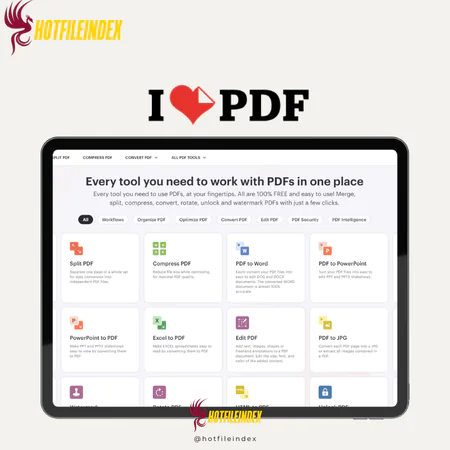
iLovePDF is an all-in-one online platform that makes it easy to merge, split, compress, convert, and edit PDF files
You will get Shared Account of
- FE
Documents do not always arrive in the format you need right away. One file might need to be compressed, another converted, while several others must be merged before they are ready to send. Handling PDF documents can easily turn into a repetitive process filled with small edits and adjustments.
That is where iLovePDF becomes helpful. It is an online toolkit designed to simplify working with PDF files by allowing users to merge, split, compress, convert, and edit documents quickly within a straightforward and accessible interface.
What is iLovePDF?

iLovePDF is a comprehensive online platform created to make PDF management easier for both individuals and organizations. With a clean and user-friendly interface, users can access a variety of tools to merge, split, compress, convert, and edit PDF files without complicated steps. The platform also supports converting PDFs to and from several formats such as Word, Excel, PowerPoint, and JPG, making it suitable for many different document management needs.
Key features

- Merge and Split PDFs: Combine several PDF files into a single document or divide a large PDF into smaller sections for easier organization and sharing.
- File Conversion Tools: Convert PDFs into editable formats including Word, Excel, PowerPoint, and JPG. Users can also transform those file types back into PDF format.
- PDF Compression: Reduce the size of PDF files while maintaining clear document quality, making them easier to upload, store, or send.
- PDF Editing: Insert text, images, shapes, and annotations directly into a PDF without requiring professional editing software.
- PDF Security Options: Protect confidential documents by setting password protection or remove passwords from PDFs that you own.
- Page Organization: Rearrange, rotate, add, or remove pages within a PDF to structure the document exactly the way you want.
- OCR Technology: Convert scanned PDF documents into searchable and editable text through optical character recognition.
- E-Signature and Document Customization: Sign documents electronically, apply watermarks, and add page numbers to prepare files before sharing.
- Cross-Platform Access: Access iLovePDF through web browsers, desktop software, or mobile devices, with integration for cloud storage services.
Pricing plans

| Plan | Price | Users |
| Basic | Free | 1 |
| Premium | $7/month | 1–25 |
| Business | Custom pricing | 25+ |
Advantages
- Comprehensive PDF Toolkit: iLovePDF offers many PDF utilities in one place, including merging, splitting, compressing, and converting files. This all-in-one solution reduces the need to switch between multiple tools.
- Simple and User-Friendly: The interface is designed to be intuitive, enabling users to complete tasks quickly even without prior experience working with PDF software.
- Web-Based Convenience: Since the platform operates online, there is no need to download or install software, allowing users to handle documents easily from any device.
- Free Access Available: The free plan provides access to several essential tools, making it suitable for basic personal or occasional document tasks.
- Quick Processing: Many users appreciate the platform’s fast performance when compressing or converting files, which helps save time when managing documents.
Disadvantages
- Limitations in the Free Plan: While the free version is helpful, it may include restrictions such as file size limits, daily usage caps, and limited access to advanced tools. These limitations may not be ideal for heavy workloads.
- Inconsistent Conversion Quality: Some conversions, especially from PDF to Word or Excel, may not perfectly preserve complex layouts or formatting, resulting in small inconsistencies.
- Ads in the Free Version: The free plan may display advertisements or pop-ups, which can occasionally interrupt the workflow.
Who should use iLovePDF?
- Students and Teachers: Helpful for organizing assignments, combining study materials, converting files, and compressing PDFs for online submissions. It makes preparing documents in the correct format much easier.
- Office Workers and Professionals: Suitable for daily document tasks such as merging reports, compressing files for email, converting formats, and adding digital signatures without complex software.
- Freelancers and Remote Workers: Convenient for editing and converting documents from anywhere because the platform runs directly in a browser.
- Small Businesses and Teams: Useful for handling shared documents and managing multiple PDFs efficiently without investing in expensive enterprise tools.
- Casual Users: Ideal for individuals who occasionally need to merge, split, compress, or convert PDF files without technical expertise.
FAQs about iLovePDF?
- How do I merge PDF files with iLovePDF?
To merge PDF files, upload the documents you want to combine, arrange them in the preferred order, and start the merge process. The platform will generate a single PDF file that you can download. - Can iLovePDF convert PDF to Word or Excel?
Yes. iLovePDF allows users to convert PDFs into multiple formats such as Word, Excel, PowerPoint, and JPG, enabling easier editing and reuse of document content. - Is iLovePDF safe to use?
iLovePDF processes files securely and automatically deletes uploaded documents after a certain time. This helps protect user privacy and ensures files are not stored permanently. - Does iLovePDF work on mobile devices?
Yes. iLovePDF can be used on smartphones and tablets through a web browser, and it also offers dedicated mobile applications for convenient document management on the go. - Do I need to install software to use iLovePDF?
No. The web version works entirely through a browser, so users can access its tools without installing any software, which is especially useful for quick tasks or shared computers.
Conclusion
Overall, iLovePDF is a practical and accessible tool for handling everyday PDF tasks. With various features for merging, converting, compressing, and editing files, it helps simplify document management for both personal and professional use.
If you want to unlock premium features at a more affordable price, purchasing an account through Hotfileindex can be a convenient option.
All Info just pre-build when listing. Until Product mark as "Instant Deliver", infomation will be updated again like OTOs you will be get,..etc
Related products

Shared

Shared

Shared
Shared
Shared
Shared
Shared
Shared
Shared
Content & Articles Tools